Table of contents
Generate summary with AI

Atera and Automox are both endpoint management systems, but the two differ in their focus areas. Automox is laser-focused on patch management and device configuration, while Atera’s Autonomous IT platform covers a broader IT management scope.
Read on for a full Atera vs. Automox comparison.
Atera vs. Automox: An overview
To begin with, let’s go through a brief overview of Atera vs. Automox:
Atera Features | Automox Features |
– Autonomous IT platform with built-in RMM, remote access, network discovery, and documentation – Device management for Windows, Linux, and macOS – Robin by Atera for managing Tier-1 support fully autonomously – AI Copilot for AI-powered troubleshooting, scripting, ticketing, and more – Ticketing system with AI Copilot helping technicians summarize and work through tickets – Scripting engine powered by AI Copilot – Asset management to track the lifecycle of IT assets, with automated device discovery – Patch management to keep Windows, macOS, Linux, and third-party apps up-to-date – PSA for MSPs to track contracts, billing, SLAs, and more | – Endpoint management with an agent (similar to an RMM agent) – Automated patching for Windows, macOS, and Linux, plus third-party applications – Worklets, a catalog of scripts for device configuration – Otto AI and MCP connection – Vulnerability remediation – Remote control for Windows and macOS devices – Software deployment – Reporting |
Customer support | Customer support |
– 24/7 email and live chat support for all customers – An extensive knowledge base, IT community, and tutorials | – Limited 24/7 support with access to open up to 5 support tickets every month – Paid support with unlimited monthly tickets – Automox Community, and onboarding articles and webinars |
Integrations | Integrations |
– Integrations with 25+ cybersecurity, automation, backup, remote access, and network monitoring software – Integrations with 50+ more third-party tools for Robin – Access to 5,000+ apps through Zapier | – Integrations with Rapid7, ServiceNow, SentinelOne, Splunk, CrowdStrike, Freshworks, Lansweeper, and Microsoft Intune, plus Slack – An API for custom integrations |
Pricing | Pricing |
– Transparent pay-per-technician pricing, starting from $129/technician/month – 30-day free trial available | – Patch OS plan, starting from $1 per endpoint/month with annual commitment – 15-day free trial available |
Plus, based on G2’s comparison, this is how real users have rated Atera vs. Automox on key categories:
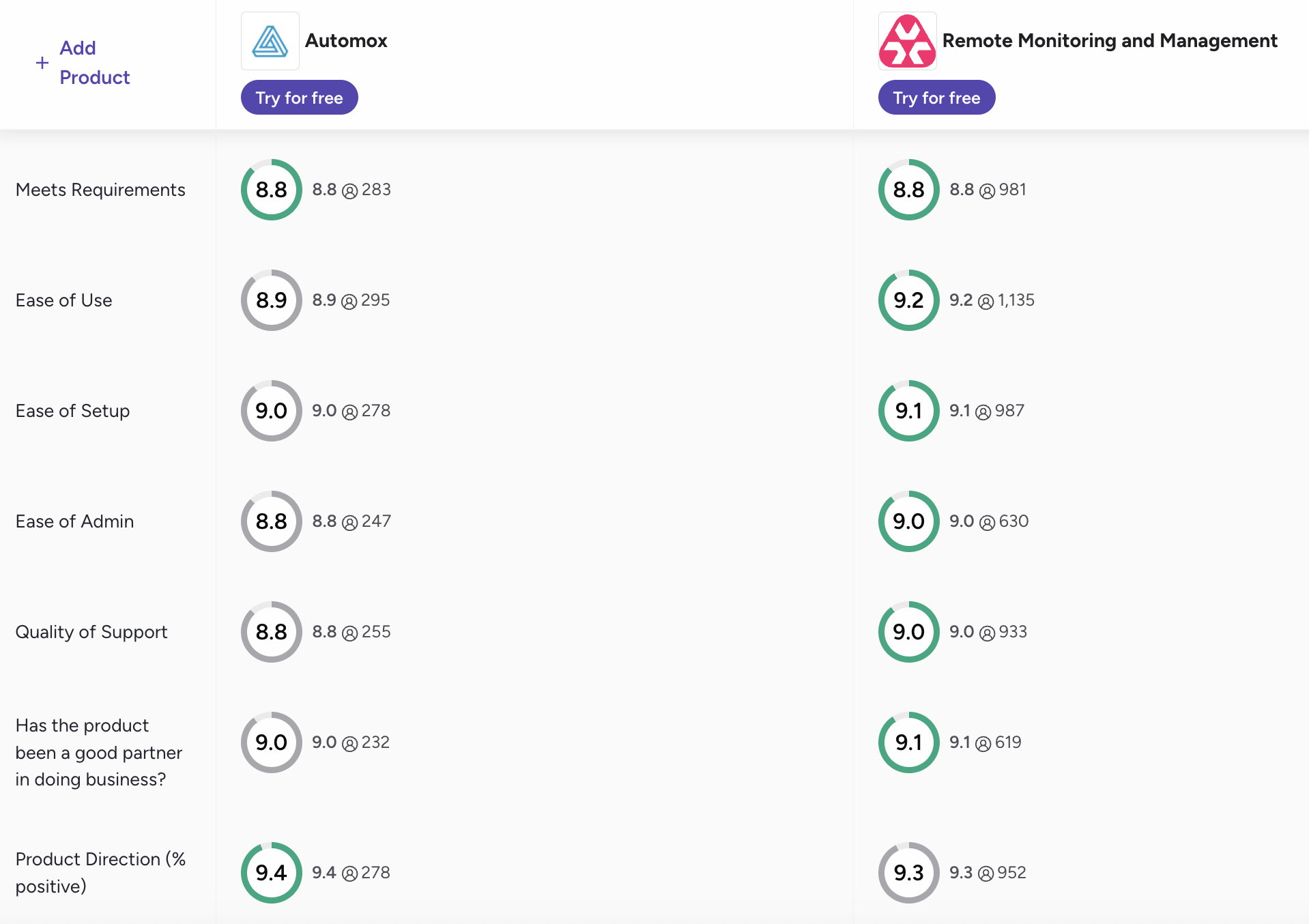
You can access the full G2 comparison here.
#1: Features and capabilities
Atera and Automox are both endpoint management solutions, but differ in their focus areas.
Automox focuses primarily on patch management for Windows, Mac, and Linux devices. You can set up policy-driven schedules, deploy third-party app updates, and remediate unpatchable threats. Its patching is backed by remote control and vulnerability remediation through third-party integrations.
In contrast, Atera’s Autonomous IT platform focuses on the broader IT operations picture:
- Atera’s RMM and remote access to monitor and remotely access Windows, macOS, and Linux devices
- Patch management to automate OS and third-party app updates
- Asset management with automated Network Discovery as an add-on
- Ticketing and helpdesk for managing and resolving support issues
- Robin by Atera for resolving up to 92% of technical issues
- AI Copilot to assist technicians in manual and repetitive tasks
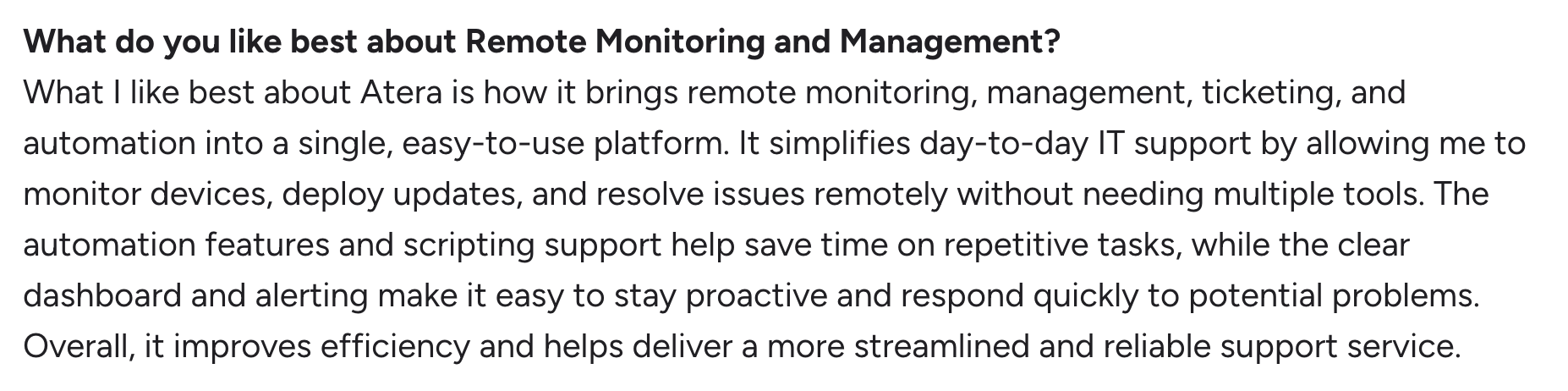
This is how one Atera user, Liam C., commented on the benefits of Atera’s broader feature-set:
#2: Agentic AI development
Of Atera and Automox, only Atera has built an Agentic AI directly into its platform.
Automox offers two AI solutions:
- Otto AI: An AI scripting feature that generates custom Worklets ( scripts) from simple prompts. This is similar to Atera AI Copilot’s script generator.
- Automox MCP server: Connects AI assistants like Claude to an Automox environment. IT teams can use this connection to run policies and check compliance status directly from the AI chat.
Automox’s MCP server has elements of Agentic AI technology, but it still can’t resolve IT issues on its own. Automox’s AI is designed for human-controlled automation.
In contrast, Robin by Atera works differently. It reaches directly into the device, network, or service and resolves up to 92% of Tier-1 and complex Tier-2 technical incidents end to end.
It does this following a four-step resolution process:
- Diagnose: Robin receives the request through Teams, Slack, email, or your ITSM. It then verifies the user and gathers the context it needs.
- Remediate: Robin takes the approved action directly on the device, network, or in the cloud.
- Verify: Robin confirms the issue is actually resolved, and if it isn’t, escalates to a technician with full context.
- Close: Robin updates the ticket with the outcome and logs every action for governance and compliance.
To conclude, while Automox’s AI is mainly designed to assist humans, Robin is designed to solve real-world IT issues without a technician in the loop.
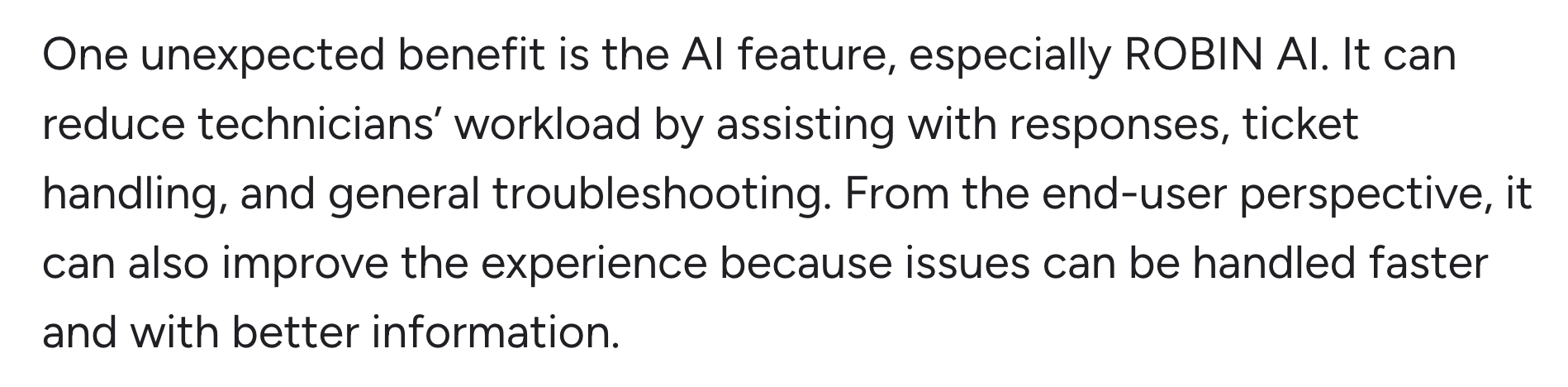
This was one Atera user, Emil C.’s experience with Robin:
#3: Pricing and value for money
Atera and Automox price their software differently. For Automox, three pricing plans are available, with the cheapest one, Patch OS, starting at $1/month per endpoint. The two higher plans are based on a custom quote.
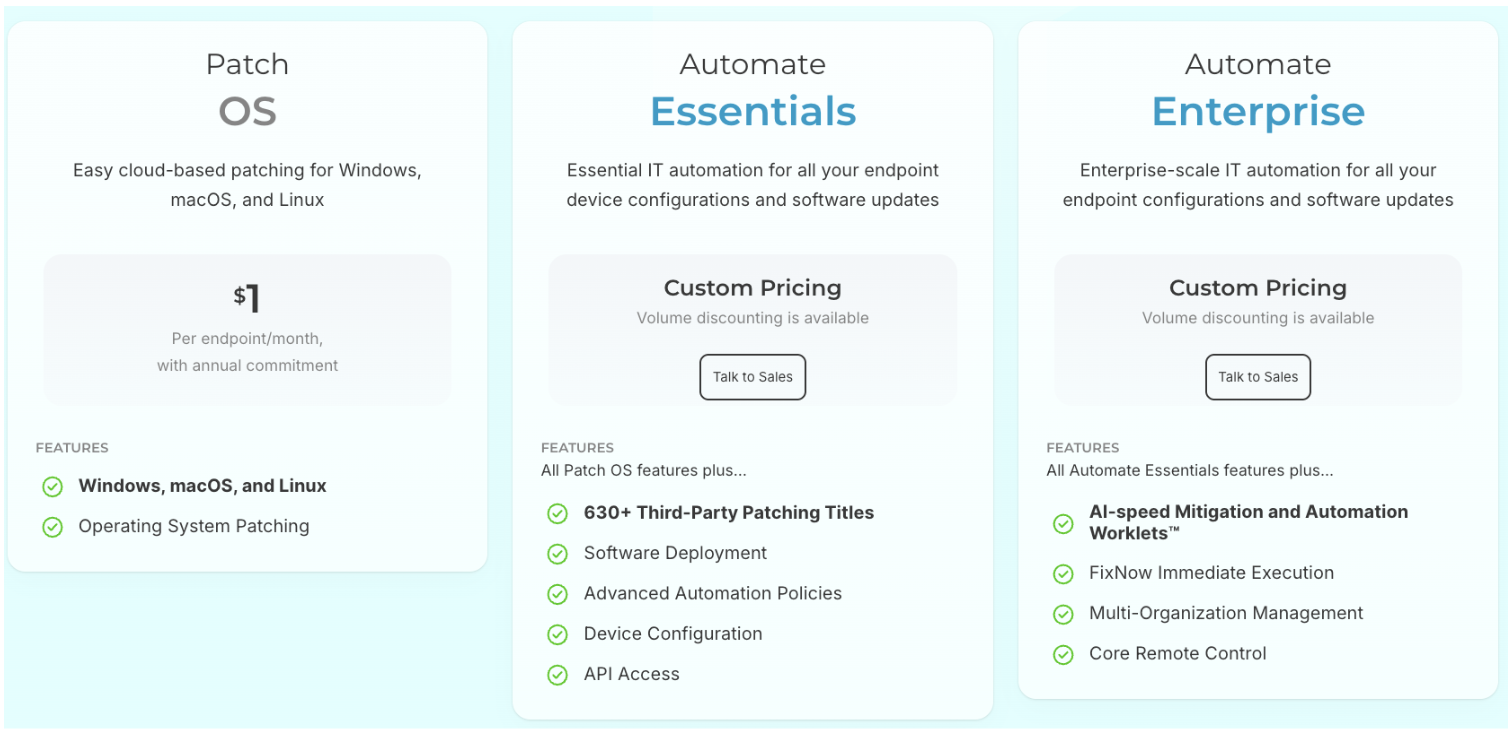
Automox pricing may seem affordable at first, but once you start adding more devices, the cost climbs quickly, since every endpoint you manage adds to the bill.
For an organization with 800 endpoints, the pricing means:
- Patch OS: 800 × $1 = $800/month, or $9,600/year (with annual commitment)
And this doesn’t include remote access, which Automox has listed as an add-on. Both Atera and Automox offer remote access through Splashtop. Of the two, only Atera offers it as part of its base plans, at no extra cost.
Atera’s pricing for IT departments starts at $149/month per technician. With Atera’s plans, you get access to all the essentials: RMM, remote access, patch management, reporting, and ticketing.
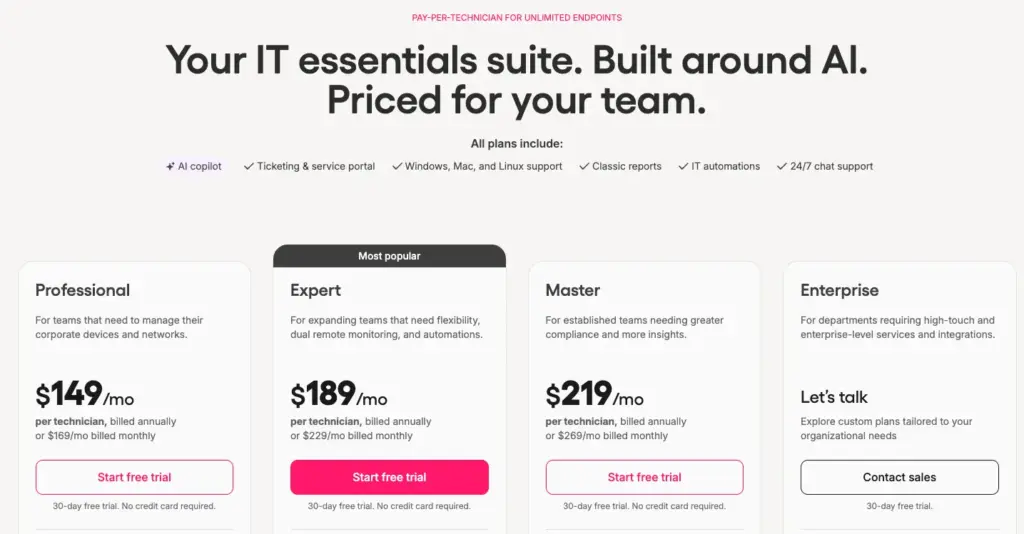
And the main difference? Atera’s pricing is based on pay-per-technician, meaning you can add unlimited devices at no extra cost.
For an organization with 800 endpoints, Atera’s pricing could mean:
- Professional Plan: 3 technicians × $149 = $447/month, or $5,364/year (with unlimited endpoints)

#4: User interface and usability
To compare UI and usability, let’s look at how real users have rated the ease of use of Atera vs. Automox on G2. Below are the ratings of the two on all ease-of-use categories:
G2’s Ease of Use Category | 1. Atera | 2. Automox |
Ease of Use | 9.2 (1,100+ reviews) | 8.9 (290+ reviews) |
Ease of Setup | 9.1 980+ reviews) | 9.0 (270+ reviews) |
Ease of Admin | 9.0 (600+ reviews) | 8.8 (240+ reviews) |
Both platforms have received strong ratings, but Atera has a slight edge across all three categories.
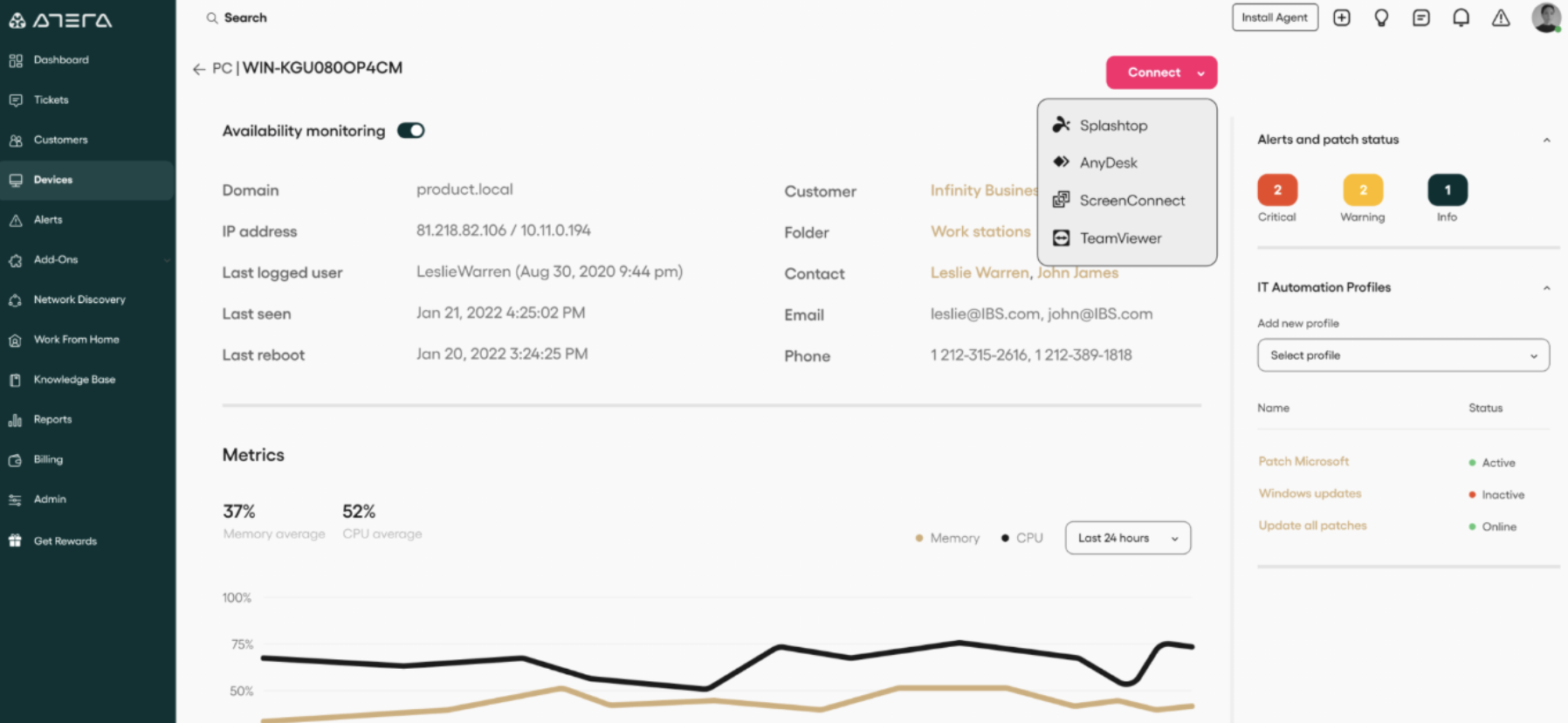
Here’s a real look into Atera’s admin dashboard:
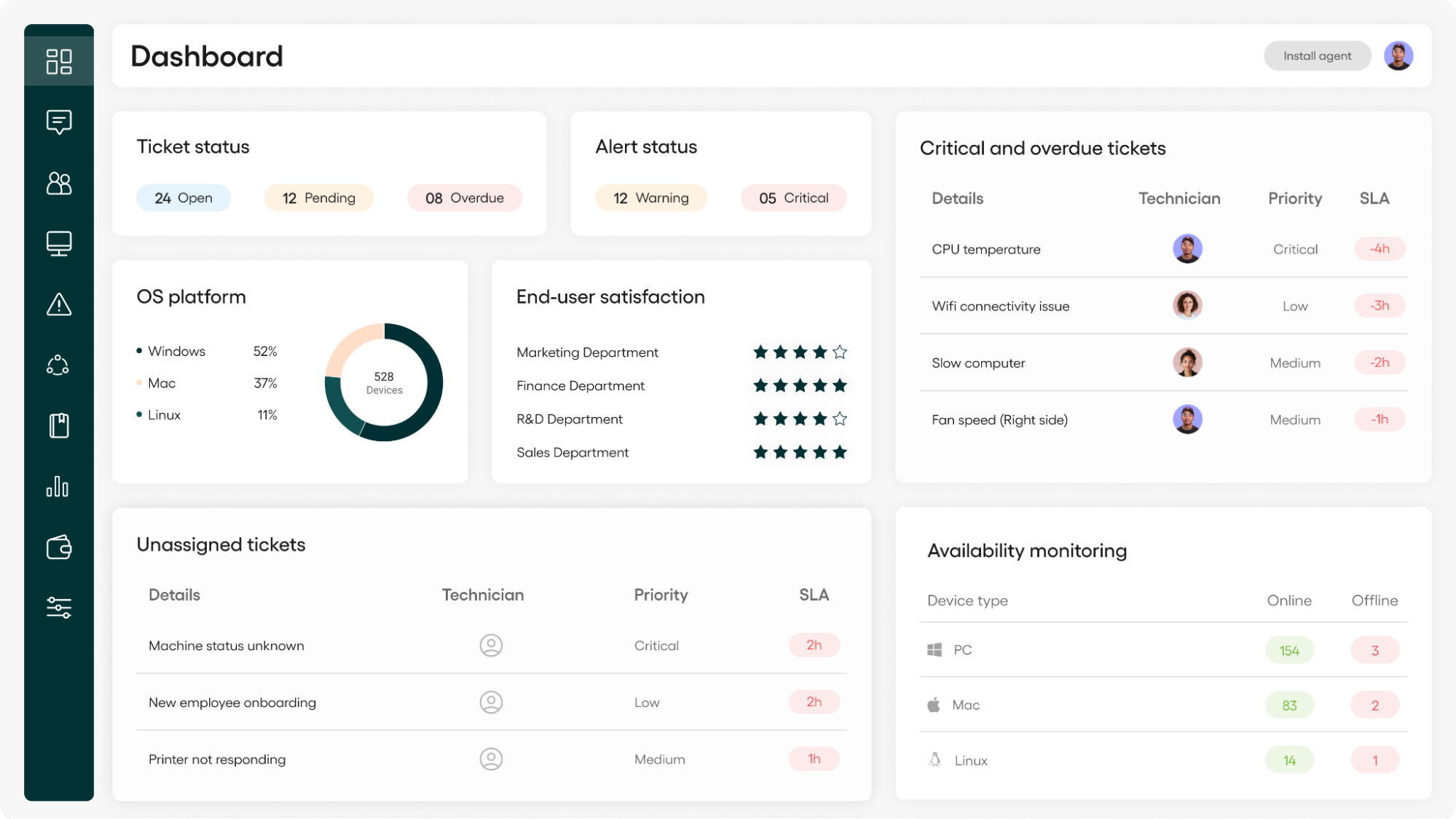
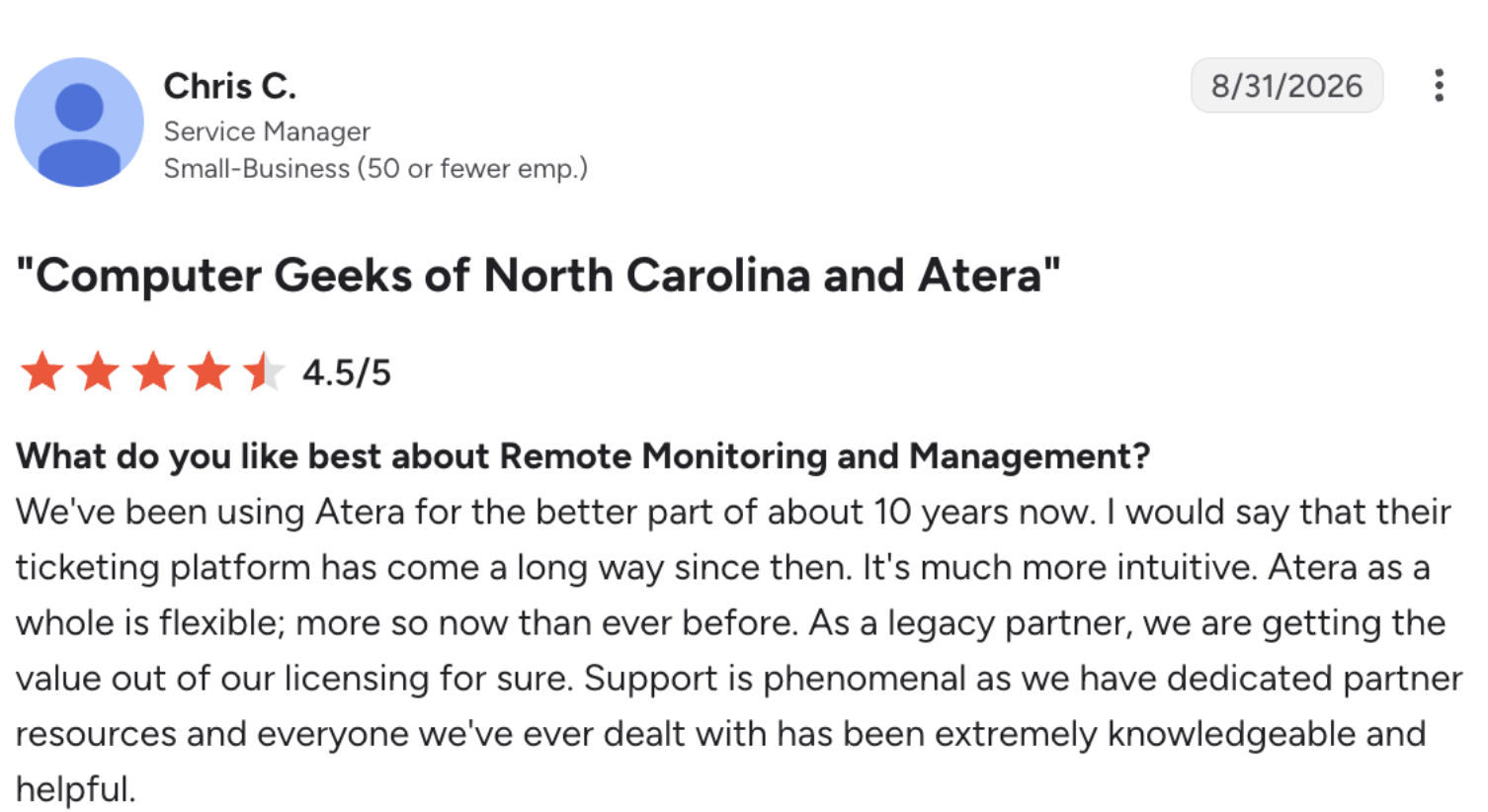
Atera’s UI has evolved drastically over the years. Here’s how one legacy user of Atera, Chris C., described his experience:
- “We’ve been using Atera for the better part of about 10 years now. I would say that their ticketing platform has come a long way since then. It’s much more intuitive. Atera as a whole is flexible; more so now than ever before.”
To automate patch management, you can set up an IT automation profile, or use Robin to help with software installation/updates. To remotely access devices, select your preferred remote access tool from the ‘Device’ page.
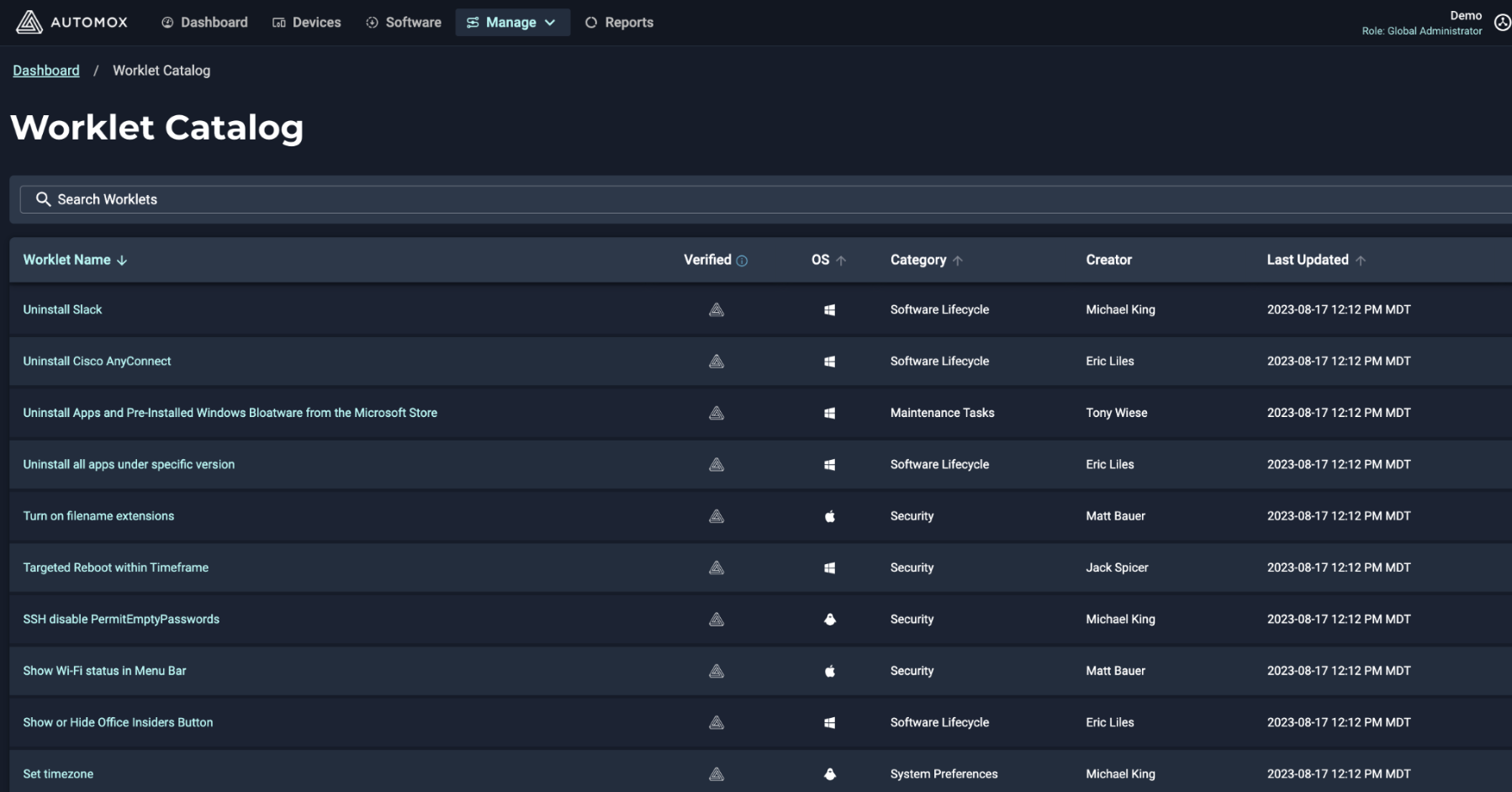
For Automox, here’s what their ‘Worklet’ catalog page looks like:
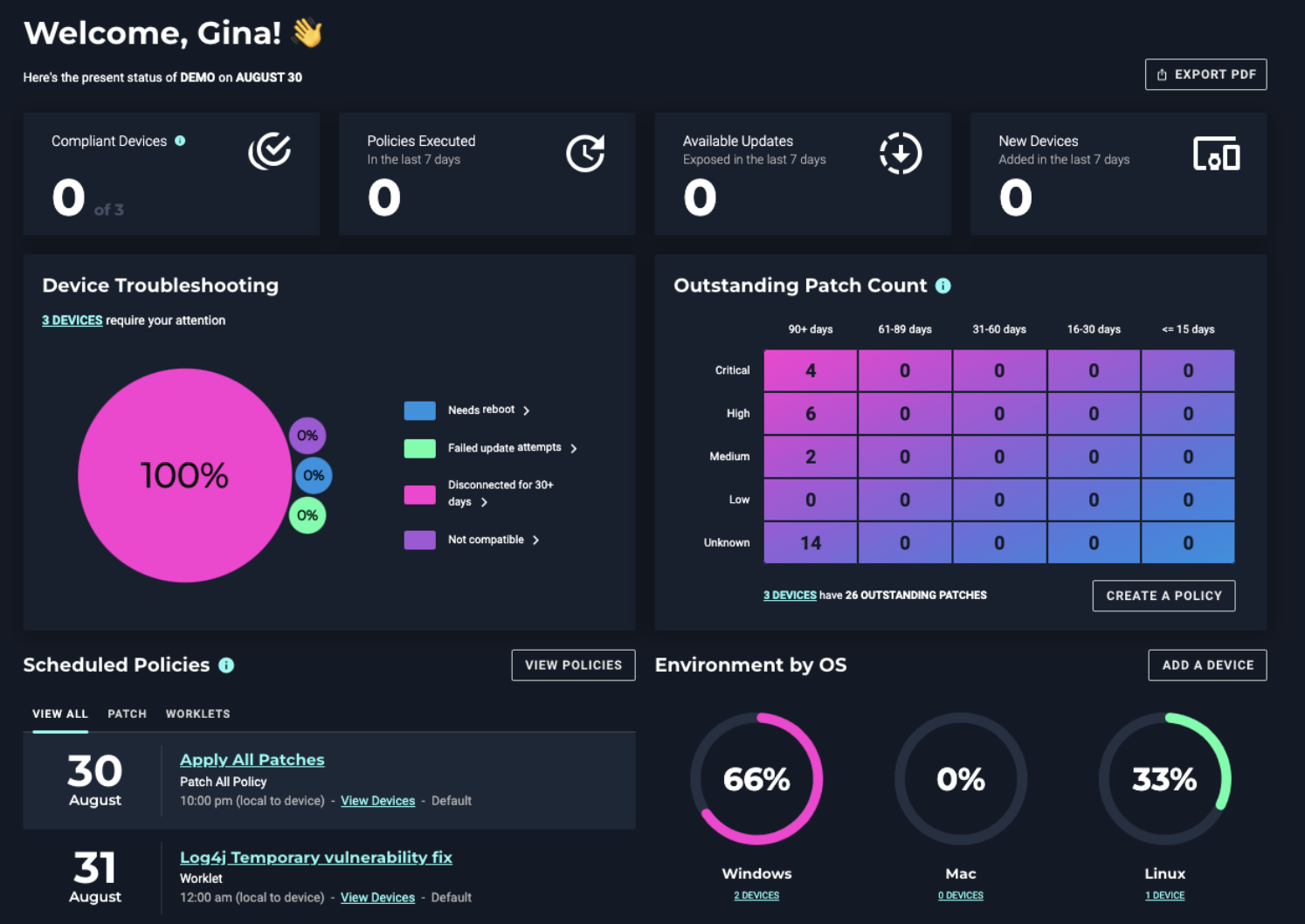
When you log in to Automox’s dashboard, you get a simple overview of your device status, such as outstanding patch count and scheduled policies.
#5: Customer support and community
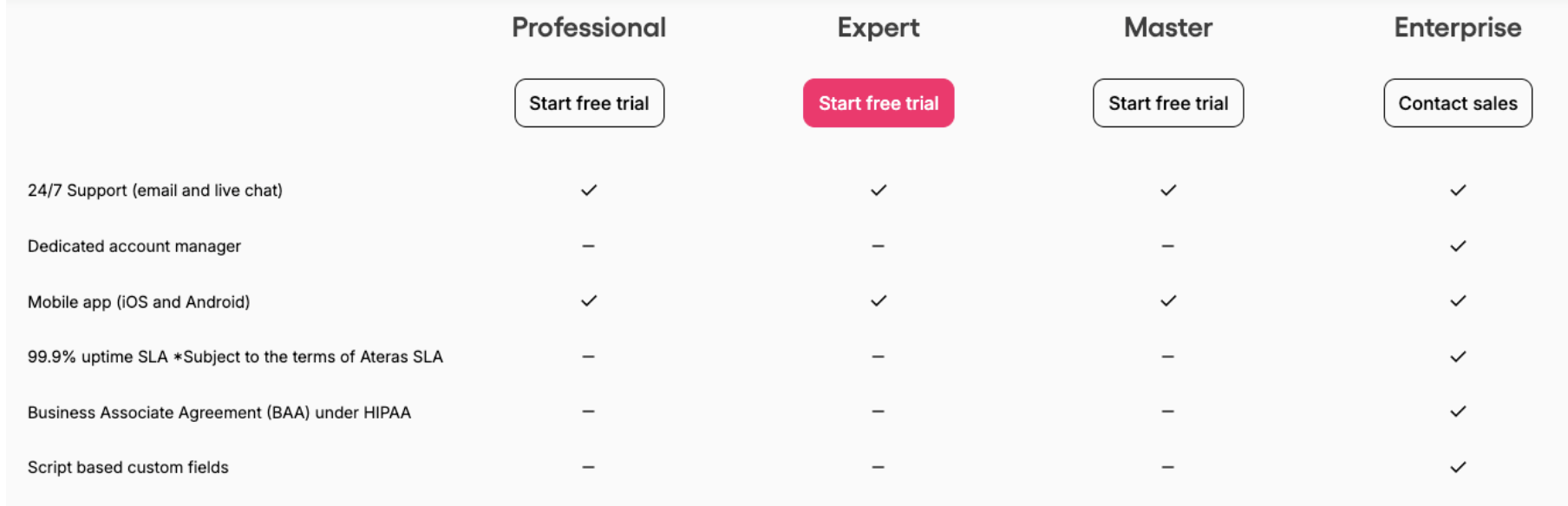
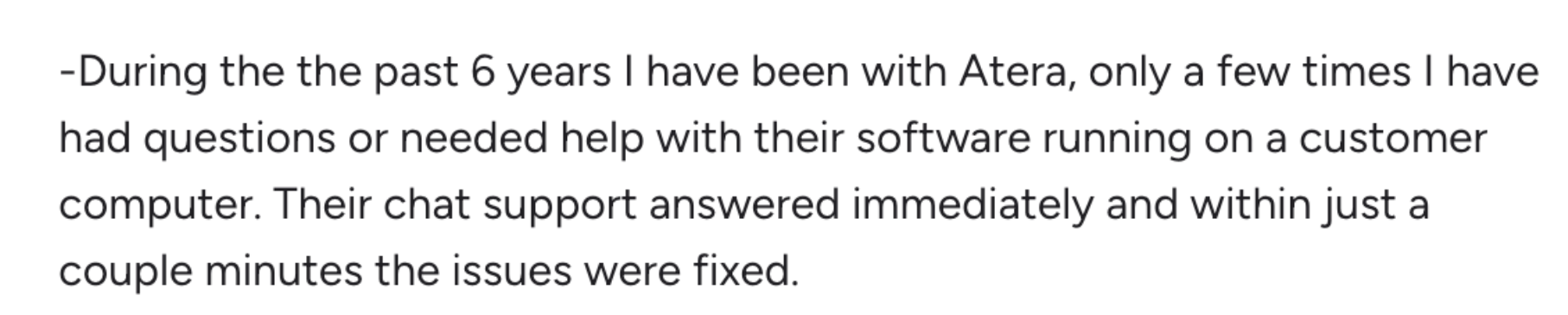
Atera’s goal is to keep its base support offerings as easy to understand as possible. 24/7 live chat and email support is available to all users – at no extra cost.
Plus, all users get access to Atera’s knowledge base, webinars and tutorials, IT academy, shared script library, and the active IT community. Enterprises also benefit from a dedicated account manager.
This was one G2 user’s experience with Atera’s support:
Automox’s support offerings are a bit more complicated. All users can open support tickets 24/7’, but this doesn’t mean you get help instantly. Automox promises different response times, depending on your support plan.
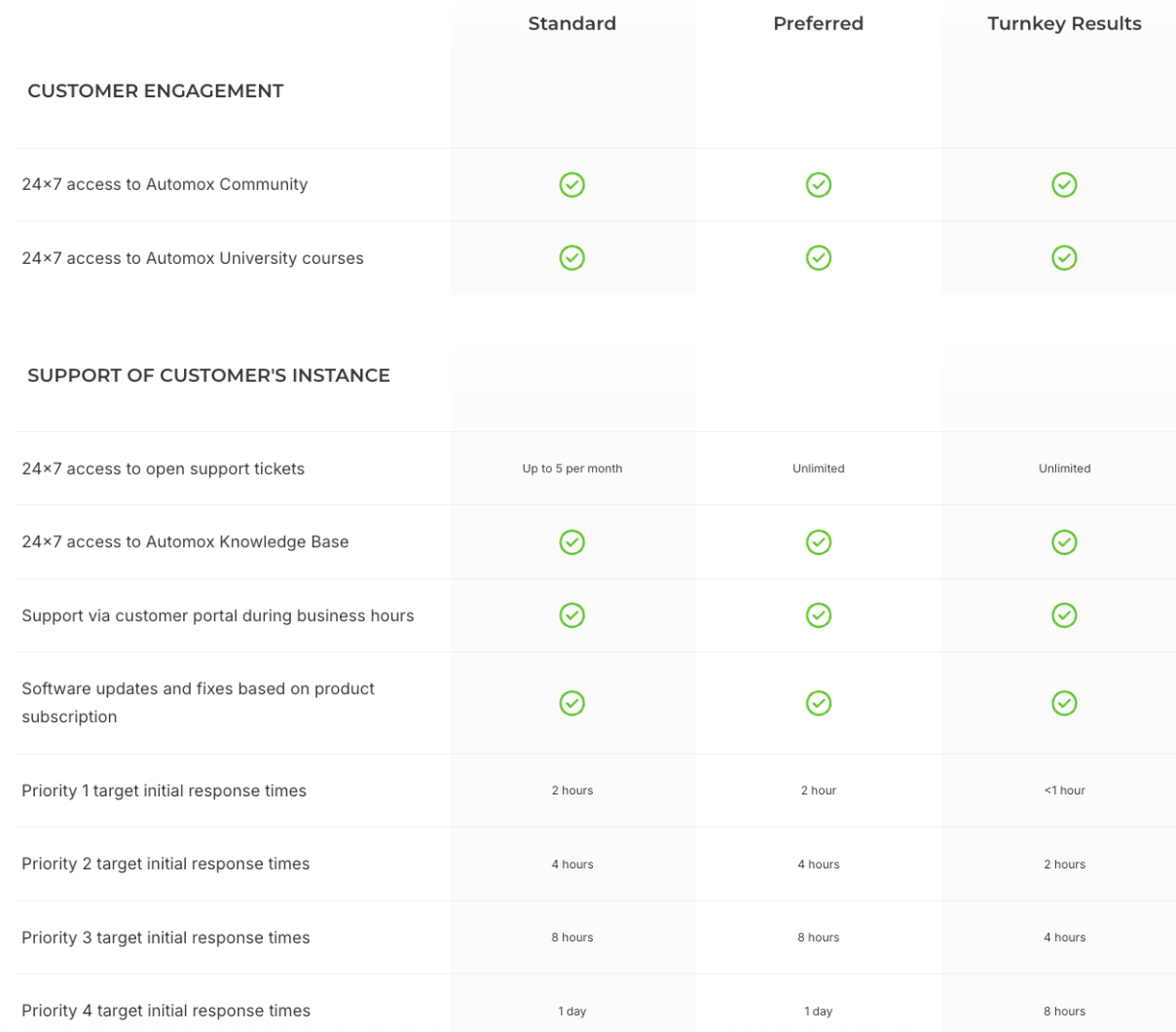
While the ‘Standard’ support plan is free, the ‘Preferred’ and ‘Turnkey Results’ pricing plans are paid. Even with the paid options, you only get 24/7 support for Priority 1 and 2 tickets.
You can open up to 5 tickets per month with the Standard plan, which is arguably limiting. Atera has no limit for the number of tickets you can open.
#6: User feedback and reviews
On G2 alone, Atera has gathered 1,200+ reviews, with an average rating of 4.6 out of 5.0 stars. For Automox, 320+ reviews have been left, with a rating of 4.5 out of 5.0 stars.
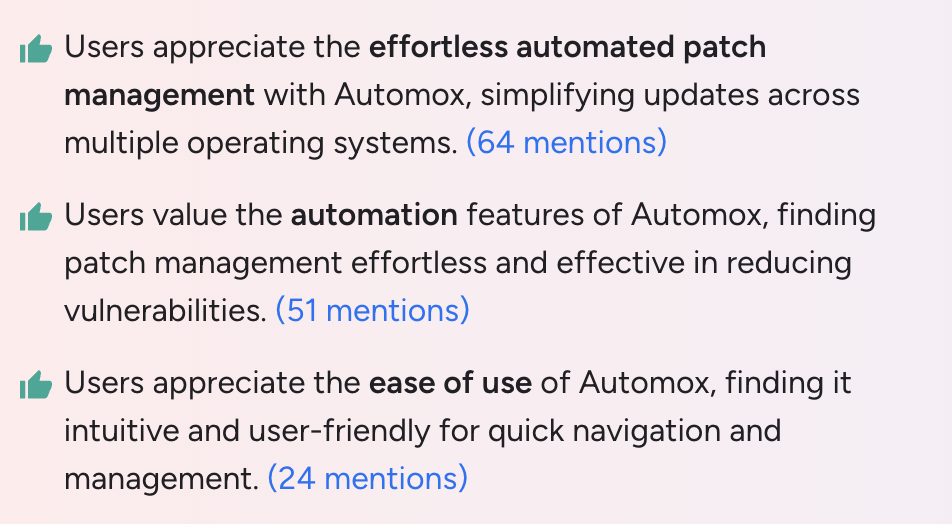
According to G2 reviews, Automox’s main pros are patch management, automation, and ease of use.
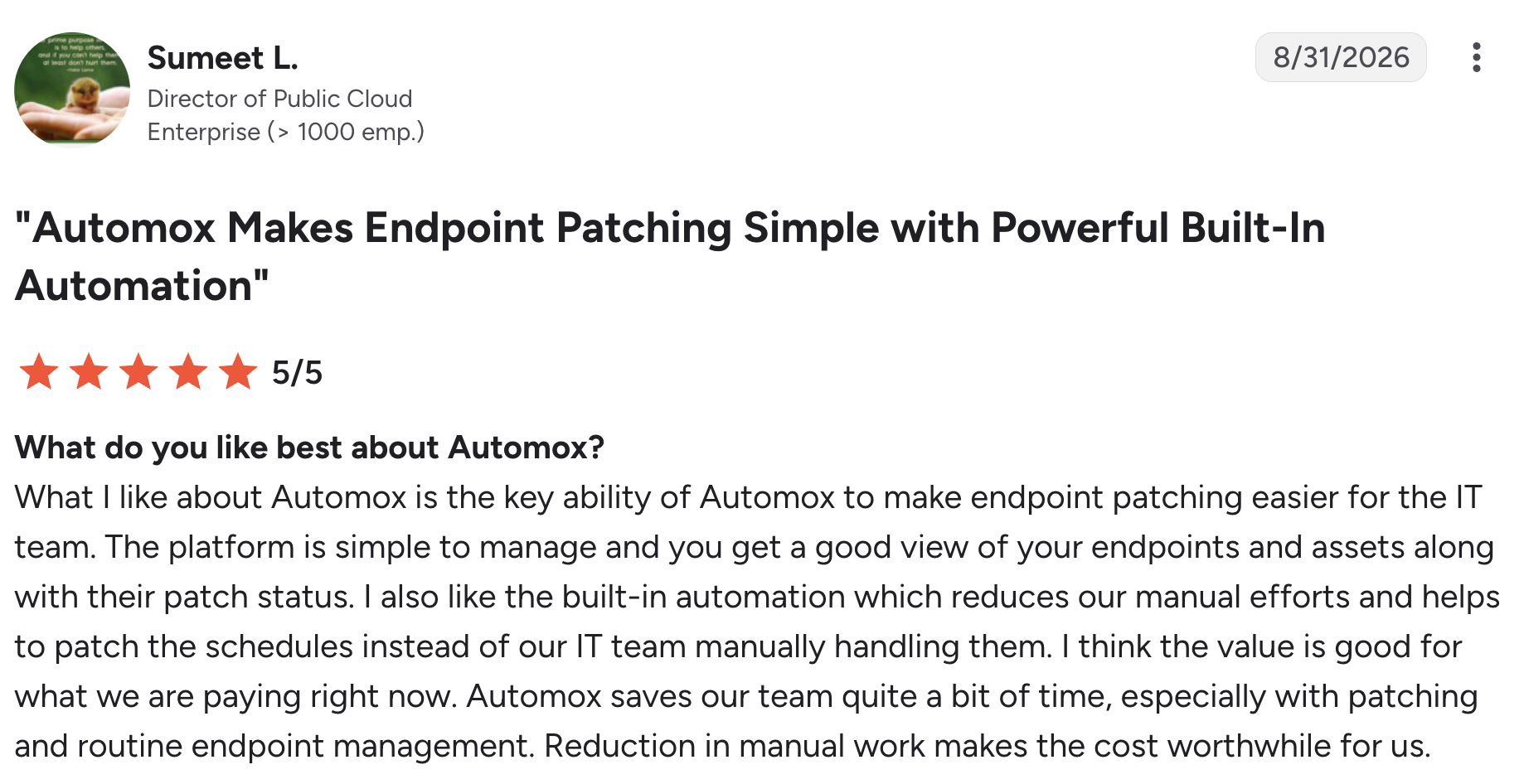
For example, see this review from one Automox user, Sumeet L:
What some users don’t like is the per-endpoint pricing found in Automox. One Automox user, Aman G., commented on this issue:
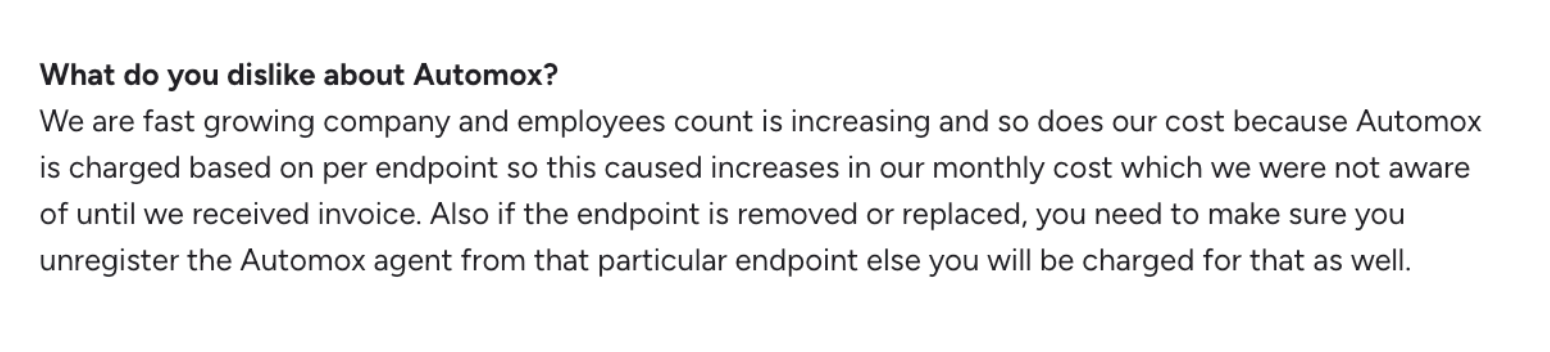
Unlike most RMM pricing, Atera is one of the tools with per-technician pricing, meaning you can add and manage unlimited endpoints for a fixed cost.
For Atera, the main pros on G2 are ease of use, powerful automation, and its all-in-one dashboard.
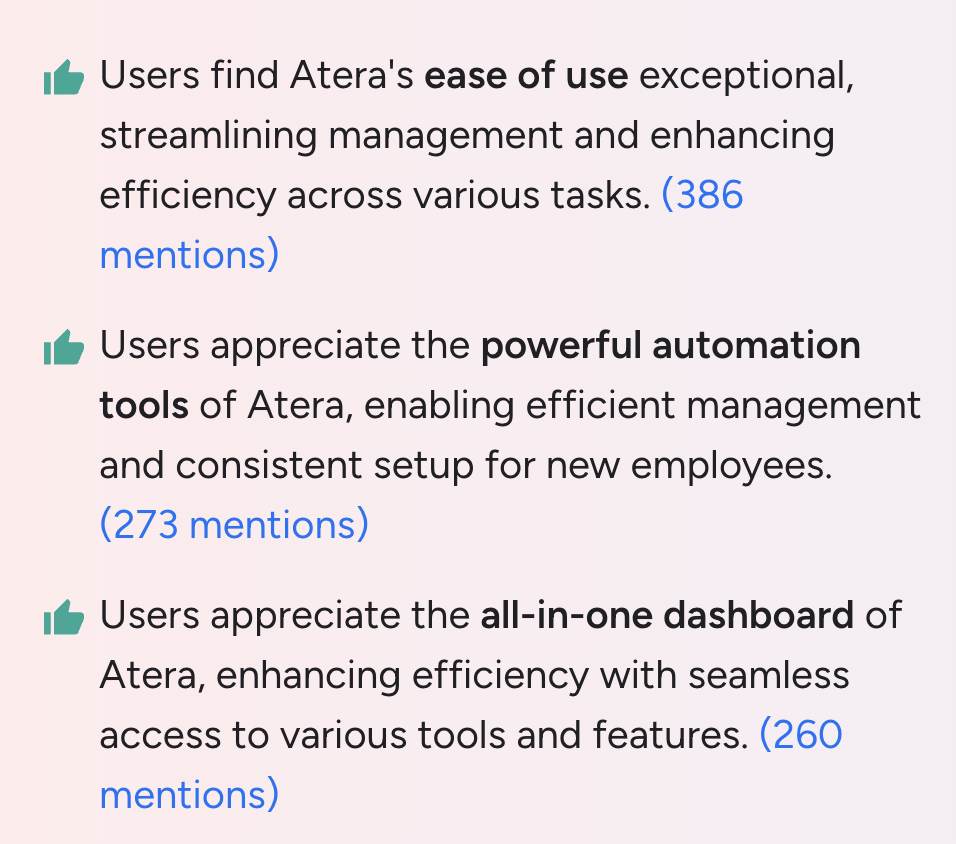
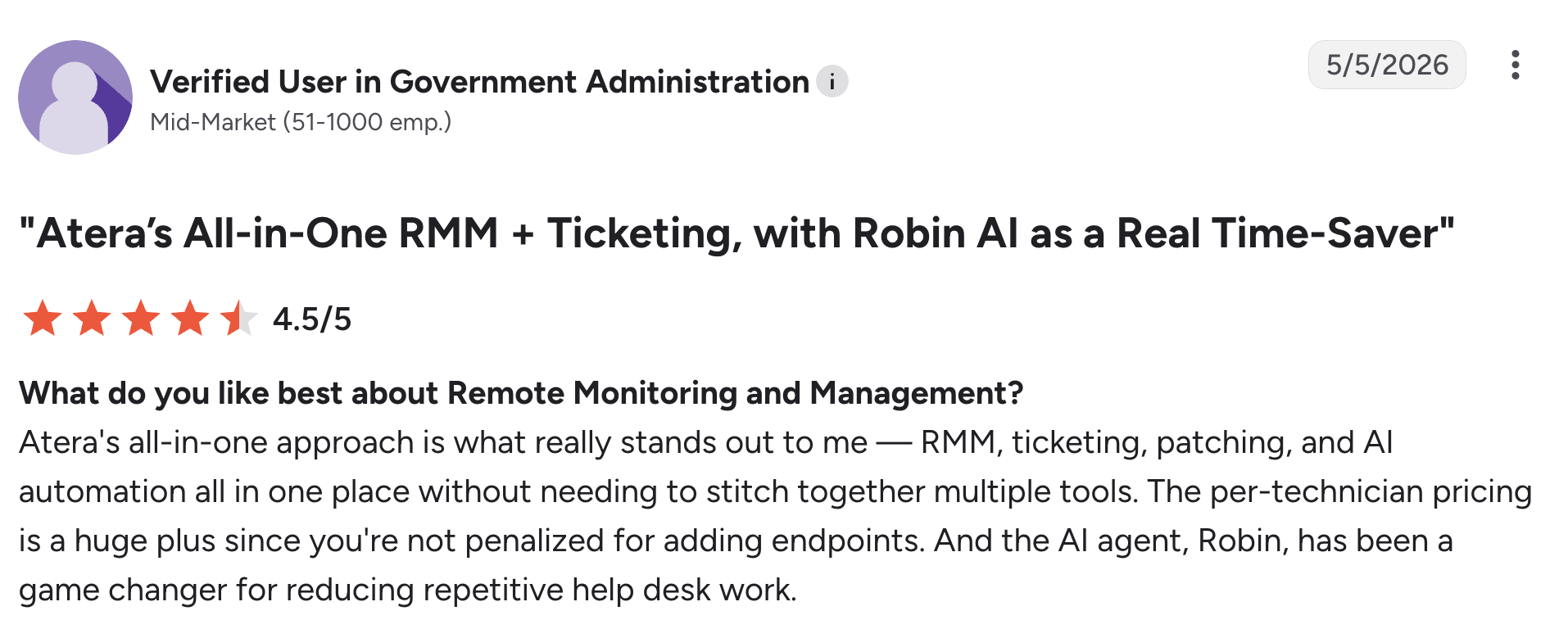
The automation reviews include Atera’s Robin, which many users praise for resolving common incidents fully autonomously.
One G2 user simply said, “The AI agent, Robin, has been a game changer for reducing repetitive help desk work.”
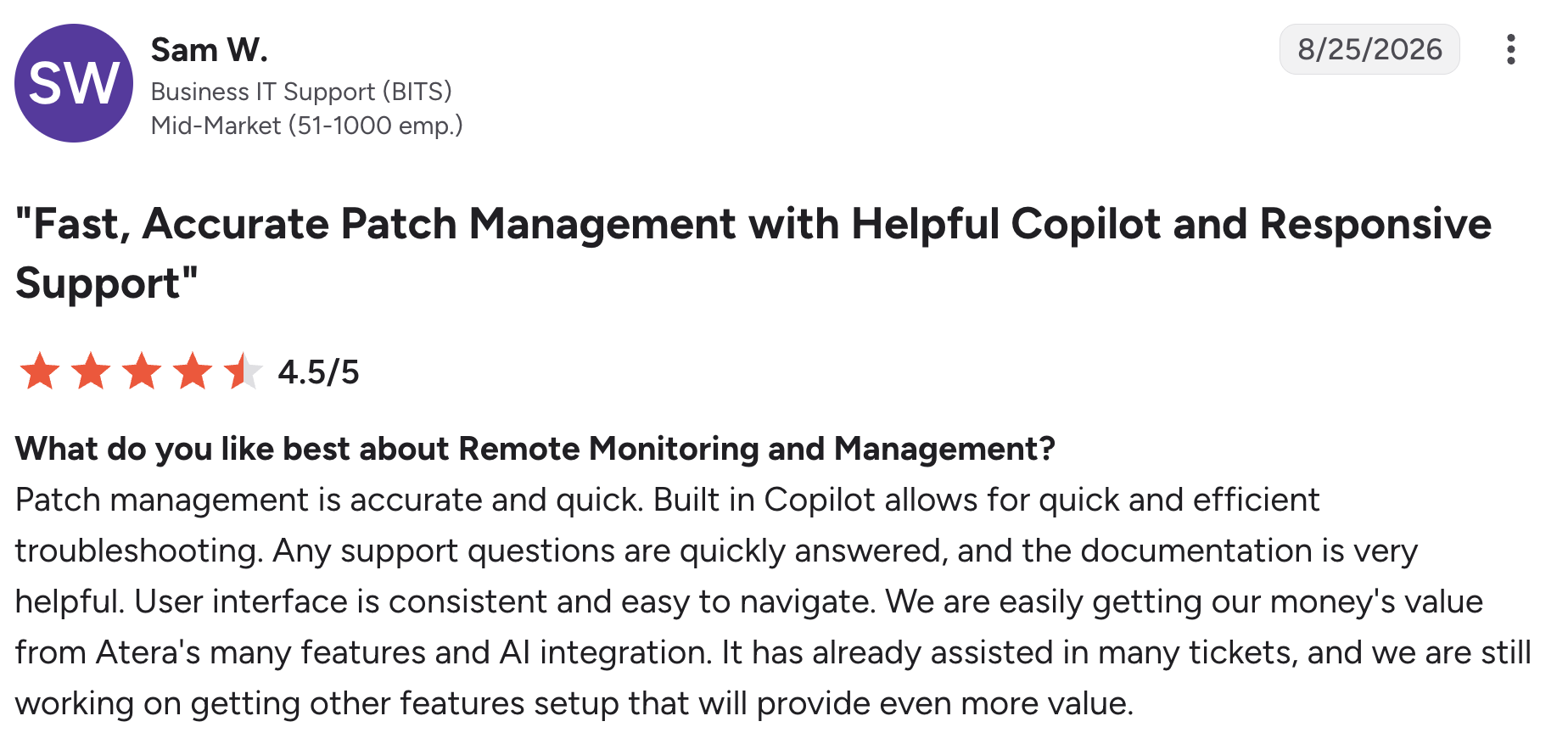
Sam W. commented on the effectiveness of Atera’s patch management and AI Copilot:
Final checklist: Atera vs. Automox for your organization?
The answer is, it depends. As a final summary, here’s a checklist of what we recommend.
Automox can be suitable if:
- Patch management and device configuration are your main needs
- You already have ITSM or help desk in place, and only need a tool for patching
- You don’t need RMM, ticketing, PSA, or asset management under the same platform
- You’re comfortable with per-endpoint pricing, and paying extra for remote access
- You’d rather connect your own AI assistant through MCP
In contrast, Atera can be suitable if:
- You want a complete Autonomous IT platform, not just a patching tool
- You want to reduce organizational workload (Robin resolves up to 92% of technical incidents)
- You prefer per-technician pricing that lets you add unlimited devices at no extra cost
- You want reliable 24/7 support, with no paid support tiers
Atera offers a 30-day free trial. Or, you can get in touch with our sales team to see how Robin can help your organization.
Frequently Asked Questions
Related Articles
Robin vs Request Resolver (Former Rovo)
Robin and Atlassian's Request Resolver (Former Rovo) both bring Autonomous IT into ITSM, but they operate at different levels. This full comparison breaks down where each one's autonomy actually reaches.
Read now
Robin vs Kaseya Intelligence
Robin by Atera and Kaseya Intelligence both talk about autonomous IT, but structure their AI technologies differently. See where each one's autonomy actually reaches and which works for your org.
Read now
Robin by Atera vs. Ivanti Neurons: comparing two very different approaches to autonomous IT
In this article, we'll compare Robin vs. Ivanti Neurons: one AI agent that resolves IT incidents end to end, and one platform that splits autonomy across two separate AI capabilities.
Read now
Robin vs Freddy AI Agent Studio
Not all agentic ITSM starts from the same place. See how Robin's deploy-ready model compares to Freddy AI Agent Studio's no-code, build-it-yourself approach.
Read nowEndless IT possibilities
Boost your productivity with Atera’s intuitive, centralized all-in-one platform







