Table of contents
Table of contents
- Atera vs. Console: An overview
- Atera vs. Console: A final summary
Generate summary with AI

If you’re in the process of selecting an AI platform for ITSM, you’ve probably heard of both Atera and Console. They both developed AI agents to eliminate tier-1 and tier-2 support requests, and are often compared by IT decision makers.
But while both platforms offer AI agents to reduce manual workload, they take completely different approaches.
If you’re trying to decide which one is the better choice for your IT team, this Atera vs. Console is worth a read.
Atera vs. Console: An overview
For a quick comparison, see our overview table for Atera vs. Console below:
| Atera Features | Console Features | ||
| – Autonomous IT tool (with built-in RMM, remote access, network discovery, and documentation) – Robin by Atera (AI agent autonomously resolving 80% of tier-1 IT requests) – AI Copilot (assists technicians with fixing issues, running health checks, and more) – AI ticketing system (ticket summaries and auto-resolutions with AI Copilot) – Scripting engine powered by AI Copilot – Asset management to track the lifecycle of IT assets – Patch management to keep Windows, macOS, Linux, and third-party apps up-to-date – PSA for MSPs to track contracts, billing, SLAs, and more | – AI service desk (uses AI agents to handle IT requests submitted via Slack or Teams) – Playbooks (rule-based workflows that instruct the AI) – Console Assistant (an AI tool for building automations and handling tier-2 requests) – Ticket management (categorize, prioritize, and route incoming requests) – Access management | ||
| Customer support | Customer support | ||
| – 24/7 email and live chat support for all customers – An extensive knowledge base, IT community, and tutorials | – Support available via email and online resources; no publicly advertised 24/7 live support – Documentation and FAQ hub available | ||
| Integrations | Integrations | ||
| – Integrations with 25+ cybersecurity, automation, backup, remote access, and network monitoring software – Integrations with 50+ more third-party tools for Robin – Access to 5,000+ apps through Zapier | – Integrates with ITSM, MDM, knowledge base, HRIS, and other platforms | ||
| Pricing | Pricing | ||
| – Transparent pay-per-technician pricing, starting from $129/technician/month – 30-day free trial available | – Pricing is based on a custom quotation; book a demo from Console’s website to get the pricing – No publicly advertised free trial |
#1: Features and capabilities
Atera and Console may look the same on paper, but with a closer look, they’re two distinct tools. Both are ITSM platforms, with Console focusing solely on service desk, and Atera expanding into other areas of IT management as well.
Atera’s key features include:
- Atera’s RMM for monitoring and managing workstations, servers, and more
- Robin by Atera for handling up to 80% of tier-1 issues autonomously
- AI Copilot for assisting technicians in more complex issues
- Patch management for keeping Windows, macOS, and Linux devices up to date
- Asset management for discovering and managing the lifecycle of IT assets
- Ticketing system (with AI Copilot helping to summarize and resolve issues)
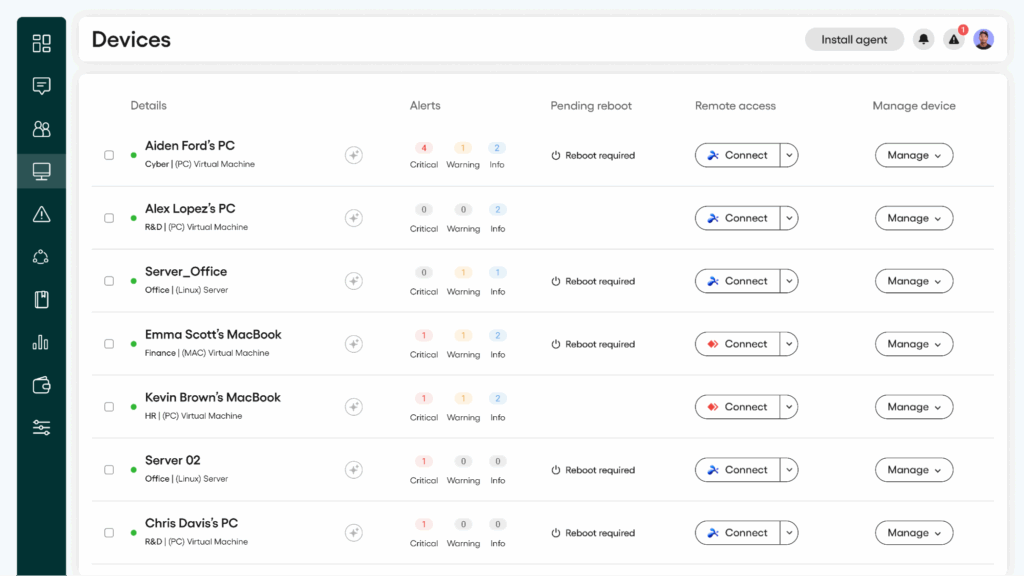
In contrast, Console’s key features center around its service desk, which helps to handle IT requests submitted through the customer portal, Slack, or Microsoft Teams.
With Console, IT teams still need to rely on additional third-party tools to cover RMM, asset management, patch management, remote access, and more.
Atera offers that and much more under one platform, which our users like Ashley T. appreciate:

#2: Agentic AI development
Both Atera and Console have developed AI agents, designed to resolve tier-1 and tier-2 support requests autonomously.
Robin by Atera works through problems like a technician would: running checks, interpreting results, and deciding what actions to perform. If Robin can solve the issue, it will do that, right there.
If it can’t solve the issue, it does the next best thing:
- Offers step-by-step guidance from your KB articles, if available
- Applies custom instructions you’ve defined for internal IT workflows
- Uses general IT knowledge from LLM for requests outside your documentation
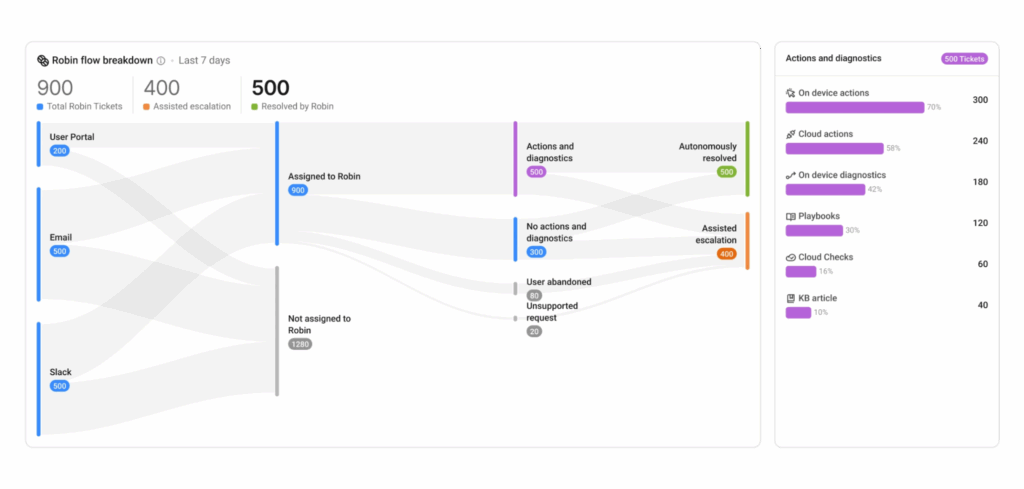
And the cool thing is, Robin can automatically escalate more complex issues to human technicians, with full context of the issue. This is also where Atera’s AI Copilot comes in handy for technicians.
In contrast, Console uses what’s known as “Playbooks,” which are predefined workflows that help to resolve requests coming through Slack or Microsoft Teams. When a request falls outside of an existing Playbook, Console’s Assistant helps to build a new automation or handle the request on its own.
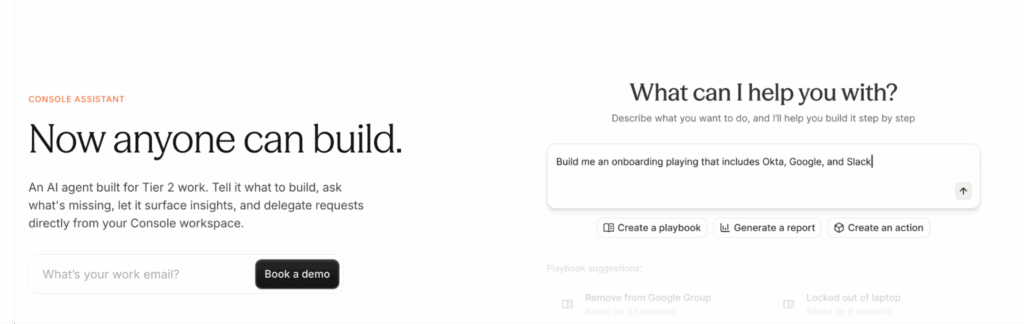
So, what’s the key difference between Atera’s Robin and Console? It’s the depth in which they operate. Robin works across your entire IT stack and takes approved actions on devices, networks, and in the cloud.
Robin interacts with endpoints, runs diagnostics, and takes actions on its own, all without technicians’ involvement. In contrast, Console’s AI primarily focuses on request intake, without the ability to reach the device the way Robin can.
Whether it’s installing/updating software, solving printer and device issues, creating step-by-step instructions, or running health checks, Robin truly assists with it all.
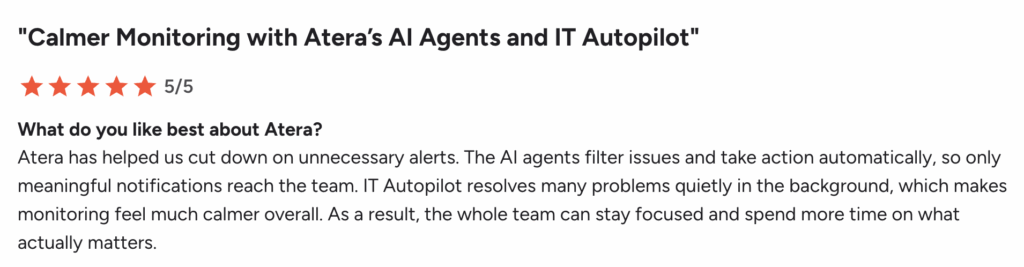
Like Praveen R. said, “Atera’s AI agents filter issues and take actions automatically, so only meaningful notifications reach the team.”
Both Console and Atera’s Robin also integrate with third-party platforms for more streamlined ticketing.
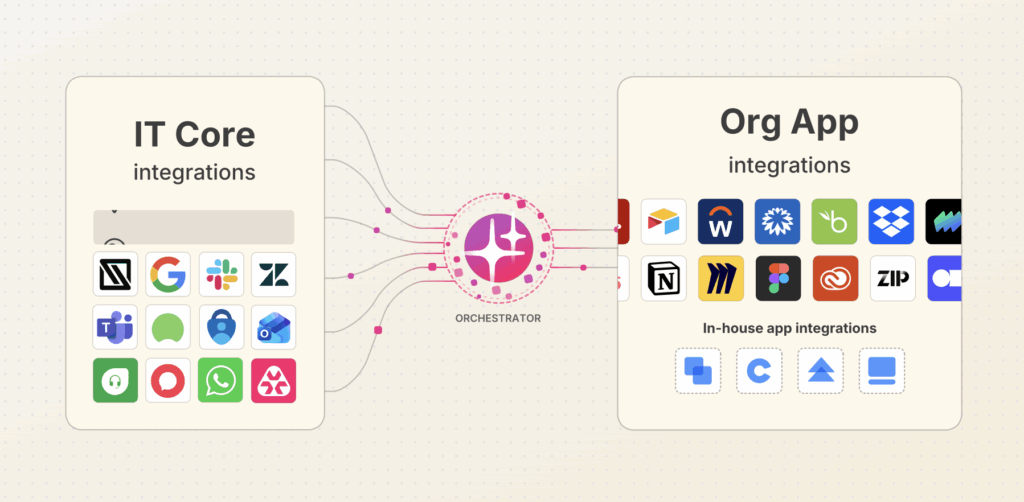
For example, with Atera, end-users can access Robin via Microsoft Teams, Slack, email, WhatsApp, and more. This means end-users don’t have to enter the customer portal to submit IT support requests.
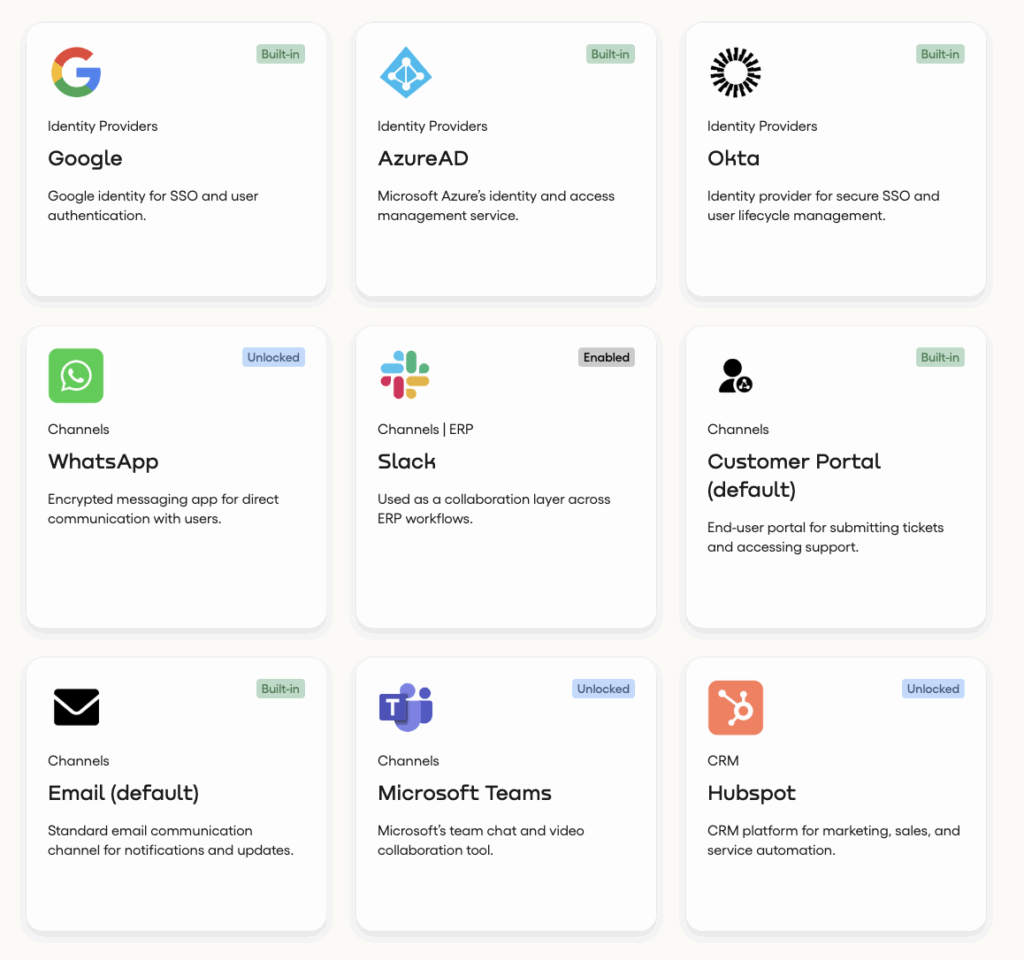
To conclude, both Atera and Console AI agents help in removing tier-1 and tier-2 tickets, but Atera’s Robin ultimately takes it a step further.
Robin acts directly on your devices, networks, and infrastructure, removing 40% of your IT workload entirely.
#3: Pricing and value for money
Let’s continue with the pricing of the two. For Atera, the pricing plans are publicly available, while Console requires you to book a demo with their team.
Unlike most best RMM software, Atera’s pricing is based on a pay-per-technician, meaning you can add and manage unlimited endpoints for a fixed cost.
Below are Atera’s IT department pricing plans.
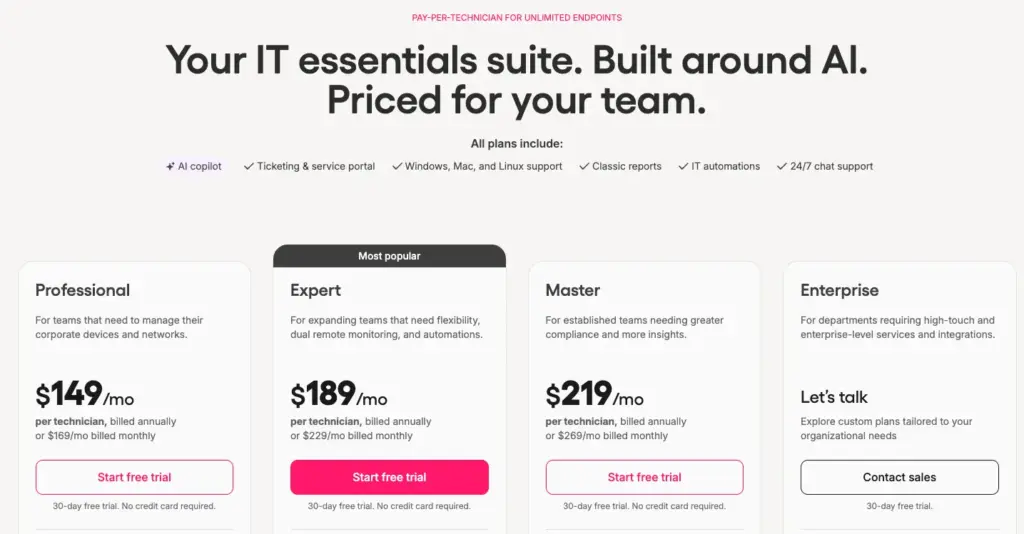
With each Atera plan, you’re eligible for both AI Copilot and Robin, which you can immediately request upon signing up.
And below is what Console’s pricing plan page says.
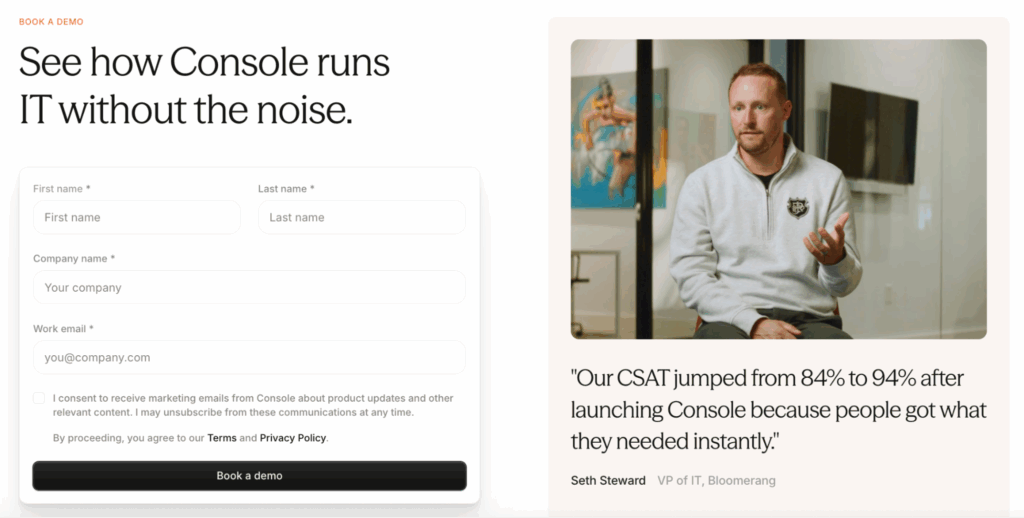
As you can see, Console requires you to book a demo to get the pricing, which makes it incredibly hard to compare their pricing plans to Atera’s.
For Atera, the pricing plans include all key IT management features, meaning you don’t have to juggle multiple platforms. Users like Sky N. mention cutting $30,000 contracts with the cost of an Atera plan.
Plus, the cost savings achieved by Robin can be remarkable (see Atera’s Robin savings calculator to see how much you can save!)
#4: User interface and usability
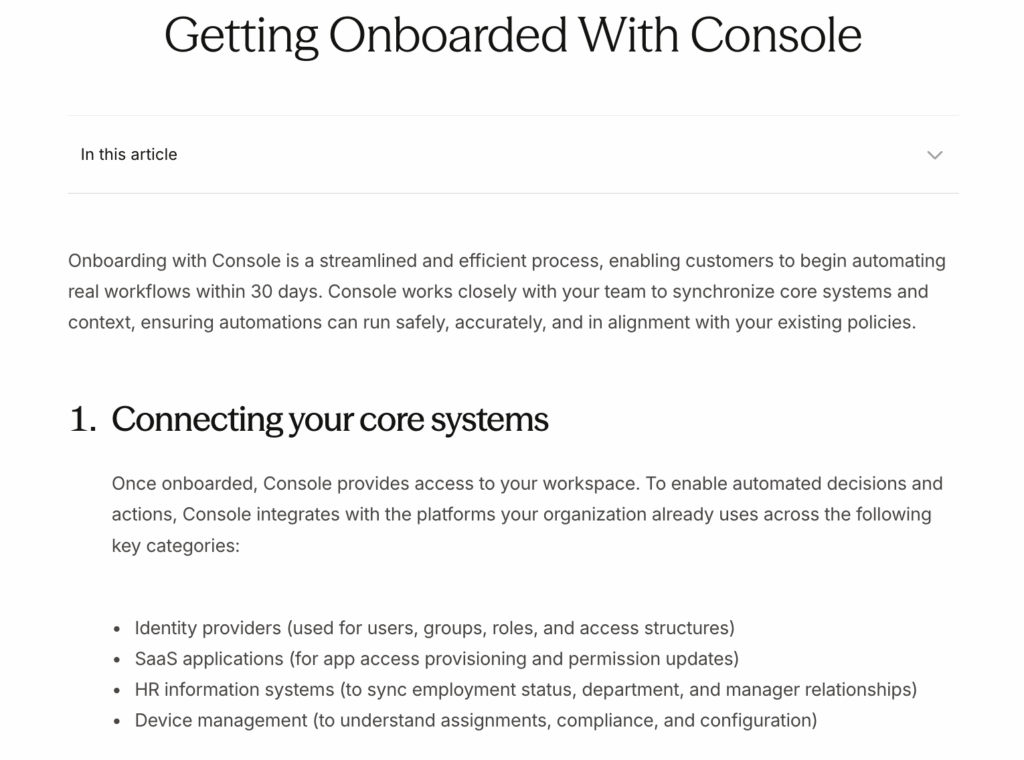
To compare Atera and Console’s interfaces, we tried to find a screenshot of what Console actually looks like. But there are hardly any pictures of the platform available.
Even their “Getting Started” tutorials only include text explanations.
For Atera, below is what the admin dashboard looks like.

Atera has received some of the highest ease-of-use ratings in the IT management industry, and the onboarding process can be done in hours, not days or weeks.
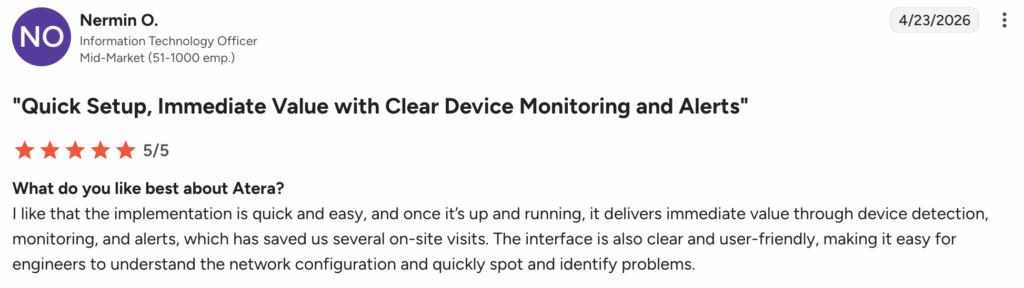
Users like Nermin O. say, “The interface is also clear and user-friendly, making it easy for engineers to understand the network configuration and quickly spot and identify problems.”
#5: Customer support and community
Like with the user interface, Console has quite minimal information on what support methods are available and how long the response times are.
They do have a public email address that users can contact for issues. Plus, there’s a short knowledge base page for getting started.
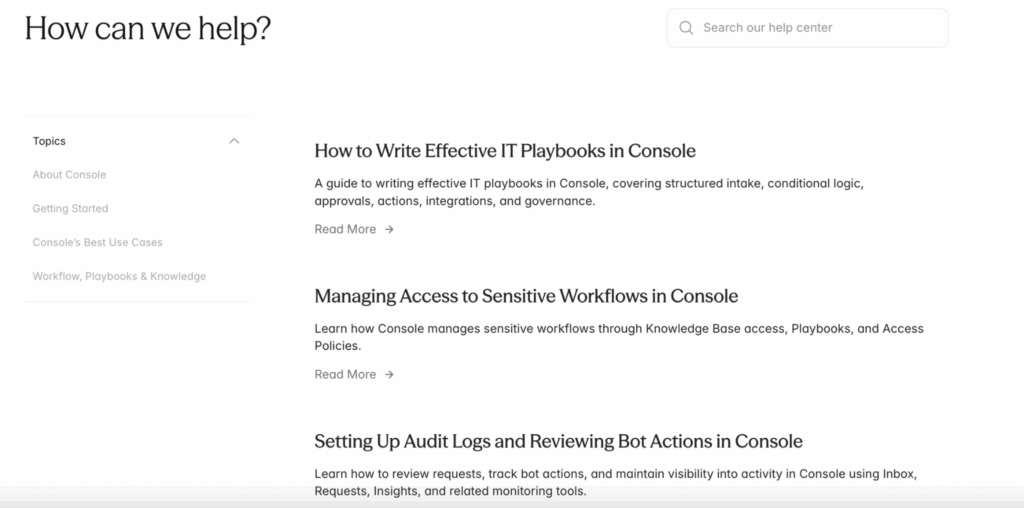
Console’s help center page
Few users like Sam W. say Console’s west coast-based team leaves companies operating in other time zones with limited coverage. This can be an issue, especially for international teams.
For Atera, support is our number one priority, and all users have access to 24/7 live chat and email support, no matter your plan.
Richard H. commented on Atera’s support and said, “Their support has been great; they have always been able to solve my issue in under 10 minutes.”
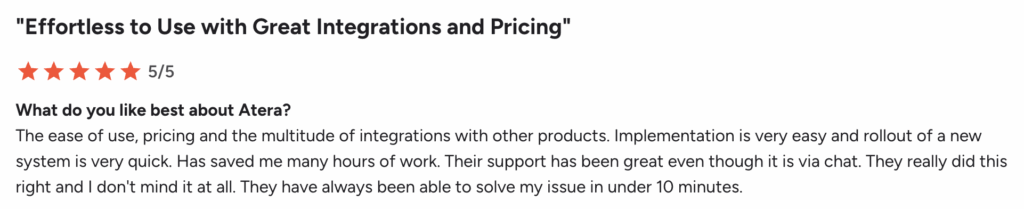
All Atera users can also access the extensive knowledge base, webinars, video tutorials, and an active IT community.
#6: User feedback and reviews
On G2 and Capterra, Atera has gathered over 1,400+ reviews with an average rating of 4.6 out of 5.0 stars.
While Console has a slightly higher rating of 4.8, it has only 16 reviews, as it’s still a new platform on the market. The few reviews of Console, such as Dennis V’s, mention the platform’s integrations as useful.
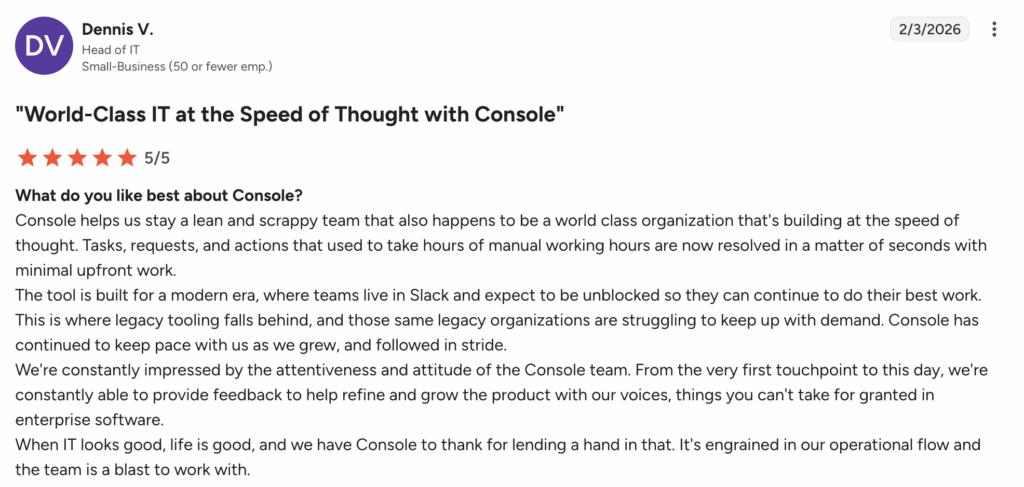
While the integrations are useful, some G2 users find it a drawback that Console’s AI agents don’t learn over time from prior interactions or Slack history.
In contrast, Atera’s Robin not only integrates with 50+ third-party tools but also learns from your actual setup: the way your team solves problems, your KBs, and your enabled scripts.
Praveen R. described Robin’s capabilities and said, “The AI agents filter issues and take action automatically, so only meaningful notifications reach the team. IT Robin resolves many problems quietly in the background, which makes monitoring feel much calmer overall.”
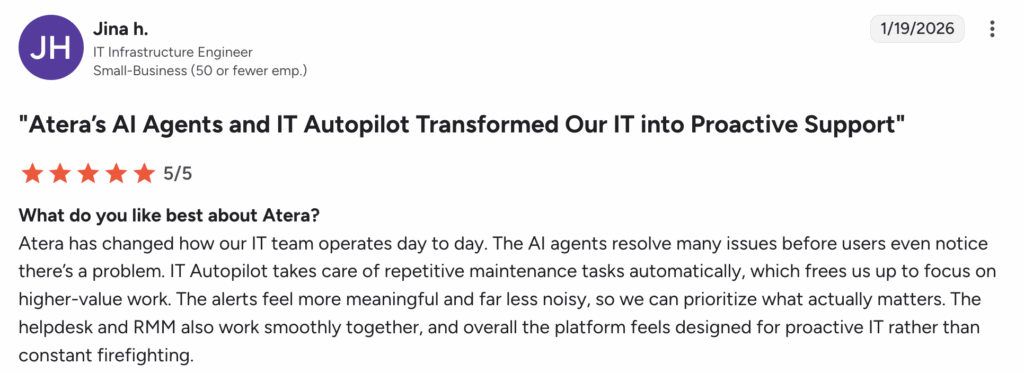
Jina H. mentioned, “Atera’s platform feels designed for proactive IT rather than constant firefighting.”
Atera vs. Console: A final summary
Still not sure whether to choose Atera or Console for your IT team? Here’s what we suggest:
Console can be suitable if:
- Your primary need is to deflect IT requests through Slack or Microsoft Teams
- You’re comfortable building and maintaining Playbooks to define how your AI handles requests
- You’re okay with using third-party tools for RMM patch management, remote access, and asset management
- You don’t value 24/7 live chat support
In contrast, Atera is a superior choice if:
- You want an all-in-one Agentic AI platform for IT management that goes beyond ticketing
- You want an AI agent like Robin that autonomously resolves tier-1 issues, not just routes them
- You want Agentic AI embedded across your entire IT stack
- You value predictable, pay-per-technician pricing
- You want responsive 24/7 live chat and email support
If you’re interested in trying out Atera, an easy step you can take is to sign up for the 30-day free trial; no credit card is required!
Frequently Asked Questions
Related Articles
Robin vs Request Resolver (Former Rovo)
Robin and Atlassian's Request Resolver (Former Rovo) both bring Autonomous IT into ITSM, but they operate at different levels. This full comparison breaks down where each one's autonomy actually reaches.
Read now
Robin vs Kaseya Intelligence
Robin by Atera and Kaseya Intelligence both talk about autonomous IT, but structure their AI technologies differently. See where each one's autonomy actually reaches and which works for your org.
Read now
Robin by Atera vs. Ivanti Neurons: comparing two very different approaches to autonomous IT
In this article, we'll compare Robin vs. Ivanti Neurons: one AI agent that resolves IT incidents end to end, and one platform that splits autonomy across two separate AI capabilities.
Read now
Robin vs Freddy AI Agent Studio
Not all agentic ITSM starts from the same place. See how Robin's deploy-ready model compares to Freddy AI Agent Studio's no-code, build-it-yourself approach.
Read nowEndless IT possibilities
Boost your productivity with Atera’s intuitive, centralized all-in-one platform









