Table of contents
Generate summary with AI

If you already use Microsoft Intune or ConfigMgr, you’ve probably run into Patch My PC. It’s a tool that helps to keep third-party applications updated and works on top of Intune, ConfigMgr, or WSUS deployment.
It’s often compared to Atera, an all-in-one IT management platform with Agentic AI, since Atera also includes patch management.
Below, we compare both on features, patching, AI, pricing, support, and user reviews.
Atera vs Patch My PC: An overview
To begin, we’ve made a quick comparison table of Atera vs. Patch My PC:
| Atera Features | Patch My PC Features | |||
| – Autonomous IT tool (with built-in RMM, remote access, network discovery, and documentation) – Patch management to keep Windows, macOS, Linux, and third-party apps up-to-date – Robin by Atera (resolving up to 92% of technical issues) – AI Copilot (for assisting technicians in reducing manual tasks) – Ticketing system – Scripting engine powered by AI Copilot – Asset management to track the lifecycle of IT assets – PSA for MSPs to track contracts, billing, SLAs, and more | – Automated patching for third-party apps, integrated with ConfigMgr, Intune, and WSUS – Custom App support for packaging in-house or unsupported applications – Update Rings for staged, phased deployment across device groups – Patch My Mac for macOS third-party app patching – Patch My PC Cloud alongside the on-prem tool – Compliance and device health reporting | |||
| Customer support | Customer support | |||
| – 24/7 email and live chat support for all customers – An extensive knowledge base, webinars, script library, IT community, and tutorials | – Email/help desk, phone, and live chat support during business hours – Knowledge base, learning hub, webinars, video tutorials | |||
| Integrations | Integrations | |||
| – Integrations with 25+ cybersecurity, automation, backup, remote access, and network monitoring software – Integrations with 50+ more third-party tools for Robin – Access to 5,000+ apps through Zapier | – Native integrations with Microsoft ConfigMgr (SCCM), Intune, and WSUS – Integrations with Microsoft Teams and Slack for alerts and notifications | |||
| Pricing | Pricing | |||
| – Transparent pay-per-technician pricing, starting from $129/technician/month – 30-day free trial available | – Per-device annual licensing, tiered by plan. Starting from $2,000/year – 30-day free trial available | |||
Let’s now compare Atera vs. Patch My PC in detail, starting with the features of the two.
#1: Features and capabilities
Patch My PC isn’t a standalone IT management tool. It’s an add-on that plugs into an existing Microsoft Intune, ConfigMgr, or WSUS deployment and helps with one specific task: keeping third-party applications (e.g., Chrome and Zoom) patched and up-to-date.
Patch My PC’s core capabilities include:
- Automated detection and deployment of third-party app updates
- Update Rings for staged, phased rollouts across device groups
- Patch My Mac for macOS third-party patching
- Compliance and device health reporting
- Custom Apps support for packaging in-house or unsupported software
- ConfigMgr and Intune integration
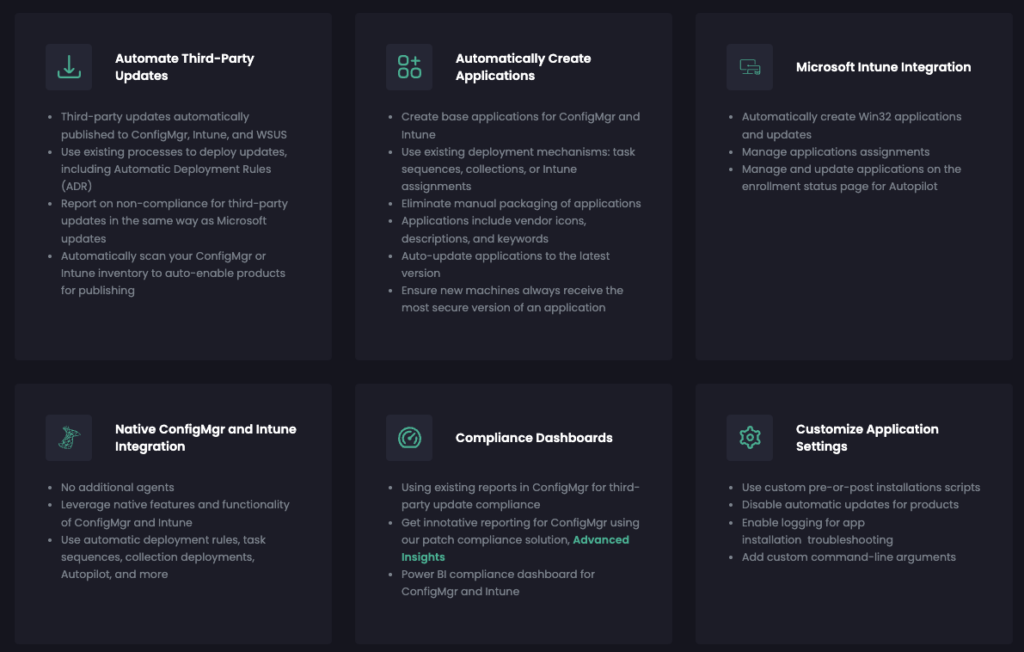
What it doesn’t include are other key IT management features: RMM, remote access, ticketing, asset management, PSA, and advanced reporting
Atera combines patch management into its broader IT management platform, meaning there’s no separate patching tool or license required. Atera’s platform includes:
- Atera’s RMM for managing and securing workstations, servers, and other network devices
- Atera’s patch management for keeping Windows, macOS, Linux, and third-party apps up-to-date
- Ticketing system and PSA to track contracts, billing, and SLAs
- Asset management to track the lifecycle of IT assets
- Remote access to connect to end-user devices for troubleshooting
- Robin, Atera’s autonomous AI agent, and AI Copilot for technician-assisted tasks
Patch My PC arguably solves Windows patch management, but if you want an all-in-one platform that also covers RMM, ticketing, remote access, Linux and macOS patch management, and Agentic AI, Atera is the leading option.
#2: Agentic AI development
Agentic AI is where the difference between the two is widest.
Atera has built its platform around two AI agents:
- Robin by Atera, which resolves 50% of technical issues in the first 3 months and 92% over time, fully autonomously. It acts as the first line of support for tier 1 and tier 2 tickets, before a human technician ever gets involved
- Atera’s AI Copilot, which assists technicians directly, helping with running health checks, generating scripts, and reducing manual and repetitive tasks. Available on all plans at no extra cost.
Unlike most AI agents, Robin doesn’t just assist; it goes ahead and solves real-world IT issues. For example, it can autonomously install approved updates on your end-users’ devices, all without technician involvement.
Patch My PC has no Agentic AI of its own. On its help center, it says “AI is used as a supporting capability, not as an autonomous system.”
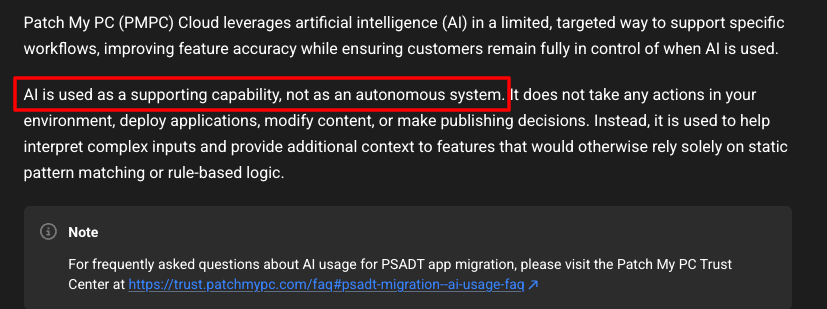
Patch My PC limits its AI to a single use case: helping with PSADT-based application migrations from ConfigMgr to Intune.
The AI parses PowerShell scripts to identify components like the primary installer, pre-script logic, and post-script logic. This is mainly for scripts that are heavily customized or don’t follow common structures.
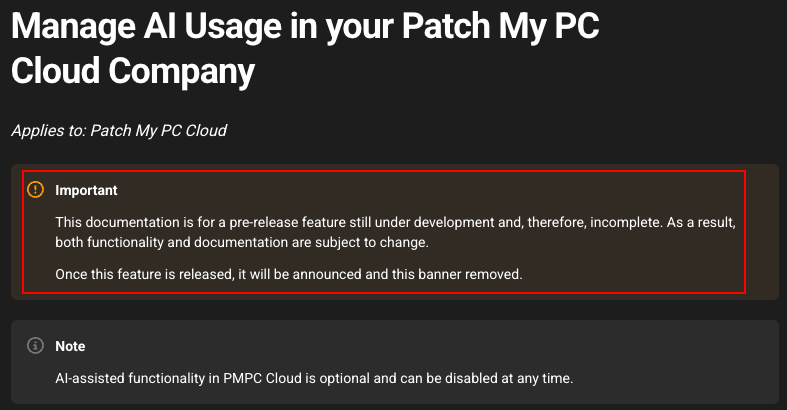
It’s also worth noting that much of this functionality is still not fully released. Patch My PC’s own documentation flags the feature as a work in progress.
For IT teams wanting to move from automated to autonomous IT, Atera is arguably the top choice.
Atera is the world’s first AI platform offering an autonomous IT guarantee, waiving all the fees if Robin doesn’t resolve at least 50% of technical issues within the first 90 days.
#3: Pricing and value for money
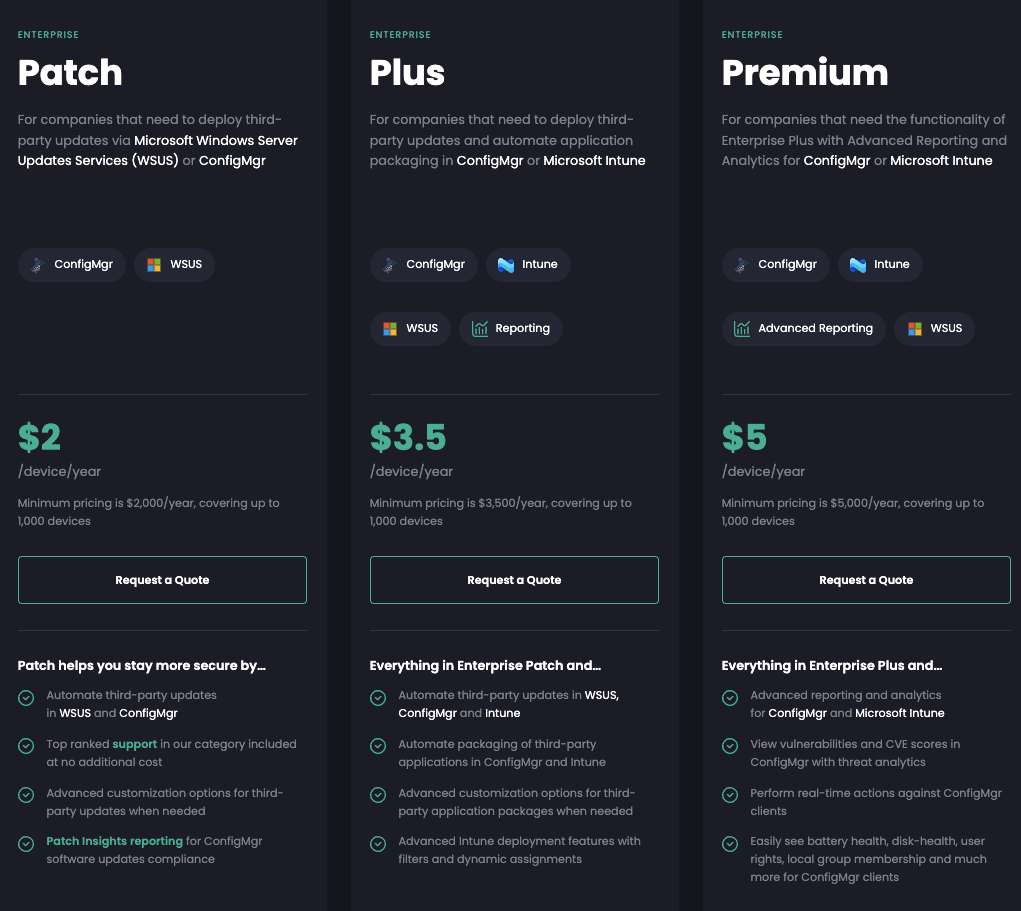
Atera and Patch My PC price their products differently. Since Patch My PC works as an add-on product for Microsoft ConfigMgr, Intune, or WSUS, its cost comes on top of whatever licensing you already have for those platforms.
In contrast, Atera’s pay-per-technician pricing plans cover everything: unlimited devices, RMM, ticketing, patch management, PSA, and Agentic AI, all under one subscription.
In the screenshot below, you can see the pricing for Patch My PC:
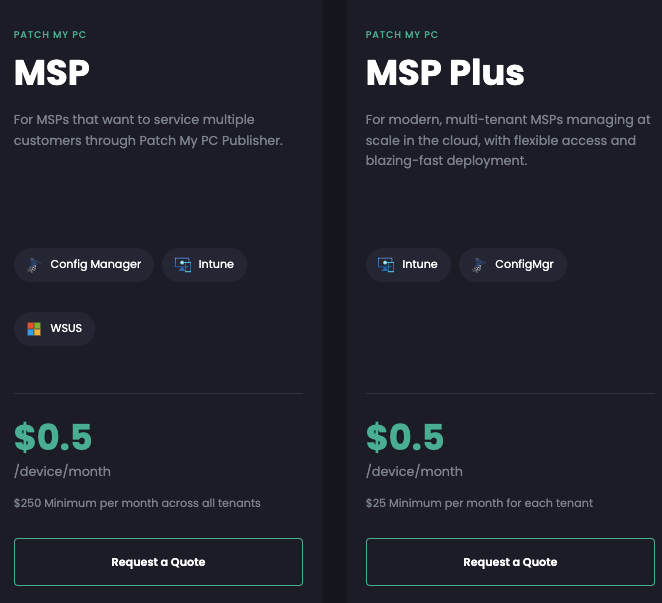
MSP pricing is also available on Patch My PC:
If you add in the costs of your RMM software, a helpdesk system, and PSA (for MSPs), the total cost can easily exceed what a single Atera subscription covers.
Atera’s pricing plans for IT departments range from $149/month to $219/month, per technician.
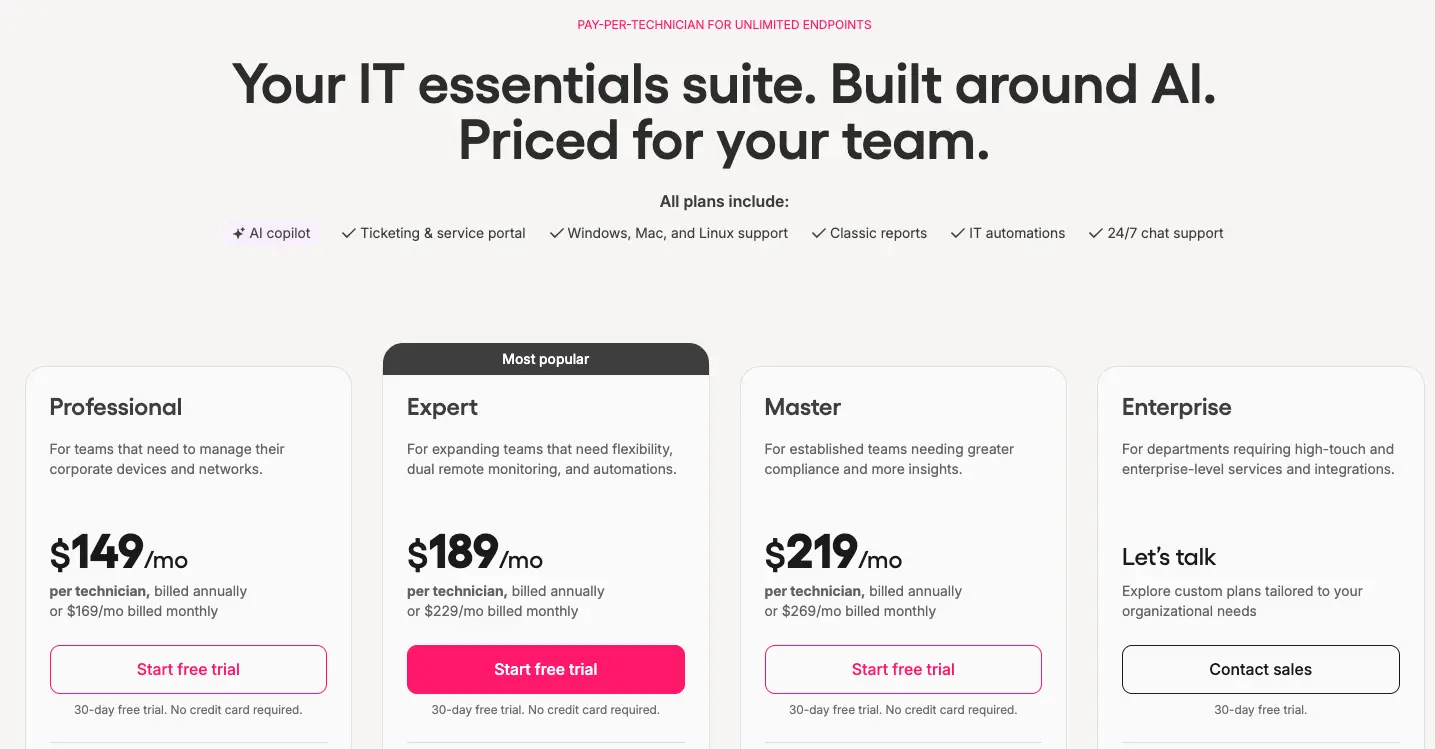
MSP pricing is also available, ranging from $129 to $209/month for the standard plans.
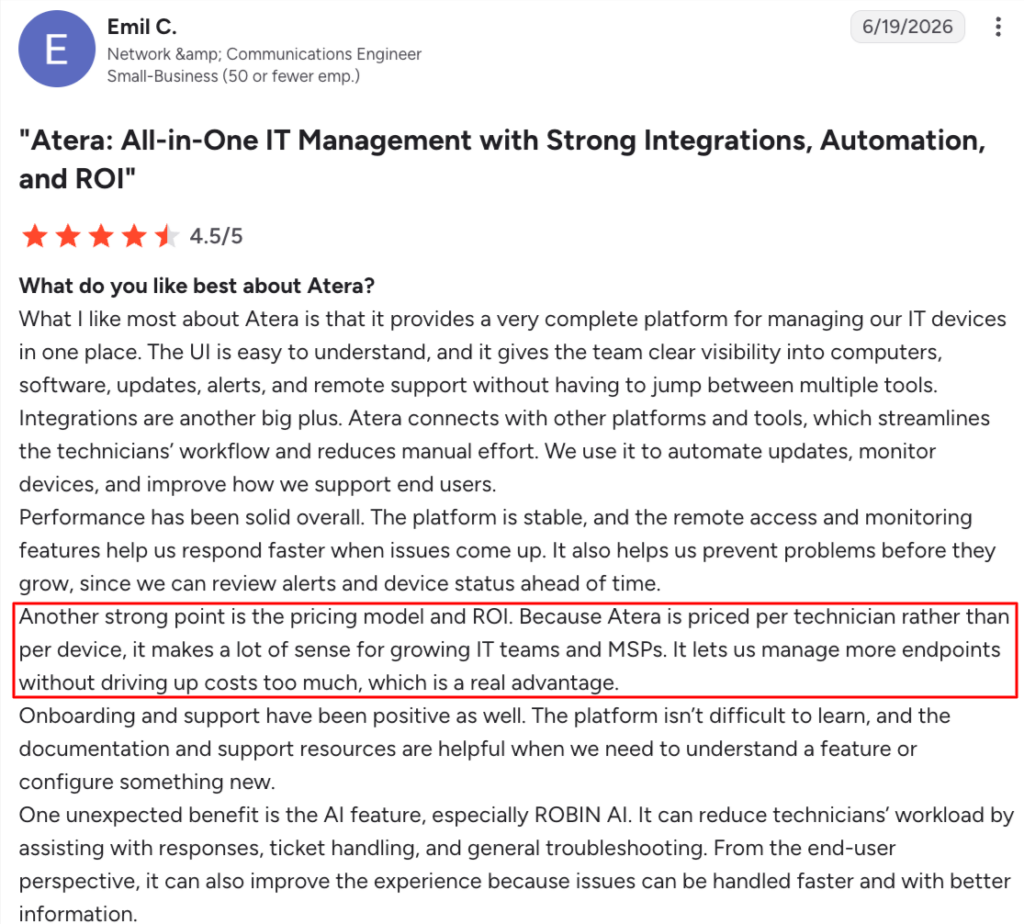
Emil C. shared his experience on what makes Atera’s pricing worth it:
“Because Atera is priced per technician rather than per device, it makes a lot of sense for growing IT teams and MSPs. It lets us manage more endpoints without driving up costs too much, which is a real advantage.”
#4: User interface and usability
Both Atera and Patch My PC have received strong reviews on user interface and usability.
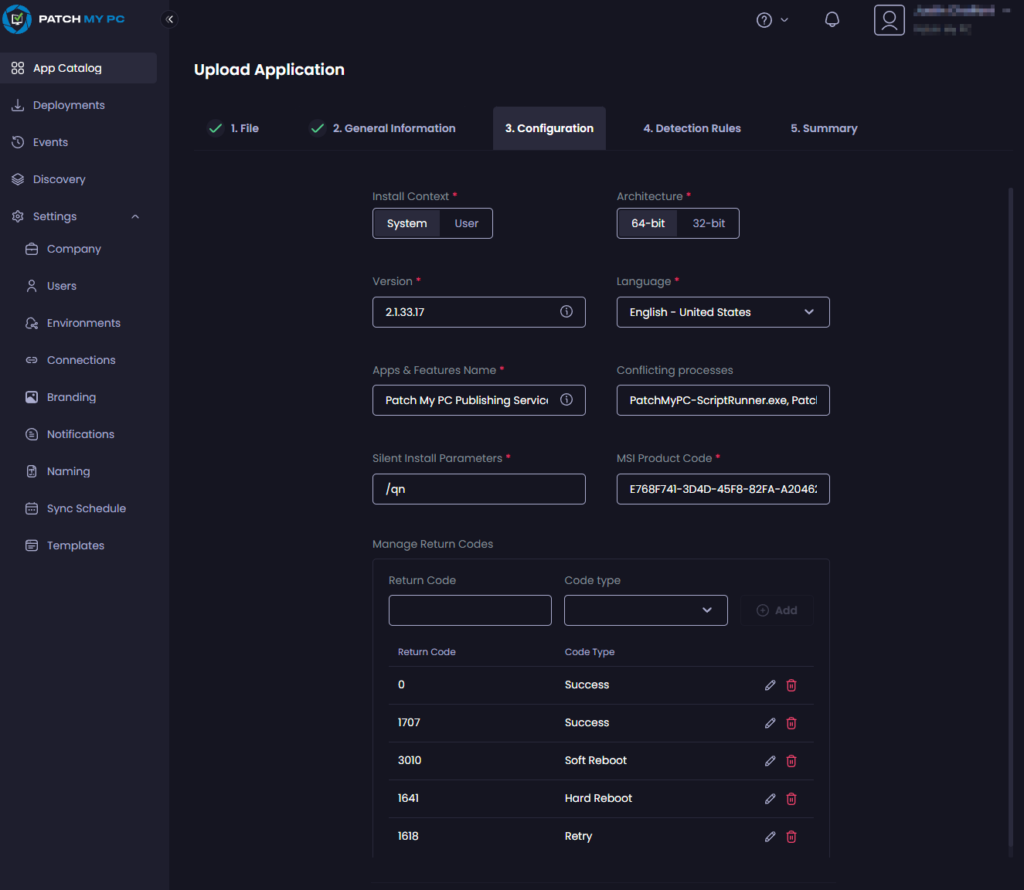
Patch My PC is entirely focused on patching, and most of its features are available in a few clicks. Burim K. commented on his experience with the interface and said: Effortless updates and app deployments in just view clicks.
For comparison purposes, here’s what the Patch My PC cloud interface looks like:
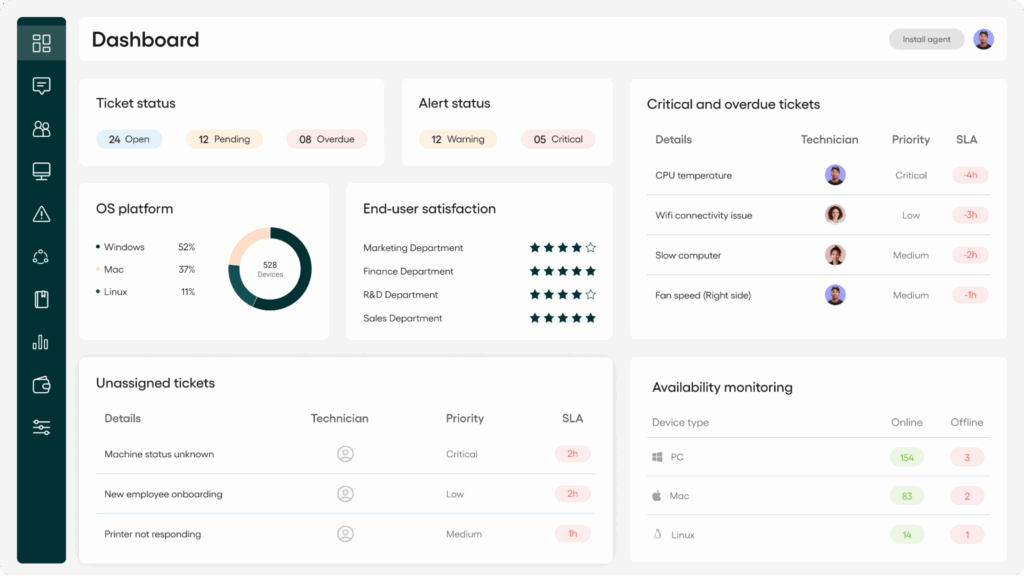
And here’s a screenshot of Atera’s cloud interface:
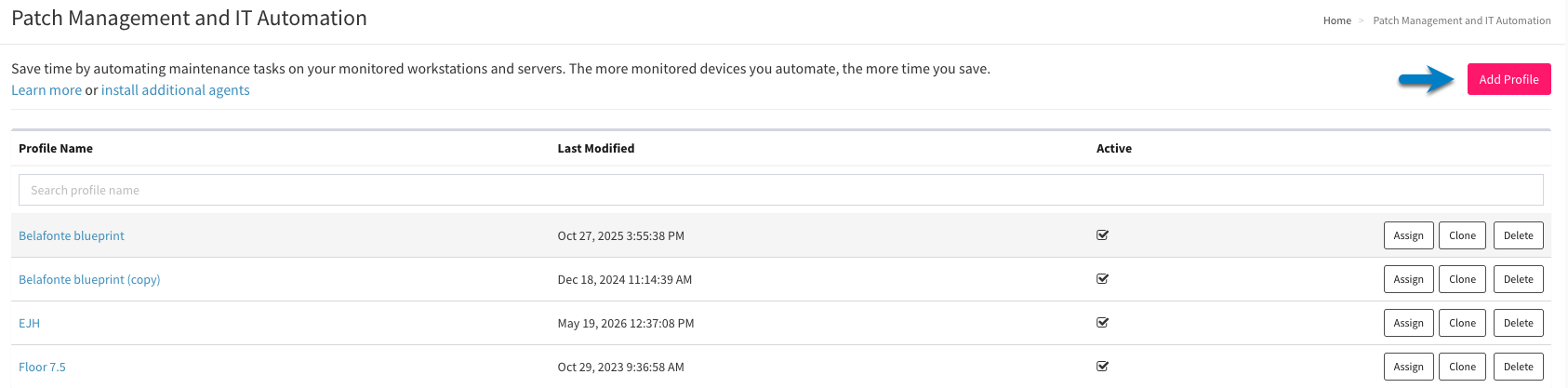
To get the most out of Atera’s patching, you can set up an IT automation profile, which can be done in a few steps.
One G2 user described his experience with Atera’s onboarding and said, “Onboarding and support have been positive as well. The platform isn’t difficult to learn, and the documentation and support resources are helpful when we need to understand a feature or configure something new.”

Of the two, only Atera offers 24/7 support, which is helpful if you need help with the onboarding process. A dedicated onboarding manager is also available for enterprises.
#5: Customer support and community
Let’s also compare the support offerings of Atera and Patch My PC.
For Atera, 24/7 live chat and email support are available. This means that if you need help with anything, for example, setting up Atera’s patching system, you can always reach out for help.
An extensive knowledge base, active IT community, script library, webinars, and video tutorials are also available for Atera.
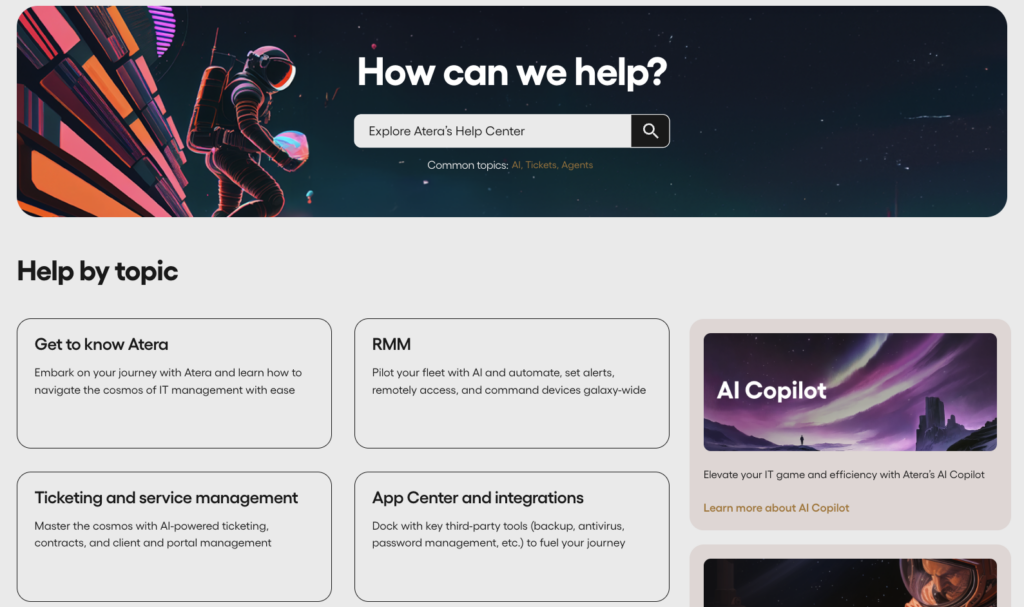
For Patch My PC, support is available through email, live chat, and phone. They’ve specified the support hours on an FAQ page:
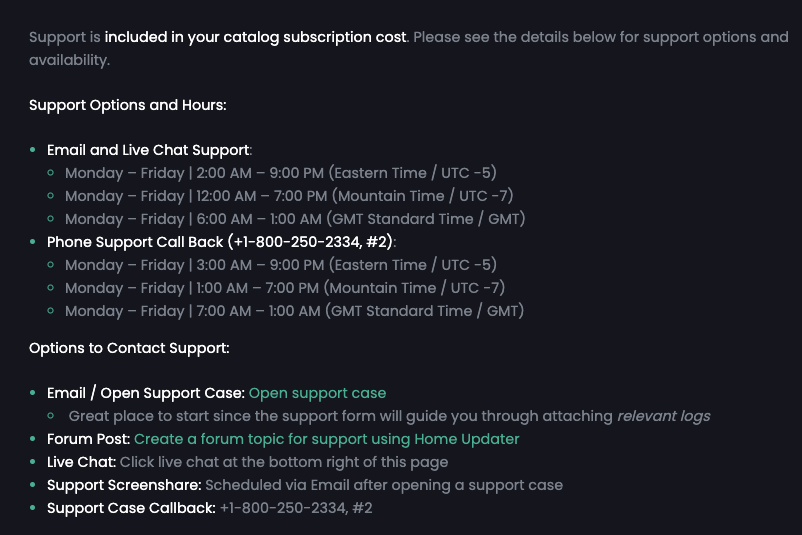
Patch My PC also has a learning hub for answers, a knowledge base, events, and webinars.
However, if you value responsive, round-the-clock support, Atera is the stronger fit.
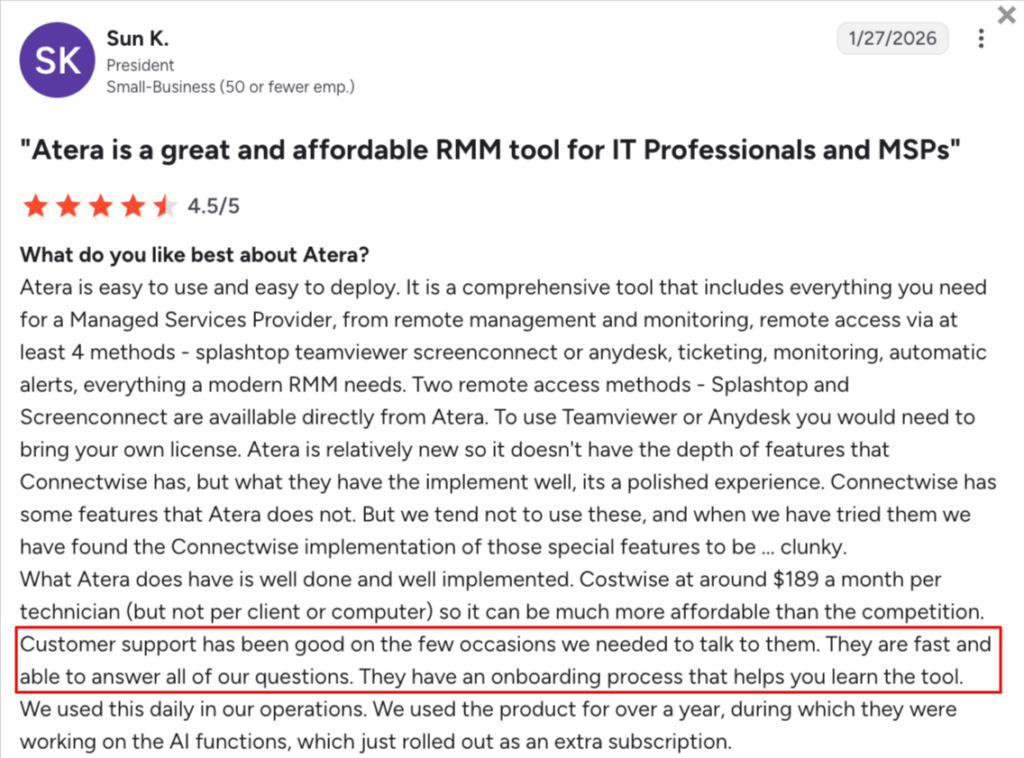
Sun K. described her experience with Atera’s support: “Customer support has been good on the few occasions we needed to talk to them. They are fast and able to answer all of our questions.”
#6: User feedback and review
In G2’s 2026 summer reports, Atera ranked No. 1 across 15 categories, outperforming platforms like ServiceNow, Salesforce, and Microsoft Copilot, reflecting growing demand for its autonomous IT agent, Robin.
Atera’s Robin is also constantly mentioned in its G2 reviews. One G2 user simply said, “The AI agent, Robin, has been a game changer for reducing repetitive help desk work.”
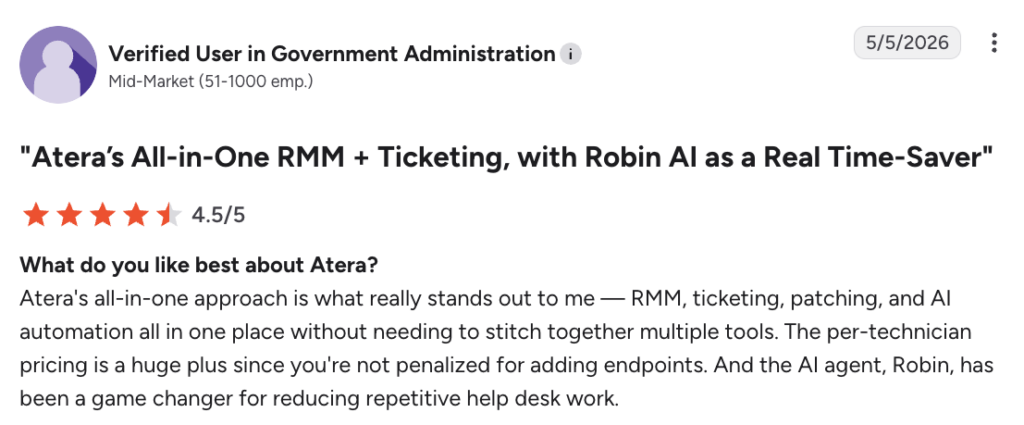
Emil C. wrote about Robin’s benefits for technicians and end-users, and said:
“Robin can reduce technicians’ workload by assisting with responses, ticket handling, and general troubleshooting. From the end-user perspective, it can also improve the experience because issues can be handled faster and with better information.”

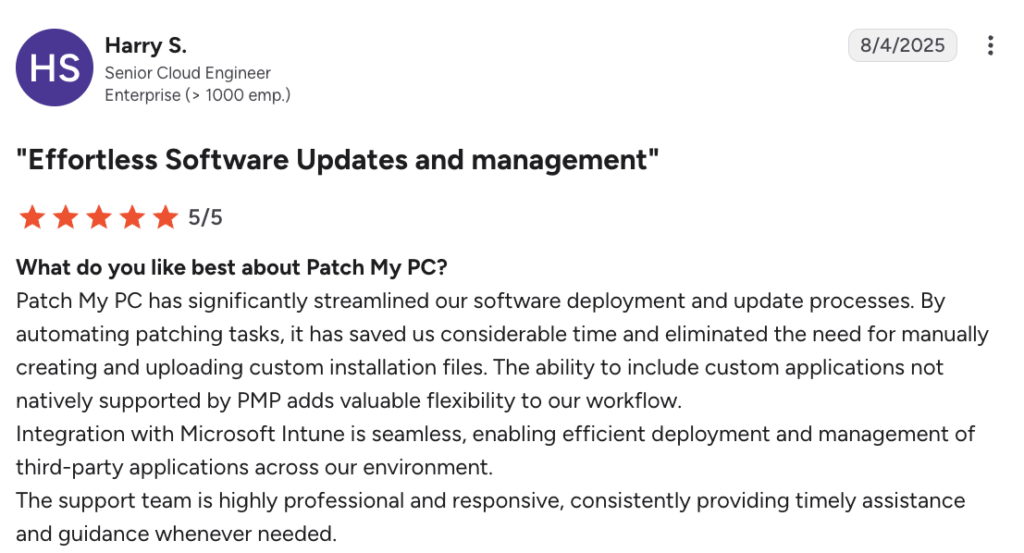
For Patch My PC, users like the product’s ease of deployment. As Harry S. said, it’s easy to integrate with Microsoft products and helps to automate patching:
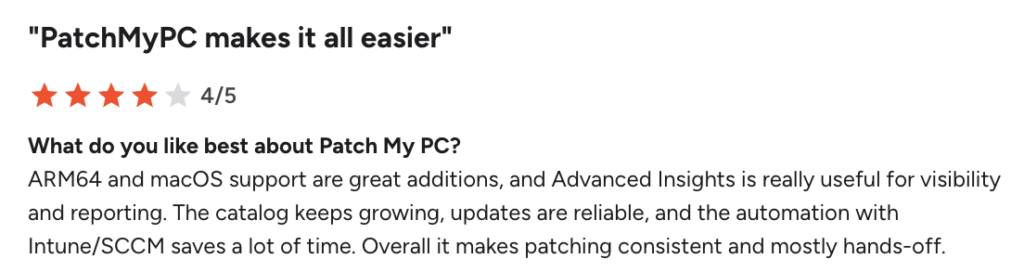
Although macOS support is standard in today’s top patch management software (also available in Atera), one user also mentioned liking it about Patch My PC:
Atera vs. Patch My PC: Which one is the better fit?
The answer is, it depends. As a final summary, below is what we recommend, based on your organization’s situation.
Patch My PC can be suitable if:
- You already have ConfigMgr, Intune, or WSUS in place and only need to close the third-party patching gap
- You don’t need RMM, ticketing, PSA, or asset management from the same tool
- Your environment is Windows-only, since Patch My PC’s core catalog doesn’t extend to Linux
- You’re comfortable managing separate tools and licenses for the rest of your IT stack
- You don’t need Agentic AI to help resolve tickets or reduce technician workload
In contrast, Atera is a superior alternative to Patch My PC if:
- You want a complete Agentic AI platform for IT management, not just a patching add-on
- You want to reduce organizational workload with Agentic AI (Robin and AI Copilot)
- Your device fleet includes Windows, Mac, and/or Linux devices
- You want patch management, RMM, ticketing, PSA, and asset management under one platform and one login
- You want scalable, pay-per-technician pricing that keeps costs predictable
- You want reliable 24/7 live chat customer support
If you’re still not sure, try out both platforms with the 30-day free trials. See Robin resolve your first ticket in 72 hours.
Or, get in touch with our sales team to discuss your needs further!
Frequently Asked Questions
Related Articles
Atera vs. Power Automate: A comparison for IT teams
This Atera vs. Power Automate comparison breaks down each platform's features, AI capabilities, pricing, and actual user reviews, so you can find the right fit for your IT team.
Read now
Atera vs. RemotePC: Features, AI, and UI Compared
If you're choosing between Atera and RemotePC, this article can help. See how their remote access capabilities, pricing, and AI features compare, and find the best one for your IT team.
Read now
Atera vs. EasyVista: A full review for IT managers in 2026
Atera vs. EasyVista compared: pricing, features, and Agentic AI. See which platform fits your IT team best in 2026.
Read now
Atera vs. Quest KACE: A side-by-side comparison for IT teams
Atera vs. Quest KACE: compare features, pricing, and AI side by side. Find out which platform is the better fit for your IT team in 2026.
Read nowEndless IT possibilities
Boost your productivity with Atera’s intuitive, centralized all-in-one platform









