Table of contents
Generate summary with AI

Atera is one of the leading EasyVista alternatives, often evaluated by IT managers. Atera and EasyVista compete in the IT management space, but they take different approaches.
Atera is a leader in the autonomous IT space, offering all-in-one functionality with fair pay-per-technician pricing. In contrast, EasyVista focuses primarily on ITSM and service management, with a structure that often requires additional add-ons.
For IT managers weighing the two, this review breaks down Atera vs. EasyVista’s features, pricing, AI, support, and user reviews.
Atera vs EasyVista: An overview
To begin, here’s a quick overview of Atera vs. EasyVista:
| Atera Features | EasyVista Features | |||
| – Autonomous IT tool (with built-in RMM, remote access, network discovery, and documentation) – Patch management to keep Windows, macOS, Linux, and third-party apps up-to-date – Robin by Atera (resolving up to 92% of technical issues) – AI Copilot (for assisting technicians in reducing manual tasks) – Ticketing system – Scripting engine powered by AI Copilot – Asset management to track the lifecycle of IT assets – PSA for MSPs to track contracts, billing, SLAs, and more | – Infrastructure monitoring and observability (EV Observe) – Ticketing system covering incident, problem, and change management (EV Service Manager) – Preconfigured workflows built with EasyVista’s “Easy Design” – Asset management via service asset and configuration management – EV Pulse AI for simple ITSM automation – Patching via third-party integrations (SCCM, Ivanti, Dell Kace) | |||
| Customer support | Customer support | |||
| – 24/7 email and live chat support for all customers – An extensive knowledge base, webinars, script library, IT community, and tutorials | – Customer portal and knowledge-base support available. Support times aren’t specified by EasyVista | |||
| Integrations | Integrations | |||
| – Integrations with 25+ cybersecurity, automation, backup, remote access, and network monitoring software – Integrations with 50+ more third-party tools for Robin – Access to 5,000+ apps through Zapier | – 60+ integrations with AI, automation, ITAM, data, endpoint management, and other platforms – Native integrations between the different EasyVista products | |||
| Pricing | Pricing | |||
| – Transparent pay-per-technician pricing, starting from $129/technician/month – 30-day free trial available | – EasyVista’s pricing is quote-based. To find out the pricing, fill in a form on their website | |||
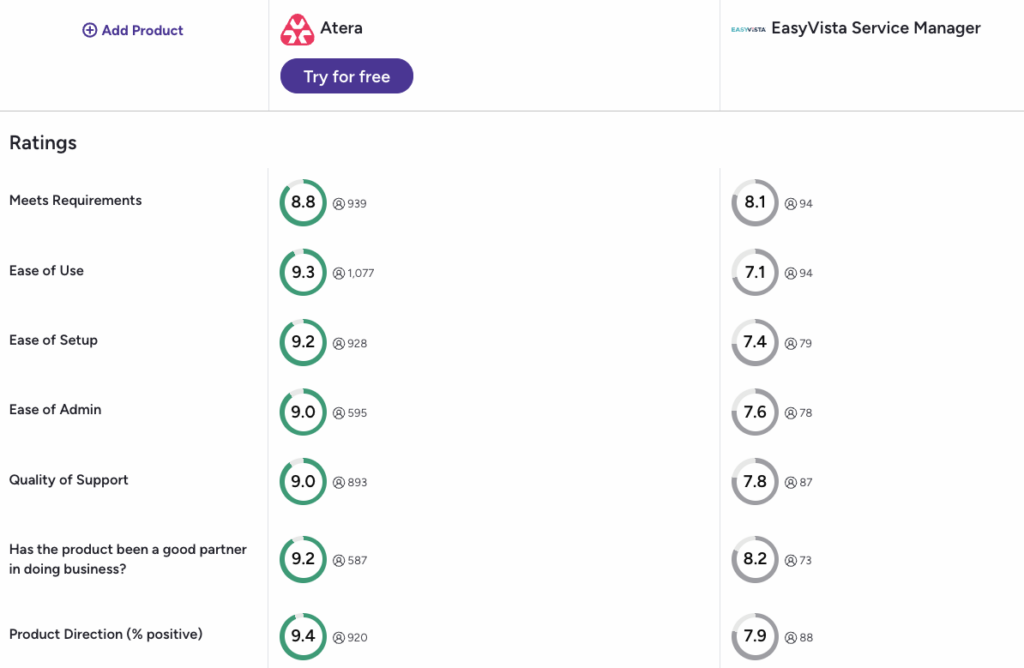
In addition, this is how actual users on G2 rate Atera vs. EasyVista across the key categories:
#1: Features and capabilities
Atera and EasyVista take different approaches to IT management.
While Atera offers one all-in-one product, EasyVista splits its features into multiple IT management products. Its five core products are:
- EV Service Manager: ITSM/ESM platform for incident tracking, asset lifecycles, and change management.
- EV Reach: Remote access software for accessing end-users’ devices.
- EV Self Help: Self-service portal for end-users to solve issues on their own.
- EV Orchestrate: A platform for setting up automation workflows.
- EV Observe: Infrastructure monitoring platform for network, IoT, IT infrastructure, and applications.
While the offering is broad, the price can arguably skyrocket if you need to combine multiple products to match what Atera offers in a single subscription.
With a single Atera subscription, you get access to:
- Atera’s RMM: Remote monitoring and management tool of workstations, servers, and other network devices.
- Atera’s AI Copilot: An AI assistant that helps technicians resolve tickets, run health checks, and reduce other manual tasks.
- Ticketing and helpdesk: A system for tracking and resolving support requests.
- Asset management: Track the full lifecycle of IT assets across your organization.
- Network discovery: Automatically detect and map devices across client networks with Atera’s Network Discovery.
- Remote access: Connect to any Windows, macOS, or Linux device for troubleshooting and support.
- Patch management: Keep Windows, macOS, Linux, and third-party apps up-to-date.
- PSA: Manage contracts, billing, and SLAs for MSPs in one place.
- Reporting and analytics: Built-in dashboards and reports to track performance and SLAs.
Maria S. commented on the all-in-one aspect of Atera and said, “What I like most about Atera is how it combines remote monitoring, remote access, ticketing, and automation in a single platform.”
Another major difference between Atera and EasyVista is Agentic AI, which we’ll discuss next.
#2: Agentic AI development
With Agentic AI enabling autonomous endpoint management, it’s crucial to compare Atera and EasyVista in this area.
Of the two, only Atera offers a true Agentic AI, which differs from generative AI offered by EasyVista.
EasyVista’s “EV Pulse AI” works within the platform’s service management tool, summarizing tickets, detecting anomalies, providing multilingual chat support, and more. Here are all the key capabilities listed:
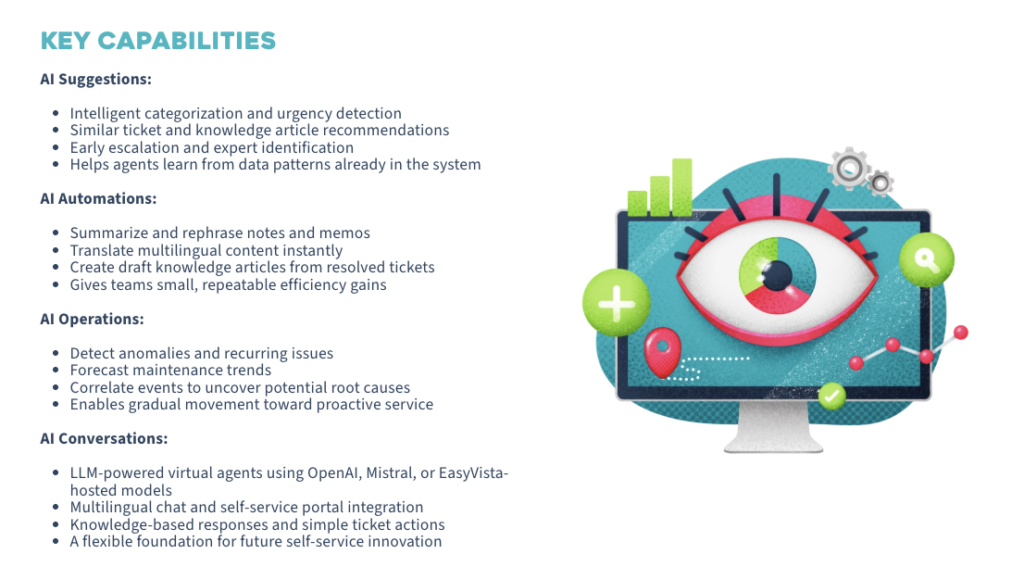
While these are helpful, they still require manual input from technicians, preventing autonomous IT.
In contrast, Robin by Atera is a fully autonomous IT agent that interacts with end-users via Slack, email, Teams, or your Customer Portal.
It doesn’t just assist; it solves real-world IT issues, all without technician involvement.
Atera’s IT performance guarantee is that if Robin doesn’t autonomously solve at least 50% of your technical IT tickets within 90 days of onboarding, it will waive all of your fees. This means your investment is tied directly to measurable results, not a subscription that you hope will deliver results one day.
And over time, Robin is capable of solving up to 92% of all technical issues, freeing up technicians for more strategic tasks.
Emil C. commented on Robin’s benefits and said, “It can reduce technicians’ workload by assisting with responses, ticket handling, and general troubleshooting. From the end-user perspective, it can also improve the experience because issues can be handled faster.”

Plus, Atera offers its AI Copilot for technicians, which is available on all plans at no extra cost.
#3: Pricing and value for money
As G2’s comparison table shows, EasyVista doesn’t share pricing plans publicly – nor is there information on whether a free trial exists.
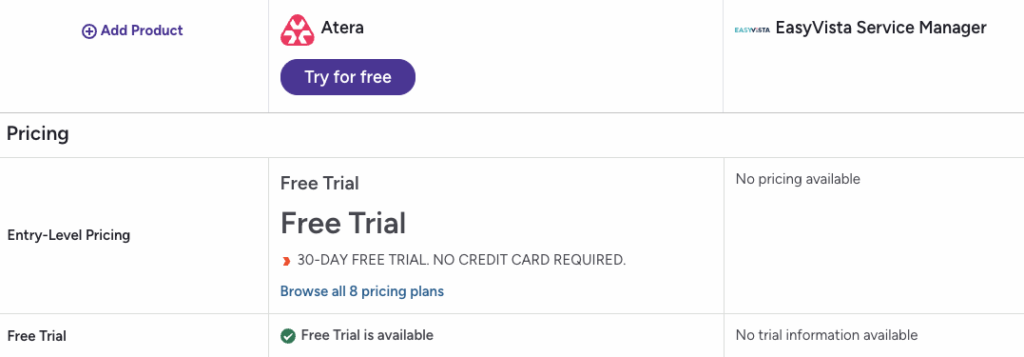
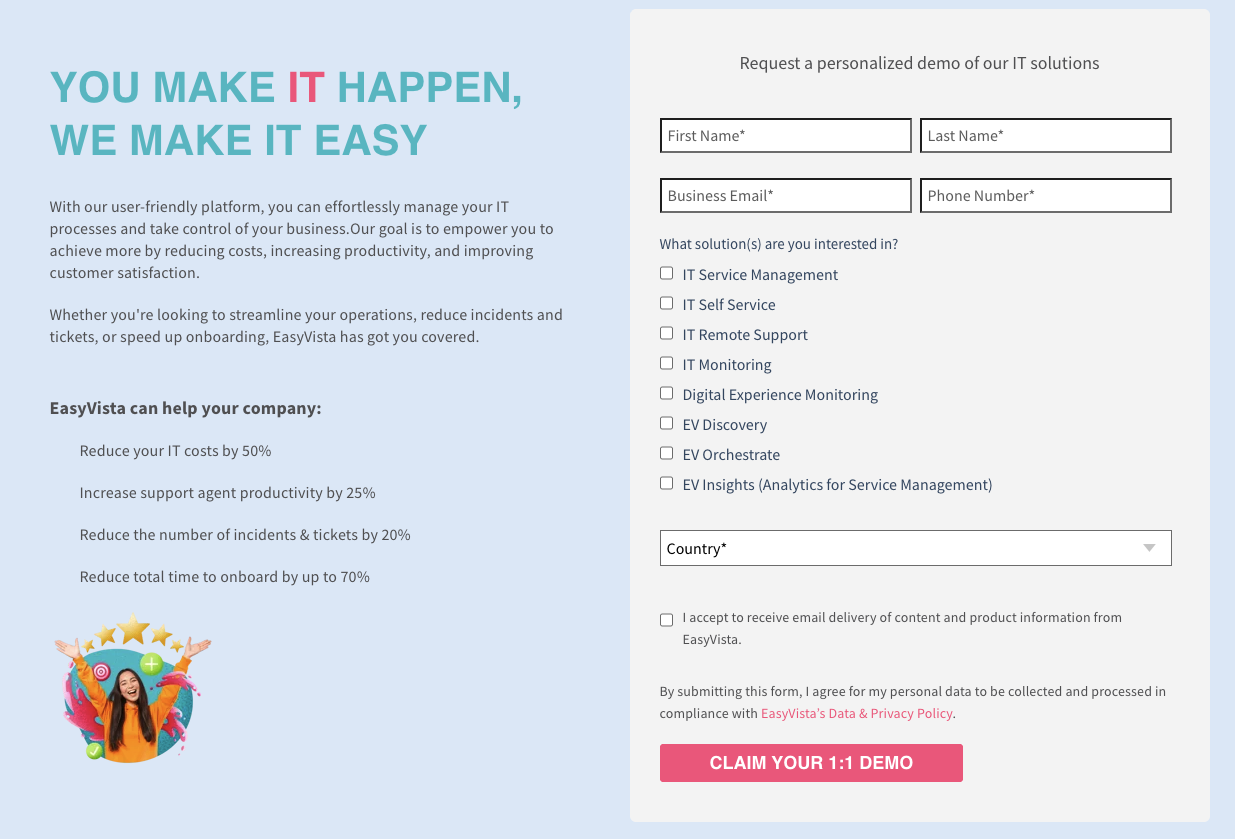
For the pricing, you need to fill out a form on EasyVista’s pricing page and request a demo.
In contrast, Atera is known for its transparent pay-per-technician pricing.
While enterprises can request a custom quote, the pricing plans for IT departments range from $149 to $219/month, and MSP pricing plans range from $129 to $209/month.
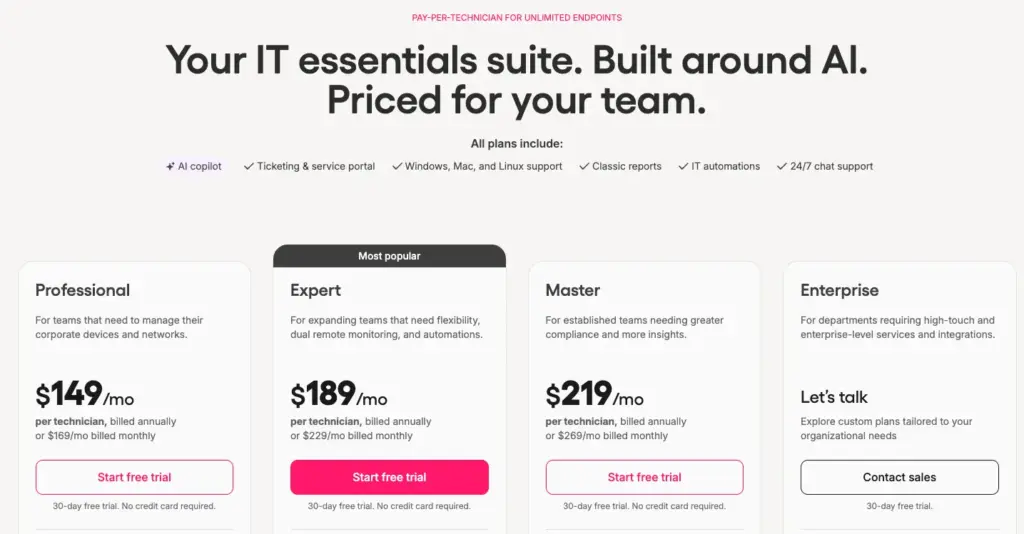
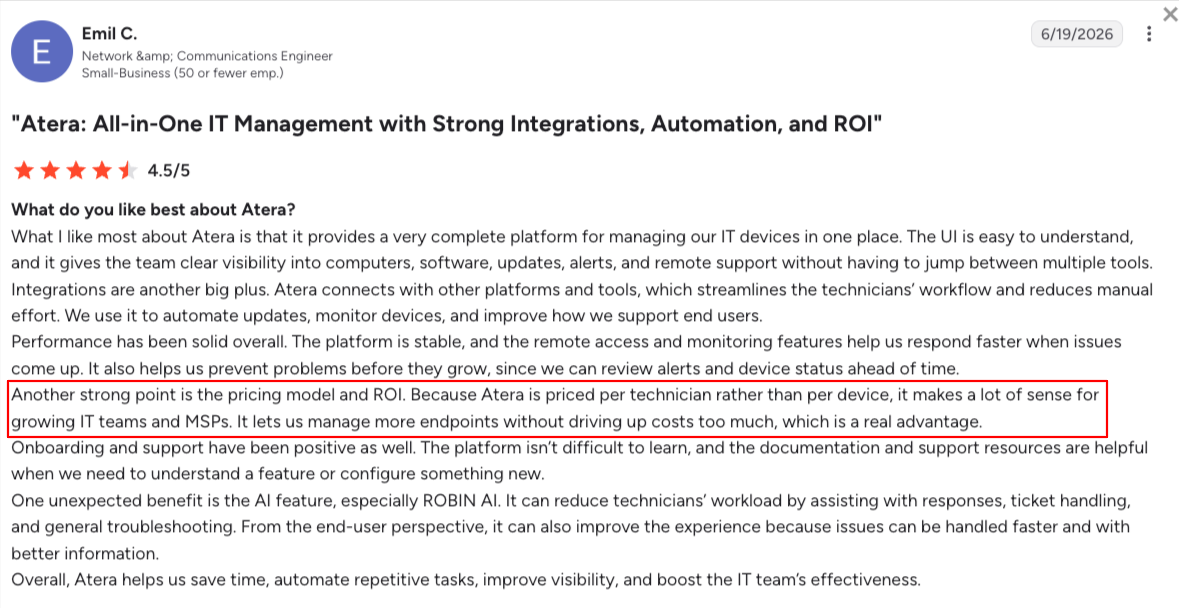
Since Atera is priced per technician, you can add and manage unlimited endpoints without worrying about skyrocketing costs.
This is something users like Emil C. truly appreciate about Atera:
#4: User interface and usability
To compare the user interfaces of the two, let’s look at how Atera and EasyVista stack up across G2’s key ease-of-use categories:
| G2’s Ease of Use Category | 1. Atera | 2. EasyVista |
| Ease of Use | 9.3 stars (1,050+ reviews) | 7.1 stars (90+ reviews) |
| Ease of Setup | 9.2 stars (900+ reviews) | 7.4 stars (70+ reviews) |
| Ease of Admin | 9.0 stars (590+ reviews) | 7.6 stars (70+ reviews) |
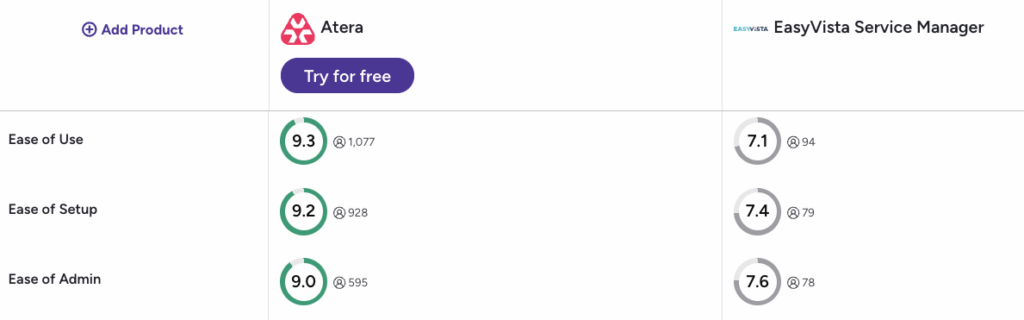
As you can see, Atera has a clear edge. Atera’s dashboards have a low barrier to entry and quick implementation. Yet, they’re fully customizable to your IT team’s needs.
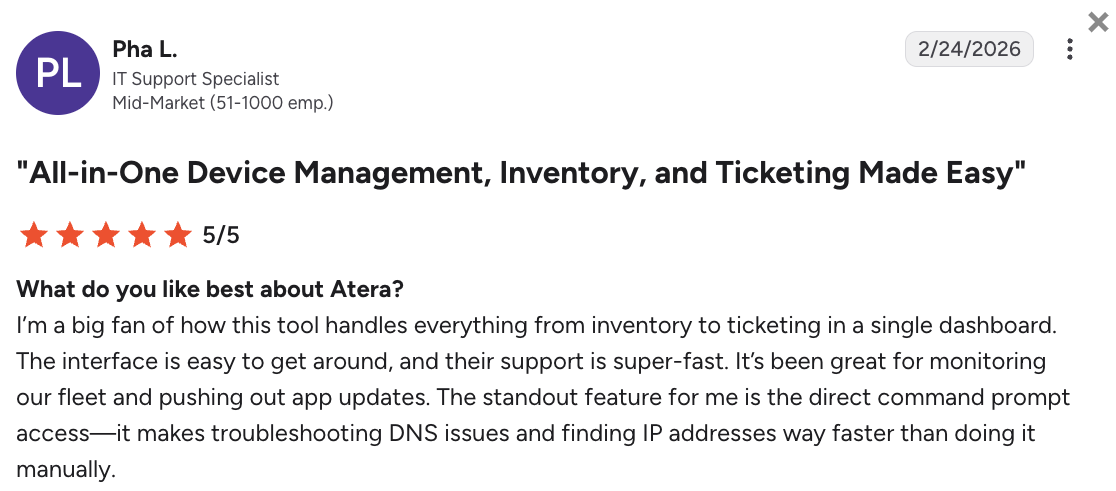
Pha L. commented on Atera’s dashboard and said, “The interface is easy to get around, and their support is super-fast. It’s been great for monitoring our fleet and pushing out app updates. The standout feature for me is the direct command prompt access.”
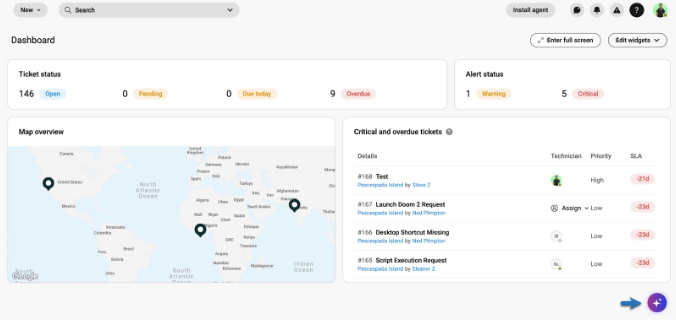
To customize how Robin interacts with end users, you can adjust the settings directly within the AI Center tab.
And since AI Copilot is included in every Atera plan, it can simply be used from the bottom-right corner throughout the Atera app.
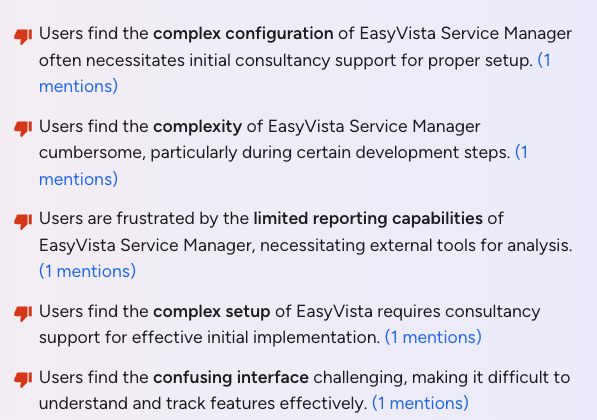
For EasyVista, there are positive reviews related to the user interface, but also a lot of criticism. In fact, nearly all of its cons on G2 are related to complex configuration and interface.
For example, Isona B. said, “Although it is a very powerful tool, it requires time and learning to take full advantage of all its capabilities, especially in more advanced environments.”

#5: Customer support and community
EasyVista offers two ways to get help: via their customer portal or through their documentation site, which answers the most common questions.
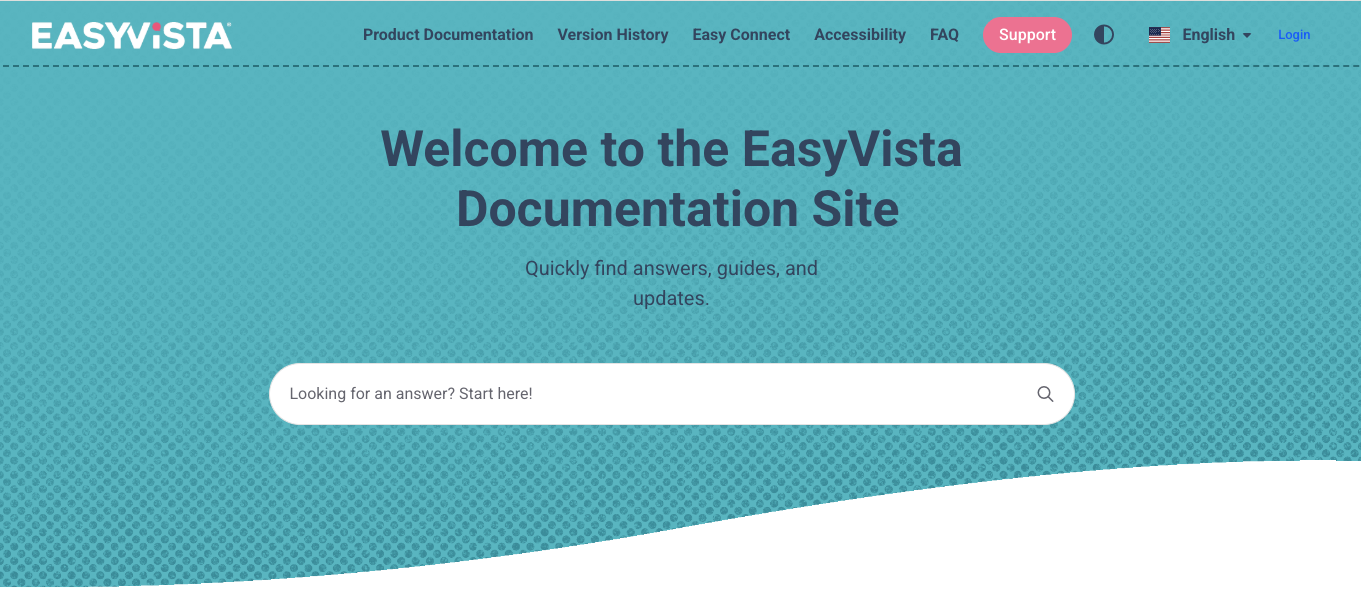
We tried to find info on how quickly you can get help from EasyVista, but their website doesn’t display support opening times.
They only say to “submit incidents via the Support portal,” which you can only access with a paid plan.

At Atera, 24/7 live chat and email support are available for all users, regardless of your plan. You can also get help from our active IT community, webinars, and the extensive knowledge base.
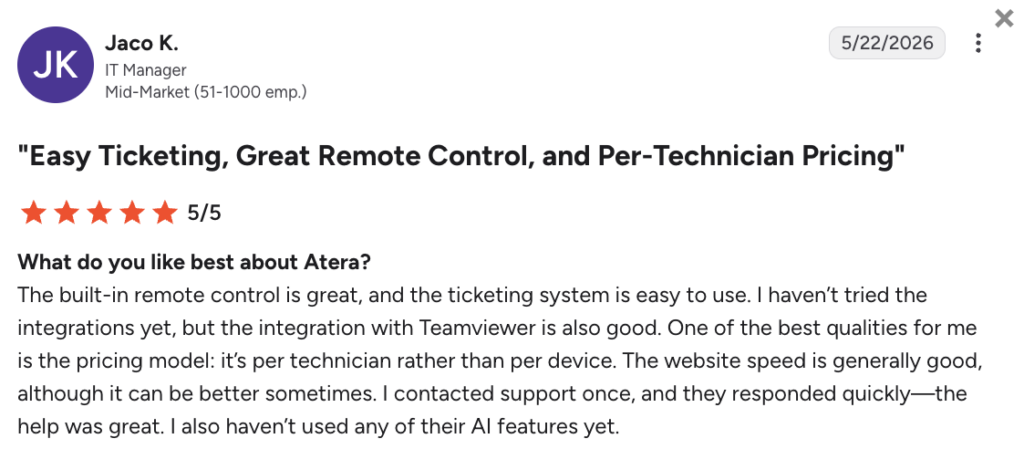
Jaco K. shortly commented on Atera’s support and said, “I contacted support once, and they responded quickly – the help was great”
#6: User feedback and review
Across all EasyVista products, there are 430+ total reviews on G2, with an average rating of 4.5 out of 5.0 stars.
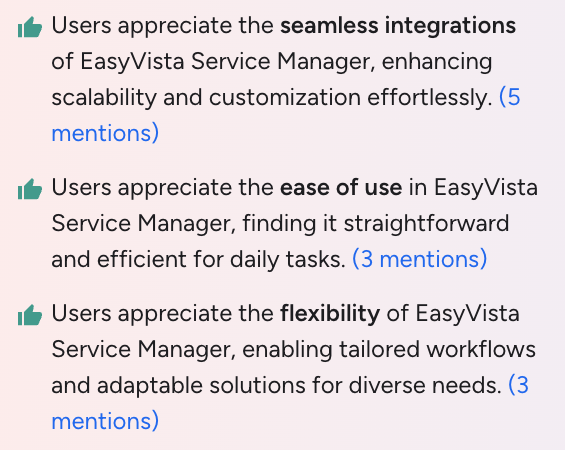
The main pros users have listed for the EasyVista Service Manager product are seamless integrations, ease of use, and flexibility.
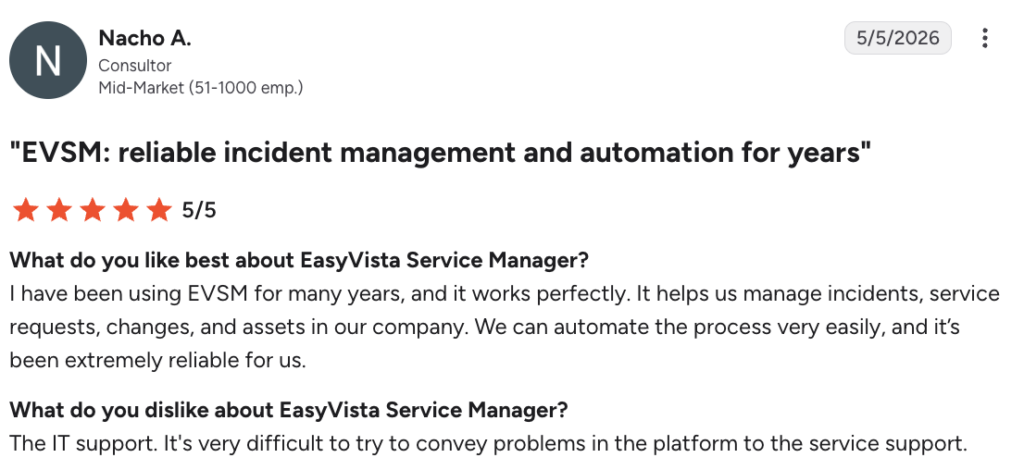
For example, see here what Nacho A. wrote about EasyVista Service Manager:
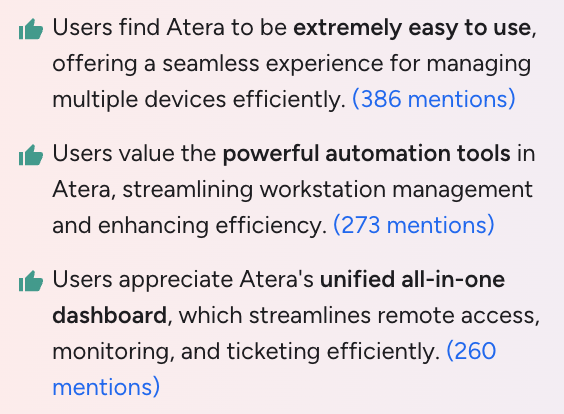
For Atera, 1,200+ G2 reviews are available, with an average rating of 4.6 out of 5.0 stars. Users love the ease of use, powerful automation and AI, and Atera’s all-in-one functionality.
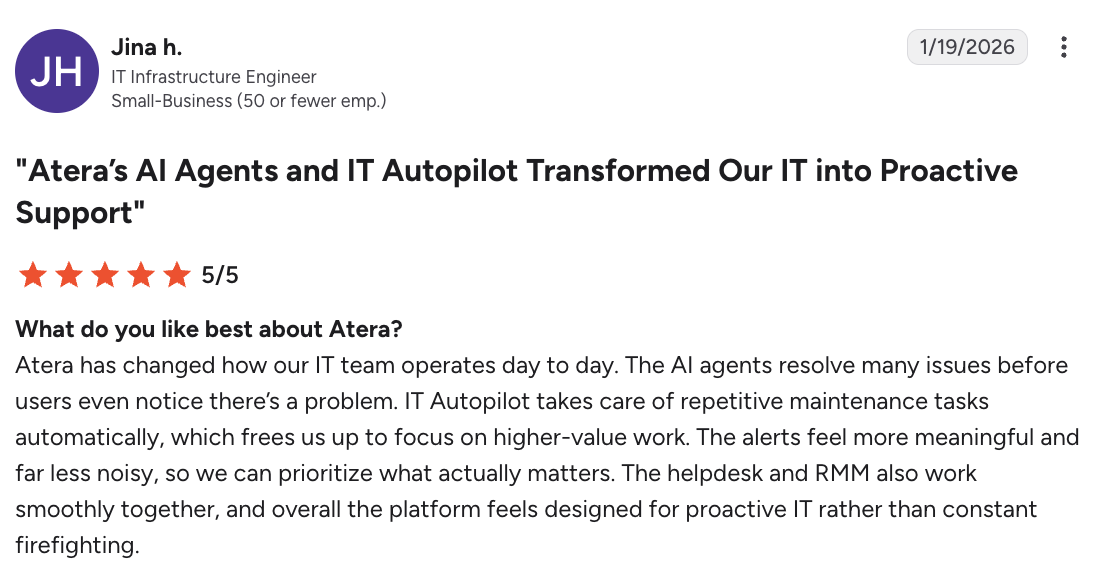
One Atera user, Jina H. on G2 said, “The AI agents resolve many issues before users even notice there’s a problem. Robin takes care of repetitive maintenance tasks automatically, which frees us up to focus on higher-value work.”
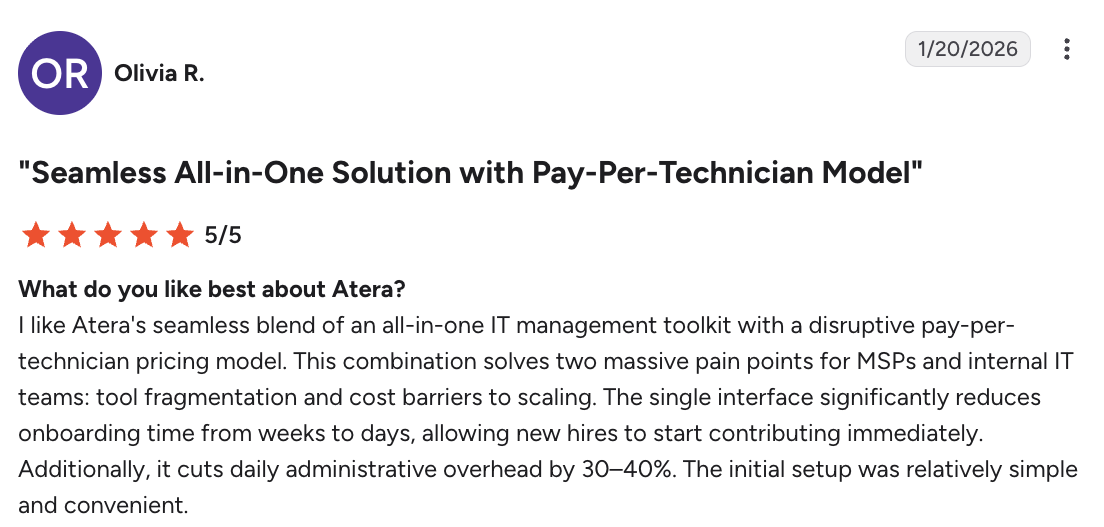
Olivia R. liked Atera’s all-in-one approach and said, “I like Atera’s seamless blend of an all-in-one IT management toolkit with a disruptive pay-per-technician pricing model.”
Based on the G2 comparison of Atera vs. EasyVista Service Manager and Reach, users have ranked Atera higher in nearly all categories.
Move from automated to autonomous IT: Only with Atera
Broken IT costs a 1,000-employee organization roughly 3 million hours of productivity per year, with an average ticket resolution time of 14 hours. Even more telling, 61% of employees avoid opening tickets at all, passively absorbing friction instead of reporting it.
Of Atera and EasyVista, only Atera offers a solution for this with Robin, which resolves issues before they turn into abandoned tickets or lost hours.
Robin serves as the first line of support, resolving tier-1 and tier-2 issues as soon as they arise, rather than leaving employees to wait hours for a technician to respond.
To see how much your organization could save with Robin, input your team’s info into our Robin Savings Calculator. If you want to see the AI agents in action, sign up for Atera’s 30-day free trial.
Frequently Asked Questions
Related Articles
Robin vs Request Resolver (Former Rovo)
Robin and Atlassian's Request Resolver (Former Rovo) both bring Autonomous IT into ITSM, but they operate at different levels. This full comparison breaks down where each one's autonomy actually reaches.
Read now
Robin vs Kaseya Intelligence
Robin by Atera and Kaseya Intelligence both talk about autonomous IT, but structure their AI technologies differently. See where each one's autonomy actually reaches and which works for your org.
Read now
Robin by Atera vs. Ivanti Neurons: comparing two very different approaches to autonomous IT
In this article, we'll compare Robin vs. Ivanti Neurons: one AI agent that resolves IT incidents end to end, and one platform that splits autonomy across two separate AI capabilities.
Read now
Robin vs Freddy AI Agent Studio
Not all agentic ITSM starts from the same place. See how Robin's deploy-ready model compares to Freddy AI Agent Studio's no-code, build-it-yourself approach.
Read nowEndless IT possibilities
Boost your productivity with Atera’s intuitive, centralized all-in-one platform









