Table of contents
Table of contents
- Atera vs. RemotePC: An overview
- Atera or RemotePC for your IT team?
Generate summary with AI

Atera and RemotePC are built for different needs. While RemotePC is known as an affordable remote access tool, Atera is famous for its IT management suite (which includes Atera’s remote access), as well as its autonomous IT agent, Robin, for enterprises.
Both are some of the best desktop management software, but ultimately, the best option comes down to your organization’s needs.
To help you make the right choice, here’s a full Atera vs. RemotePC comparison.
Atera vs. RemotePC: An overview
For a quick comparison, see the overview table below:
Atera Features | RemotePC Features |
IT management platform with built-in RMM, ticketing & helpdesk, patch management, and PSA Remote access built directly into the platform via AnyDesk or Splashtop, with no separate license required Supports both attended and unattended access across Windows, Mac, and Linux devices Multi-monitor support, screen recording, drag-and-drop file transfer, and airtight remote access security AI Copilot for remote session summaries, device troubleshooting, scripting, and ticketing (included on all plans at no extra cost) Robin by Atera (available as a separate product) for resolving up to 92% of tier-1 and tier-2 technical issues autonomously PSA for MSPs to track contracts, billing, SLAs, and more | Remote desktop tool for managing Windows, Linux, and macOS devices remotely Unlimited concurrent sessions on most plans File transfer and remote printing between local and remote devices Session recording, multi-monitor support, and drag-and-drop file sharing Online meetings add-on included free on all plans Access controls and permissions to restrict specific parts of a device |
Customer Support | Customer Support |
24/7 email and live chat support for all customers Extensive knowledge base, IT community, and tutorials | 24/7 support available across plans Knowledge base and community resources available |
Integrations | Integrations |
Integrations with 25+ remote access, automation, backup, cybersecurity, and network monitoring software Integrations with 50+ more third-party tools for Robin Access to 7,000+ apps through Zapier | HelpDesk integrations with Zendesk, Freshdesk, Freshservice, Jira, and ServiceNow SSO integration via OneLogin |
Pricing | Pricing |
Transparent pay-per-technician pricing, starting from $129/technician/month 30-day free trial available | Per-computer pricing, with the Team plan starting from $29.95/month for 50 computers 7-day free trial available |
#1: Features and capabilities
As the name suggests, RemotePC is solely a remote access software, used by organizations to offer remote support to clients and employees.
It offers all the core remote access features you’d expect:
- File transfer to move files and folders between your computers
- Remote printing to print documents from the remote computer
- Multi-monitor support to view and navigate multiple screens
- Two-factor authentication and screen blanking
- Session recording to save remote sessions
- Whiteboard and chat tools for collaboration
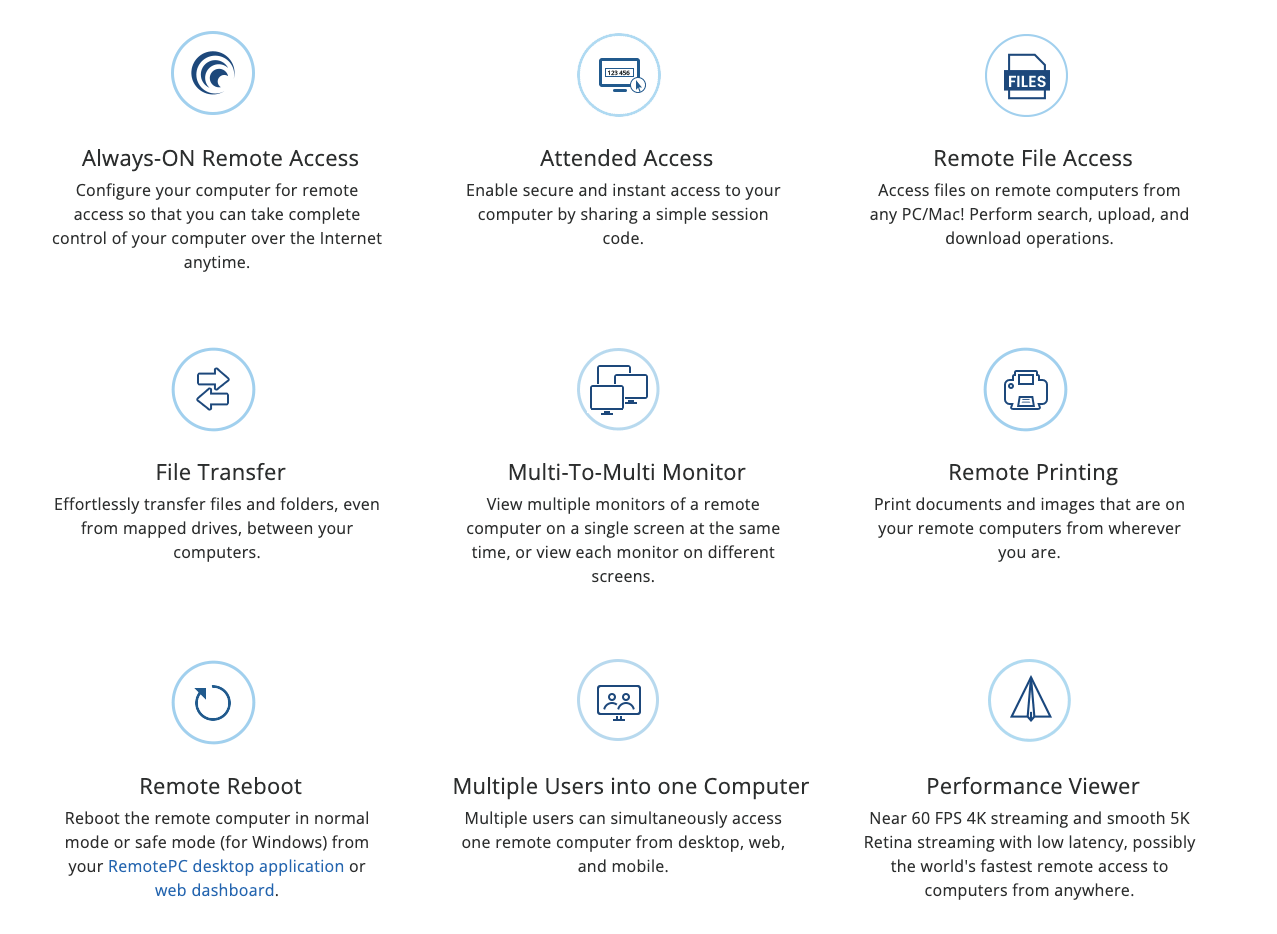
These are essentially the same features available in Atera’s remote access software. But Atera’s remote access also expands to features like remote session summaries, provided by AI Copilot.
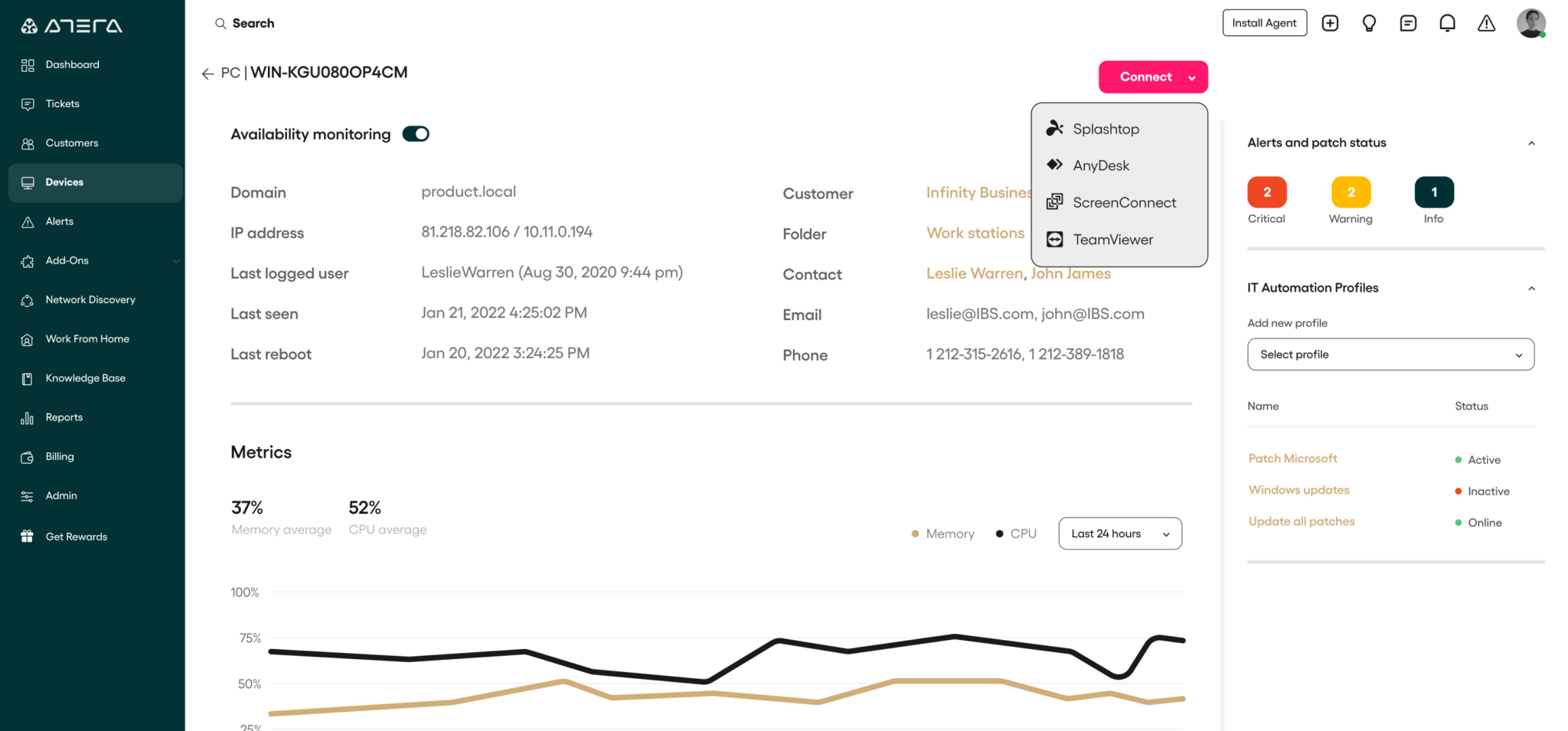
Atera’s remote access lets you access computers, desktops, servers, applications, and files easily from an alert, ticket, or device view. It works through the AnyDesk or Splashtop integrations, available on Atera plans at no extra cost.
With Atera’s Work from Home add-on, your end-users can securely access their work devices from anywhere, no VPN or IT involvement required.
The main difference between Atera and RemotePC?
Atera’s IT core capabilities extend beyond remote access:
- Atera’s RMM to get full visibility into your organization’s device health and performance
- Atera’s AI Copilot, which assists technicians inside the platform and generates remote session summaries
- Ticketing and helpdesk to track, organize, and manage tickets from creation to resolution
- Asset management to have an accurate view of your team’s hardware and software assets. This includes Atera’s Network Discovery add-on.
- IT automation for creating powerful automation rules for company servers, devices, and workstations.
- Patch management to keep Windows, macOS, and Linux devices up-to-date with software updates and security patches
Plus, Robin by Atera is available as a separate product, which we’ll discuss in the next section.
Kyle R. described his experience with Atera and said, “Having monitoring, remote access, patch management, automation, and asset information in the same platform made day-to-day support much easier.”

To conclude: while RemotePC offers strong remote access capabilities, it’s feature-set is arguably limited for IT departments looking for an all-in-one solution. For this purpose, Atera is one of the best RemotePC alternatives.
#2: Agentic AI development
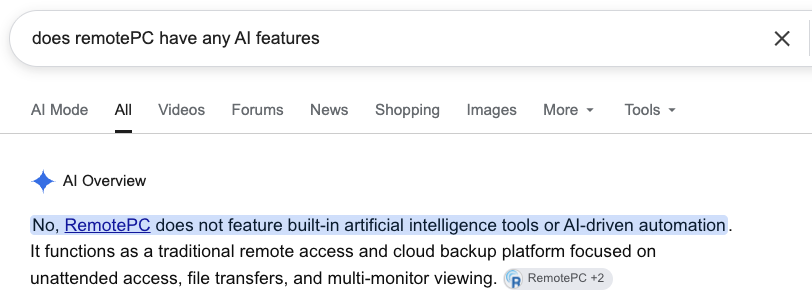
Agentic AI is disrupting most major industries, but as of 2026, RemotePC hasn’t added any generative AI (or Agentic AI) features to its platform.
As Google’s AI overview says, RemotePC is more of a “traditional remote access tool”.
From the beginning, Atera has been at the forefront of AI development and has developed two AI agents: its automated AI Copilot and the fully autonomous IT agent, Atera’s Robin.
Robin goes beyond basic IT automation by resolving real-world IT issues fully autonomously, all without technician involvement.
Robin does this in three steps:
- It collects requests: Robin interacts with users via Slack, email, Teams, or your Customer Portal, and gathers the context needed to understand and resolve the issue.
- It takes action to resolve it: Based on the issue type and your company’s policies, Robin chooses the right fix and carries it out on the device or in the cloud. This can involve installing software, resetting a device, troubleshooting a printer problem, and more.
- It closes the loop: Once the issue is fixed, Robin logs the outcome directly on the ticket. If an issue is too complex for Robin, it automatically hands it off to a human technician, with full context of the issue.
Not only does Robin free technicians’ time for higher-value tasks, but end-users also benefit from it.
Emil C. said, “From the end-user perspective, it can also improve the experience because issues can be handled faster and with better information.”

#3: Pricing and value for money
RemotePC is used by both solo users and bigger IT teams, which is reflected on it’s pricing plans.
The Team plan with unlimited users starts from $29.95/month for 50 computers.
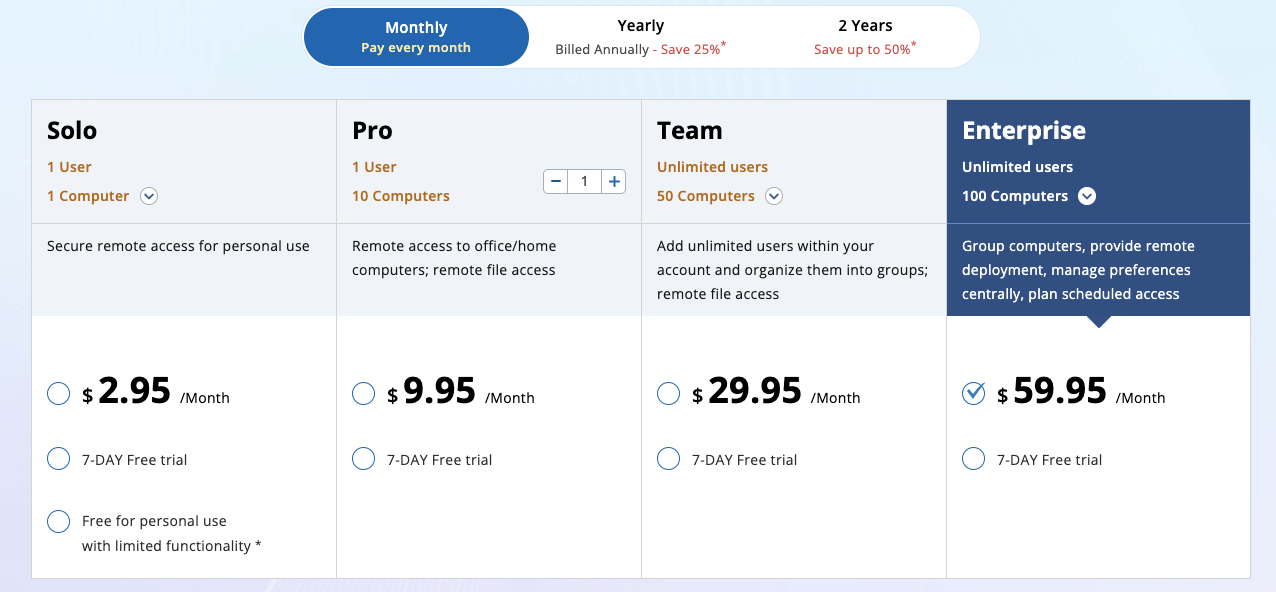
RemotePC’s cost is based on the number of computers you want to access (similar to most RMM pricing plans).
In contrast, Atera prices its software a bit differently. Atera’s pricing is pay-per-technician, meaning you can add and manage unlimited devices for a fixed monthly/annual cost.
Atera’s pricing for MSPs starts at $129/month per technician, and for IT departments, from $149/month per technician.
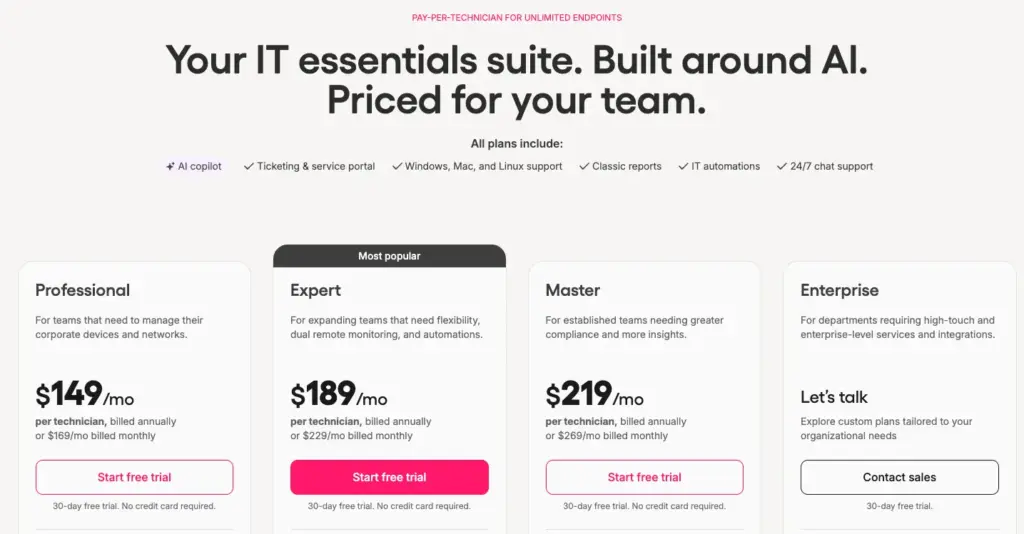
For remote access only, RemotePC is arguably the cheaper option.
But if you need broader RMM, AI, patch management, ticketing, and Network Discovery capabilities on top of remote access, Atera is the only one offering that.
Plus, since Atera supports remote access for unlimited computers, your costs stay predictable as you scale, unlike RemotePC’s pricing, which increases as you add new devices.
#4: User interface and usability
Both Atera and RemotePC offer cloud-based versions, as well as mobile apps.
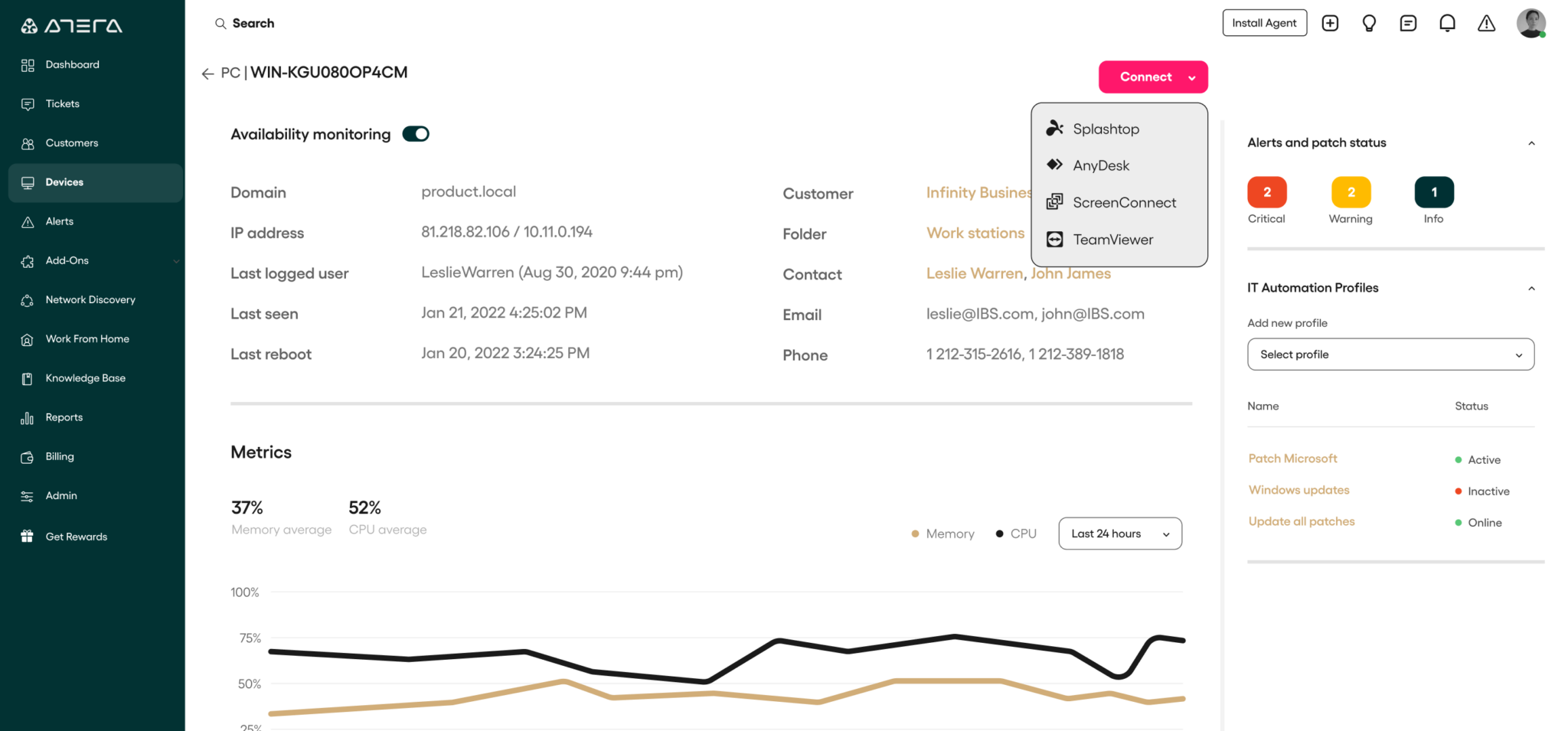
To remotely access devices on Atera, you simply need to go to the ‘Devices’ page, click on a device, and click ‘Connect’.
From there, you can choose your preferred remote access software.
Splashtop and AnyDesk are available at no extra cost for Atera users, and ScreenConnect and TeamViewer with your own license.
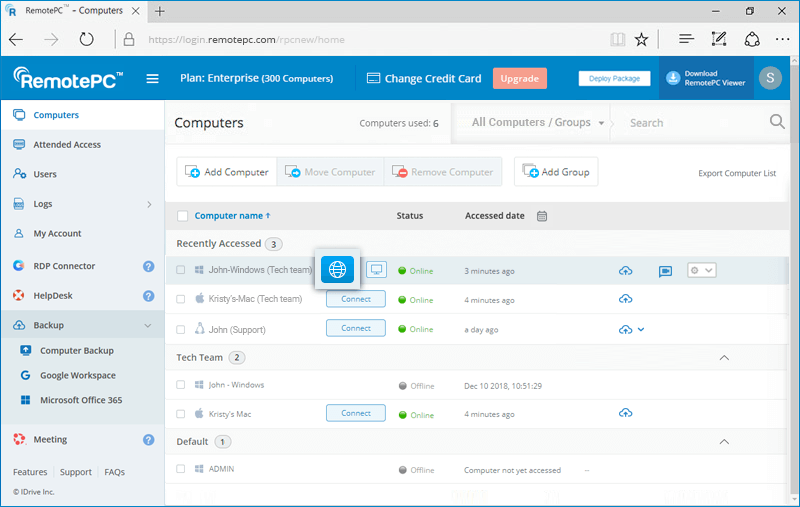
On RemotePC, you can remotely access devices from the “Computers” page by clicking on “Connect”.
Both platforms are known to be easy to use. In fact, ease of use is the main pro of both RemotePC and Atera on G2.
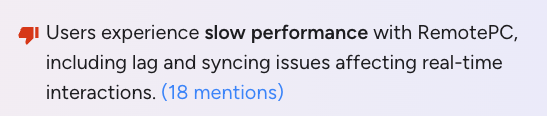
As a slight drawback, RemotePC has received 18 reviews in total mentioning slow performance, which can be especially problematic for bigger IT teams.
Atera offers four options for remote access (two at no extra cost), so there’s more flexibility if you ever run into performance issues.
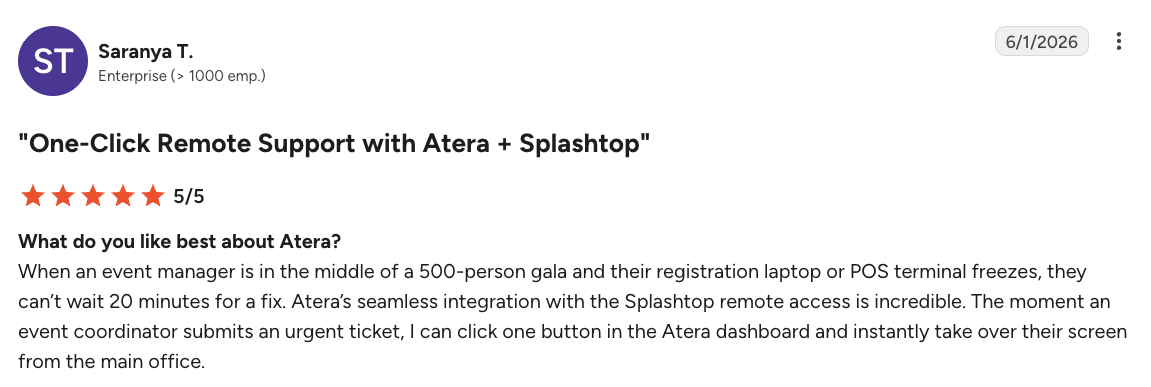
One of Atera’s customers, Saranya T. from an enterprise team, said that the remote access has been incredible:
“Atera’s seamless integration with the Splashtop remote access is incredible. The moment an event coordinator submits an urgent ticket, I can click one button in the Atera dashboard and instantly take over their screen from the main office.”
#5: Customer support and community
If you face any issues, both Atera and RemotePC promise 24/7 live chat and email support.
Both platforms also have online forums, FAQ sections, and video tutorials for self-assistance. For Atera, the Atera Academy is perfect for learning core IT management skills and Atera’s full suite of tools.
One advantage of Atera is the IT community, where IT professionals (like you) can ask for help and learn about the best practices for the platform.
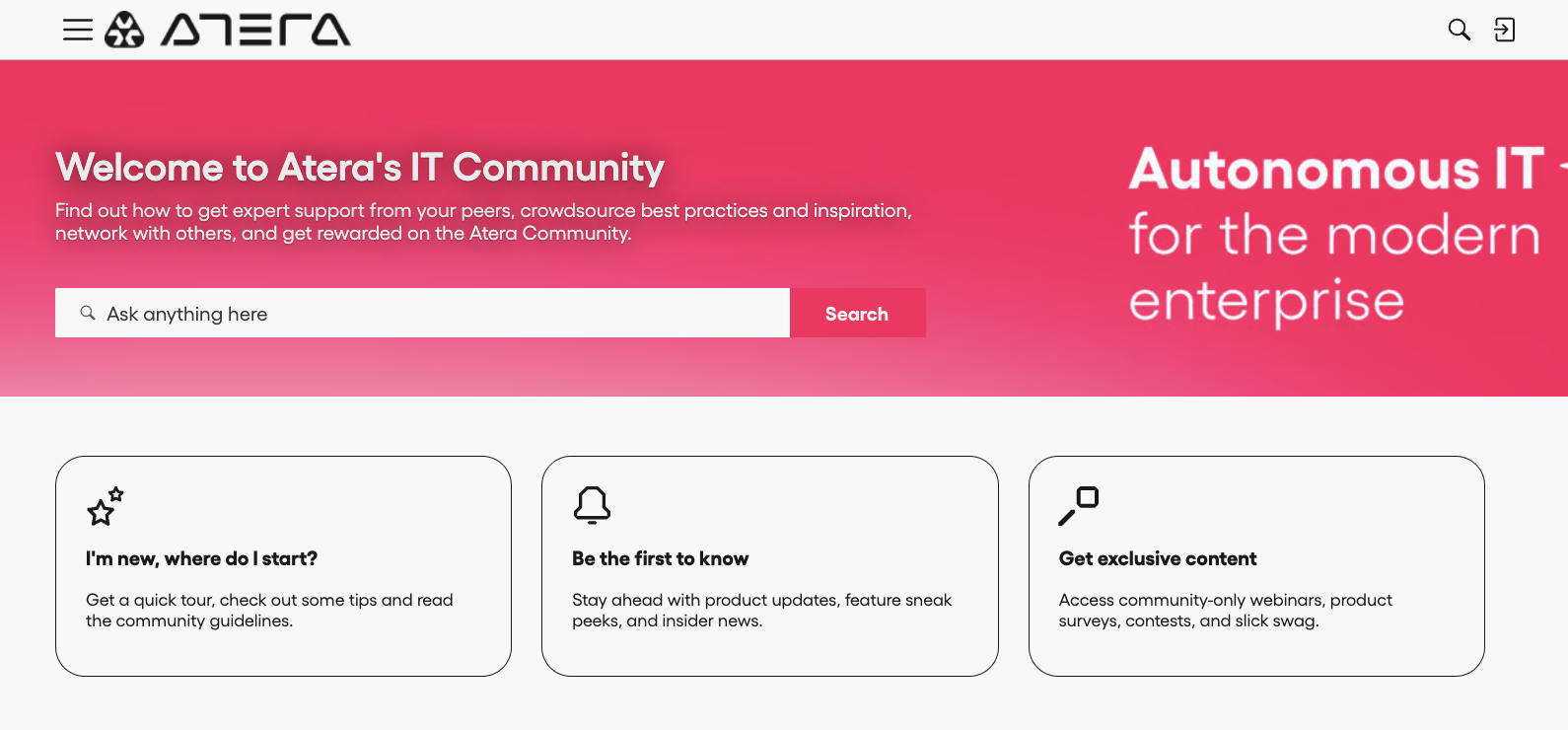
Atera is extremely transparent about its current and future product developments, which you can also vote on through the Features Board.
#6: User feedback and review
On G2 alone, Atera has gathered a total of 1200+ reviews, with an average rating of 4.6 out of 5.0 stars. RemotePC has 660+ reviews, with a rating of 4.7 stars.
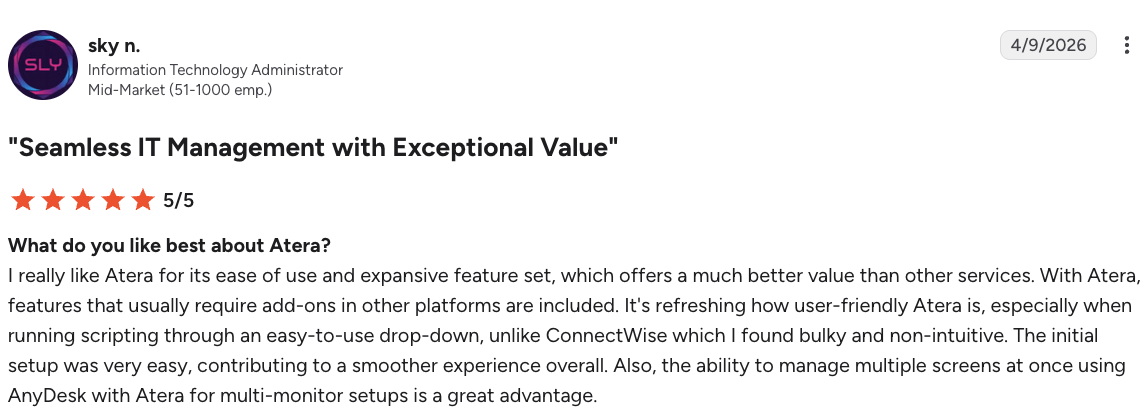
One Atera user, Sky N. on G2 said, “The ability to manage multiple screens at once using AnyDesk with Atera for multi-monitor setups is a great advantage.”
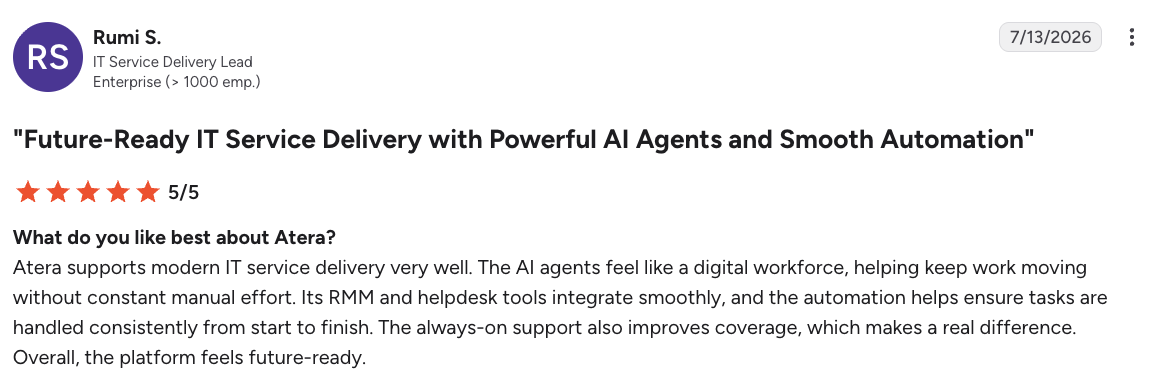
Another Atera user, Rumi S., from an enterprise team commented on the AI agents and said:
“Atera supports modern IT service delivery very well. The AI agents feel like a digital workforce, helping keep work moving without constant manual effort.”
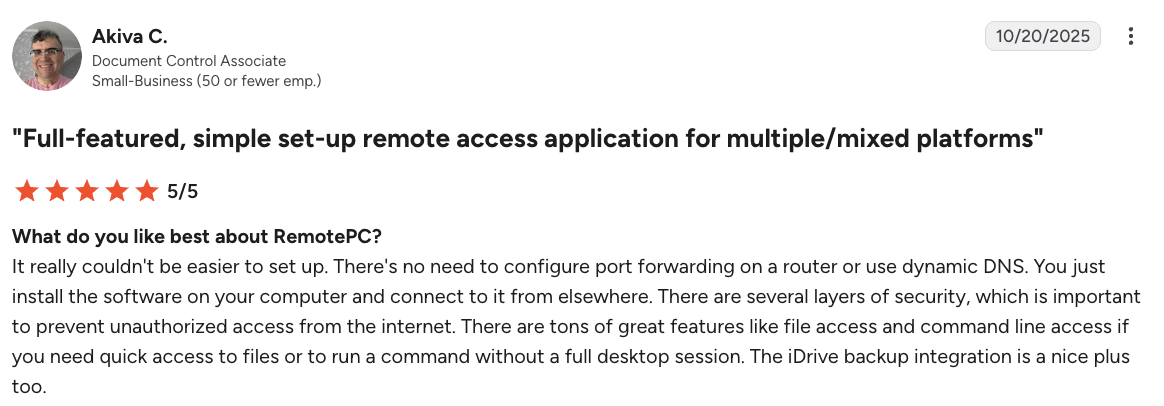
For RemotePC, the main pros users mention are affordability and ease of use. For example, see what Akiva C. said:
But as we mentioned earlier, users have also complained about RemotePC’s performance issues, which can be troubling for bigger IT teams.
Atera or RemotePC for your IT team?
The answer is: it depends. If you solely need a platform for remote access (and don’t have a huge device fleet), RemotePC can be enough. However, RemotePC won’t scale if your IT needs go beyond remote access.
For IT teams at companies of all sizes that need more than remote access alone, Atera is the stronger choice.
Remote access is part of Atera’s broader IT essentials suite, which is backed by AI Copilot that assists technicians in manual and repetitive tasks. Plus, Robin is available as a separate product for enterprises wanting autonomous issue resolution. All of this is backed by Atera’s predictable per-technician pricing.
Ready to see Atera in action? Sign up for Atera’s 30-day free trial or get in touch with our sales team to discuss your specific needs.
Frequently Asked Questions
Related Articles
Robin vs Request Resolver (Former Rovo)
Robin and Atlassian's Request Resolver (Former Rovo) both bring Autonomous IT into ITSM, but they operate at different levels. This full comparison breaks down where each one's autonomy actually reaches.
Read now
Robin vs Kaseya Intelligence
Robin by Atera and Kaseya Intelligence both talk about autonomous IT, but structure their AI technologies differently. See where each one's autonomy actually reaches and which works for your org.
Read now
Robin by Atera vs. Ivanti Neurons: comparing two very different approaches to autonomous IT
In this article, we'll compare Robin vs. Ivanti Neurons: one AI agent that resolves IT incidents end to end, and one platform that splits autonomy across two separate AI capabilities.
Read now
Robin vs Freddy AI Agent Studio
Not all agentic ITSM starts from the same place. See how Robin's deploy-ready model compares to Freddy AI Agent Studio's no-code, build-it-yourself approach.
Read nowEndless IT possibilities
Boost your productivity with Atera’s intuitive, centralized all-in-one platform









