
Every morning, the queue is already full. By the time your IT team logs in, hundreds of requests have arrived overnight through email, Slack, Teams, and the portal — each one needing to be read, categorized, prioritized, and routed before anyone can actually fix anything. Tier-1 technicians spend the first hours of the day as human routers, sorting work instead of doing it.
That is the problem AI ticket triage promises to solve, and most tools solve a version of it. They classify the ticket, score its urgency, and move it to the right person faster than a human could. That is real value. But it is worth being precise about what it buys you: faster routing moves the work to the right human. It does not reduce the work.
There is a more recent tier of tools that does something different. Instead of routing the ticket to a person, it resolves the ticket — detecting the issue, diagnosing root cause, executing the fix, and verifying it worked, without a technician in the loop. That distinction, between tools that triage and the system that resolves, is the most important thing to understand before you buy. This guide covers both, and gives you a framework for deciding which one your team actually needs.
What AI ticket triage does
AI ticket triage uses natural language processing and machine learning to read an incoming request, understand intent and urgency from the content rather than from rigid keyword rules, and act on it. In practice that means four steps: classify the ticket by type and category, score priority based on impact and sentiment, route it to the right queue or technician, and — in the most capable tools — resolve it outright when confidence is high enough.
The shift that matters here is from rule-based to context-aware. A static priority matrix treats every ticket with the same keywords identically. AI classification layers in signals a rule never sees: the requester’s role, the history of similar issues, current team workload, and the genuine urgency that can hide inside calm-sounding language. (For a deeper look at where manual triage breaks down, see our guide to ticket handling best practices.)
How to evaluate an AI triage tool
Before comparing vendors, get clear on what you are actually measuring. Five questions separate a tool that looks impressive in a demo from one that holds up under volume:
How deep is the classification? Can it detect intent, sentiment, and urgency, or is it pattern-matching keywords with extra steps? Depth is what keeps accuracy stable as language varies.
What is the routing logic — and what does it do with low-confidence tickets? The best systems route what they are sure about and hold the ambiguous ones for review rather than forcing a bad assignment that triggers a reassignment loop later.
Routing accuracy or resolution rate? This is the question that changes the math. Most tools report how accurately they route. A smaller set reports how many tickets they close without a human. The second number is the one that moves your cost curve.
Does it fit your stack and your governance requirements? Triage is only as smart as the context it can reach. A tool that cannot pull data from your RMM, CMDB, or identity provider is routing blind. And for any autonomous action, you need configurable guardrails, approval workflows, and a full audit trail.
How fast does it deploy? Some tools run in under an hour on existing ticket data. Enterprise ITSM suites can take weeks of configuration. Match the timeline to your urgency.
The best AI ticket triage tools in 2026
We have grouped the tools below by what they actually do with a ticket — resolve it, or route it to a human faster. Start with the distinction that matters most for your team, then compare on capability, fit, and price.
| Tool | What it does | Best for | Pricing model |
|---|---|---|---|
| Atera (Robin) | Resolves tickets autonomously, end-to-end | IT teams and MSPs that want to clear the queue, not sort it | Per technician (all-in-one PSA + RMM) |
| Freshservice (Freddy AI) | Auto-triage and field prediction | Teams wanting fast-deploy ITSM with an AI layer | Per agent; AI Copilot is an add-on |
| Zendesk Advanced AI | Intent/sentiment triage and routing | Teams whose IT overlaps with customer support | $115–$169/agent/mo + add-ons |
| SysAid Copilot | Agentic automation, cloud or on-prem | Teams with data-residency needs | Custom quote |
| Moveworks | Enterprise intelligent triage front end | Large, complex ITSM stacks | Enterprise / contact sales |
| Intercom Fin | Resolution-first AI agent | SaaS/support teams already on Intercom | $0.99 per resolution |
| MSPBots | PSA-native triage and routing | MSPs on ConnectWise or AutoTask | Contact sales |
| Botpress | Build-your-own triage engine | Teams wanting full control over routing logic | Usage-based |
The system that resolves
These tools do not just sort the queue; they close tickets without a technician in the loop.
Robin by Atera
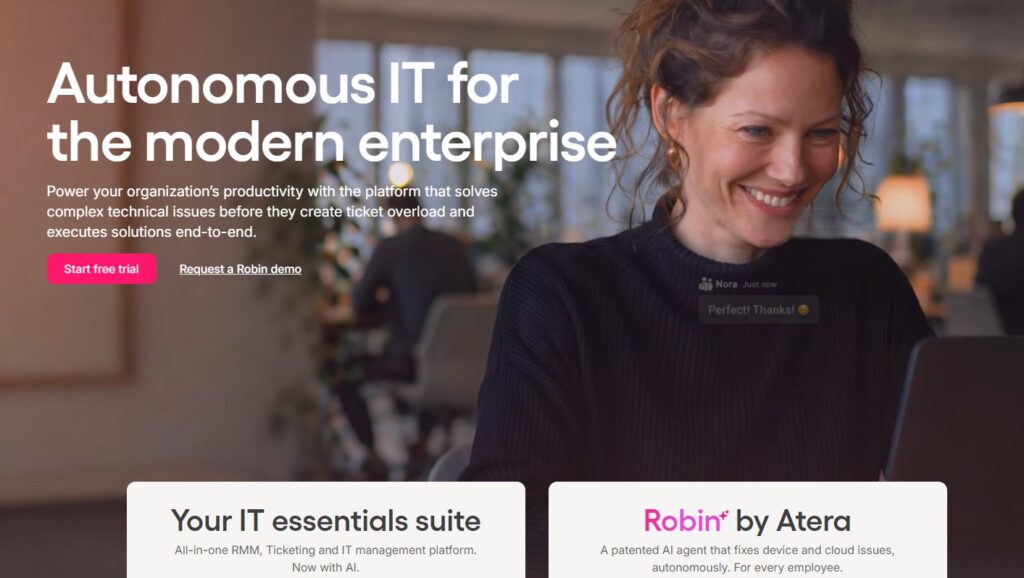
Robin by Atera is built around a different premise than the rest of this list: that the goal is not to route the ticket faster but to make the ticket disappear. Robin handles intake autonomously across email, Slack, Teams, and the customer portal, interprets the user’s request in natural language, pulls context from diagnostics tools and the knowledge base, and then either resolves the issue end-to-end on the device or escalates it — already triaged, contextualized, and documented — to the right human.
The result is resolution, not deflection. Robin reaches a 92% autonomous resolution rate, with an average resolution time of 2 minutes against 188 minutes for human-only handling, and a first response in 0.1 seconds. For IT leaders, the more strategic number is what that frees up: roughly 40% of IT workload eliminated and redirected toward higher-value work, and 11 to 13 hours given back to each technician every week. Autonomy operates inside configurable guardrails, approval workflows, and full audit trails, so oversight scales with the automation.
Best for: Enterprises and MSPs that want to clear the queue, not just sort it faster. Limitation: If your goal is strictly to route tickets to humans more efficiently and you are not ready to let AI close tickets, you are buying more capability than you need. Pricing: Per-technician model rather than per-resolution, as part of Atera’s all-in-one PSA + RMM platform.
See pricing for IT departments and MSP pricing of Atera
Tools that triage and route
These tools classify and prioritize accurately, then hand the ticket to the right person faster than a human could.
Freshservice (Freddy AI)
Freshworks’ ITSM platform with an AI layer called Freddy. Auto Triage analyzes historical ticket data to suggest values for status, priority, and category, and workflow rules escalate urgent tickets automatically. It deploys faster than full enterprise suites and offers transparent per-agent pricing. The Freddy AI Copilot is an add-on, so the AI triage capability is not included in lower tiers, and advanced reporting is gated behind higher plans.
Zendesk Advanced AI
Zendesk mature ticketing foundation built originally for high-volume customer support. Its intelligent triage reads the first message on every ticket to predict intent, sentiment, and language, and routing triggers act on those predictions. Pricing runs at $115 per agent per month for Suite Professional and $169 for Enterprise, with the Copilot add-on at $50 per agent and AI Agent resolutions billed per ticket. Worth noting: Zendesk does not ship native ITIL workflows or a CMDB, so IT teams needing deep ITIL alignment often layer in additional tooling.
SysAid Copilot
SysAid’s independent ITSM tool with agentic automation for multi-step tasks, available in both cloud and on-premises deployments — useful for organizations with data-residency requirements. A no-code builder handles routing and escalation rules, and anomaly detection flags incident trends early. Pricing is not public; each of its tiers requires a custom quote.
Moveworks
An enterprise intelligent-triage front end. Employees describe an issue in natural language; Moveworks resolves common L1 requests and routes the rest with category and assignment-group fields populated automatically. It is designed to augment existing ITSM infrastructure rather than replace it, which suits large, complex stacks. It is an enterprise purchase, priced accordingly and via sales.
Intercom Fin
A messaging-first support platform whose AI agent, Fin, flips the usual sequence: rather than classifying and handing off, Fin tries to resolve first, and uses detected attributes like topic and urgency to drive workflow branches when it cannot. Resolution is billed per outcome at $0.99 each. Strongest for SaaS and support teams already on Intercom.
MSPBots
Purpose-built for managed service providers, with AI triage that integrates natively with ConnectWise and AutoTask PSAs and routes using your existing configuration in near real time. Fast to deploy. The natural fit for MSPs whose world runs on a PSA.
Botpress
An AI agent platform that doubles as a triage engine, with a drag-and-drop canvas for building classification, routing, and escalation logic, and the ability to run as a front end over Zendesk or Freshdesk. It offers deep control, but there is no pre-trained model on day one — you build and train the logic yourself, which is a real setup-time tradeoff.
A note for MSPs
If you run a managed service practice, your triage requirements start with your PSA. Routing has to respect ConnectWise or AutoTask configuration, and anything autonomous has to bill and document cleanly against client contracts. PSA-native tools like MSPBots address the integration layer. The advantage of an all-in-one approach like Atera’s is that PSA, RMM, and autonomous resolution sit on a single platform, so the context Robin needs to resolve a ticket — device health, patch status, client history — is already in one place rather than synced across an API bridge on a delay.
Triage versus resolution: the shift worth making
It is easy to treat triage as the destination. Get tickets to the right person faster and the queue feels under control. But faster routing is still routing, and the underlying volume is untouched — every ticket still waits for a human to work it.
The reason this matters now is cost and capacity. A tier-1 resolution runs around $22 per ticket once you count triage, data entry, and resolution time, and ticket volume has climbed roughly 16% over five years while most teams absorb it with the same headcount. Routing the work faster does not change that equation. Eliminating the work does. When AI resolves the predictable tickets autonomously, IT stops being the team that processes the queue and becomes the team that does the work the queue was getting in the way of. That is the difference between IT spend and IT investment — and it is the whole point of autonomous ticket resolution.
Triage tools will make your current process faster. The question worth asking before you buy is whether a faster version of the old process is the goal, or whether you would rather not run most of it at all.
See it on your own tickets. Robin by Atera can analyze your queue and resolve your first ticket within 72 hours of going live. Start a free trial and watch the queue clear itself.
Related Articles

ISO 42001 for IT leaders: what the certification actually means for your stack
ISO 42001 is a still-new AI standards certification that’s becoming more popular in vendor security questionnaires. See what ISO 42001 for IT leaders means.
Read now
AI governance standards for IT teams, explained: ISO 42001, SOC 2, and the EU AI Act
Check out this plain-English guide to governance standards ISO 42001, SOC 2, and the EU AI Act for IT teams, and what each one actually requires from AI vendors.
Read now
Atera is ISO/IEC 42001 certified. Here’s what that actually means.
AI governance is no longer a nice-to-have. Here's how Atera is staying ahead of it—and what that means for you.
Read now
Agentic AI Will Reorganize IT Before It Replaces Anyone
IT departments need to modernize away from the typical help desk support model, where tickets pile up to be triaged and solved, and technicians get stuck in a break/fix cycle. Agentic AI can reshape IT teams for the better without taking jobs.
Read nowEndless IT possibilities
Boost your productivity with Atera’s intuitive, centralized all-in-one platform









