Table of contents
Table of contents
- Atera vs. Checkmk: An overview
- Atera vs. Checkmk: A final summary
Generate summary with AI

If you’re in the process of comparing the best IT management platforms, you’ve probably heard of both Atera and Checkmk.
They both fall under the category of IT management, but they differ significantly in their features and focus areas. While Checkmk focuses on infrastructure monitoring, Atera is an all-in-one IT management platform with industry-leading Agentic AI.
For a full comparison of Atera vs. Checkmk, this article is for you. Below, we’ve compared the two across features, Agentic AI, pricing, interface, support, and user feedback.
Atera vs. Checkmk: An overview
To begin, we’ve made a simple overview table of Atera vs. Checkmk:
| Atera Features | Checkmk Features | ||
| – Autonomous IT tool (with built-in RMM, remote access, network discovery, and documentation) – Robin by Atera (for managing 80% of tier-1 requests autonomously) – AI Copilot (for assisting technicians in reducing manual tasks) – Ticketing system (for summarizing and resolving issues instantly) – Scripting engine powered by AI Copilot – Asset management to track the lifecycle of IT assets – Patch management to keep Windows, macOS, Linux, and third-party apps up-to-date – PSA for MSPs to track contracts, billing, SLAs, and more | – Infrastructure monitoring (servers, networks, cloud, and databases) – Agent deployment (discovers and configures agents automatically) – Event console (management of logs, syslog, and SNPM traps) – SNMP support – Alerting system to detect issues – Application monitoring | ||
| Customer support | Customer support | ||
| – 24/7 email and live chat support for all customers – An extensive knowledge base, IT community, and tutorials | – Support available through email, phone, and through a support form – Product documentation, webinars, and training classes | ||
| Integrations | Integrations | ||
| – Integrations with 25+ cybersecurity, automation, backup, remote access, and network monitoring software – Integrations with 50+ more third-party tools for Robin – Access to 5,000+ apps through Zapier | – Integrations with network, applications, OS, and cloud software available – API integration option available | ||
| Pricing | Pricing | ||
| – Transparent pay-per-technician pricing, starting from $129/technician/month – 30-day free trial available | – Two pricing structures available: SaaS and self-hosted. SaaS pricing plans start from $240/month for 1000 services – Free open-source plan available |
On G2, this is how actual users have rated Atera vs. Checkmk across key categories:
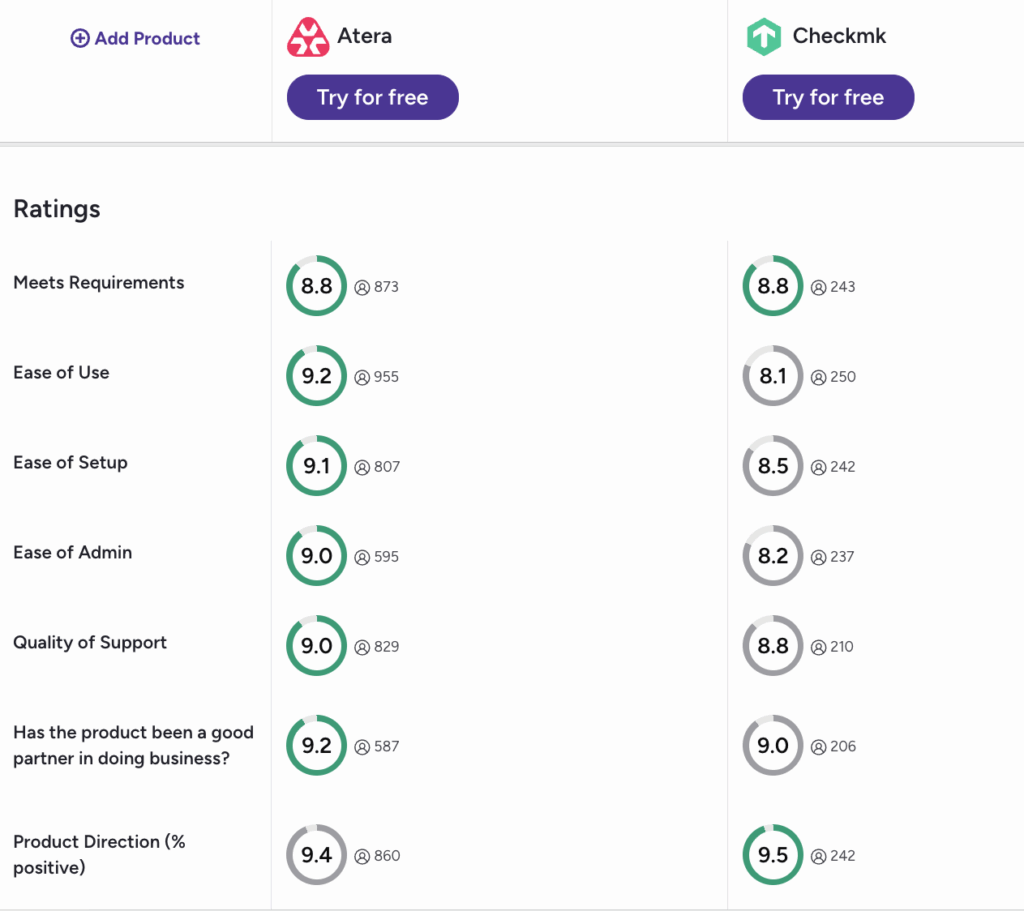
Both platforms are rated highly, but Atera wins on most categories, e.g., ease of use, ease of setup, and quality of support. You can access the full G2 report here.
#1: Features and capabilities
Atera and Checkmk are both IT management tools, but they differ in their approaches.
Checkmk is mainly known for its features for infrastructure and application monitoring. With it, you can monitor servers, networks, cloud environments, containers, and applications. Its core feature is automatic discovery, meaning new devices and services can be automatically detected upon onboarding.
This is how one G2 user described Checkmk’s use case:

In contrast, Atera offers similar infrastructure monitoring, allowing you to monitor workstations, servers, SNMP-enabled devices, and other network devices. Atera’s RMM helps you understand the health and performance of devices. Upon onboarding, Atera’s Network Discovery helps to detect your devices automatically.
But Atera also expands to other areas of IT, including ticketing, patch management, remote access, PSA, reporting, and Agentic AI.
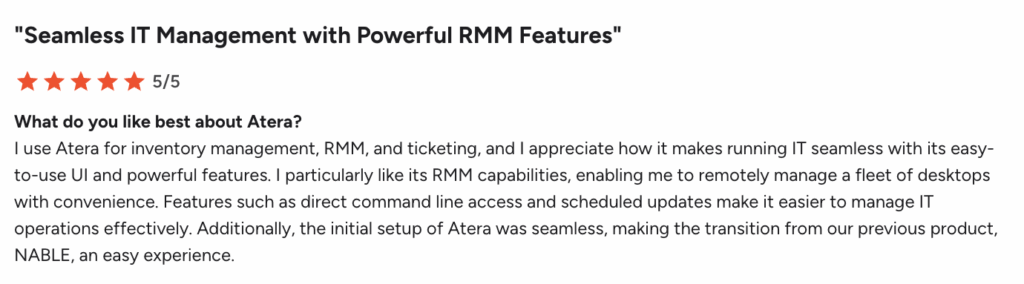
This is how Luis O. described the advantage of using Atera:
#2: Agentic AI development
Gartner estimates that by 2029, over 50% of organizations will adopt autonomous endpoint management (AEM), which is a drastic increase from 15% in 2026.
This is relevant to both Atera and Checkmk, and Atera is clearly ahead with its shift to build the world’s first AI platform for IT management.
Robin by Atera delivers enterprise-grade IT support to employees by interacting with them via Slack, email, Microsoft Teams, or your Customer Portal. Where other AI agents deflect, Robin doesn’t just sit in the cloud and answer questions; it’s capable of resolving actual issues.
It takes actions on the device, network, or in the cloud, and selects the right approach based on the issue type and company policies.
For example, actions taken by Robin can include:
- Installing/updating approved updates
- Checking CPU and memory usage
- Checking wi-fi and IP details
- Running update scans
- Restarting devices
- Viewing disk activity
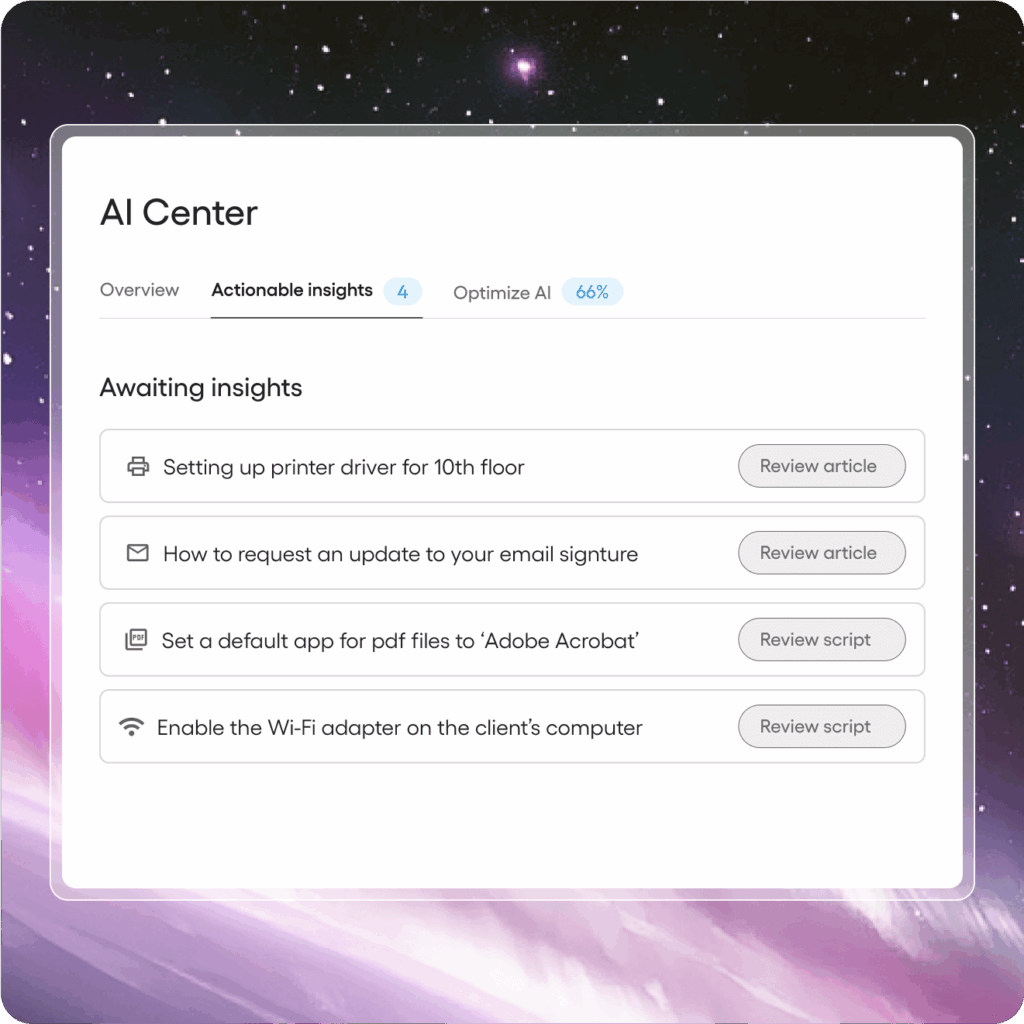
What’s unique, Robin continuously monitors signals across your IT environment and learns from every action in order to solve future problems more accurately.
In contrast, Checkmk has also seen some progress in this area, though it’s driven by its community rather than the core development team.
Pardinus is an AI assistant for Checkmk, which works as a chatbot over the interface. You can ask Pardinus questions about your IT environment, get help with troubleshooting, and run guided actions.
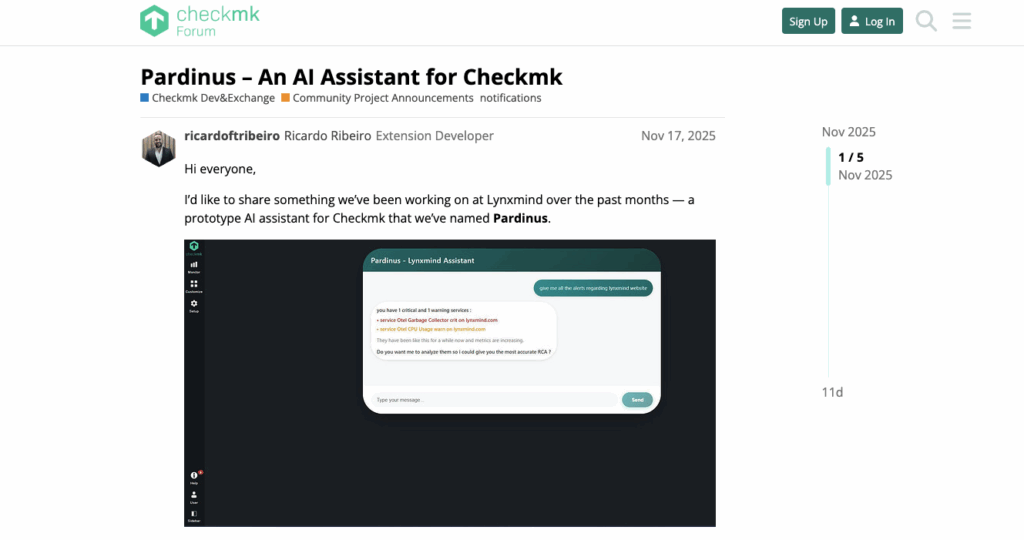
This is similar to what Atera’s AI Copilot is for technicians. However, Copilot expands to other areas of IT as well, including ticketing, scripting, KB article generation, and more. Plus, Robin acts as an AI chatbot for end-users, assisting them and resolving issues autonomously.
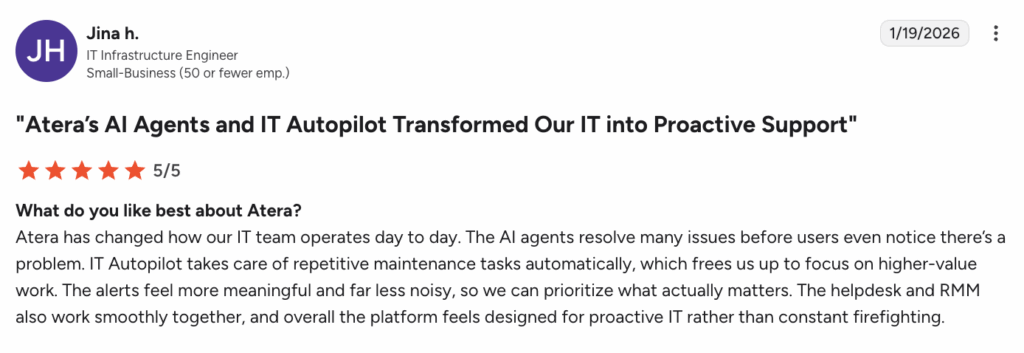
On G2, this is how Jina h. described the benefits of Robin and AI Copilot:
#3: Pricing and value for money
Atera and Checkmk price their products differently; let’s see how.
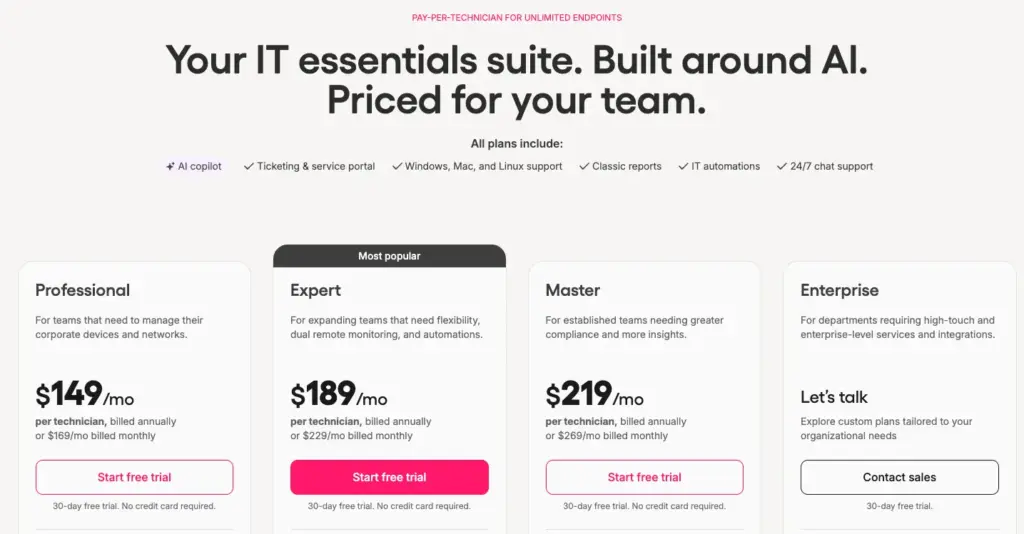
Atera relies on a unique pay-per-technician pricing model, simply meaning you’re billed based on the number of technicians using the platform.
With each Atera plan, you can add and manage unlimited endpoints, making scaling predictable for both startups and enterprises.
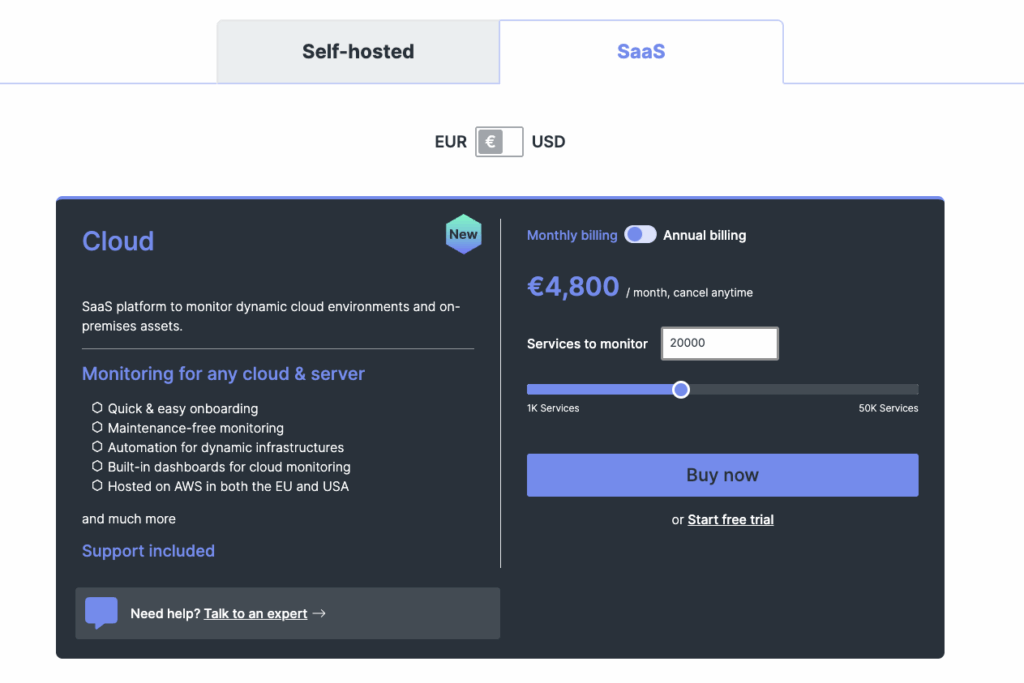
For Checkmk, two pricing models are available: Self-hosted and SaaS. For Self-hosted, four pricing plans are available, ranging from free to the Ultimate plan, starting from $300/month for 3,000 services.
For SaaS, one plan is available, starting from $240/month for 1000 services. And for example, for bigger infrastructures with 20,000 services, the price is $4,800/month.
While we might be biased, we truly believe most IT teams can benefit more from Atera’s per-technician pricing. You don’t have to worry about skyrocketing fees or surprise costs, as each plan is a flat monthly/annual payment.
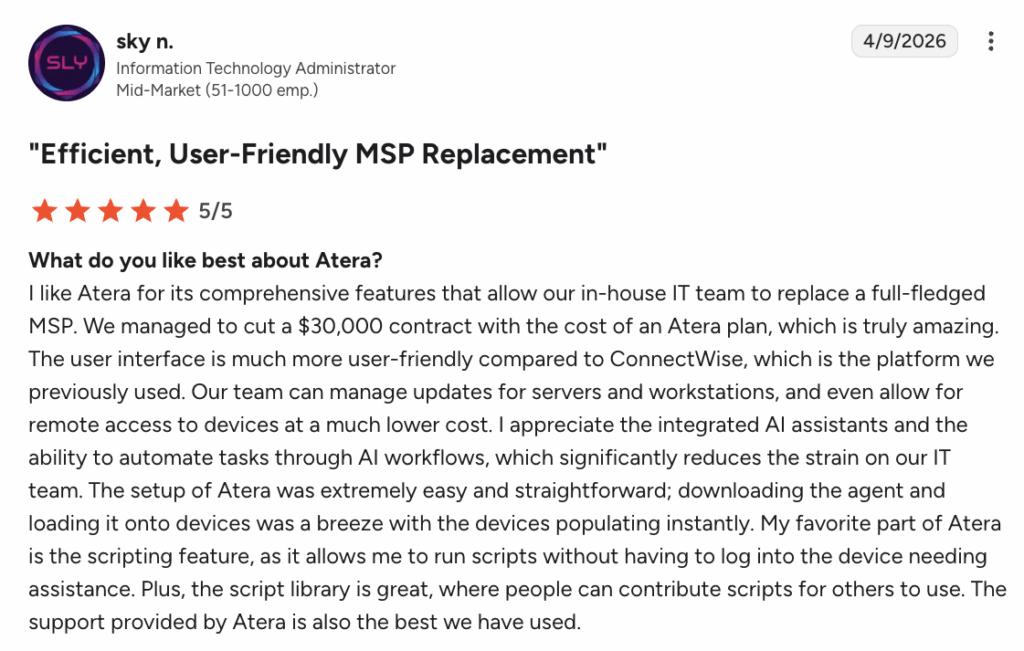
Sky N. from a mid-market team mentioned cutting out a $30,000 contract with the cost of an Atera plan:
Atera’s other added benefit is the savings resulting from the AI agents.
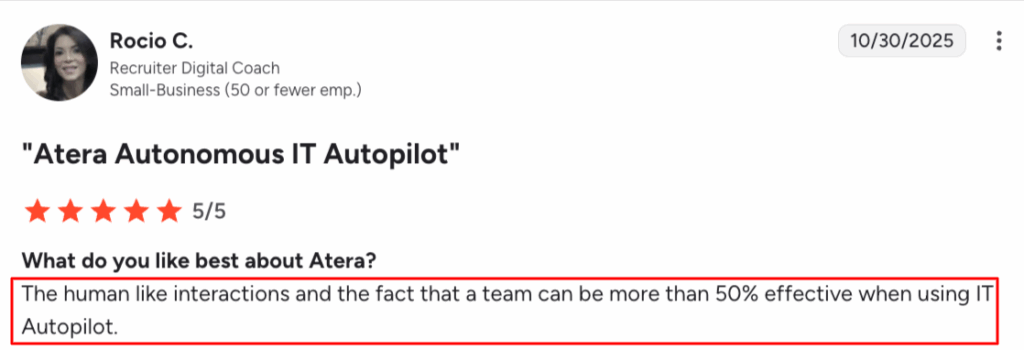
Like Rocio C. described, “your team can be more than 50% effective when using Robin,” meaning you can handle more tickets with the same team size while reducing operational costs.
#4: User interface and usability
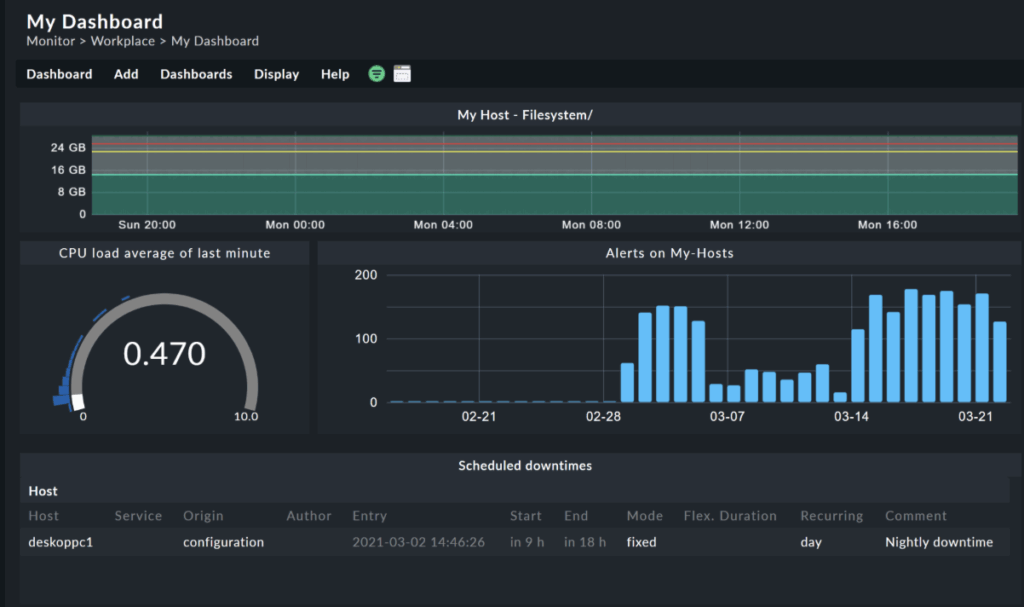
To compare the user interfaces of Atera and Checkmk, here’s a sneak peek of how each one looks:

But how do real users rate the usability of Atera vs. Checkmk? On G2’s ease of use categories, these are the ratings users have given for each platform:
| G2 Ease of Use Category | 1. Atera | 2. Checkmk |
| 1. Ease of Use | 9.2 stars (950+ reviews) | 8.1 stars (250+ reviews) |
| 2. Ease of Setup | 9.1 stars (800+ reviews) | 8.5 stars (240+ reviews) |
| 3. Ease of Admin | 9.0 stars (590+ reviews) | 8.2 stars (230+ reviews) |
Atera’s strong ratings come from a few key factors, the first one being its intuitive user interface.
From the ground up, Atera’s dashboards have a low barrier to entry and quick implementation. Yet, they’re fully customizable to your IT team’s needs.
Secondly, any time you require assistance, you can always get in touch with Atera’s 24/7 support team. Plus, with Robin handling many routine support interactions for end-users, Atera becomes even easier to use for both IT teams and the people they support.
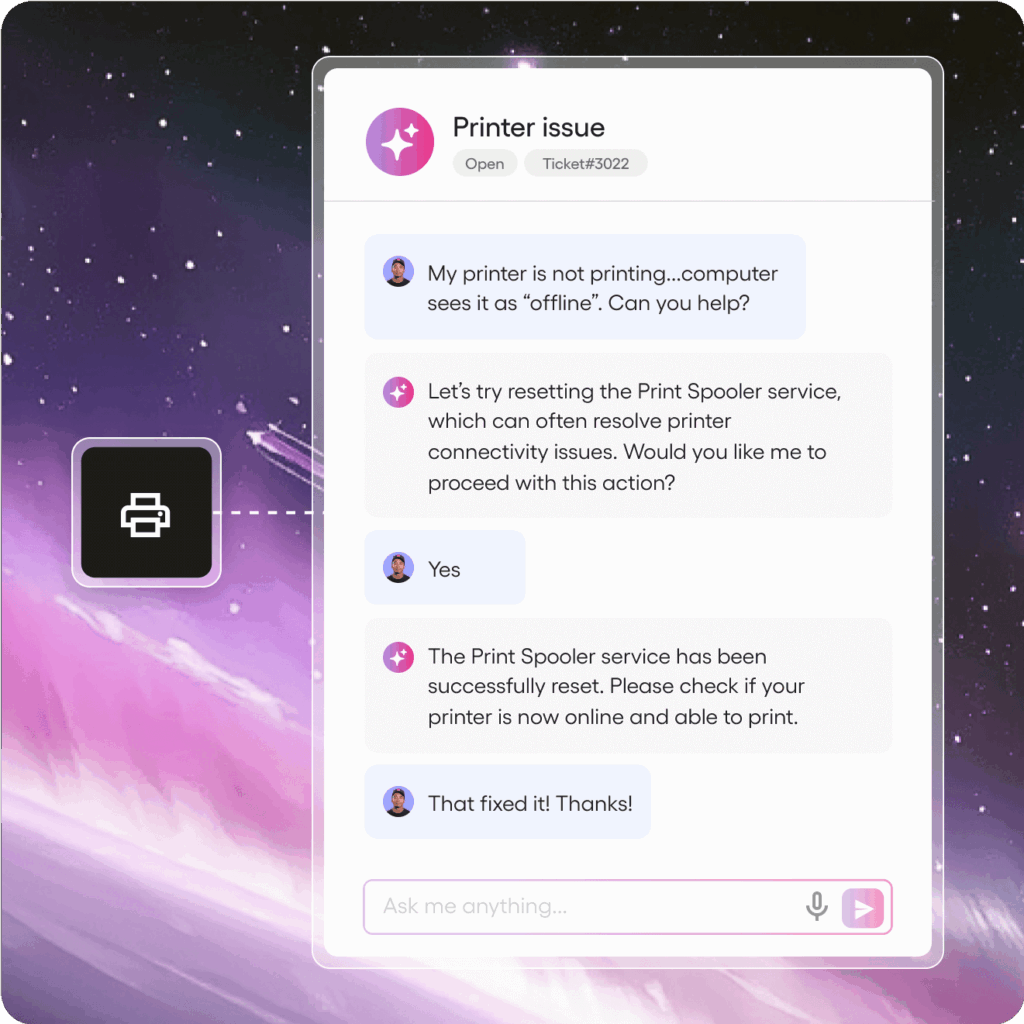
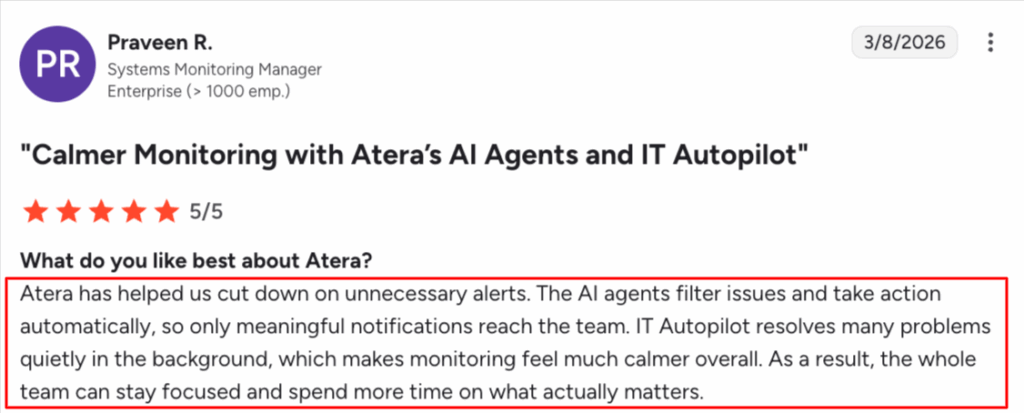
Praveen R. commented on Robin and highlighted, “It makes monitoring feel much calmer overall.”
#5: Customer support and community
Depending on your Checkmk plan, their team promises different support response times.
On the Pro plan, support is available 8 hours on each weekday. With the Cloud and Ultimate plans, the support hours and response times are slightly faster.
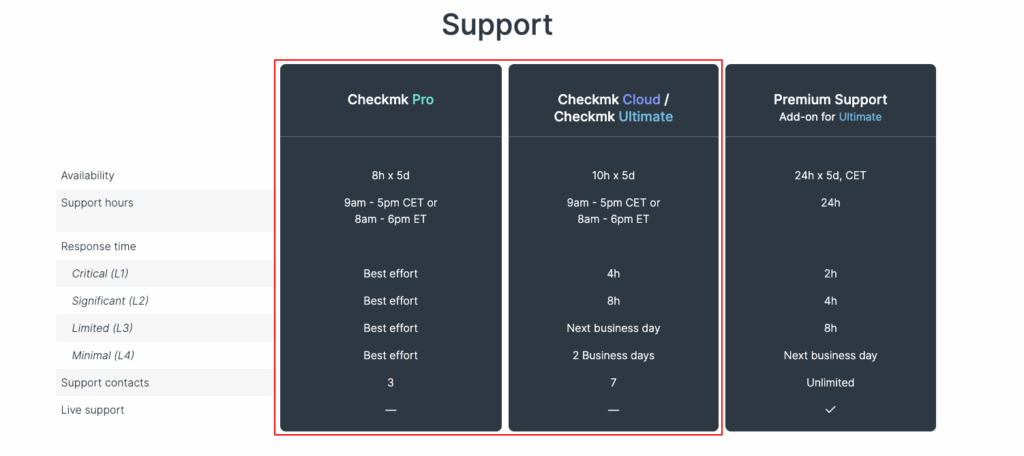
For the Ultimate plan, there’s also a paid add-on for 24/5 support with a two-hour response time for the most critical issues.
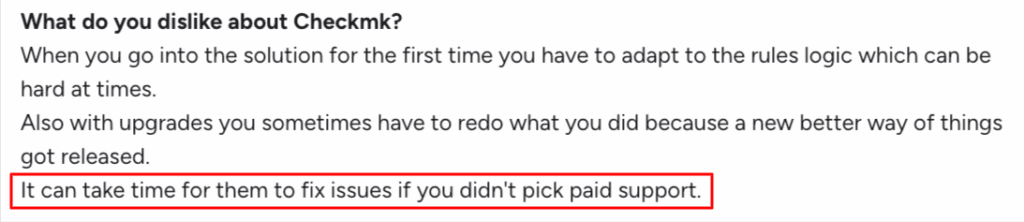
Checkmk’s support might sound “good enough” on paper, but according to some G2 users, response times can be long if you don’t pay extra for support.
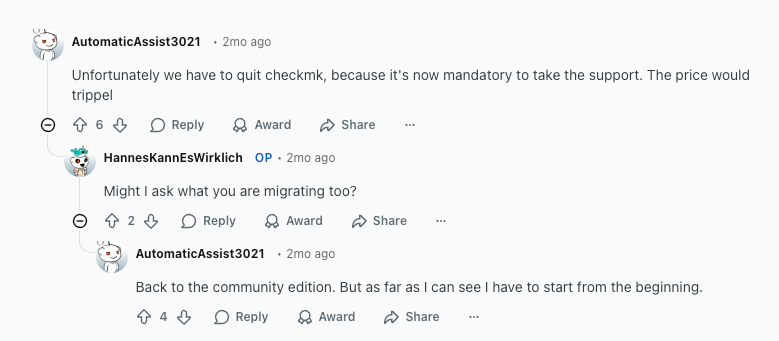
Another issue users have raised is that it’s mandatory to take paid support for some teams, and according to this Reddit user, the price would triple for their IT team:
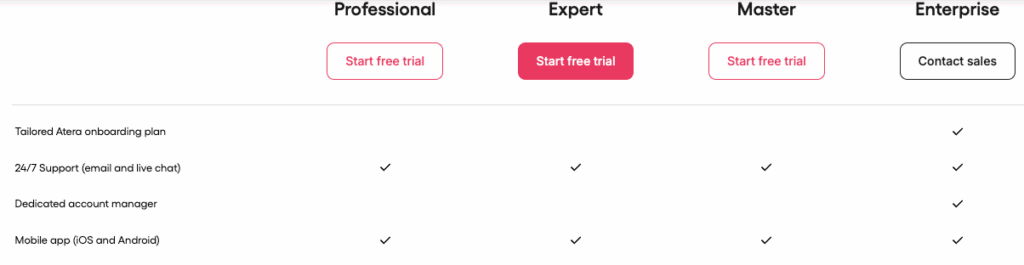
At Atera, a clear advantage is 24/7 live chat and email technical support for users on all plans. There are no add-on costs for this, and you can also get help through our community panel, knowledge base articles, webinars, and video tutorials.
Plus, Atera’s enterprise users have access to a dedicated account manager and an onboarding plan.
Another aspect of customer support? End-user support. At Atera, Robin handles this nearly fully autonomously, interacting with end-users and resolving their issues, all without technician involvement.
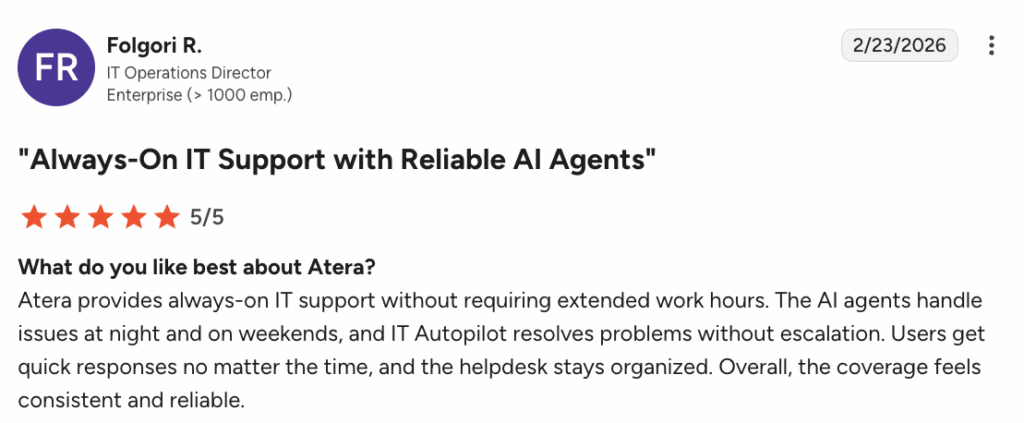
Folgori R. described Robin’s benefit as providing “always-on IT support.”
#6: User feedback and reviews
On G2, Atera has gathered 1,000+ reviews, with an average rating of 4.6 out of 5.0 stars. In contrast, Checkmk has 200+ reviews with a 4.7 out of 5.0 stars rating.
Most Atera users mention its ease of use, AI integration and automation, and the efficiency gains.
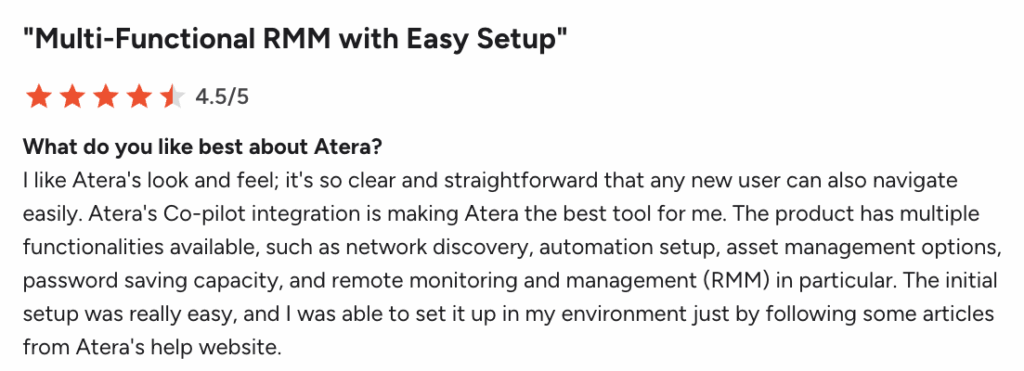
Zaheer M. on G2 said, “Atera’s Copilot integration is making Atera the best tool for me.” Here’s the full review:
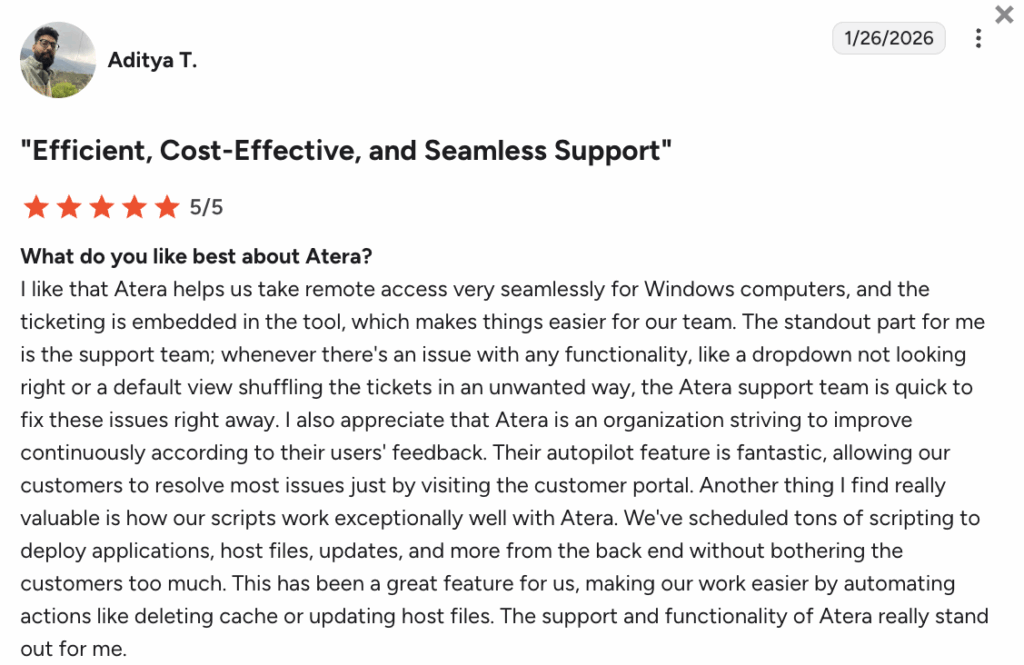
Aditya T. said, “Their IT Autopilot (Robin) feature is fantastic, allowing our customers to resolve most issues just by visiting the customer portal.” Here’s the full review:
In contrast, Checkmk users mention ease of use and the monitoring capabilities, although many find the learning curve challenging:
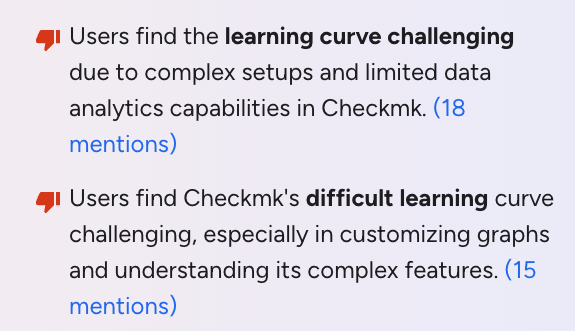
In recent years, Atera has been recognized as the leader in the AIOps market. And just recently, Atera was named a visionary in Gartner’s 2026 Magic Quadrant for endpoint management tools.
Atera vs. Checkmk: A final summary
Still unsure whether Atera or Checkmk is the better option for your organization? Here’s what we suggest:
Checkmk can be suitable if:
- Your focus is on infrastructure and application monitoring
- You have the technical skills to manage a more complex, monitoring-centric tool
- You don’t require built-in IT management features like RMM, ticketing, or patching
- You don’t mind paying extra for 24/5 support and faster response times
- You prefer a self-hosted or open-source solution
In contrast, Atera is a better Checkmk alternative if:
- You want an all-in-one, Agentic AI platform for IT management (RMM, helpdesk, patching, PSA, and more)
- You want to use Robin to reduce IT workload by 40% and autonomously manage most of tier-1 support requests
- You prefer an intuitive interface with fast setup and a minimal learning curve
- You value 24/7 live chat and email support, with no additional fees
- You’re looking to proactively manage and resolve IT issues, not just monitor them
If you’re ready to see Atera in action, get in touch with our sales team to discuss your needs, or sign up for the 30-day free trial today.
Frequently Asked Questions
Related Articles

Atera vs. Automox: A full comparison for IT decision-makers in 2026
Compare Atera vs. Automox across all key categories: Agentic AI, features, pricing, user interface, customer support, and user feedback. Choose the best one for your organization.
Read now
Robin vs Request Resolver (Former Rovo)
Robin and Atlassian's Request Resolver (Former Rovo) both bring Autonomous IT into ITSM, but they operate at different levels. This full comparison breaks down where each one's autonomy actually reaches.
Read now
Robin vs Kaseya Intelligence
Robin by Atera and Kaseya Intelligence both talk about autonomous IT, but structure their AI technologies differently. See where each one's autonomy actually reaches and which works for your org.
Read now
Robin by Atera vs. Ivanti Neurons: comparing two very different approaches to autonomous IT
In this article, we'll compare Robin vs. Ivanti Neurons: one AI agent that resolves IT incidents end to end, and one platform that splits autonomy across two separate AI capabilities.
Read nowEndless IT possibilities
Boost your productivity with Atera’s intuitive, centralized all-in-one platform







