
Table of contents
Generate summary with AI

If you’re in the process of selecting a network monitoring software, you’ve probably heard of both Atera and PRTG Network Monitor (also known as Paessler PRTG).
While the two share similar network monitoring capabilities, their purpose and core focus differ. Atera is a cloud-based, autonomous IT platform with a strong focus on RMM and Agentic AI, while Paessler PRTG is known for on-premises monitoring.
If you want to understand all the differences between the two, our article can help. Below, we’ve compared Atera vs. PRTG Network Monitor in detail.
Atera vs. PRTG Network Monitor: An overview
Looking for a quick overview of Atera vs. PRTG Network Monitor? We’ve created a handy table here:
| Atera Features | PRTG Network Monitor Features | ||
| – Autonomous IT tool with built-in RMM, remote access, network discovery, and documentation – Robin for managing tier-1 support fully autonomously – AI Copilot for AI-powered troubleshooting, scripting, ticketing, and more – Ticketing system for summarizing and resolving issues instantly – Scripting engine powered by AI Copilot – Asset management to track the lifecycle of IT assets – Patch management to keep Windows, macOS, Linux, and third-party apps up-to-date – PSA for MSPs to track contracts, billing, SLAs, and more | – Network monitoring tool for managing your infrastructure (devices, servers, and traffic) – Preconfigured templates for popular vendors – Auto-discovery of devices, health checks, and bandwidth/traffic sensors – Real-time alerts and notifications – Custom actions/scripts when thresholds are crossed – Customizable reports – MAX AI chatbot and experimental MCP server | ||
| Customer support | Customer support | ||
| – 24/7 email and live chat support for all customers – An extensive knowledge base, IT community, and tutorials | – Tiered support, based on your license. 24/7 support for enterprise plan | ||
| Integrations | Integrations | ||
| – Integrations with 25+ cybersecurity, automation, backup, remote access, and network monitoring software – Integrations with 50+ more third-party tools for Robin – Access to 5,000+ apps through Zapier | – Technology Alliances partners and API | ||
| Pricing | Pricing | ||
| – Transparent pay-per-technician pricing, starting from $129/technician/month – 30-day free trial available | – Based on the number of devices you manage. Starts at $137/month for around 50 devices for on-premises |
We also looked at how G2 has rated Atera vs. Paessler PRTG. The comparison takes into account how easy the platform is to use, the quality of support, the product direction, how well it meets requirements, and more.
Atera has an edge over Paessler PRTG in most G2 categories:
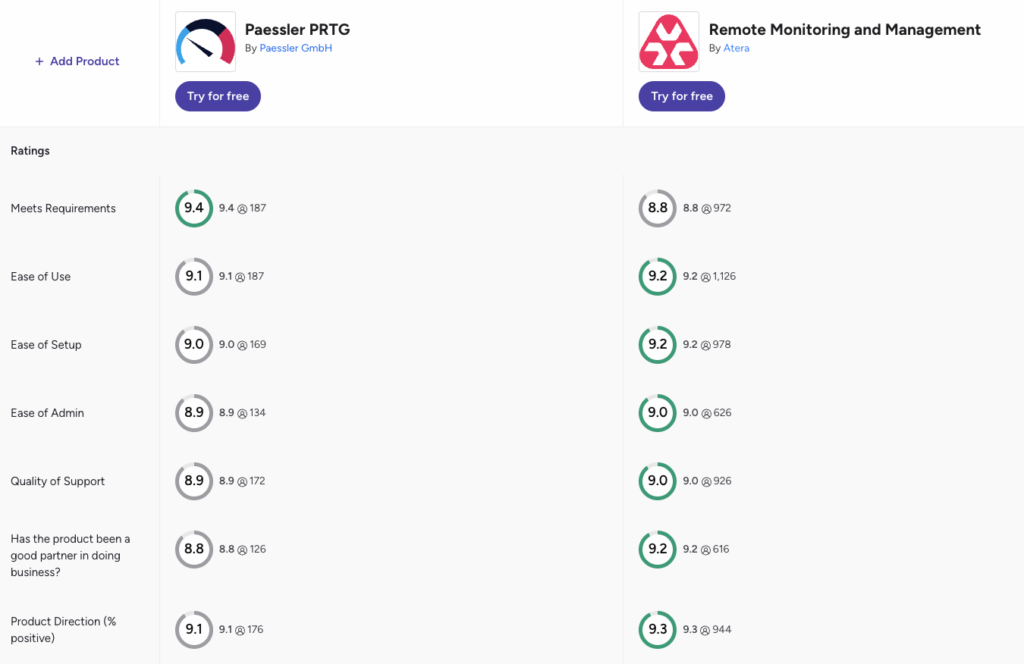
You can access the full G2 comparison here.
#1: Features and capabilities
Atera and PRTG Network Monitor are both leading infrastructure monitoring tools, but their key areas of focus differ.
Atera is an autonomous IT platform that includes:
- Atera’s RMM for remotely monitoring and managing Windows, Linux, and Mac devices
- Robin by Atera for handling up to 92% of Tier-1 and complex Tier-2 incidents autonomously, plus Atera’s AI Copilot for technicians dealing with manual and repetitive tasks
- Atera’s ticketing system for summarizing, responding, and resolving end-user support requests
- Patch management for keeping devices up-to-date
- Network discovery for automatically discovering all new IT assets and managing their lifecycle
- Copilot’s AI scripting engine for generating scripts from a simple prompt
- Atera’s reporting and analytics for measuring end-users’ network system health and performance
While Atera is an autonomous IT platform with a broad feature set, PRTG Network Monitor focuses specifically on network visibility and performance monitoring. It includes features such as asset discovery, real-time alerts, root-cause analysis, and a sensor library.
PRTG is strong in network monitoring, but lacks other key IT management capabilities, like built-in ticketing and patch management.
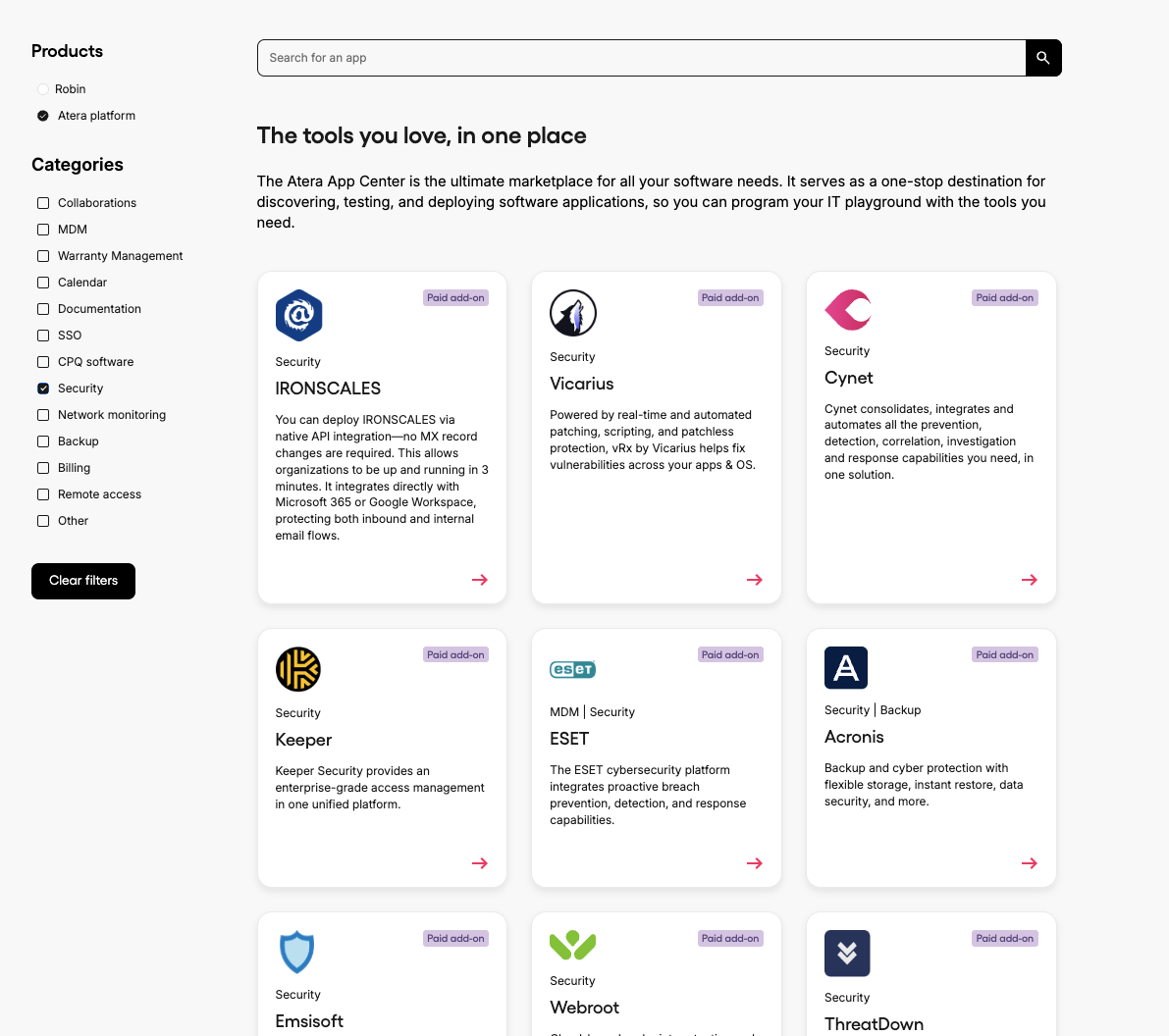
Another factor? Third-party integrations, which help to extend the software’s functionality. At Atera, we integrate with different MDM, network monitoring, documentation, security, and identity provider software. You can find the full list of integrations here.
Atera also has 50+ integrations for Robin, meaning it works inside the ITSM, identity, and business tools your team already uses. This means you don’t need to replace your existing stack to get autonomous resolution.
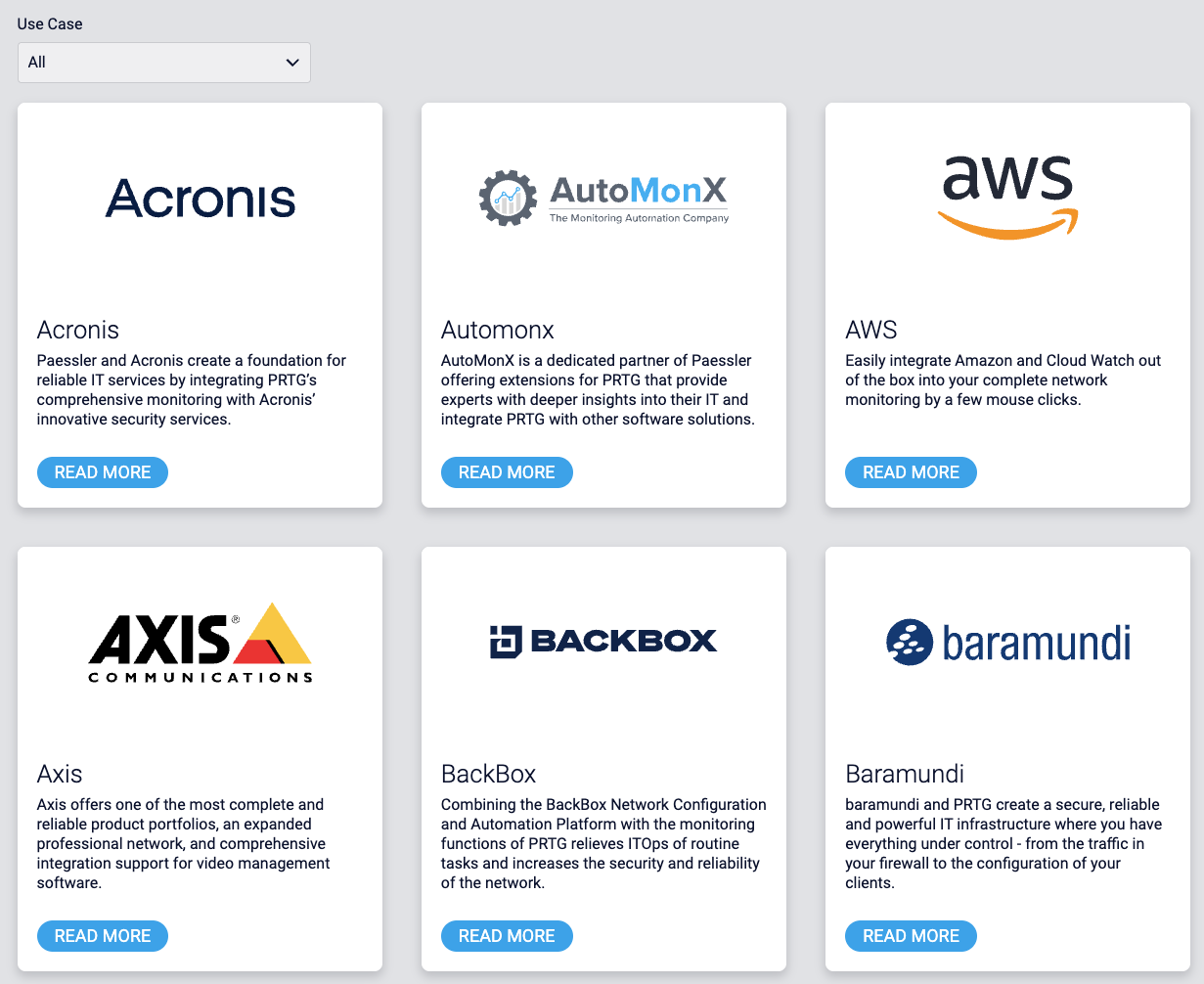
Paessler PRTG’s integrations are listed on the ‘Technology Alliances’ page. It integrates with different IoT, infrastructure, network, security, and service management software. Here are a few of the integrations available:
#2: Agentic AI development
Paessler PRTG first launched AI in the form of anomaly detection, which helps to baseline normal sensor behavior and flag deviations from it. In mid-2026, Paessler added MAX, an AI chatbot that answers questions about the product and helps with troubleshooting.
PRTG also has an experimental MCP server, which lets third-party AI tools like Claude or GitHub Copilot query PRTG and take actions.
However, none of these is an autonomous IT agent. MAX answers questions, and the MCP route relies on an outside AI that you have to connect and govern yourself.
Atera’s AI agents go beyond just assisting: Robin resolves real-world IT issues fully autonomously.
For example, if an end-user needs to install software, resolve a device issue, restart a device, reset a password, or simply has a question, Atera’s Robin can handle all of that without a technician in the loop.
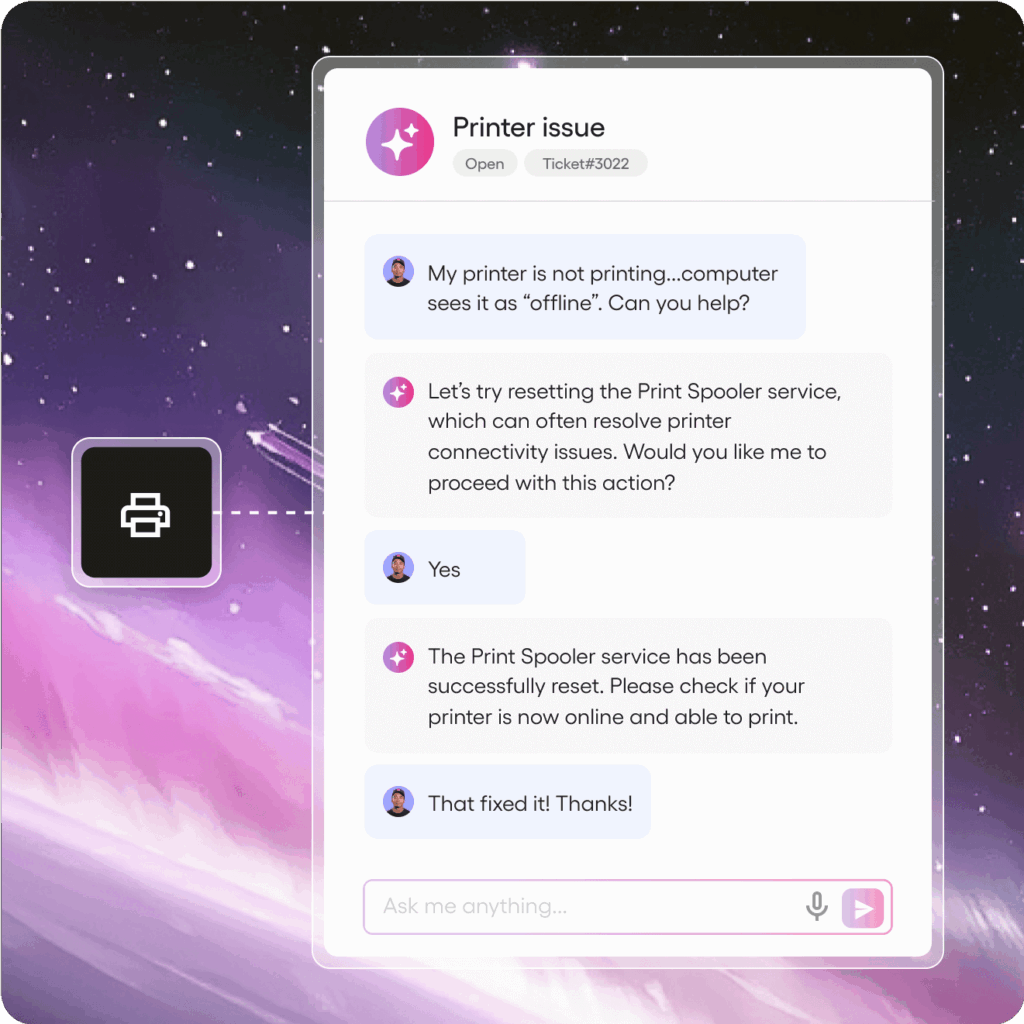
Robin follows a four-step resolution process to make this happen:
- Diagnose: Robin receives the request through Teams, Slack, email, the Customer Portal, or a third-party ITSM tool, verifies the user, and asks follow-up questions to gather the context it needs.
- Remediate: Robin takes the approved action directly on the device, server, or network, such as resetting a password, installing approved software, or restarting a hung service, and routes for approval only when a step requires it.
- Verify: Robin confirms the issue is actually resolved before closing anything. If it isn’t, Robin escalates to a technician with full context.
- Close: Robin updates the ticket in your existing ITSM with the outcome and next steps, and logs every request for governance and compliance.
Atera publishes a 92% autonomous resolution of Tier-1 and complex Tier-2 technical incidents. Paessler PRTG hasn’t published any resolution rates or “time-saved” metrics for its AI.
While Robin handles end-user support, Atera’s AI Copilot is technicians’ go-to IT companion for:
- Running health checks, diagnosing, suggesting actions, and resolving issues
- Generating scripts and command lines from a single prompt
- Summarizing, responding, and resolving tickets
- Turning tickets into ready-to-use KB articles
- Creating remote session summaries
Paessler PRTG’s closest equivalent to AI Copilot is MAX, which helps troubleshoot the product itself. However, Paessler doesn’t describe it as a technician companion.
#3: Pricing and value for money
Atera and PRTG Network Monitor use completely different pricing systems and structures, so let’s compare the two in this area.
PRTG Network Monitor is priced on the number of “aspects in your network,” which refers to individual sensors. The cheapest plan includes 500 aspects, which typically covers around 50 devices.
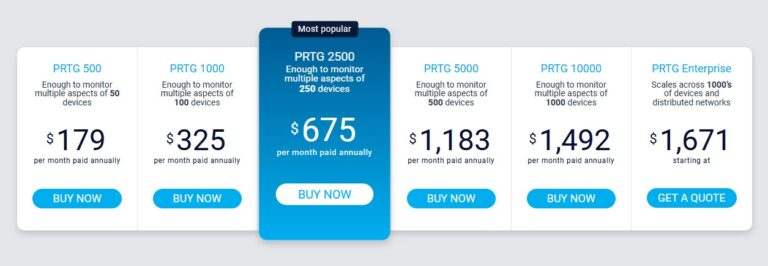
PRTG Network Monitor pricing
If you have a larger environment with 1,000+ devices, the price jumps to $1,225/month paid annually. And since this pricing is for on-premises customers, you also need to pay for the cost of maintaining your own infrastructure.
In comparison, Atera’s pricing is based on pay-per-technician, which allows you to manage unlimited endpoints for a fixed monthly cost. This differs from most RMM pricing plans (including PRTG Network Monitor).

Atera’s pricing plans
If you have a device-heavy IT environment, Atera is likely more cost-effective, as you can add unlimited devices without worrying about skyrocketing costs.
Another thing that’s important for us is pricing transparency. All of our standard pricing plans are publicly listed on our website, and you can be sure not to be stuck with surprise usage limits or hidden costs.
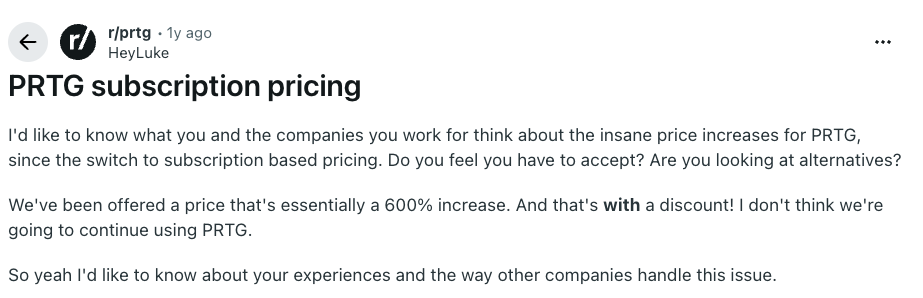
For Paessler, users have criticized it for sudden price hikes, which have forced many to look for Paessler alternatives. For example, one Reddit user said they were offered a new price, which was 600% higher than the previous plan:
#4: User interface and usability
Let’s continue with an important factor: the user interface and usability of Atera and Paessler.
To compare the two in this area, we looked at G2’s ease of use ratings, and this is how users rated Atera and Paessler:
| G2 Category | 1. Atera | 2. Paessler PRTG |
| 1. Ease of Use | 9.2 (800+ reviews) | 8.9 (130+ reviews) |
| 2. Ease of Setup | 9.1 (650+ reviews) | 8.7 (120+ reviews) |
| 3. Ease of Admin | 9.0 (550+ reviews) | 8.6 (60+ reviews) |
As you can see, Atera has a slight edge over Paessler PRTG across all ease-of-use categories, which are arguably related to how intuitive the platform is to use.
From the ground up, Atera’s platform was designed to be easy to use, and onboarding for technicians and end-users can be done quickly.

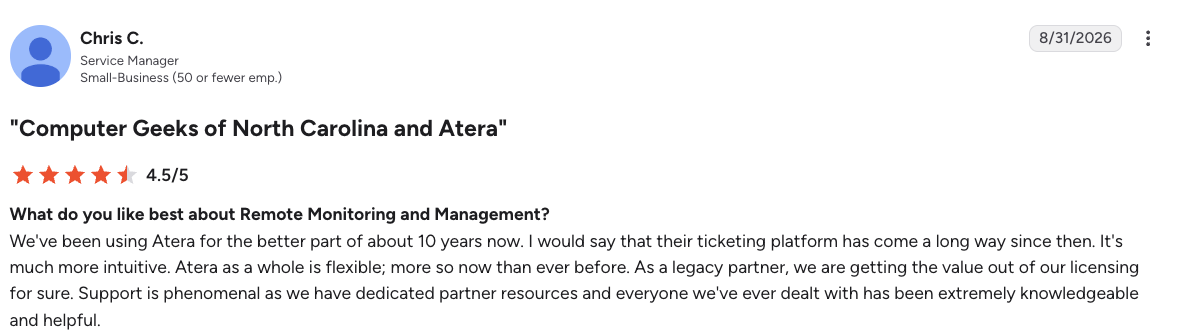
This is how one legacy user, Chris C., described Atera’s platform:
- “We’ve been using Atera for the better part of about 10 years now. I would say that their ticketing platform has come a long way since then. It’s much more intuitive. Atera as a whole is flexible; more so now than ever before.”
Here’s a sneak peek at PRTG Network Monitor’s dashboard:
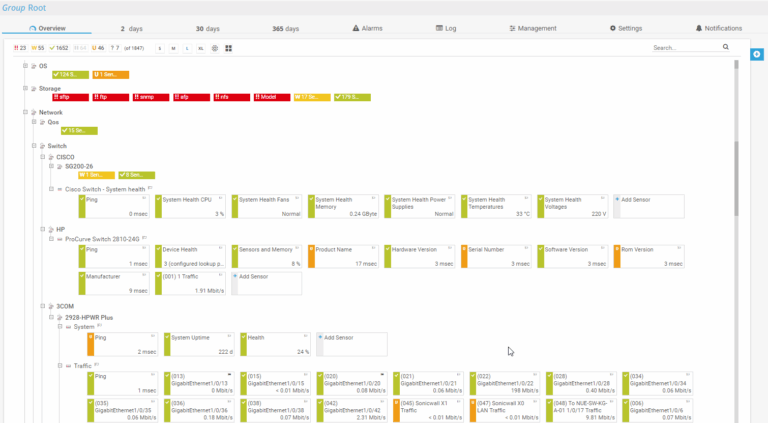
PRTG Network Monitor dashboard (via G2)
#5: Customer support and community
Support is another area where Atera and Paessler differ. At Atera, we’re big believers in a customer-first approach, and this is directly reflected in our customer support.
For Paessler, they recently changed their support model. As of June 2026, PRTG support comes in three tiers: Essential, Advanced, and Enterprise. Your tier depends on your license. With each tier, you get live chat support and unlimited support cases, but the main difference is the response time and support availability. You can read more in Paessler’s blog article on it.
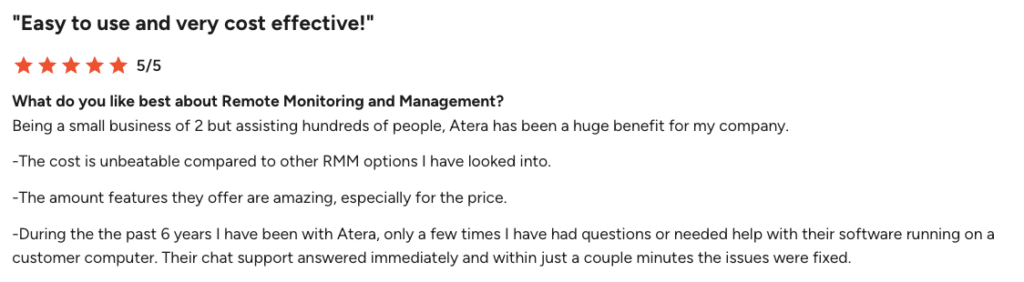
With Atera, no matter your plan, you’ll always have access to 24/7 support through live chat and email. Users report that you can expect an answer almost immediately and have your issue resolved in a few minutes, as explained by this G2 user:
Not only do we have responsive customer support, but we also offer webinars, video tutorials, a knowledge base, and an active IT community, where you can troubleshoot issues with other IT professionals.
#6: User feedback and reviews
Both Atera and PRTG Network Monitor are generally loved by their users, but for different reasons.
Atera users often bring up the Agentic AI capabilities, fair per-technician pricing, RMM software, and 24/7 support.
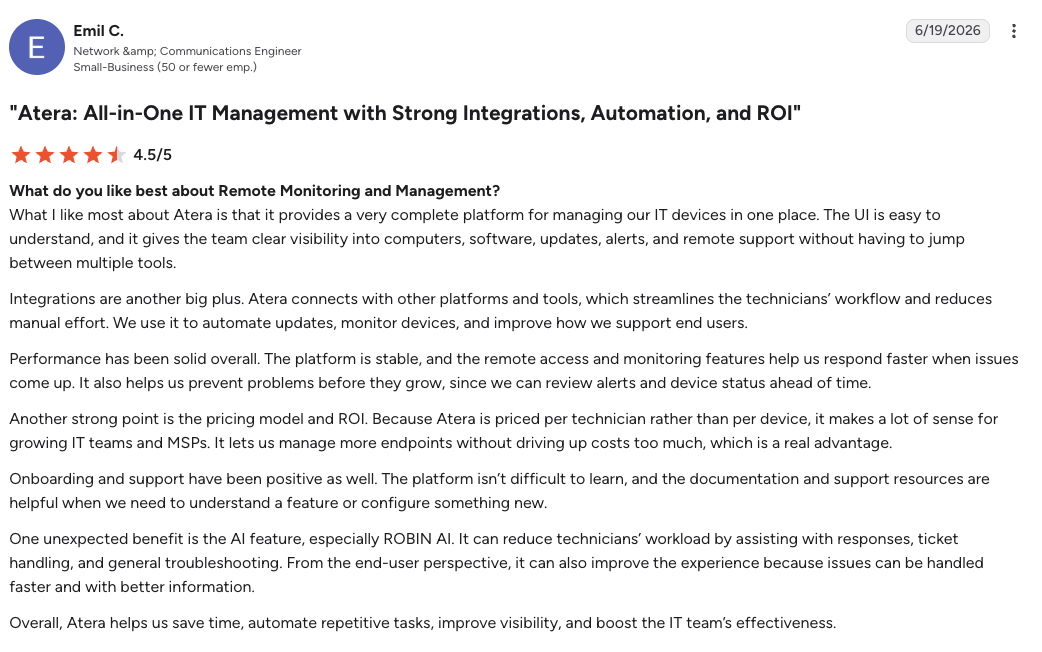
This is how Emil C. on G2 concluded his experience:
- “One unexpected benefit is the AI feature, especially Robin. It can reduce technicians’ workload by assisting with responses, ticket handling, and general troubleshooting. From the end-user perspective, it can also improve the experience because issues can be handled faster and with better information.”
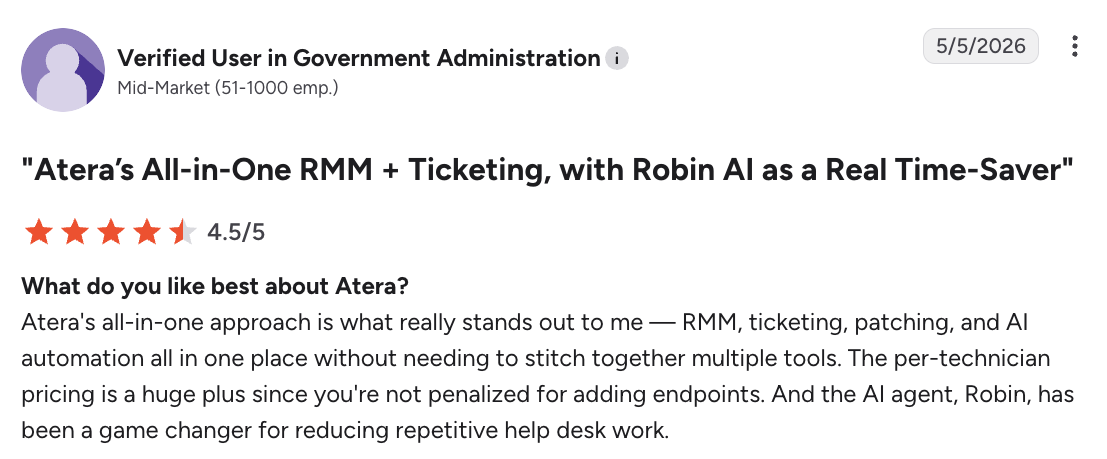
Another G2 user said: “The AI agent, Robin, has been a game changer for reducing repetitive help desk work.”
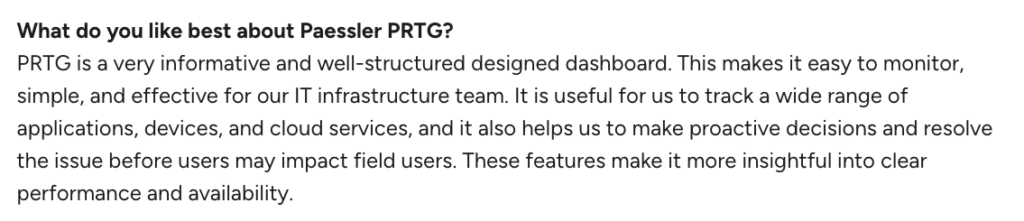
In comparison, most users appreciate Paessler PRTG’s powerful capabilities, but say it comes with a steep learning curve and is expensive. This is how one user concluded his experience:
On G2, the main con users reported for Paessler PRTG is ‘high acquisition cost’, mentioned in 30 reviews.

For example, one Paessler user, Venna K., said this:

Again, we truly believe that Atera’s transparent per-technician pricing is a better choice for most organizations. No need to manage complex licenses; simply pay for the number of technicians using the platform.
Why Atera is the right choice for most organizations
While Paessler PRTG has an AI assistant, it doesn’t offer an agent of its own that resolves issues for you. Atera’s Robin acts autonomously, reaching directly into devices, servers, mainframes, and networks, resolving up to 92% of Tier-1 and complex Tier-2 technical incidents.
The ROI for that autonomy is measurable too. In a Forrester Total Economic Impact study commissioned by Atera, a composite 2,500-employee organization saw a 321% return over three years, with payback in under six months.
Want to see how Robin could resolve incidents in your environment? Contact our sales team to book a demo, or start your free 30-day trial, no credit card required.
Frequently Asked Questions
Related Articles
Robin vs Request Resolver (Former Rovo)
Robin and Atlassian's Request Resolver (Former Rovo) both bring Autonomous IT into ITSM, but they operate at different levels. This full comparison breaks down where each one's autonomy actually reaches.
Read now
Robin vs Kaseya Intelligence
Robin by Atera and Kaseya Intelligence both talk about autonomous IT, but structure their AI technologies differently. See where each one's autonomy actually reaches and which works for your org.
Read now
Robin by Atera vs. Ivanti Neurons: comparing two very different approaches to autonomous IT
In this article, we'll compare Robin vs. Ivanti Neurons: one AI agent that resolves IT incidents end to end, and one platform that splits autonomy across two separate AI capabilities.
Read now
Robin vs Freddy AI Agent Studio
Not all agentic ITSM starts from the same place. See how Robin's deploy-ready model compares to Freddy AI Agent Studio's no-code, build-it-yourself approach.
Read nowEndless IT possibilities
Boost your productivity with Atera’s intuitive, centralized all-in-one platform









