
Table of contents
AI agents are moving from “nice to have” to executive priority. 61% of CEOs globally say they are actively adopting AI agents and preparing to implement them at scale. Companies that don’t do this are at risk of falling behind.
IT support is one of the clearest places for this adoption. Autonomous AI agents within IT can resolve routine troubleshooting tasks end-to-end, without any technician involvement.
Here are the 7 best autonomous IT support tools for 2026.
How we evaluated these tools
We assessed each platform against five criteria that matter most when IT support goes autonomous:
Autonomous resolution — How much the tool resolves end-to-end on its own, versus routing tickets or suggesting answers to a human. We weighted tools that diagnose and execute the fix more heavily than those that only assist a technician.
Pricing model and transparency — Whether pricing is public, and how it scales: per-technician, per-endpoint, per-agent, or per-resolution. Predictable, transparent pricing scored higher than custom-quote-only models.
Deployment and time to value — How much setup, configuration, and tuning it takes to get the AI agent working in production.
Platform breadth — Coverage across end-user channels (Slack, Teams, email, portal) and the wider IT stack, including whether core capabilities like RMM and asset management are built in or bolted on.
Verified user feedback — What current reviewers say on G2 and Capterra about real-world results, not just feature lists.
Pricing and feature details reflect each vendor’s publicly available information may have changed since. Where a metric reflects a vendor’s own reported figures, we’ve noted it as such.
The 7 best autonomous IT support tools in 2026
Looking for a quick overview? These are the best autonomous IT support tools:
| Rank | Platform | Best For… | Philosophy |
| 1 | Atera | Scaling, profitability & autonomous IT | Unified RMM, PSA, and helpdesk with Agentic AI |
| 2 | ServiceNow | Cross-departmental governance | AI agents and workflow orchestration on one platform |
| 3 | Freshservice | Layering AI onto existing ITSM | Traditional ticketing with Freddy AI added on top |
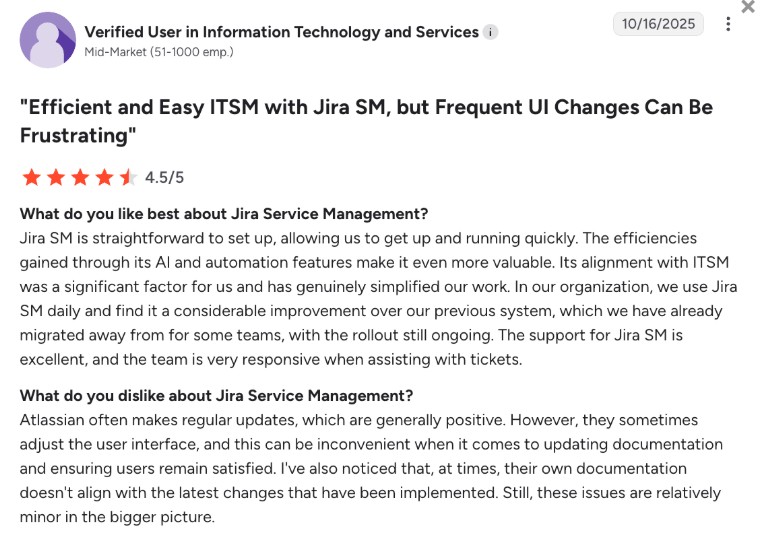
| 4 | Jira Service Management | Atlassian ecosystem teams | ITSM connected to existing Jira and Confluence workflows |
| 5 | Zendesk AI | Customer-facing support automation | Outcome-based AI agents across chat, email, and voice |
| 6 | Aisera | Cross-functional automation | Agentic AI spanning IT, HR, finance, and procurement |
| 7 | SysAid | Small-to-mid IT teams | Help desk and asset management with AI features layered on |
Below is a detailed review of each of these.
1. Atera
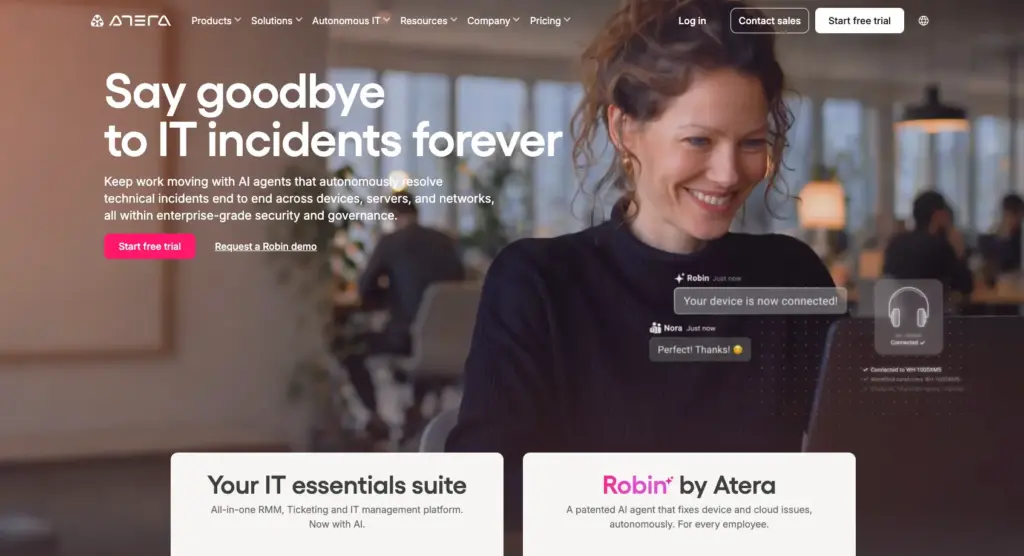
Atera is an Agentic AI platform for IT management that offers AI agents capable of resolving up to 92% of your technical issues over time.
Atera’s Robin does this by interacting with end-users via Slack, email, Customer Portal, Teams, and resolving their issues, all without technician involvement. Atera’s AI Copilot is also available for technicians at no extra cost on each plan.
If you want a single platform for IT management where Agentic AI handles tier 1 and tier 2 tickets autonomously, Atera is the best overall choice.
Pros & cons:
| Pros | Cons |
| AI agents that resolve up to 92% of technical issues over time | AI Copilot is available on basic plans, but Robin is a separate add-on |
| With Robin handling support requests, technicians can focus on higher-value tasks | Per-technician pricing can backfire if you only have a few endpoints |
| Per-technician pricing scales more predictably than per-endpoint licensing | AI confidence score required trust-building, before one user felt comfortable relying on them, per a G2 review |
| The UI is easy to understand and gives clear visibility into your IT environment’s health, as appreciated by Emil C. | The reports are useful, but one G2 user wished they were more flexible |
Pricing:
Unlike most autonomous IT support tools, Atera uses per-technician pricing with unlimited endpoints.
Atera’s MSP pricing plans are:
- Pro: $129/month, per technician
- Growth: $159/month, per technician
- Power: $209/month, per technician
- Superpower: Custom quotation
Atera’s IT department pricing plans are:
- Professional: $149/month, per technician
- Expert: $189/month, per technician
- Master: $219/month, per technician
- Enterprise: Custom quotation
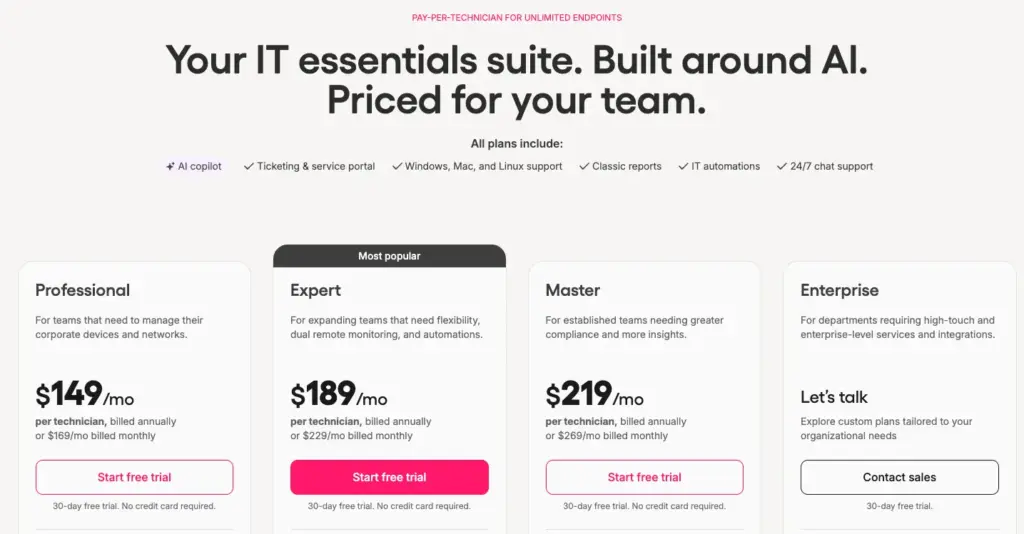
Each plan comes with a 30-day free trial.
What users are saying:
Many G2 reviews highlight how much of the support load Robin takes off their plate. Plus, Atera’s pay-per-technician pricing and user-friendly interfaces are appreciated.
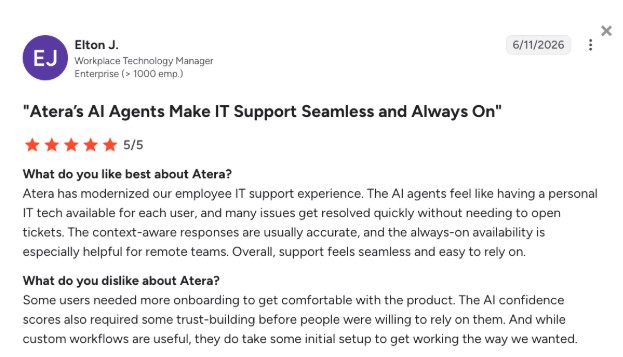
Elton J. wrote on G2: “The AI agents feel like having a personal IT tech available for each user, and many issues get resolved quickly without needing to open tickets.”
2. ServiceNow
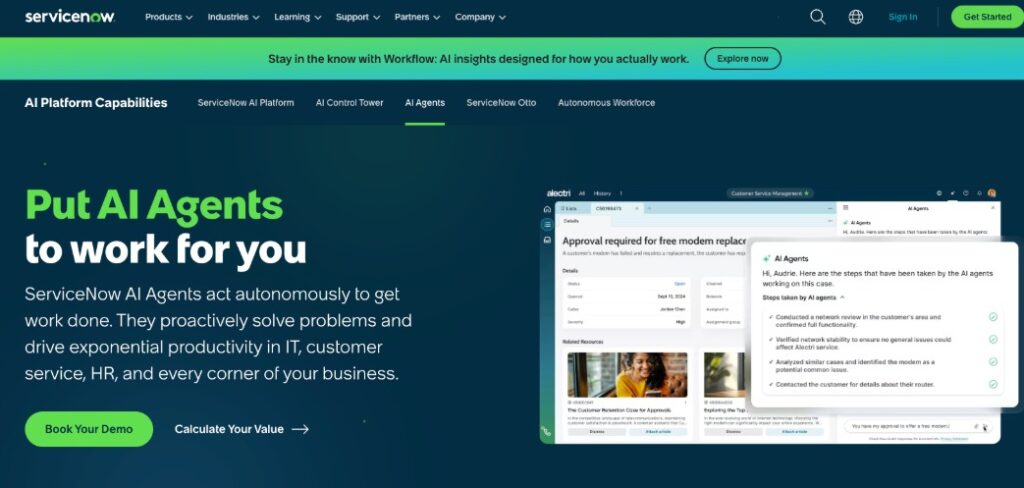
ServiceNow offers an ITSM software with AI agents that, similar to Atera, resolve tickets end-to-end, rather than just suggesting answers to a human agent.
It’s built for organizations wanting to use AI agents across IT, HR, and customer service on a single platform, rather than a standalone AI helpdesk software.
Key features:
- AI agents: pre-built AI agents like the “L1 IT Service Desk AI specialist”, that autonomously diagnose and resolve common IT support requests
- AI agent studio: A workspace for building your own custom agents through a natural language interface
- AI Control Tower: governance and monitoring of all agent activity
- Action Fabric: agents connect through a generally available MCP Server and trigger secure, governed enterprise actions headlessly
- ITSM core: incident, problem, change, and request management, plus asset and cost tracking.
Pros & cons:
| Pros | Cons |
| Once working, users on G2 describe ServiceNow AI Agents as user-friendly | Setup can require significant effort to get working effectively, as reported by a G2 user |
| Automates manual ticket-routing and resolution-suggestion work | Its AI recommendations aren’t always right, especially in more complex situations |
| Governance and audit trail through AI Control Tower | Pricing requires a custom quote, which makes it hard to compare to competitors |
| Covers IT, HR, and customer service in one platform | The learning curve is steep for smaller teams |
Pricing:
Three ITSM pricing plans are listed, but the exact pricing isn’t available. You need to contact their sales team for pricing.
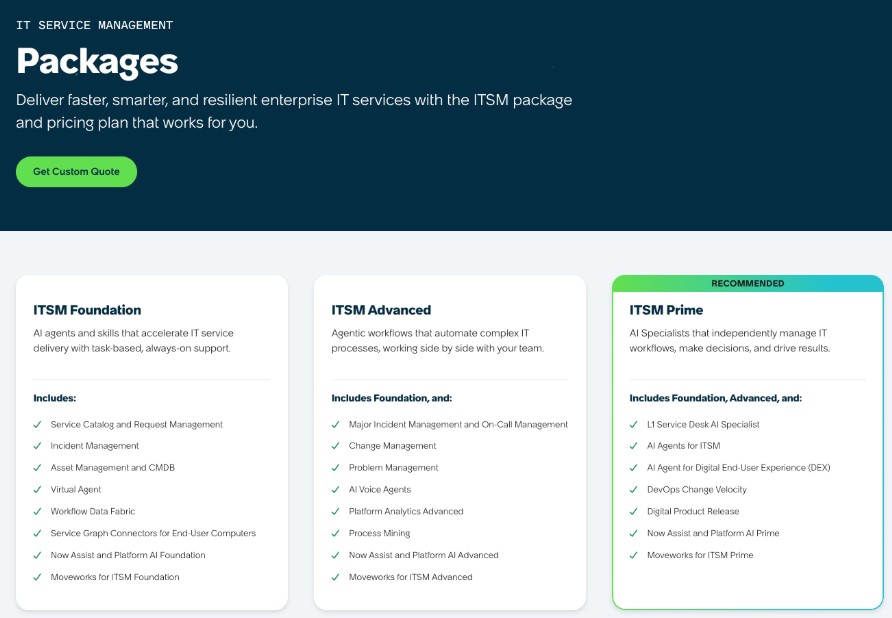
ServiceNow also doesn’t have a public free trial.
What users are saying:
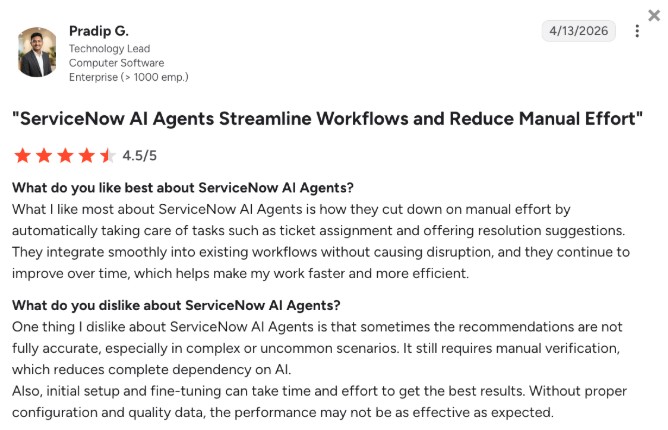
Users say ServiceNow’s AI agents are easy to work with and help cut down manual tasks by automating them. However, some note setup complexity and inconsistent recommendation accuracy.
Antonia M. wrote on G2: “What I like most about ServiceNow AI Agents is how they cut down on manual effort by automatically handling tasks. One thing I dislike is that recommendations aren’t always fully accurate.”
3. Freshservice
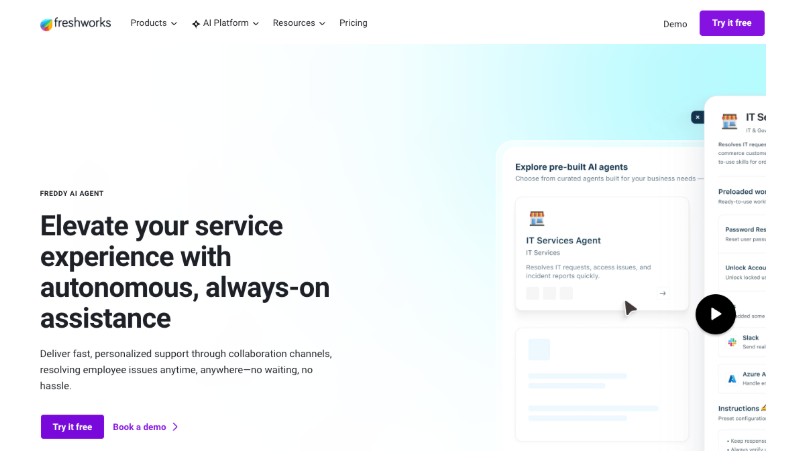
Freshservice runs its AI agent, Freddy AI, on top of a more traditional ITSM ticketing tool, rather than a standalone AI agent product.
For IT teams wanting an AI assistant in a popular incident, change, and asset management software, it can be a suitable option.
Key features:
- ITSM: incident, problem, change, and asset management
- Freddy AI Copilot: drafts replies, summarizes tickets, generates knowledge articles
- Freddy AI Agent: resolves common requests automatically across Slack, Teams, email, and the portal
- Freddy AI Insights: monitors service desk metrics, detects trends and anomalies, and performs root cause analysis
- Freddy AI Agent Studio: build and deploy agents using your own workflows, knowledge sources, and business rules
Pros & cons:
| Pros | Cons |
| Freddy AI improves resolution times, which one Capterra user liked | The UI can feel laggy at times, as reported by Deepak M. |
| Better visibility into ticket status | Freddy AI Agent is only available on the Enterprise plan |
| 14-day free trial available | AI features are add-ons even at the $99/agent Pro tier |
| Asset management is built into higher tiers | Session-based AI Agent limits can run out quickly for high-volume teams |
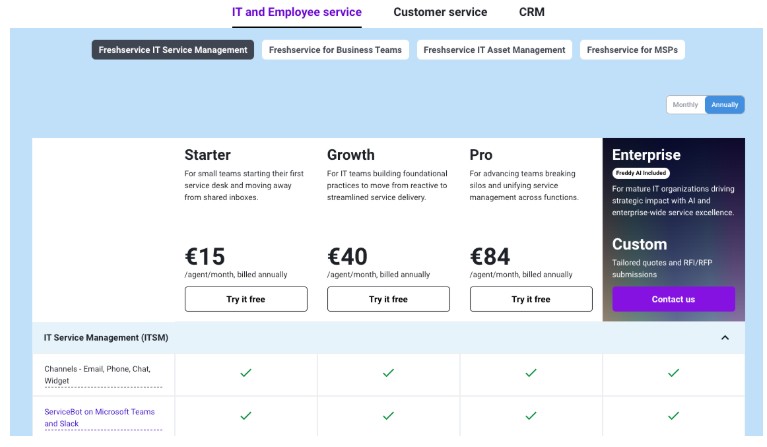
Pricing:
- Starter: $19/agent/month – no AI features
- Growth: $40/agent/month – mid-tier ticketing, limited asset management
- Pro: $99/agent/month – adds Freddy AI Copilot as a paid add-on
- Enterprise: custom pricing – includes Freddy AI Agent, capped at 1,200 AI sessions per license, per year
A 14-day free trial is available for the product.
What users are saying:
Users on Capterra like Freddy’s capability to help automate various ticketing tasks, though users say the interface can feel slow.
Brooks A. on G2 wrote: “The automation side, especially with Freddy AI, is helpful for handling repetitive tickets and routing requests. Setup and initial configuration took more time than expected.”
5. Zendesk AI
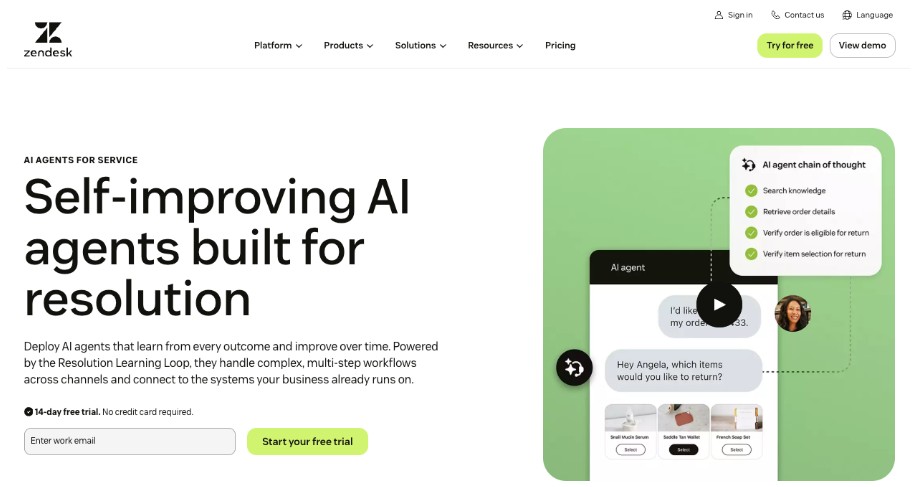
Zendesk AI is the AI layer inside Zendesk’s ticketing and customer service platform. Similar to Atera, Zendesk’s platform’s pricing is based on pay-per-agent, but its AI agent costs work differently: they’re outcome-based, billed per successfully resolved ticket.
It’s aimed at IT support teams that want autonomous resolution across chat, email, and voice rather than a dedicated internal IT tool.
Key features:
- AI agents: Zendesk’s AI agents interact with your customers on messaging and voice channels, have conversations, and perform actions autonomously
- Voice AI Agents: support more than 60 languages and can switch languages mid-conversation
- Copilot: a separate AI assistant for drafting replies and giving context for human agents
- Resolution platform: trained on 20 billion ticket interactions
- Omnichannel coverage: messaging, email, and voice handled through a single AI agent configuration
Pros & cons:
| Pros | Cons |
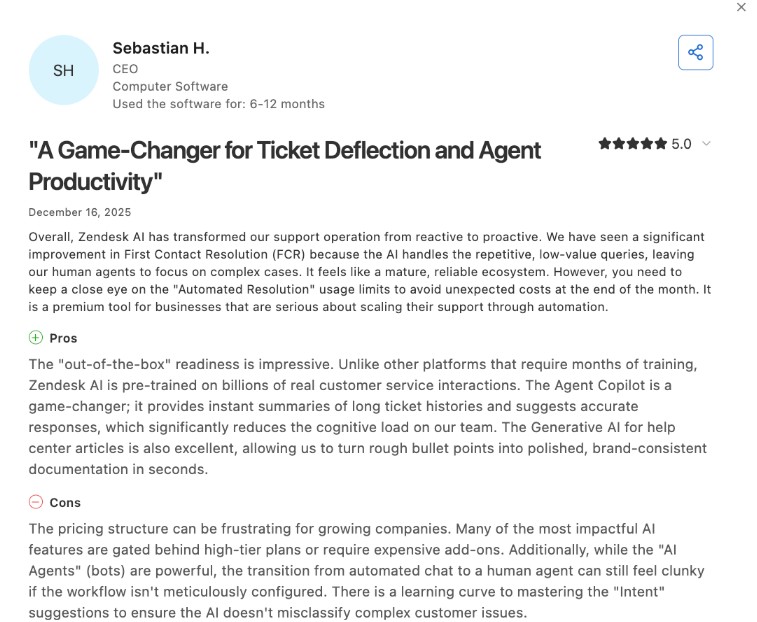
| Zendesk’s AI helps to reduce manual workload by autonomously handling tasks, appreciated by Jahn Jerenz B. | Pricing structure can be frustrating for growing companies, according to a Capterra user |
| Pre-trained on billions of real customer service interactions | Many of the AI features are gated behind higher-tier plans or paid add-ons |
| Suite plans start at $19/agent/month for basic ticketing | AI agent usage isn’t bundled into the seat price |
| 14-day free trial available | No RMM, asset management, or other key features |
Pricing:
- Support Team: $19/agent/month – email and ticketing only
- Suite Team: $55/agent/month – adds Essential AI agents
- Suite Professional: $115/agent/month -omnichannel, IVR, Advanced AI access
- Suite Enterprise: custom pricing- sandboxes, audit logs, approval workflows
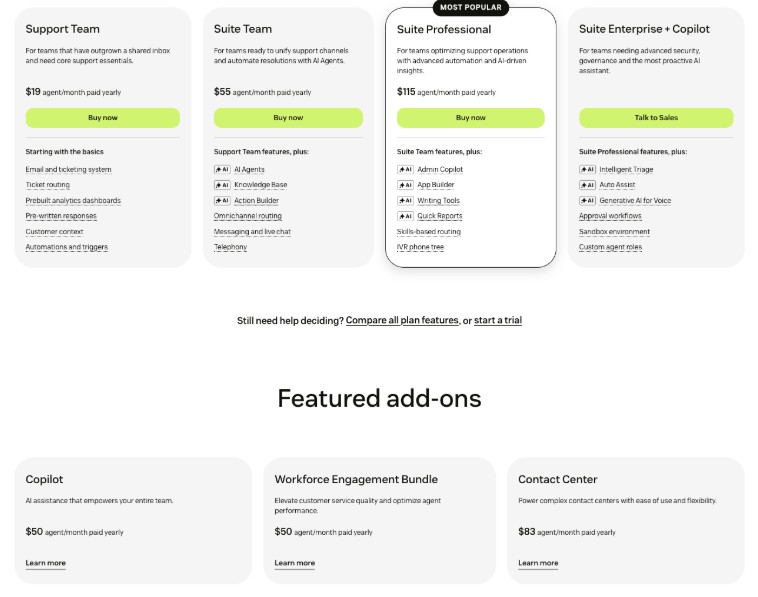
Copilot adds about $50/agent/month on top of any Suite plan
What users are saying:
Users on Capterra appreciate that Zendesk AI cuts manual tasks, such as ticket handling. However, several users have flagged the AI pricing structure as a pain point.
Sebastian H. on Capterra wrote: “The pricing structure can be frustrating for growing companies. Many of the most impactful AI features are gated behind high-tier plans or require expensive add-ons.”
6. Aisera
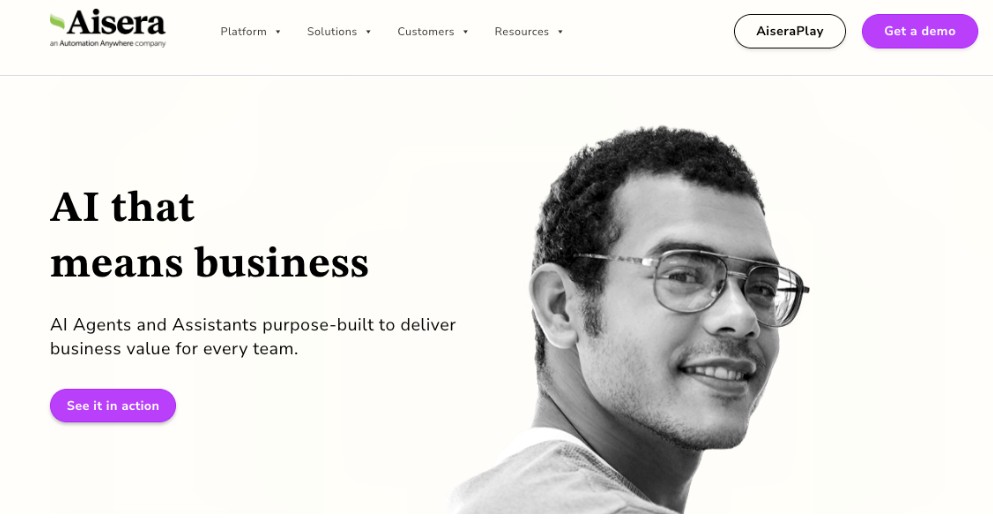
Aisera is an AI platform built for automation across IT, HR, finance, and procurement. It’s sold based on a custom quotation, meaning you need to contact their sales team for pricing.
It targets organizations looking for agentic workflows that extend beyond IT support into other departments as well.
P.S. Automation Anywhere acquired Aisera at the end of 2025.
Key features:
- Agent Composer: build custom AI agents with natural language (no coding required)
- Aisera Unify: connects agents and tools across enterprise systems
- AI service desk: automates ITSM requests like password resets and access provisioning
- Cross-domain coverage: IT, ITSM, HR, finance, and procurement workflows on one platform
Pros & cons:
| Pros | Cons |
| Automated ticket handling takes repetitive tasks off users’ plates, per a G2 review | Requires a lot of fine-tuning, which can get complex, as mentioned in a G2 review |
| Works well with tools like Microsoft Teams and ServiceNow, as mentioned by Sheetal M. | No public pricing available |
| Offers cross-department automation | Implementation typically takes weeks to months |
| Domain-specific LLMs trained on enterprise service data | Each additional department often carries its own setup fee |
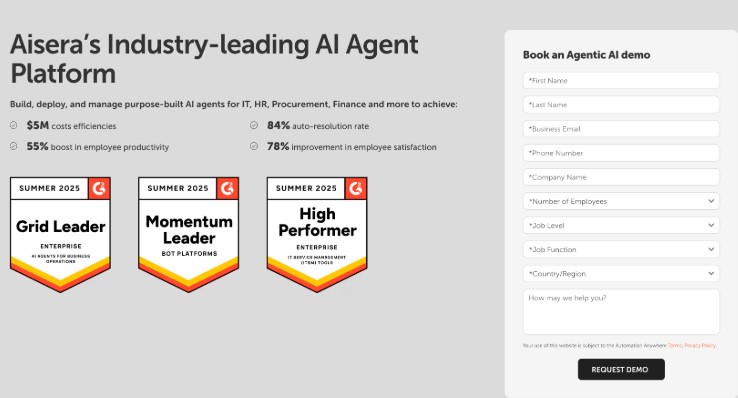
Pricing:
Aisera’s pricing is based on a custom quotation. Request pricing by contacting their sales team.
What users are saying:
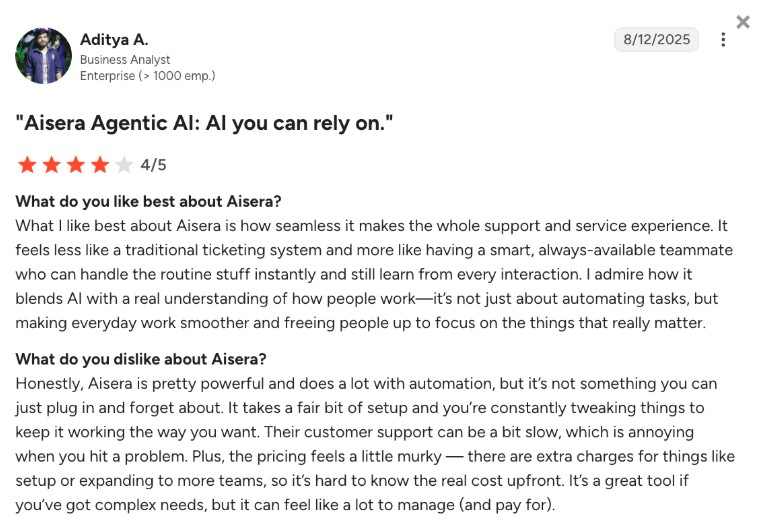
Users on G2 say Aisera’s automation meaningfully reduces repetitive ITSM work, though several point to setup complexity and unclear total costs.
Aditya A. wrote on G2: “The pricing feels a little murky. There are extra charges for things like setup or expanding to more teams, so it’s hard to know the real cost upfront. It’s a great tool if you’ve got complex needs, but it can feel like a lot to manage.”
7. SysAid
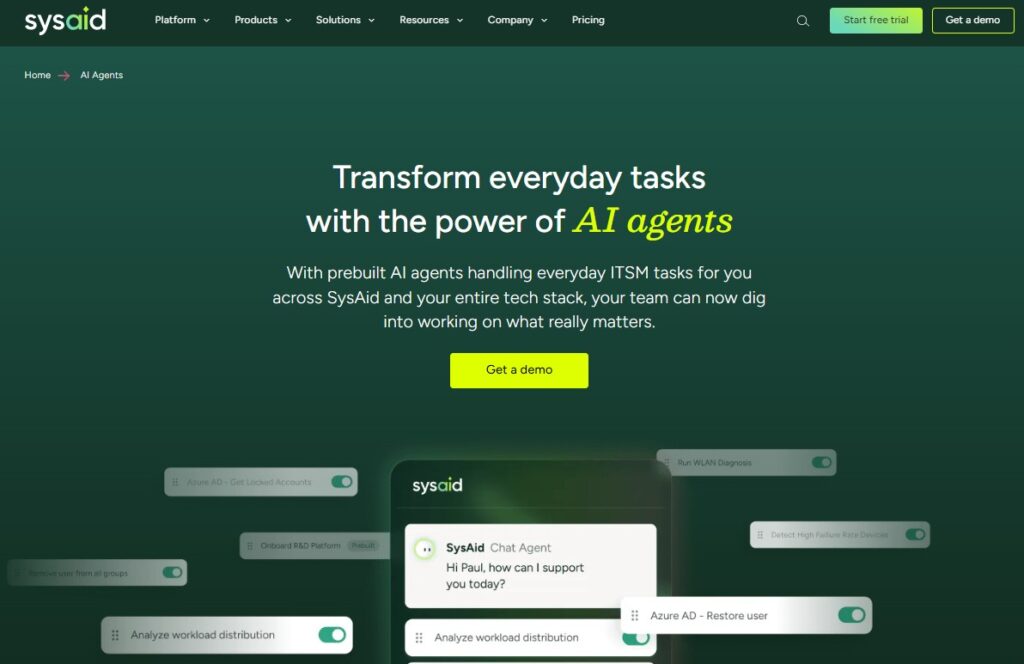
SysAid is a traditional ITSM platform that layers AI features (SysAid Copilot) on top of its helpdesk and asset management features.
It’s suitable for small to mid-sized businesses wanting an AI assistant with the basic capabilities: ticket categorization, response drafting, and case summarization.
Key features:
- SysAid Copilot: An AI agent for ticket categorization, routing, and case summaries
- ITSM: incident, problem, change management, and self-service portal
- AI agent builder: custom AI agents for handling common requests autonomously
- AI chatbot: available via Microsoft Teams for self-service
- Asset management: integrated with the service desk
Pros & cons:
| Pros | Cons |
| Copilot uses KB articles to help users resolve issues quickly, which Peter A. liked | Less strong for large companies, as mentioned in a G2 review |
| Helpful for resolving a high volume of incidents quickly | A one-time onboarding fee applies separately |
| Unlimited end users included in every edition (similarly to Atera) | Copilot and other AI modules are priced as add-ons |
| Asset management built-in | At a large scale, the platform can get laggy |
Pricing:
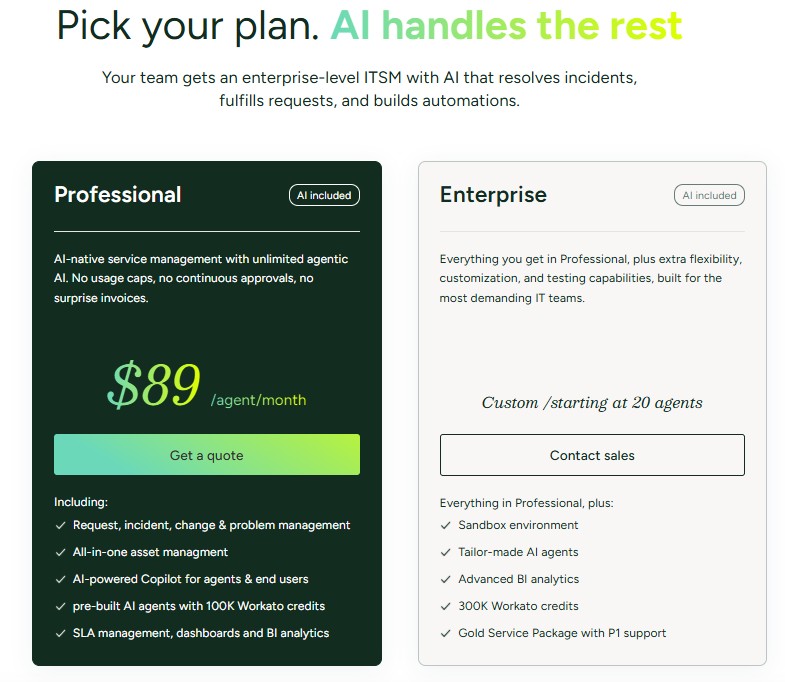
- Help Desk: estimated at around $79/agent/month
- Enterprise: custom pricing, starting at 20 agents
- Copilot add-on: roughly $18 – 32/admin/month, depending on capabilities enabled
What users are saying:
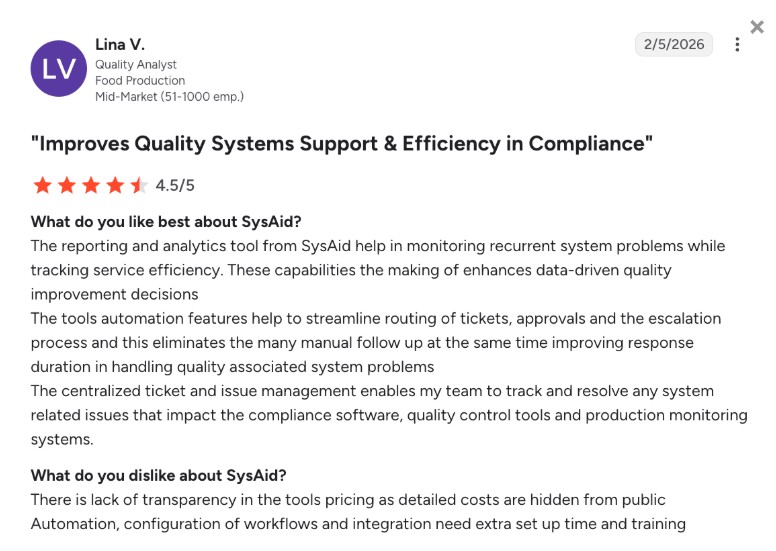
Users on G2 say SysAid’s AI agents handle high ticket volumes well, though some note that automation and integrations take extra setup time and training.
One G2 reviewer specifically wrote: “Automation, configuration of workflows, and integration need extra setup time and training.”
Related Articles

Best cloud-based help desk for large-scale operations
Modern cloud-based help desk platforms can move fast, scale massively, and save IT teams hours of time with smart automation. But they aren’t all created equal. See which features to explore to make sure the cloud help desk tool you choose can truly automate IT support with AI, streamline both employees’ and IT teams’ work, and stay under budget even as operations scale.
Read now
6 Best Firewall Appliances in 2026
Discover the best firewall appliances, backed up by other IT managers. Find out the pros and cons, features, pricing, and performance of each firewall.
Read now
6 Best VoIP Hardware for IT Departments: 2026’s Comparison
Find out what Atera’s experts (and other IT managers) recommend for the best VoIP hardware. Learn about the different VoIP hardware you need for efficient operations.
Read now
6 Best HDMI switches For Corporate IT: A Buyer’s Guide
Discover the best HDMI switches for corporate IT environments. Find out about the key buying considerations: HDMI switch features, use case, and security.
Read nowEndless IT possibilities
Boost your productivity with Atera’s intuitive, centralized all-in-one platform









