Table of contents
Table of contents
- What is Datto?
- The only Datto alternative with Agentic AI technology
Generate summary with AI

Datto is an RMM/PSA tool designed for MSPs that need to manage their clients’ IT environments.
It’s easy to use and has broad integrations, but users find the new UI updates limiting and say that the quality of the platform and support has declined after the recent Kaseya acquisition.
To help you get an honest picture of Datto, we’ve created this review. We’ve looked at Datto’s key features, pricing, AI technology, security, and user interface.
We’ll also share user reviews and compare it to the top Datto alternatives, so you know when another option is better.
What is Datto?
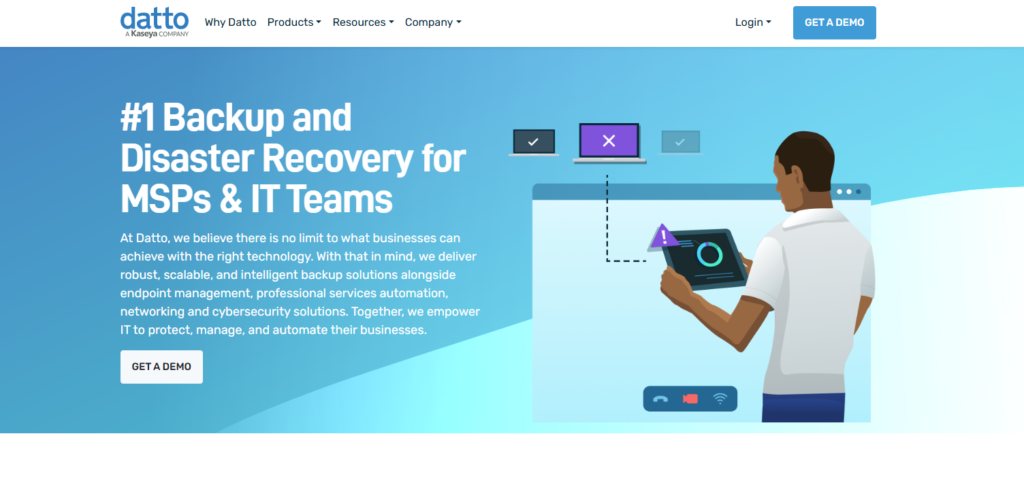
Datto was initially known as a backup solution, but has expanded to include other parts of IT, such as RMM software, PSA, and network monitoring. As of now, it’s best known for its Datto RMM product, which is used to secure, monitor, and manage workstations, servers, and other network devices.
Datto was acquired by Kaseya and is part of the Kaseya product family.
#1: Key features of Datto
Datto isn’t just one product; it’s a suite of products designed to protect your clients’ data and devices from potential threats.
Datto’s main products and their features are:
1. Datto RMM: Monitor, manage, and support your clients’ IT infrastructure remotely.
2. Datto SIRIS: BCDR solution that combines backup, recovery, and disaster recovery capabilities.
3. Datto EDR: Endpoint detection and response platform that identifies, analyzes, and stops cyber threats.
4. Datto ALTO: Datto’s second BCDR solution for small businesses that need quick backup and recovery for limited endpoints.
5. Datto Autotask PSA: PSA tool for ticketing, contracts, billing, and service management.
6. Datto AV: Antivirus software that helps to detect and block malware, ransomware, and other endpoint threats.
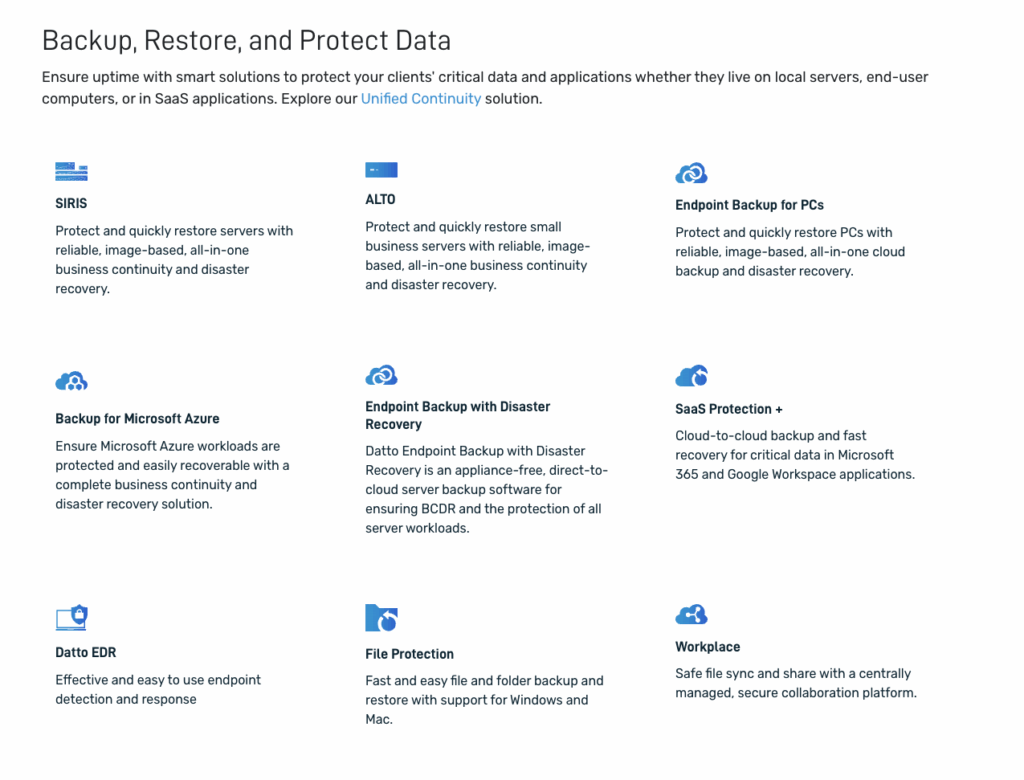
Datto aims to compete in the all-in-one IT management space with its range of products. While it’s possible to build a complete toolset from Datto’s products, each one comes with its own subscription cost, which can quickly add up. Kaseya also combines different Datto products (Datto RMM, AV, EDR, and endpoint backup) into Kaseya 365 Endpoint.
With Atera, you get a similar feature set to Datto’s with one simple monthly/annual subscription.
Atera’s feature set includes:
- RMM software for monitoring and securing endpoints
- Robin by Atera for resolving up to 92% of Tier-1 and complex Tier-2 technical incidents end to end
- Help desk and ticketing for customer support and issue tracking
- Remote access for quick troubleshooting from anywhere
- Patch management to keep endpoints up-to-date and secure
- Network discovery for full visibility into devices in your IT environment
- Reporting and analytics to get insights into IT performance and costs
With Atera, you don’t need to invest in redundant software for IT management. Still, we offer broad integrations for enterprises relying on third-party tools for endpoint security.
#2: Agentic AI technology
Datto first launched its AI assistant (Cooper Copilot), which works inside Autotask PSA. Datto’s AI now runs under Kaseya Intelligence, and its main features include:
- Smart Insights: Technicians can ask questions about device health and activity logs and get automation suggestions.
- Digital Specialists: Within Autotask, these agents determine each ticket’s type and then assign it to the right technician.
- Ticket summaries and writing assistant: Helps to summarize tickets and write responses.
Datto’s AI can be extremely useful for ticket triaging and speeding technician work, but it’s not built for autonomous actions.
Robin by Atera works differently. It’s an autonomous IT agent that resolves up to 92% of Tier-1 and complex Tier-2 incidents end to end, without a technician in the loop. It does this by following a four-step process:
- Diagnose: Robin receives the request through Teams, Slack, email, or the Customer Portal and asks follow-up questions to gather the context it needs.
- Remediate: Robin takes the approved action directly on the device, network, or in the cloud.
- Verify: Robin confirms the issue is actually resolved before closing anything, and escalates to a technician with full context if it isn’t.
- Close: Robin updates the ticket with the outcome. It logs every action for governance and compliance.
If an issue is too complex for Robin, it automatically escalates it to a human technician, with full context of the issue.
For technicians dealing with manual and repetitive tasks, we have Atera Copilot. It’s your go-to IT companion for running health checks, executing scripts and terminal commands, and summarizing tickets. AI Copilot is available on each Atera plan at no extra cost.
Tip: For more detailed review, read the Robin vs. Kaseya Intelligence comparison.
#3: Interface and usability
Datto has many interfaces across its different products, and most people agree that they’re easy to use.
Datto doesn’t have much information on its website about how its interfaces look, but this is what we found:
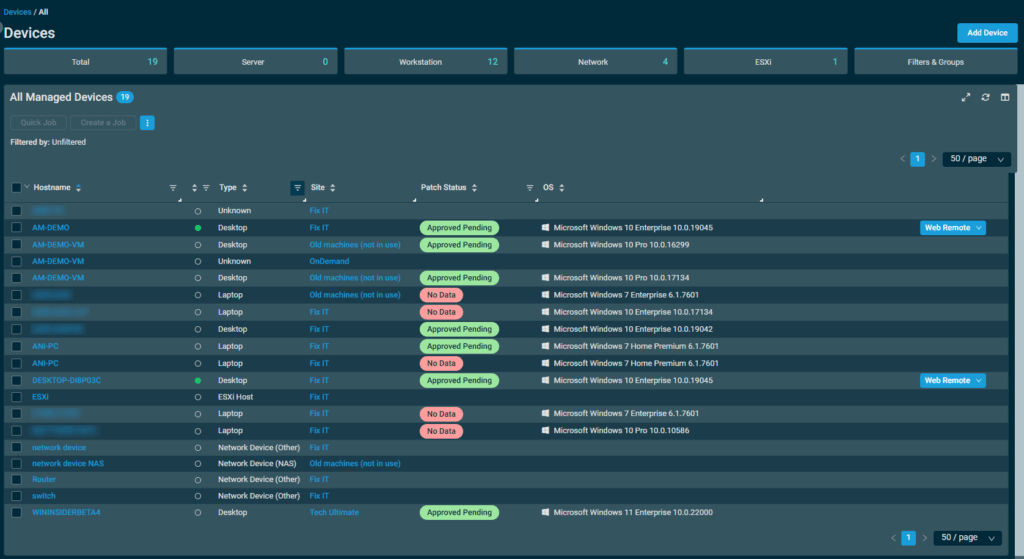
One G2 user, Diana P., said Datto RMM is “Quite a comprehensive and user-friendly platform for managing devices, patches, as well as user management.”
Datto RMM also retired its legacy UI in early 2026, so all users now have a new UI. However, some users say the new interface can be clunky.
One G2 user said, “We access Datto RMM through KaseyaOne, and it opens lots of new windows and tabs which can be annoying.”
This is how Datto’s interface ease of use compares to some of its main competitors:
Platform | G2’s Ease of Use Score |
1. Atera | 9.2 (760+ reviews) |
2. Datto RMM | 8.8 (680+ reviews) |
3. Kaseya VSA | 7.7 (260+ reviews) |
7.3 (100+ reviews) |
As you can see, Atera has a slight advantage over Datto RMM and other alternatives to it.
This is mainly thanks to our intuitive interfaces that make onboarding quick for both technicians and end-users.
Here’s a look at Atera’s admin dashboard:
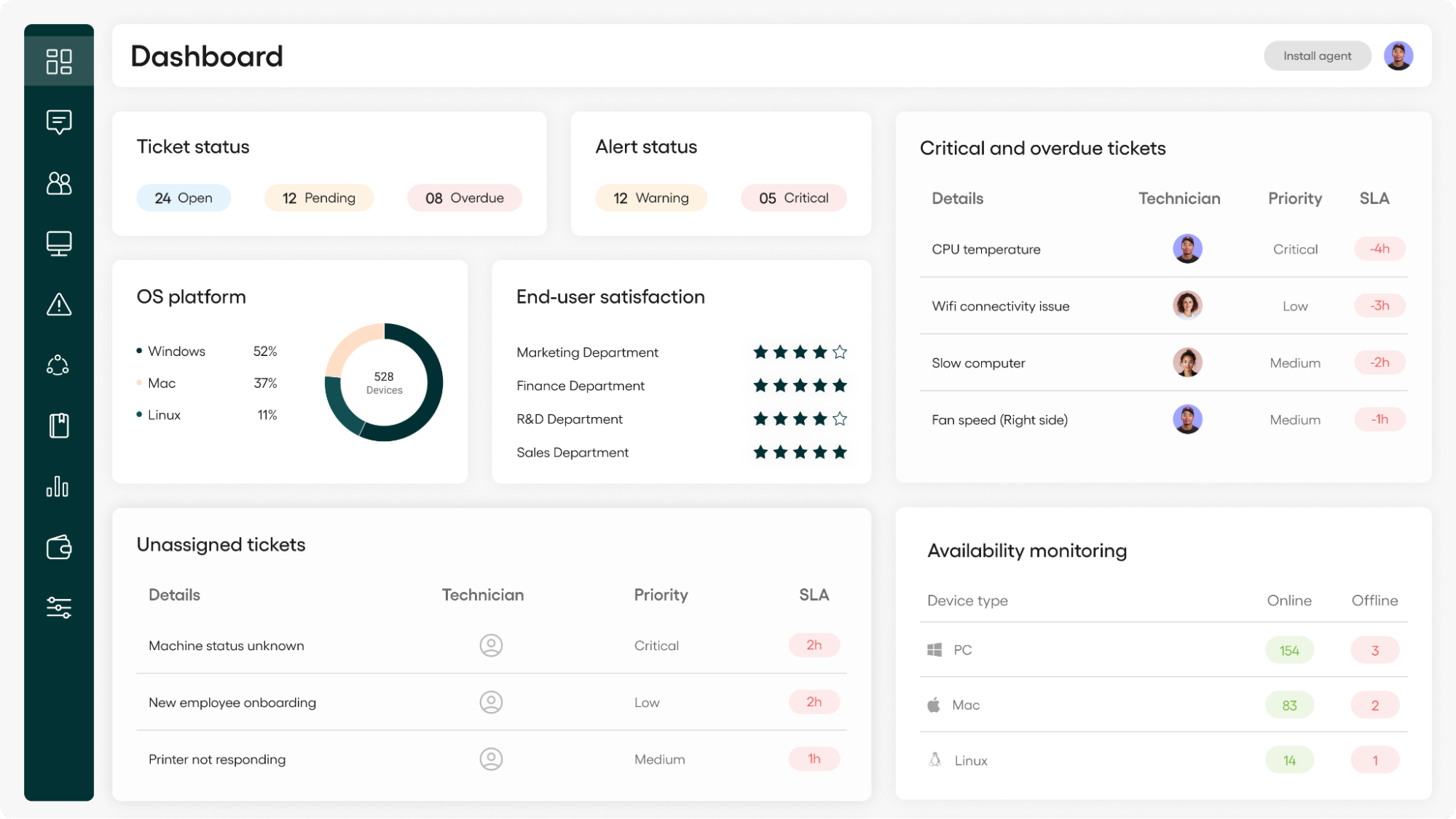
One Capterra user who switched from Datto to Atera said, “The best part about Atera is that it is super easy to navigate. Managing several companies at once is simpler with the way the site is set up; it’s all really clear.”
No matter if you’re managing five or 1000+ endpoints, you’ll have a clear picture of your IT infrastructure in a matter of days, not months or years.
#4: Security and compliance
Datto started as a backup company, and its commitment to safety and security remains strong. It offers multiple products for backups and protecting your data.
For example, Datto SIRIS is a backup and disaster recovery solution that protects your backups and helps you secure data at every stage of its lifecycle. Another Datto product, Datto Unified Backup, is for MSPs that want to protect their clients’ Windows-based computers and quickly recover data if needed.
At Atera, we’re also highly focused on our commitment to compliance and security. With endpoint management, zero-trust architecture, and backups, we’re proud to compete with Datto in this space.
Robin also adds a layer of security. It installs and updates pre-approved software automatically, removing one of the most commonly exploited vulnerabilities: outdated software.
#5: Pricing and plans
Datto offers multiple products, each with its own pricing plan. What we know is that the base pricing structure is pay-per-endpoint, which means you pay for the number of endpoints/devices you manage.
Unfortunately, Datto’s pricing plans aren’t publicly listed, making it difficult to review them fully. To get the pricing, you need to fill out a form on Datto’s website.
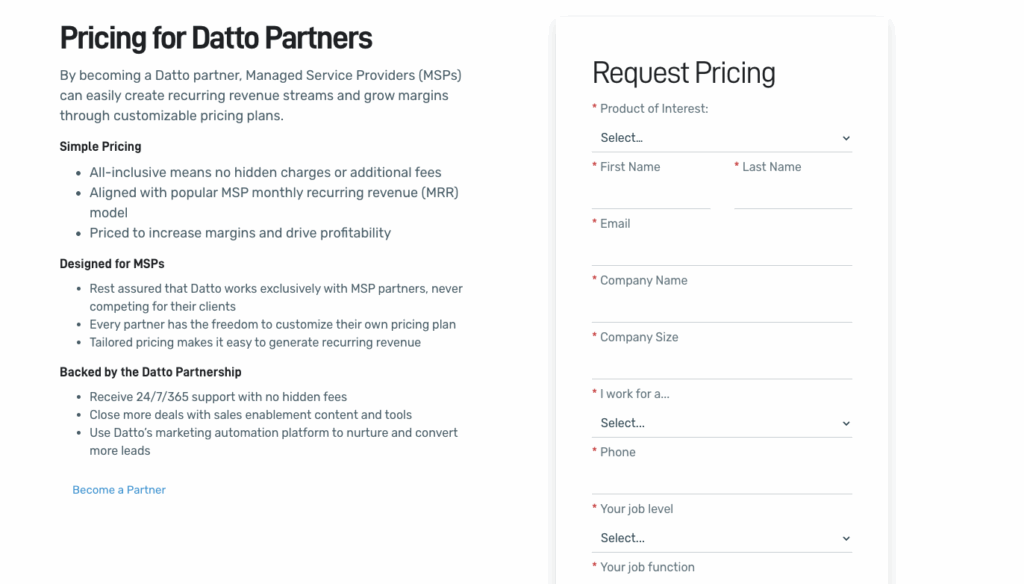
The lack of transparent pricing is arguably a drawback of Atera. Datto alternatives, like Atera, have fully transparent pricing plans, which make it easy to estimate how much the exact monthly cost will be.
Not only this, Atera’s pricing is pay-per-technician, which differs from most RMM pricing plans. This means that you can manage unlimited endpoints/devices for a fixed cost, making scaling predictable.
This is how one user, Emil C., commented on the benefits of Atera’s pricing for IT teams:
- “Another strong point is the pricing model and ROI. Because Atera is priced per technician rather than per device, it makes a lot of sense for growing IT teams and MSPs. It lets us manage more endpoints without driving up costs too much, which is a real advantage.”

#6: User feedback and reviews
Let’s continue with an honest look at Datto’s user feedback. While the RMM capabilities and integrations were the strengths, the subpar customer service, quality decline, and new UI updates were the limitations.
Overall Datto G2 Rating | 4.5 out of 5.0 stars (800+ reviews) |
Overall Datto Capterra Rating | 4.2 out of 5.0 stars (40+ reviews) |
Datto pros: What real users like about the platform
These are the things customers appreciated about Datto:
RMM capabilities:
Datto is best known for its RMM software, which lets users manage their computers and other network devices in an organization.
One G2 user, Shaun G., said they like “auto-patching, creating and running our own components and the shear number of components and software this tool has and can manage.”
While users found these features helpful, they’re essentially the baseline features of the best RMM software. Atera offers the same features, but also stand-out features, like Network Discovery and innovative AI agents that automate manual and repetitive tasks and help technicians resolve issues faster.
Integrations with other platforms:
Another benefit of Datto is its extensive third-party integrations. Datto RMM also integrates with other Datto products, which users appreciate.
One G2 user, Pim Z., commented on this and said, “The native integration with Autotask PSA ensures that critical alerts automatically generate properly triaged tickets, while the integration with IT Glue allows for seamless, secure password injection during support sessions.”
At Atera, we also offer extensive third-party integrations with ESET, Miradore, Cynet, Keeper, ThreatDown, Bitdefender, Webroot, and more. Many of our integrations, such as with AnyDesk and Splashtop, are included in our base pricing plans.
We also have the added benefit of our Robin integrations, which make sure your automation works wherever your IT lives.
Datto cons: What real users find limiting
This is what users found limiting about Datto:
Changes to the UI that make it harder to use:
Datto has recently made changes to its UI, which according to users, have made it more difficult to use and some features don’t work.
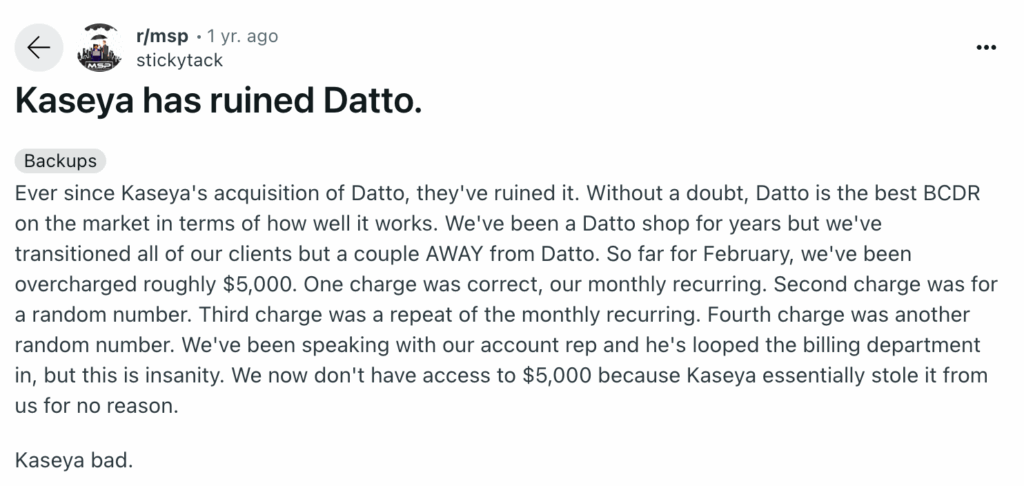
For example, this is what one Reddit user said:

Another Capterra user said, “Nothing works on the new platform. Screen Connect no matter which one you choose to use, is inconsistent.”
At Atera, we constantly update our user interface to make it even more intuitive to use. But we always keep the base
Quality decline since the acquisition:
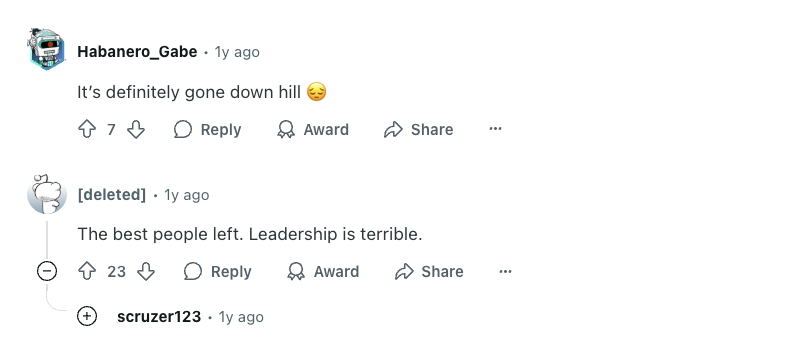
After Kaseya acquired Datto in 2022, customers mentioned a decline in the platform’s quality. This is visible in users getting overcharged, support quality declining, and changes to the UI that users don’t like.
One G2 user said: “The integration with KaseyaOne and AutoTask is all very messy. The initial setup took months of work and was difficult.”
This is what another Reddit user said:
In another Reddit thread, users commented this:
At Atera, we take a proactive approach to making sure users are happy with our product offerings.
Atera has a feature board, where users like you can submit and vote for new ideas. When a feature gets a large number of votes, we know that it is in high demand and will be considered for implementation.
The only Datto alternative with Agentic AI technology
While Datto can prove to be helpful for IT teams with basic RMM and PSA needs, we genuinely believe that Atera offers more value for most enterprises.
Datto has added AI that triages tickets and helps technicians analyze devices and logs. But it’s built for technicians. It doesn’t interact with end-users or resolve their issues.
Robin by Atera resolves up to 92% of Tier-1 and complex Tier-2 technical incidents end to end, while AI Copilot works alongside technicians, helping to remove their manual and repetitive tasks.
Interested in learning more? Get in touch with our sales team today to discuss your specific needs further. Or, sign up for Atera’s 30-day free trial today to try the AI agents yourself.
Related Articles
Rev.io Review: A review of its PSA, billing, and CRM tools
Find out Rev.io’s key features, AI, and pricing in this Rev.io review. See what its pros and cons are, what actual users think of it, and what the best alternatives are.
Read now
Microsoft Intune Review: What IT teams really think of it
In this article, we’ll provide an in-depth review of Microsoft Intune, its key features, pricing, pros and cons, and more. Read on to learn more.
Read now
Pulseway Review: A full look at its IT management features
Discover user feedback, pros and cons, features, and pricing of Pulseway in our detailed review. Find out if it’s the right fit for your team or if another Pulseway alternative suits you better.
Read now
ServiceNow Review: A full look at the platform for IT teams
Find the strengths and limitations of ServiceNow with our review. See what actual users think of the features, pricing, Agentic AI, and user interface of ServiceNow.
Read nowEndless IT possibilities
Boost your productivity with Atera’s intuitive, centralized all-in-one platform