Table of contents
If you’re selecting an autonomous IT support tool for your organization, you’ve probably heard of both Atera and MSP Process.
While the two offer AI agents for a similar purpose, they differ in where that AI does its work. MSP Process is an AI service desk layer that sits on top of your existing PSA. In comparison, Atera is a broader IT management platform, and its AI technician, Robin by Atera, resolves incidents directly on devices, servers, and networks.
Below is a full comparison of Atera vs. MSP Process in 2026.
Atera vs. MSP Process: an overview
Here’s a quick comparison of Atera vs. MSP Process:
Atera Features | MSP Process Features |
Autonomous IT platform with RMM, remote access, network discovery, and patch management Robin by Atera for 92% autonomous resolution of Tier-1 and complex Tier-2 technical incidents AI Copilot for AI-powered troubleshooting, scripting, ticketing, and more Ticketing system with AI ticket summarization and resolution Scripting engine powered by AI Copilot Asset management to track the lifecycle of IT assets Autonomous patch management for keeping Windows, macOS, Linux, and third-party apps up-to-date PSA for MSPs to track contracts, billing, SLAs, and more | AI service desk layer that runs on top of your existing PSA (no RMM or PSA of its own) AI VoiceAssist for answering client calls and creating tickets Identity verification for end users and technicians AI ticketing triage for classifying and routing requests AI CallScribe for documenting technician calls in the PSA Triggr automation for identity and SaaS tasks |
Customer support | Customer support |
24/7 email and live chat support for all customers An extensive knowledge base, IT community, and tutorials | Support ticket and email support, with a typical response within one business day Help page, blog, deployment playbooks, guided onboarding |
Integrations | Integrations |
Integrations with 25+ cybersecurity, automation, backup, remote access, and network monitoring software Integrations with 50+ more third-party tools for Robin Access to 5,000+ apps through Zapier | Integrations with PSA and ITSM platforms (ConnectWise PSA, Autotask, HaloPSA, Syncro, Kaseya BMS, and more) Integrations with Microsoft Teams, Entra ID, and Active Directory |
Pricing | Pricing |
Transparent pay-per-technician pricing, starting from $129/technician/month 30-day free trial available | Three plans (Verification Plus, Assist, and Professional), all custom-quoted No publicly listed free trial |
Let’s now compare Atera vs. MSP Process in detail.
#1: Features and capabilities
Before we compare AI agents from Atera and MSP Process, let’s look at what each platform gives you. The biggest difference is in the stack itself.
MSP Process is a service desk layer that runs on top of the PSA you already use. Its real strength is that if you already have a PSA/RMM platform, it can be added on top without switching platforms. But this also means that you have to pay for two to three tools: MSP Process, a PSA, and an RMM.
In comparison, Atera is a broader RMM and PSA software with AI agents. Instead of requiring multiple tools, Atera combines IT management with real autonomous IT resolution.
With one Atera subscription, you get access to:
- RMM for real-time monitoring of endpoints
- Atera’s remote access for troubleshooting devices directly
- Atera’s PSA for handling tickets, contracts, billing, SLAs, and setting up customer portals
- Network Discovery (add-on) to map unmanaged devices
- Asset management to track the lifecycle of IT assets
- Patch management for Windows, macOS, and Linux, plus third-party apps
- Two AI agents, Robin by Atera, an AI technician that resolves incidents autonomously, and AI Copilot, which assists your technicians
Robin doesn’t need third-party platforms to run. But if your IT team already runs another ITSM, Robin’s integrations let it work inside that tool, so you don’t have to switch.
#2: Agentic AI technology
Both Atera and MSP Process offer AI agents. Here’s how they work, starting with MSP Process.
MSP Process’s core AI works at the front of the service desk. Here’s the five-step process it follows:
- Receive: The requests come through calls, Teams, SMS, WhatsApp, webchat, and the client portal.
- Verify: MSP Process confirms who’s asking for help, so your IT team can handle requests with identity already confirmed.
- Triage: The AI reads tickets from every channel and adds type, priority, status, and client context.
- Schedule: if a technician needs to follow up, ScheduleAssist sends the client a booking link.
- Document: AI CallScribe records the technician’s call and writes a summary to the PSA ticket.
MSP Process also acquired Triggr in September 2026. Before the acquisition, MSP Process focused on communication and verification that sat on top of a PSA.
With Triggr now available, MSP Process can complete identity and SaaS tasks itself. Its own examples of tasks include:
- New user onboarding
- User offboarding
- Ticket closure
- Custom workflows (41 ready-made workflows and suggestions for what to automate next)
MSP Process’s automation stops at the identity and SaaS layer. It has no endpoint or RMM agent, so device-level issues still need to be resolved by a technician. Plus, each action runs only after a dispatcher approves the request.
This is its main difference from Robin by Atera. Robin works at the execution layer. Because it runs on Atera’s built-in RMM, it acts directly on devices, servers, and networks. It doesn’t need to be paired with third-party RMM or PSA software.
Robin picks up requests through Teams, Slack, email, the Atera customer portal, or third-party ITSM tools, then follows a four-step resolution process:
- Diagnose: Robin traces the problem to root cause, on the device, across networks, and in the cloud.
- Remediate: Robin executes the fix autonomously, resolving Tier-1 and complex Tier-2 incidents with no technician in the loop.
- Verify: Robin confirms the fix worked and the incident is fully resolved.
- Close: Robin closes the incident autonomously. Ticket elimination, not deflection.
Robin acts within your rules, with configurable guardrails, approval workflows, and full audit trails. When an incident falls outside what Robin should resolve on its own, it hands off to a technician with full context and a summary of the actions taken.
Some of the technical incidents Robin resolves include:
- Resolving Wi-Fi and network issues
- Repairing Outlook connectivity issues
- Fixing slow device performance
- Clearing stuck print queues
- Resetting passwords and recovering credentials
- Installing approved software
You can see all Robin use cases here.
Atera reports up to 92% autonomous resolution of Tier-1 and complex Tier-2 technical incidents, with an average resolution time under 120 seconds. MSP Process doesn’t publish a comparable resolution rate or resolution time.
#3: Pricing and value for money
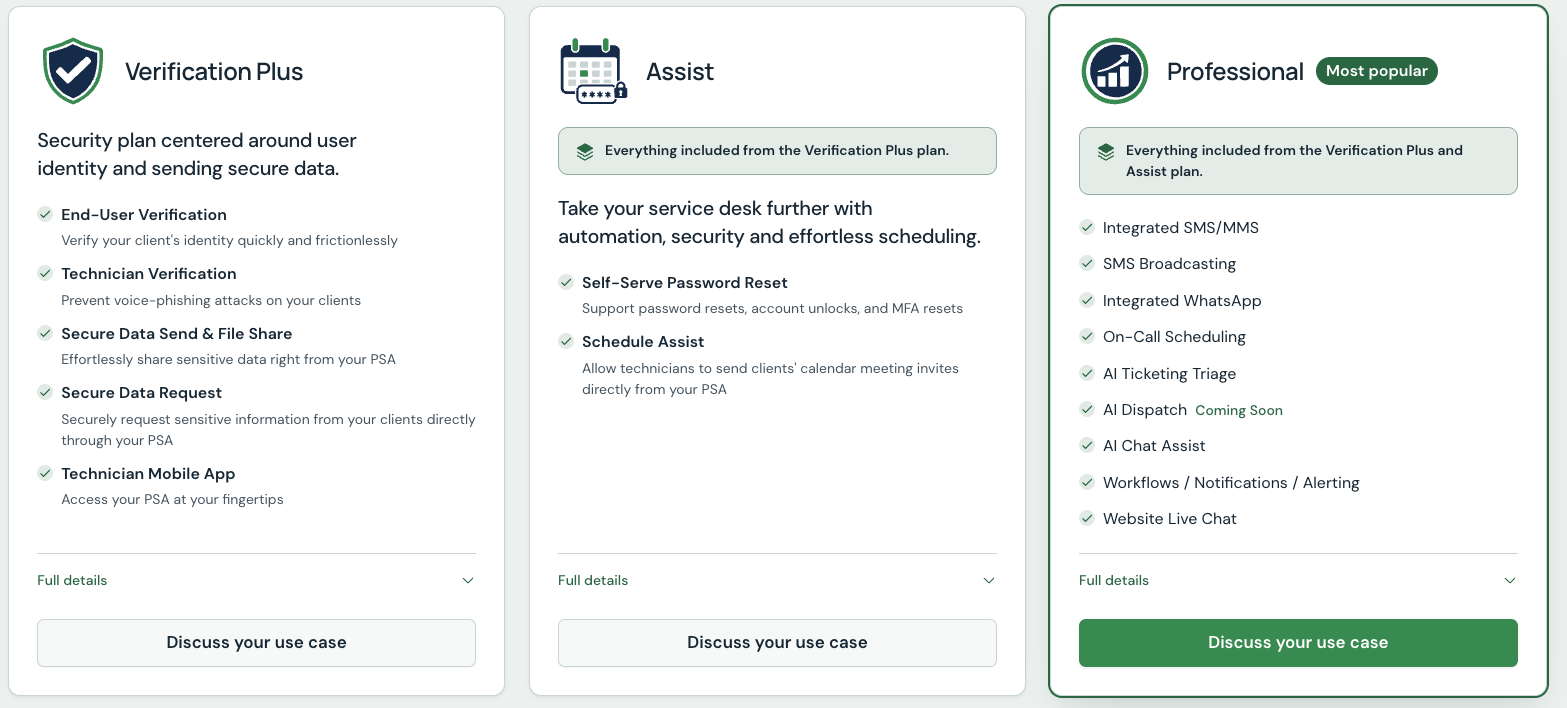
MSP Process offers three pricing options: Verification Plus, Assist, and Professional. Each one is based on a custom quotation, meaning pricing isn’t publicly listed.
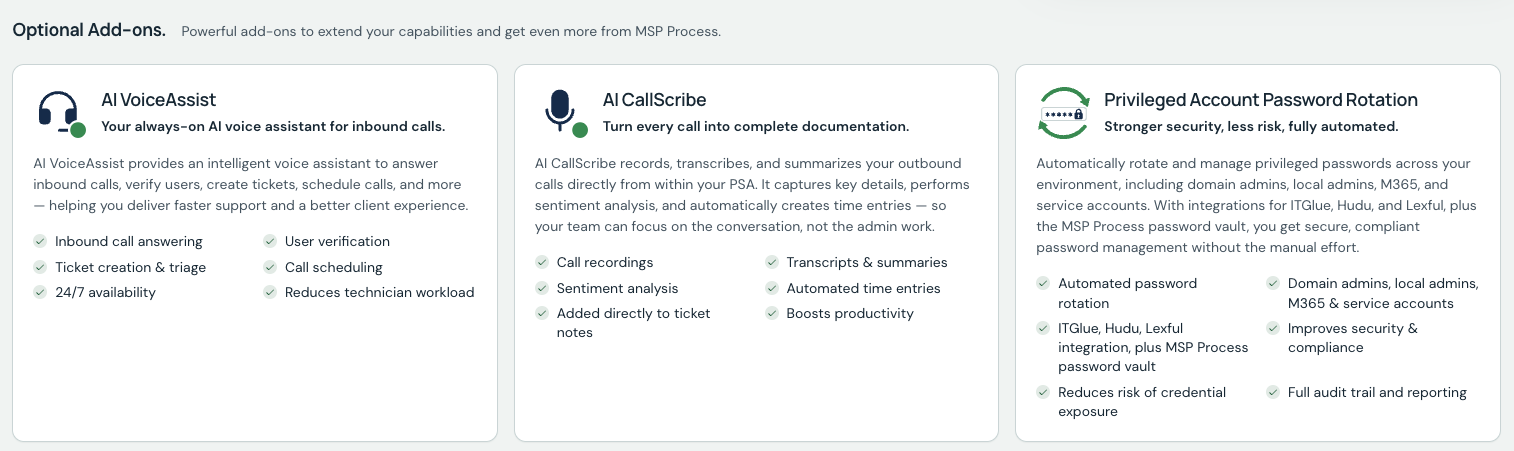
Plus, three add-ons are available for voice assistant, call recording, and automated password rotation.
Since MSP Process doesn’t publicly disclose its pricing, it’s hard to compare to Atera’s.
Atera’s pricing is based on pay-per-technician, meaning you can add and manage unlimited endpoints for a fixed monthly/annual subscription. This differs from most RMM pricing plans.
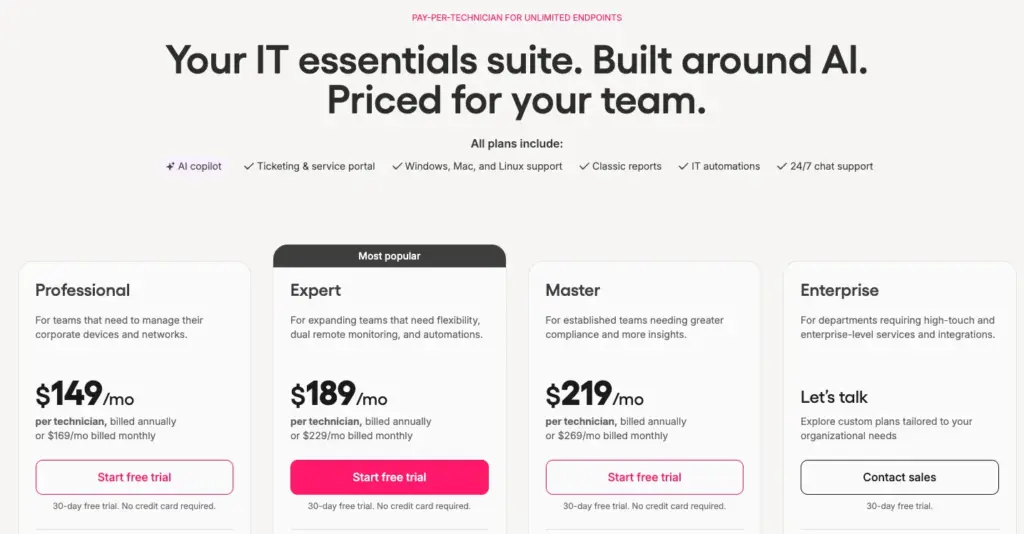
AI Copilot is included at no extra cost on all plans. Robin and Atera’s Network Discovery are available as add-ons.
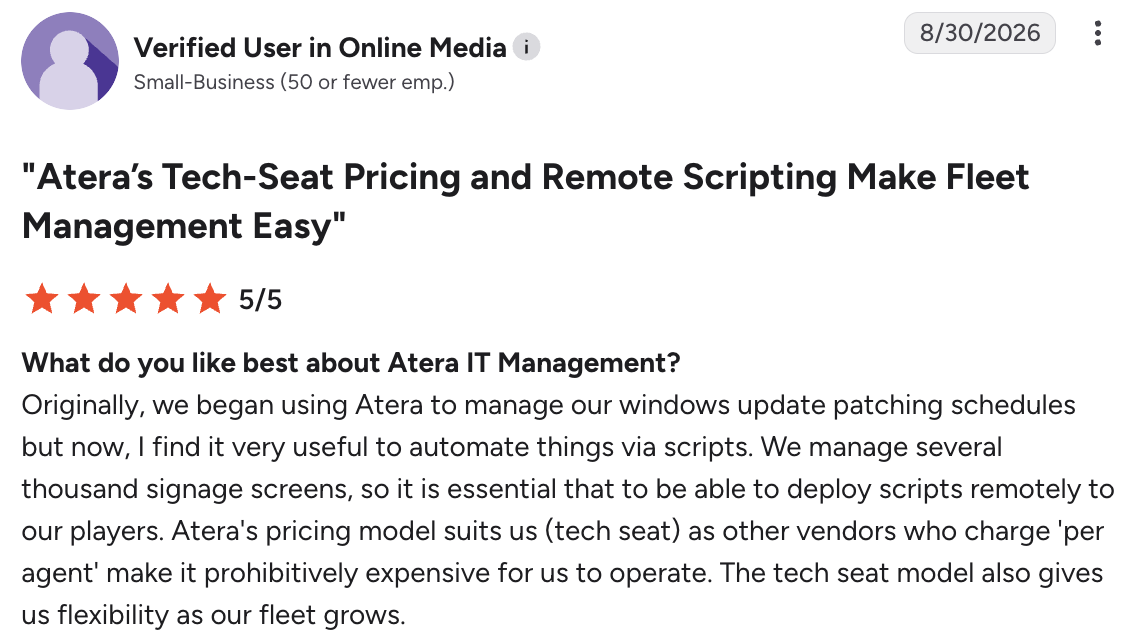
Users often say the pay-per-technician pricing is one of the highlights of Atera. For example, see what this G2 user said:
- “Atera’s pricing model suits us (tech seat) as other vendors who charge ‘per agent’ make it prohibitively expensive for us to operate. The tech seat model also gives us flexibility as our fleet grows.”
#4: User interface and usability
MSP Process doesn’t have enough G2 reviews yet to show ease of use, setup, or admin scores. Atera, by comparison, has 800+ reviews rating its ease of use, with scores of 9.0 or higher across all three categories:
Category | 1. Atera | 2. MSP Process |
1. Ease of Use | 9.2 (800+ reviews) | n/a (not enough reviews) |
2. Ease of Setup | 9.1 (650+ reviews) | n/a (not enough reviews) |
3. Ease of Admin | 9.0 (550+ reviews) | n/a (not enough reviews) |
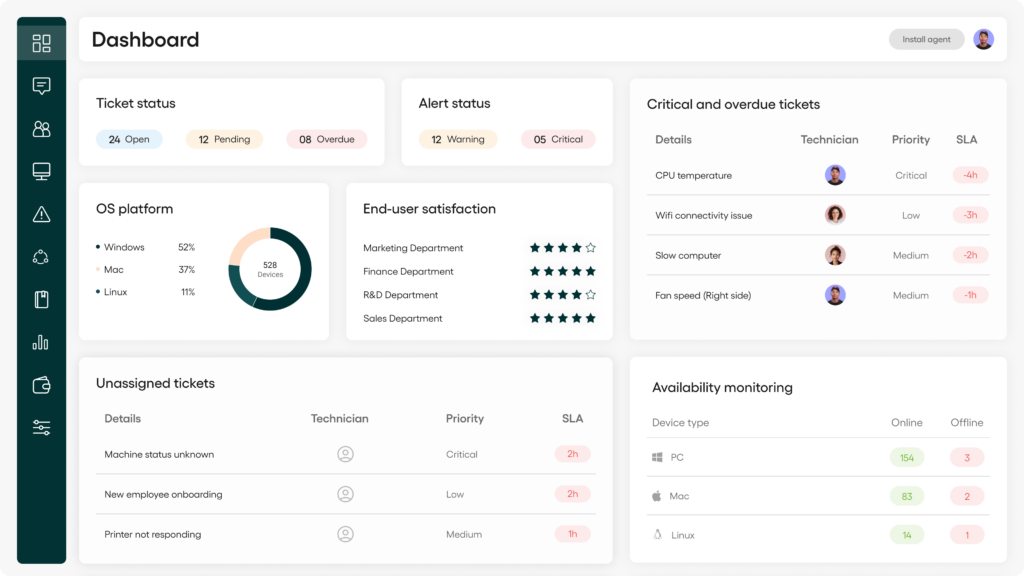
Atera’s scores reflect its intuitive user interface.
Atera’s dashboards have a low barrier to entry and quick implementation. Yet, they’re fully customizable to your IT team’s needs.
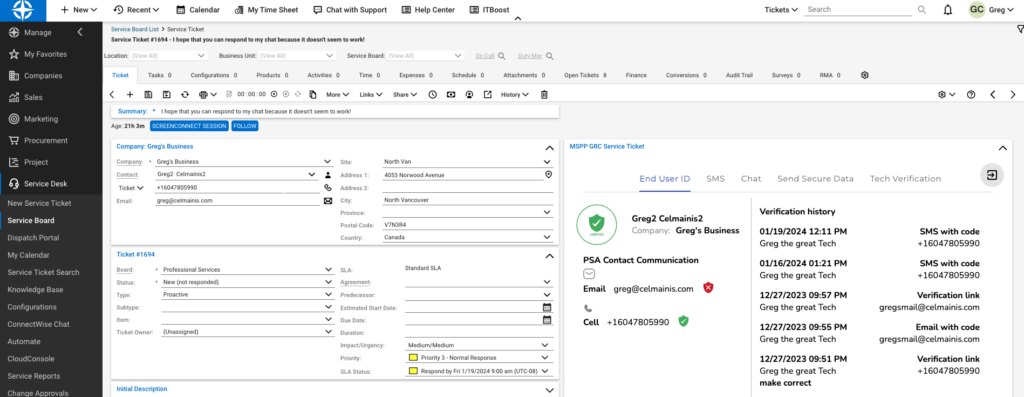
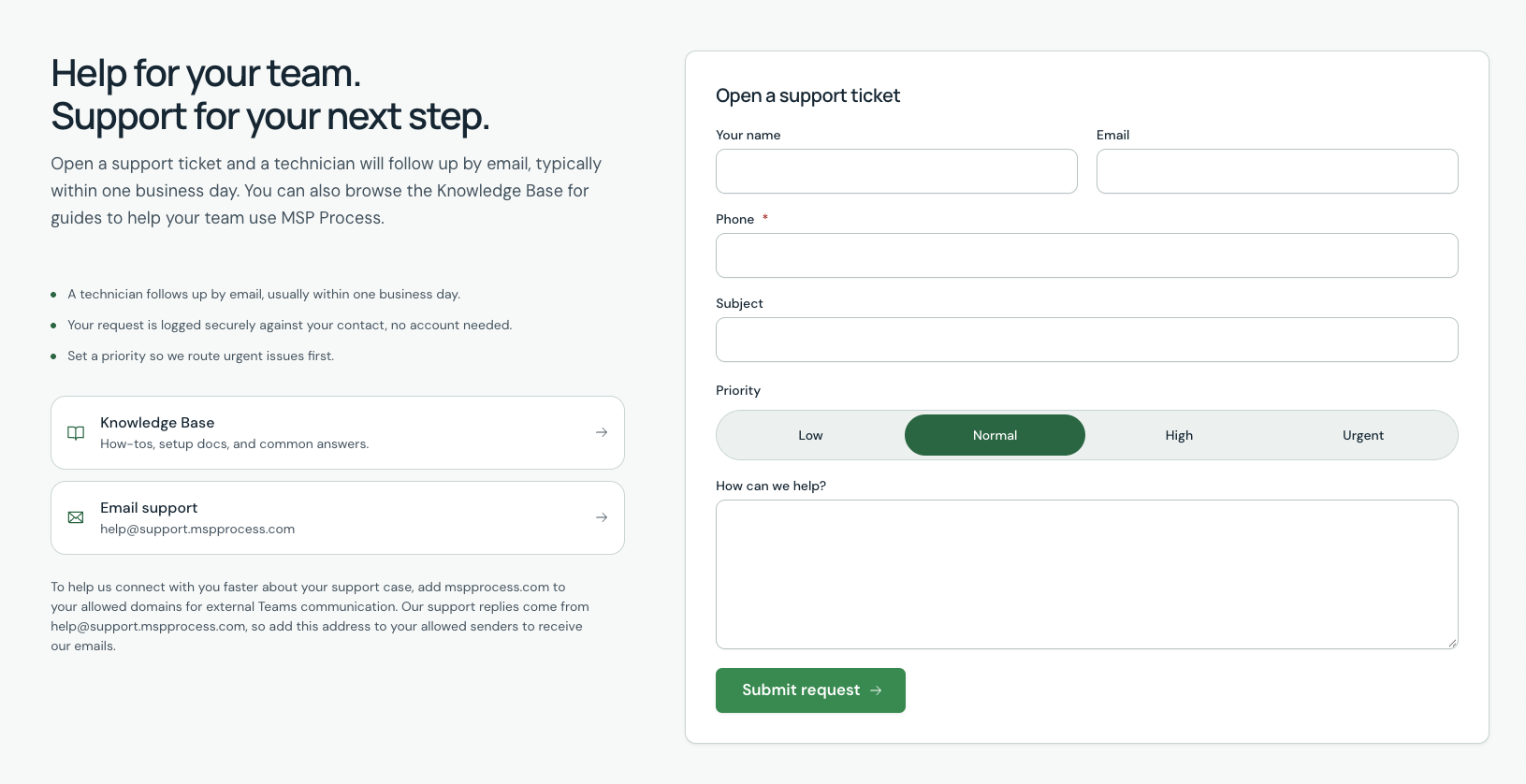
Here’s one screenshot of MSP Process’s interface we found from Capterra:
One long-time Atera user, Chris C., commented on the dashboard and how it has evolved over the years:
“We’ve been using Atera for the better part of about 10 years now. I would say that their ticketing platform has come a long way since then. It’s much more intuitive. Atera as a whole is flexible; more so now than ever before.”
#5: Customer support and community
When it comes to customer support, Atera has a clear advantage over MSP Process.
Atera’s support is available 24/7 for all users, meaning you have access to help at all times. On top of this, there is a knowledge base, active IT community, webinars, video tutorials, and Atera’s academy.
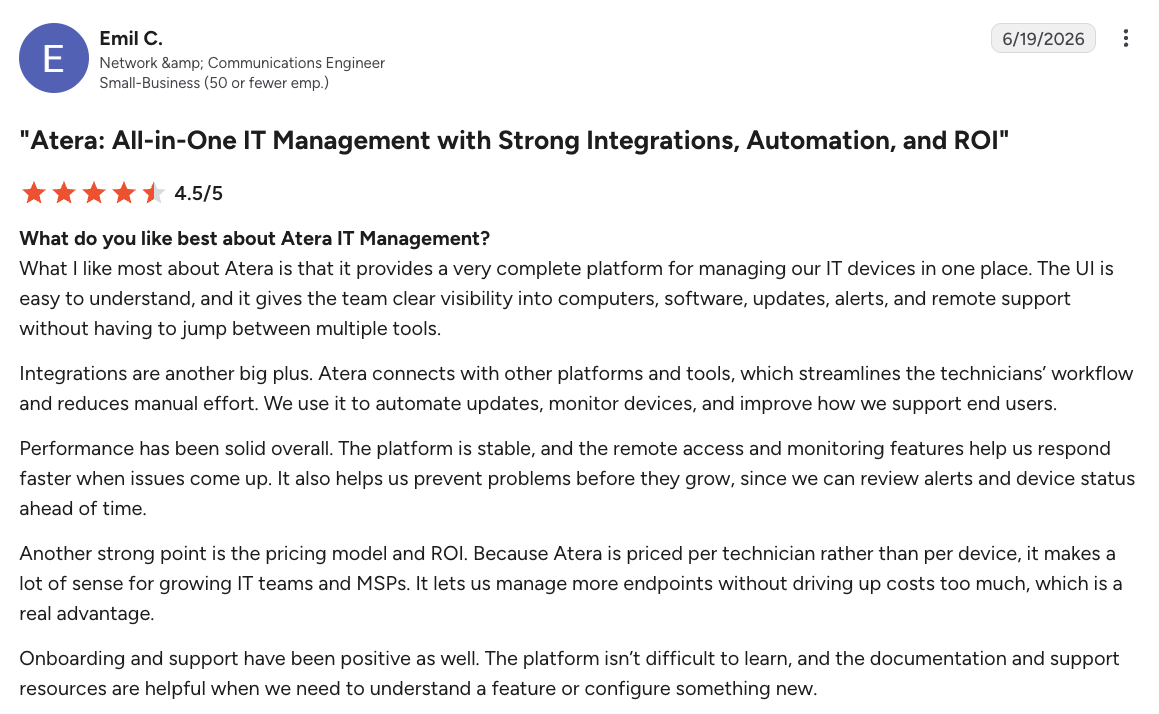
Emil C. commented on Atera’s support, saying “The platform isn’t difficult to learn, and the documentation and support resources are helpful when we need to understand a feature or configure something new.”
In comparison, MSP Process doesn’t offer a live chat similar to Atera’s. You can open a support ticket or send them an email, and they promise to respond typically within one business day.
#6: User feedback and reviews
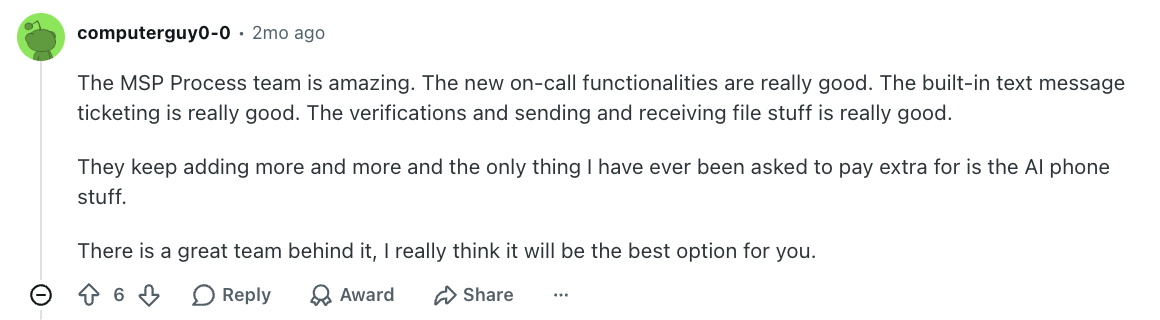
MSP Process has few user reviews on G2, Capterra, and Software Advice. However, on a recent r/msp Reddit thread, MSP Process users compared their experiences.
A few users liked how much the platform covers. This is what one user, computerguy0-0 mentioned:
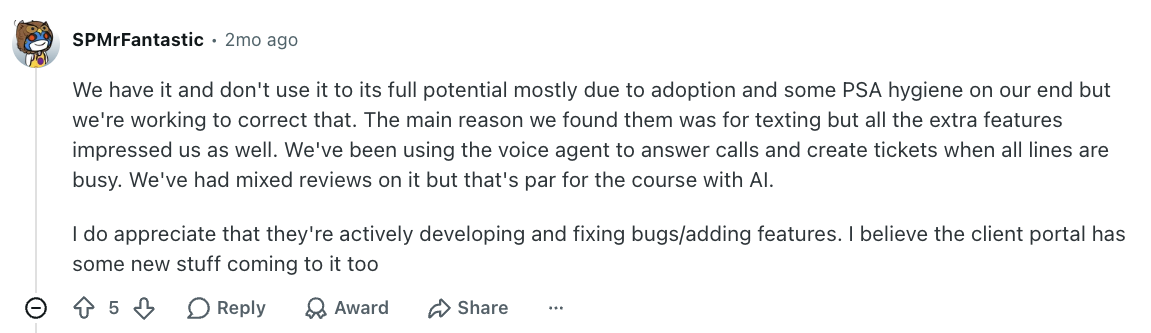
Other users also mention that MSP Process team ships updates often. SPMrFantastic appreciated that the team is “actively developing and fixing bugs/adding features.”
According to users, the main challenge with MSP Process is adoption. As user morrows1 puts it, “MSP Process works. Adoption and enforcement are the real issues IMO.”
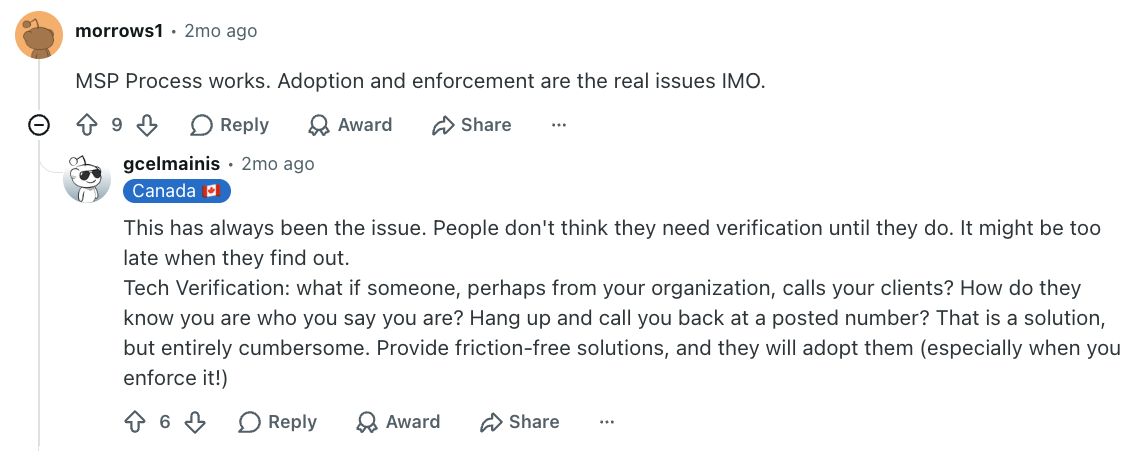
One Reddit user said that clients didn’t enroll in verification and technicians forgot to use it.
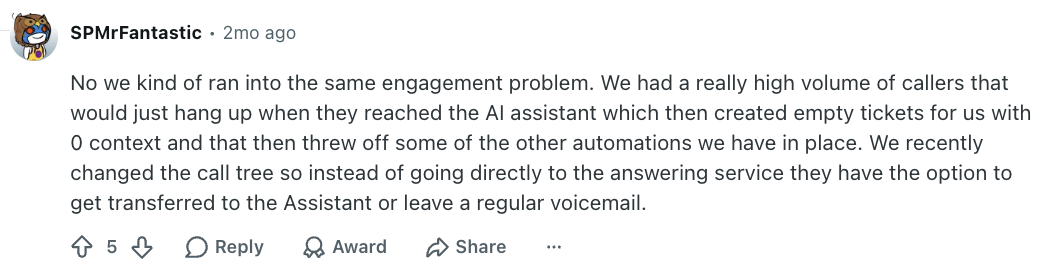
The AI VoiceAssist also has mixed feedback. One user says that many of their callers hung up when they reached the AI assistant, which created empty tickets with no context.
Robin by Atera solves this by working in the channels employees already use, such as Teams, Slack, and email.
This was one G2 user’s experience with Robin:

CCI, a global property management firm with 400 employees, rolled out Robin company-wide after a 30-day pilot:
“At around 500 tickets a month, Atera’s Robin is saving our IT team ~200 hours a month. It touches almost every support interaction we have. It’s not just resolving issues, it’s reshaping how employees perceive IT support at CCI.“”
Summary: Atera vs. MSP Process for your organization?
MSP Process can fit if you already have a PSA that you don’t want to switch from, and you want an AI layer on top. The downside is that this adds an extra subscription and a platform to manage.
This is exactly what Atera solves. Instead of being just an AI layer, Atera was built as an RMM and PSA platform and later added AI agents on top of that foundation. Its AI technician, Robin, launched as IT Autopilot in May 2025. Because it runs on Atera’s own RMM, it’s capable of resolving incidents directly on devices, servers, and networks, not only at the ticket level.
The result is one subscription for IT management and autonomous IT resolution.
If you’re ready to learn more about Atera’s Robin, book a demo with our sales team. To see how much Robin could save your organization, see the Robin savings calculator.
Frequently Asked Questions
Related Articles
Robin vs. Otto vs. Flow: which AI agent fits which IT job
Robin by Atera and ServiceNow’s Otto and Flow are competing AI tools for employee support, but each resolves requests at a different layer. This article looks at how they differ and which one is best for your organization.
Read now
Robin vs. Flow: comparing two different approaches to autonomous IT support
Robin by Atera and ServiceNow Flow both capture employee requests inside tools like Slack and email, but differ in how they solve them. This Robin vs. Flow comparison explains the differences and helps you choose the right one.
Read now
Atera vs. Thread: A full comparison for 2026
Atera vs. Thread: a full comparison for organizations looking for an AI agent for IT support. See how they compare in pricing, features, interfaces, and user feedback.
Read now
Atera vs. Automox: A full comparison for IT decision-makers in 2026
Compare Atera vs. Automox across all key categories: Agentic AI, features, pricing, user interface, customer support, and user feedback. Choose the best one for your organization.
Read nowEndless IT possibilities
Boost your productivity with Atera’s intuitive, centralized all-in-one platform