
Table of contents
Table of contents
- Atera vs. Naverisk: An overview
- Atera vs. Naverisk for your organization?
Generate summary with AI

Looking for an RMM or PSA solution for your IT team? You’ve probably already done some digging in today’s crowded market, and we know how challenging that can be! Choosing the right RMM (remote monitoring and management) software for your organization can be a very overwhelming process.
On the surface, it might seem like each of the major players has the same features. But these RMM solutions aren’t all created equal.
As you vet your options, you may have come across Atera and Naverisk, two platforms that boast high user reviews. So let’s get to it: the comparison of Naverisk vs. Atera. We’ll give you the insights you need to know to choose the best option for your needs.
Atera vs. Naverisk: An overview
For a quick comparison of Atera and Naverisk, we’ve created the following overview table:
| Atera’s Features | Naverisk Features | ||
| – Autonomous IT tool with built-in RMM, remote access, network discovery, and documentation – Patch management for Windows, macOS, and Linux devices – Asset management to track the lifecycle of IT assets – Agentic AI (Includes Robin by Atera, AI Copilot, AI-powered troubleshooting, scripting, ticketing, and more) – PSA for MSPs to track contracts, billing, SLAs, and more | – RMM (Monitoring and alerting) – Service desk (Ticket management & collaboration) – PSA (Documentation, project management, & contracts) – IT automation – Data protection – AI (ticket summaries, email sentiment analysis, and replies) | ||
| Customer support | Customer support | ||
| – 24/7 email and live chat support for all customers – An extensive knowledge base, IT community, and tutorials | – 24/7 phone support – Help center & blog for self-assistance | ||
| Integrations | Integrations | ||
| – 25+ integrations with security, backup, MDM, remote access, & billing software – Integrations with 50+ ITSM, identity provider, CRM, office suite, and more for Robin – Access to 5,000+ more apps through Zapier integration | – 20 integrations with security, remote control, backup, finance, & PSA software | ||
| Pricing | Pricing | ||
| – Pay-per-technician pricing, starting from $129/month – 30-day free trial available | – Based on a custom quotation; starts from $110/month – Free trial upon request |
Let’s now move to the in-depth part of our Atera vs. Naverisk comparison:
#1: Features and capabilities
Atera and Naverisk may seem similar, starting with PSA services and RMM solutions. But dig a little deeper, and you’ll see these tools are quite different.
Of the two, Atera’s distinct advantage is its Agentic AI focus (which we’ll talk more about in the next section).
Another advantage of Atera is its expansive scripting capabilities. We know that managing mundane and repetitive tasks efficiently is important, which is why we have a large script library and an AI script generator that enable you to create a script from a simple prompt.
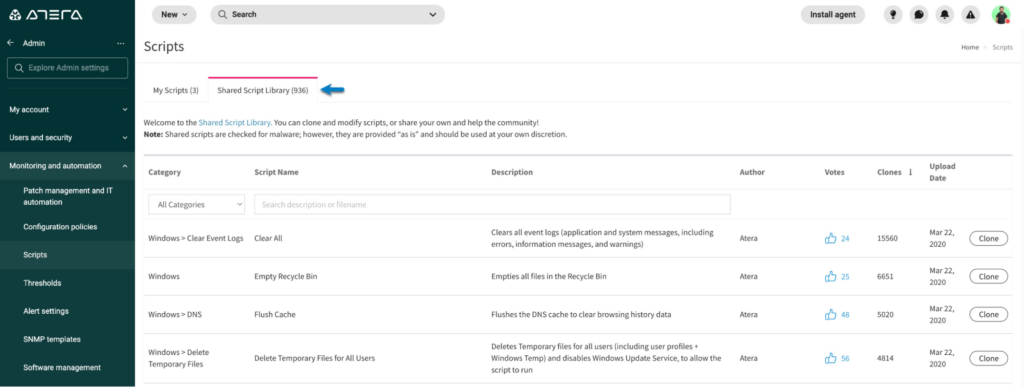
Atera’s scripting tool
With Atera, you can get everything you need in one place. We offer top-tier Network Discovery tools so you always have the full picture of your digital and physical IT assets.
Additionally, our product comes equipped with PSA tools, helpdesk, ticketing, and countless integrations. We are proud of our intelligent ticketing and helpdesk software, which is powered by AI Copilot. Copilot helps get clear, concise summaries for every ticket, so your team can jump straight into resolution. After this, it even helps to resolve the issue.
In comparison, Naverisk’s key offerings are its service desk, RMM, and data protection products. User reviews have shown that Naverisk lacks full-service features like Agentic AI. As such, Naverisk has been shown to be enough for small MSPs with limited requirements and customization needs, but not for larger IT teams or MSPs.
#2: Agentic AI development
Agentic AI is an area where we’ll start seeing clear differences between Atera and Naverisk.
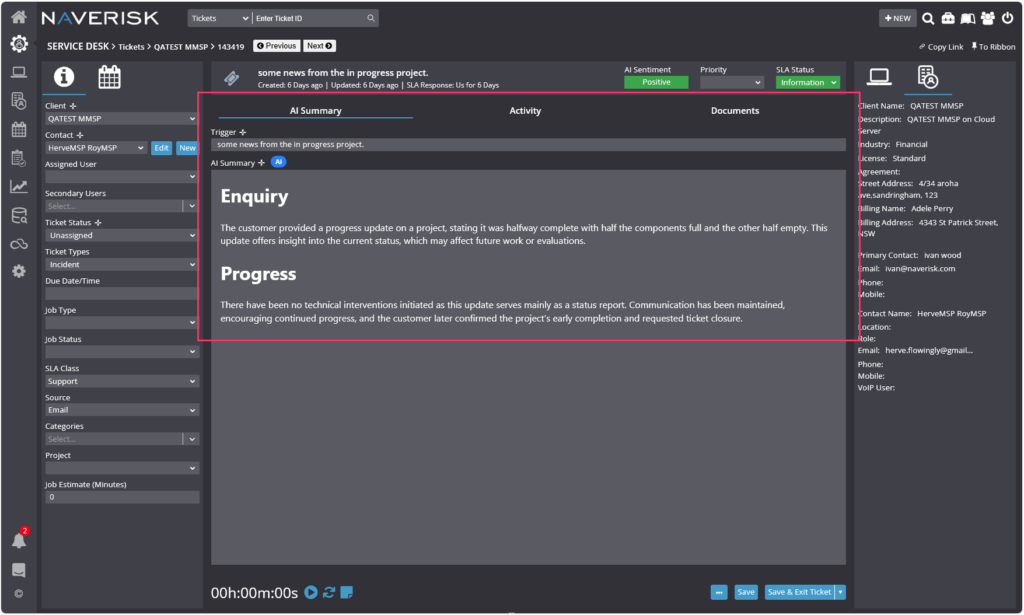
Naverisk has three AI capabilities available: automated ticket summaries, email sentiment analysis, and an email AI assistant, which helps to draft ticket responses from existing ticket history. While these are extremely useful, the use cases are arguably narrow, and the AI isn’t capable of autonomous actions.
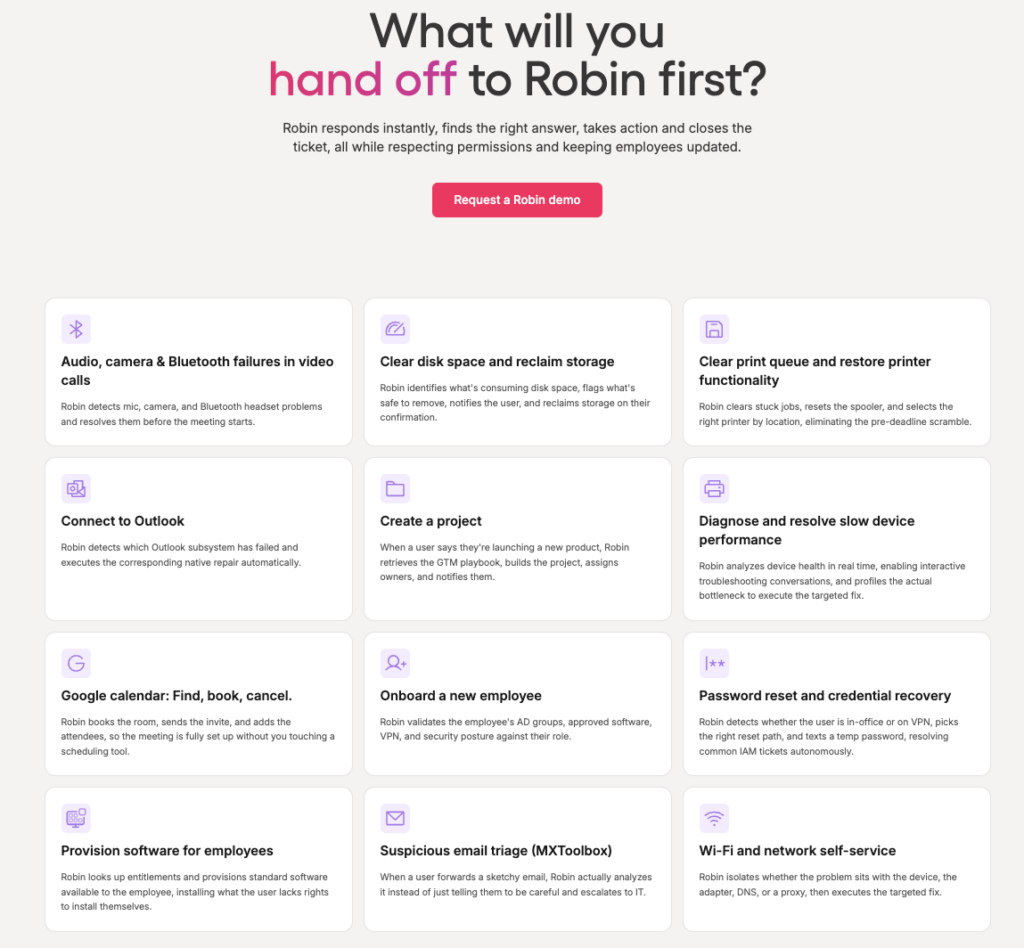
In comparison, Robin by Atera is an autonomous IT agent that acts directly on devices, servers, mainframes, and networks
While Naverisk’s AI summarizes tickets, Robin resolves them end-to-end. It does this by following a four-step process:
- Robin diagnoses the issue: Robin receives the request through Teams, Slack, email, the Atera Customer Portal, or a third-party ITSM tool. It verifies the user against identity providers like Okta, Azure AD, or Google, then asks follow-up questions to gather the context it needs.
- It remediates the issue: Robin takes the approved action directly on the device, network, or in the cloud, such as resetting a password, provisioning approved software, or resetting a network adapter. It routes for approval only when a step requires it.
- It verifies the issue is resolved: Robin confirms the fix worked before closing anything. If it didn’t, Robin escalates to a technician with full context.
- It closes the loop: Robin updates the ticket in your ITSM with the outcome and next steps. Every request, action, approval, and outcome is logged for governance and compliance.
Robin promises a resolution rate of up to 92% for Tier-1 and complex Tier-2 technical incidents, with an average resolution time of 120 seconds and a first response in 0.1 seconds (Atera published figures).
The best part is, Robin doesn’t just pull answers from Google or your knowledge base; it learns from your actual setup (your enabled scripts, the way you solve problems, and your KBs).
To see the tasks it can actually resolve, see Robin’s use cases page.
If an issue is too complex for Robin, it escalates it to a human technician with full context of the problem. This is where Atera’s AI Copilot comes in handy for technicians.
Copilot is your go-to IT companion for running health checks, generating scripts, summarizing tickets, and more.
It’s similar to Naverisk’s AI, but goes further than ticket summaries:
- Answer real-time IT queries, from quick device status checks to detailed troubleshooting guidance
- Instantly pull up devices, alerts, or specific system details without manual searching
- Perform health diagnostics across both Windows and macOS endpoints
- Detect and address performance bottlenecks, outdated software, and potential security risks
- Generate custom scripts, remote session summaries, command lines, and more
What’s cool, Copilot learns about your IT environment in real-time, and you can give it account-specific questions/tasks, such as “Which devices are running outdated software?” or “Run a full system diagnostic on all laptops.”
Our customers, such as Leeds United and Mendocino College, already use our AI agents, which have resulted in a 35% ticket reduction and automated script generation.
Andrew Marburg from Mendocino College commented:
- “What I really like about Atera is they have robust AI scripting capabilities that are really easy to use. And if you’re working on a ticket and you’re not really sure what to do to solve the problem, the technician can literally ask the AI Copilot, and it will give them recommendations.”
#3: User interface and usability
Based on G2’s ease of use scores, this is how actual users have rated Atera vs. Naverisk across key categories:
| G2’s Ease of Use Category | 1. Atera | 2. Naverisk |
| 1. Ease of Use | 9.2 stars (1,100+ reviews) | 9.1 stars (50+ reviews) |
| 2. Ease of Setup | 9.2 stars (970+ reviews) | 9.0 stars (40+ reviews) |
| 3. Ease of Admin | 9.0 stars (620+ reviews) | 9.3 stars (40 reviews) |
Atera has an edge in ease of use and setup, while Naverisk has higher ratings on ease of admin. However, Naverisk is based on a much smaller database of 40-50 reviews, while Atera’s ratings are based on 600-1,200 reviews.
Atera offers fully integrated dashboards, where you can get a quick overview of essential information and do a deep dive into any of our features at the click of a button.
You can see Atera’s comprehensive dashboard below:

Our users have also applauded the Atera platform for its quick learning curve. In other words, when you decide to start using Atera, it won’t be a drawn-out process. You can get up and running in as little as just a few minutes!
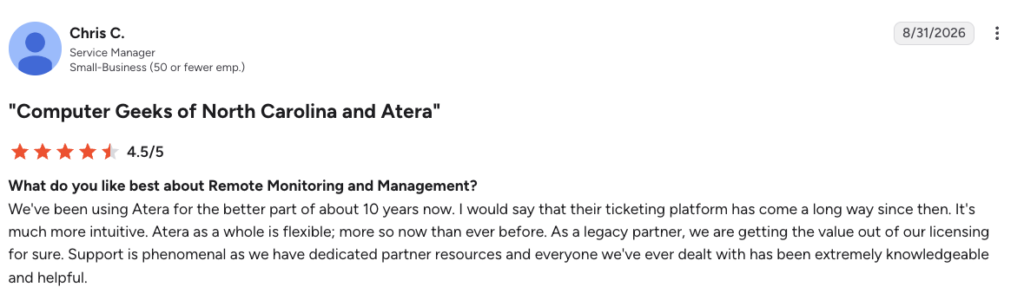
One long-time Atera user, Chris C., shared his experience with how Atera has developed and said:
- “We’ve been using Atera for the better part of about 10 years now. I would say that their ticketing platform has come a long way since then. It’s much more intuitive. Atera as a whole is flexible; more so now than ever before.”
According to user reviews on G2, Naverisk software is also easy to use and quick to learn. However, this might be attributed to Naverisk’s more limited selection of features.
For comparison, here is a look into Naverisk’s admin dashboard:
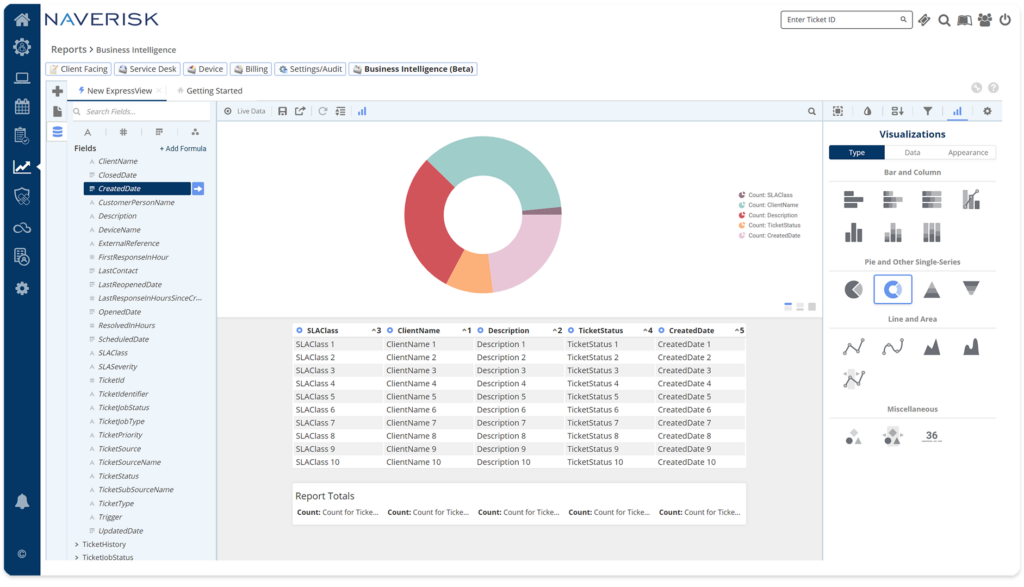
While most users agree that Naverisk is easy to use, some G2 users say the ticketing and PSA features are clunky and limited in functionality.
Atera’s intuitive dashboards give you all of the functionality you need without compromising on usability.
#4: Performance and reliability
Every IT professional understands the importance of performance and reliability. That’s why our team at Atera is constantly working to minimize downtime and ensure you get the most out of our product, with reliability and consistency at the front of our minds.
While our goal is for you never to run into problems using Atera, we’re here to help if you need it. Our live, 24/7 support is available for all users. You can also see our commitment to expanding our support offerings through our collection of digital resources (like our blog, knowledge base, and thriving online community). We’re always here for you.
As for Naverisk, 24/7 phone support is available. Naverisk technically has live chat support, but according to Reddit users, it is mislabeled and goes to sales instead.
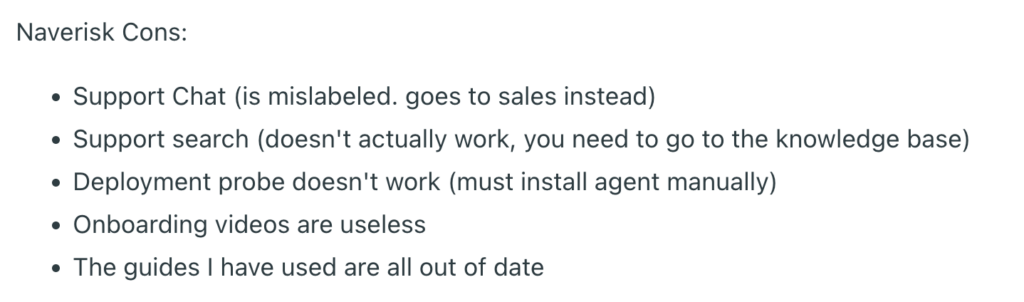
Naverisk review via Reddit
The above review also mentions that Naverisk’s onboarding videos and knowledge base articles are useless/out of date. Looking into Naverisk’s knowledge base, we can see why. Naverisk has only around 100 articles for customers to learn about the platform:
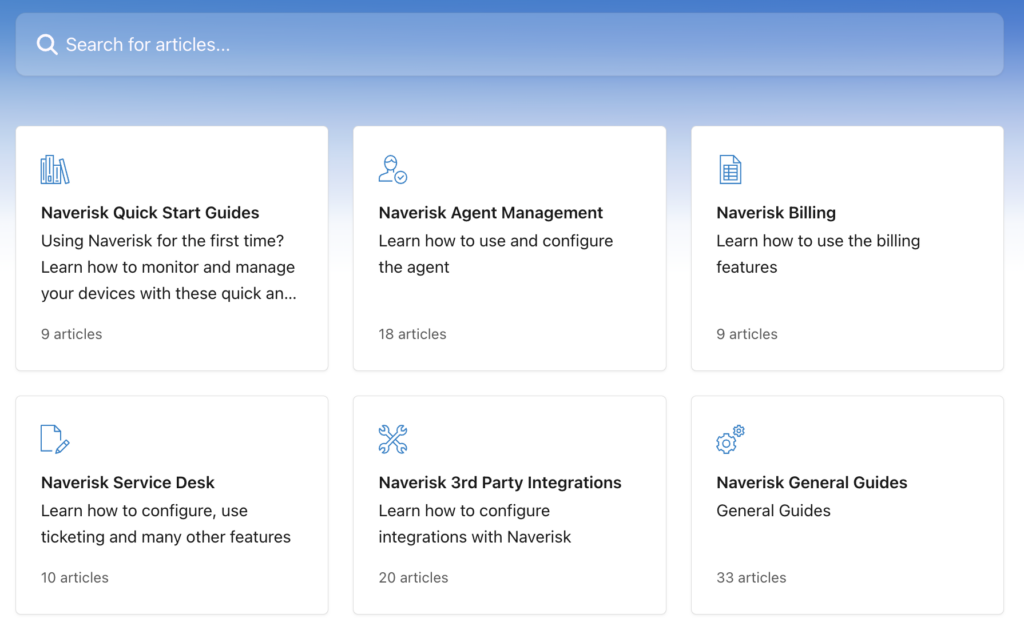
While this may seem like a lot at first, Atera, in comparison, offers more knowledge base articles in just one of its categories: RMM. Atera’s RMM category contains more than 200+ articles that can help users get the most from the software.
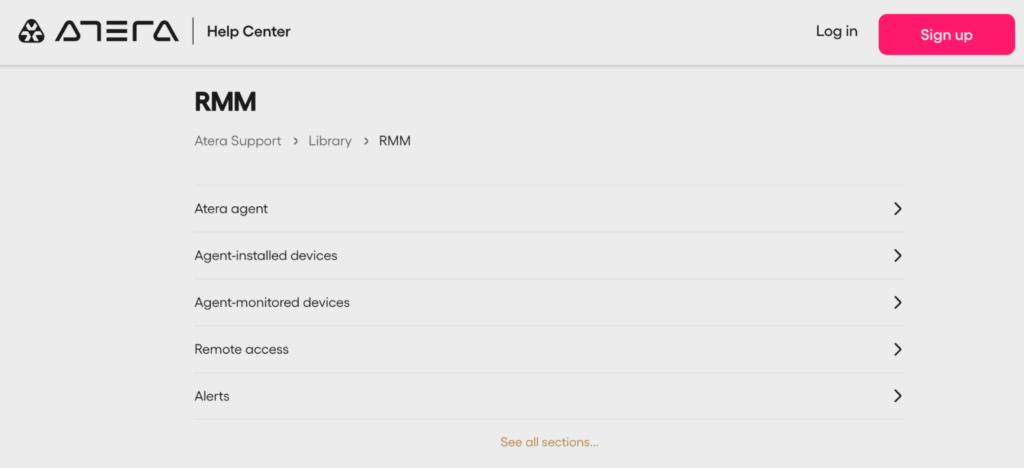
Effective support is essential, you never want to find yourself in desperate need of help, with no one to help you!
In addition to support within our platform, Atera is committed to helping you ensure performance and reliability for your end users, too. We have tools set up, like autonomous patch management, that help ensure your users don’t suffer from too much downtime.
Plus, we’ve invested in best-in-class security protections to reduce the risk of bugs or malevolent actors making their way into your system. With Atera, you will experience the market’s greatest commitment to performance and reliability – from our system to all of yours.
#5: Pricing and value for money
While Atera and Naverisk may seem like they’re in a similar price range, when it comes time to pay the bill, you’ll see that their pricing models are actually very different.
At Atera, pricing transparency is important to us – because we’ve been on the wrong end of annoying hidden costs, too. When you have a comprehensive understanding of the costs associated with your IT products, you can more easily predict costs and budget effectively – whether you are an MSP or part of an in-house IT team.
So what will Atera cost you? Our pricing plans for managed service providers start at $129 per month per technician, and IT department plans start at $149 per month per technician. And with Atera, you don’t have to worry about constant upcharges – our plans include integrations like Splashtop and Azure AD at no additional cost to you.
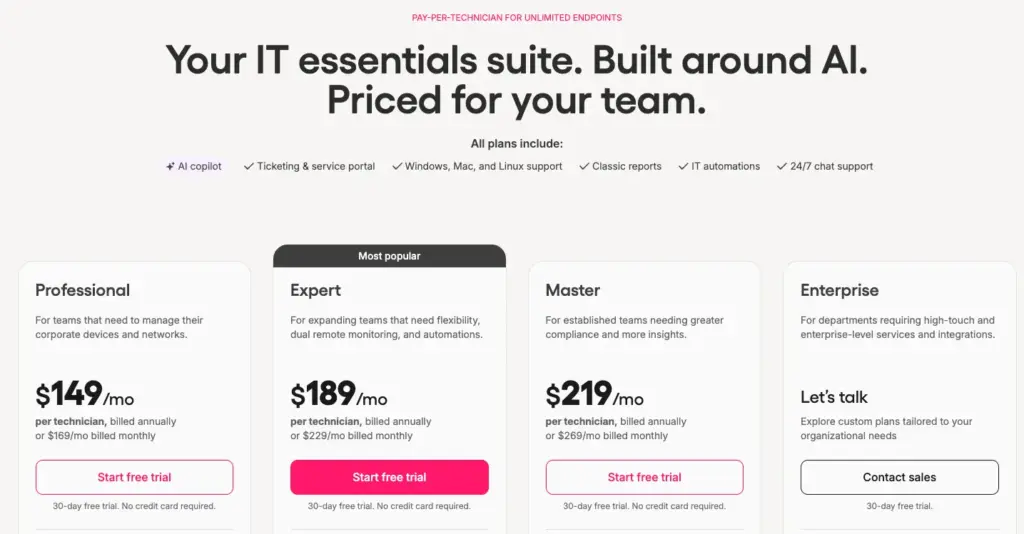
At Naverisk, the pricing plans are less transparent. Plans “start at $110 per month”, but to get any further information, you will need to submit your contact information to get a quote.
Any savvy price-shopper knows what that means… to get full functionality, you’ll likely be paying much more than $110 when you include all of the features/integrations that your business needs.
While Naverisk’s pricing model might appear to be less expensive than Atera’s, add-ons for important features like advanced data protection and security integrations will raise your costs. And even when you do invest in the complete Naverisk suite, you still will not be able to enjoy some of the key features that our clients love about Atera, like AI agents and advanced reporting.
Not only are Atera’s pricing plans transparent, but the available AI agents improve your IT department’s efficiency, resulting in substantial cost savings. In addition, with Robin handling up to 92% of technical incidents, you can scale your IT operations without adding more staff.
#6: Customer support and community
Customer support and a sense of community are important to the success of any IT software. At Atera, our customers come first – and you will experience that firsthand when you choose our product.
In addition to our in-house 24/7 support team, we have a thriving community of users who support each other around the clock. Our IT community, nicknamed the “Ateraverse,” has gained enthusiastic praise from users who embrace it to chat, laugh, and troubleshoot together.
If you have feature suggestions as an Atera user, you can leave them in our Features Board. From the Features Board, you can also vote on other users’ feature ideas.
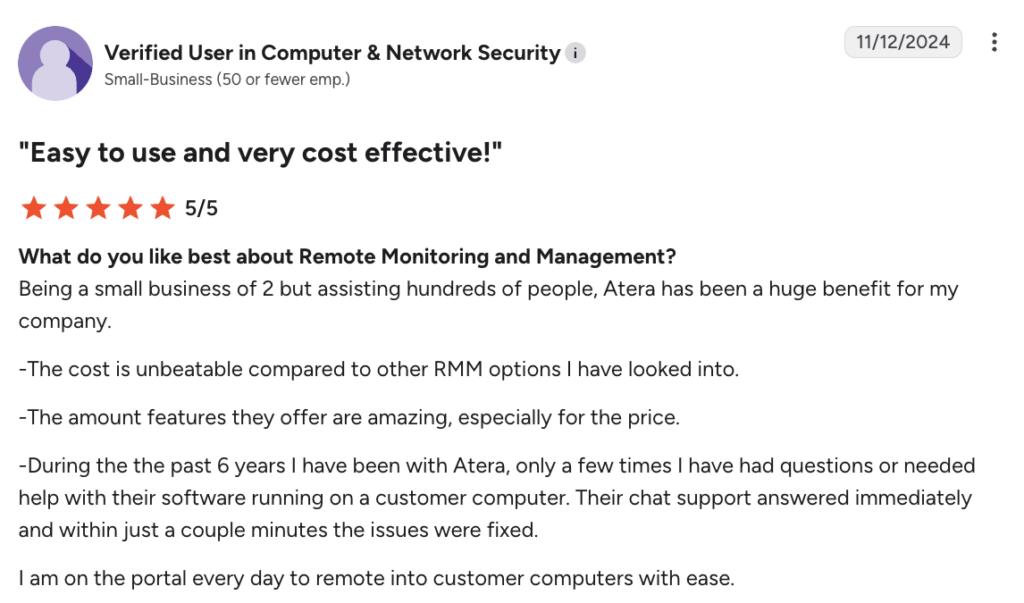
Want asynchronous help? Our site is fully stocked with countless blog posts, recorded webinars, and other resources for you to peruse at your leisure. And if you want to speak to a live support technician, we are available around the clock and offer streamlined, effective support in several languages. Our customers, like the G2 user below, are raving about it:
- “During the past 6 years I have been with Atera, only a few times I have had questions or needed help with their software running on a customer computer. Their chat support answered immediately, and within just a couple of minutes the issues were fixed.”
So, how does Naverisk’s support measure up with Atera?
While most users agree that the software is easy to use, the level of support provided by Naverisk is a bit lacking. We applaud Naverisk for its 24/7 phone support, but the self-help options, such as the knowledge base, leave a lot to be desired.
Looking into Naverisk’s knowledge base articles, we can see many of them were updated, for instance, seven years ago:
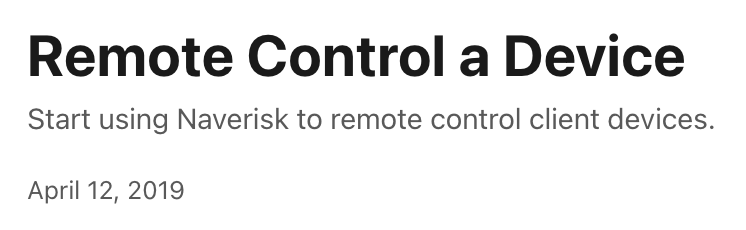
At Atera, we constantly update our knowledge base articles, so when you encounter an issue, you’ll always find relevant and accurate information.
#7: Security and compliance
Security and compliance are essential features of any IT product – and at Naverisk, the company does offer data protection as one of its products. However, this feature is an add-on and comes at an additional cost rather than being natively part of the base software.
At Atera, security is the number one priority – and that’s why when you choose our product, you’ll have access to our best cybersecurity solutions included from the get-go. We think that security should be at the base of everything that we do, and that’s why it is an integral part of our products and features.
We also take AI security for our AI agents seriously and align with global standards, such as Microsoft’s Responsible AI Principles, the NIST AI Risk Management Framework, and the ISO/IEC 42001 AI Management System.
By hosting on Microsoft Azure OpenAI, Atera guarantees enterprise-grade security and ensures your information is never used to train external or internal models.
With smart logging and reporting capabilities as well as strict adherence to all industry security standards, we are able to provide unmatched peace of mind. Our customers sleep soundly, knowing that their organizations do not have to worry about threats from malevolent actors.
#8: User feedback and reviews
Across countless different platforms, the reviews of Atera are consistent. Our customers see Atera as a reliable provider of IT solutions for both MSPs and IT departments. Plus, our transparent pricing makes growth and scaling simple, so our solutions are accessible for both enterprise and start-up customers.
In total, Atera has received 1,200+ reviews across G2 and Capterra, with an average rating of 4.6 out of 5.0 stars. In comparison, Naverisk has 100+ reviews with an average rating of 4.7 out of 5.0 stars.
Many Atera users love the available AI agents, which can transform how you manage your IT operations.
One Dieter S. commented on our AI agents and said:
- “AI is built-in on the entire ecosystem and responds based on knowledge base articles that we created ourselves (either internal only or externally visible for the customer).”
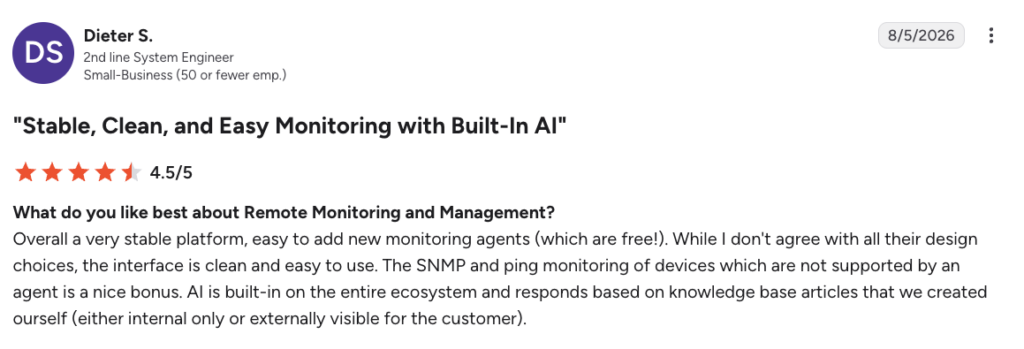
Another user, Emil C. on G2, left a longer review:
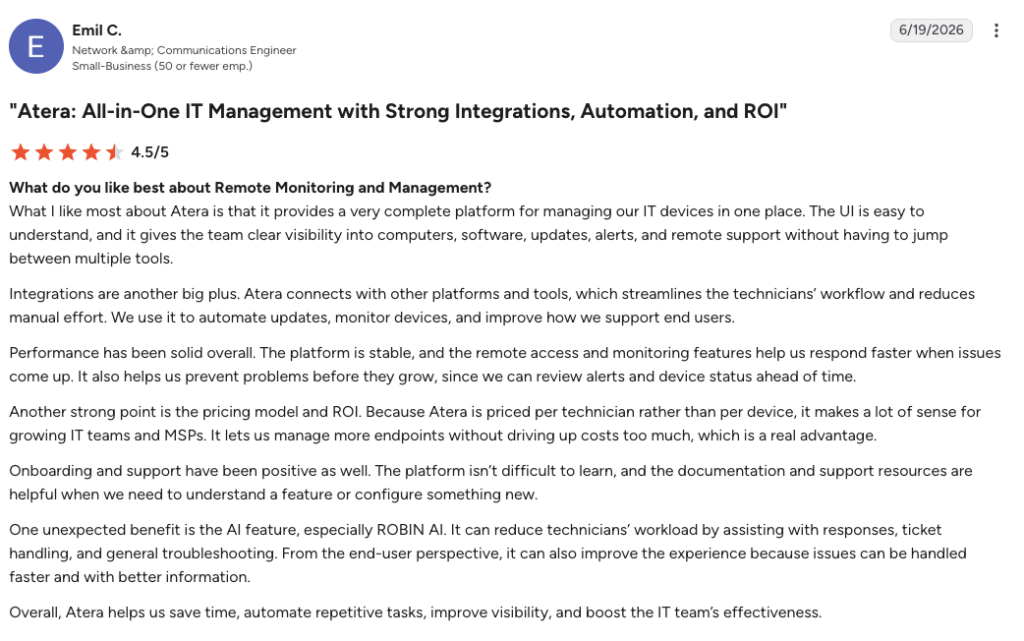
For some users, Naverisk also offers a solid product – and its customer reviews from places like TrustRadius, G2, and Capterra reflect that. Many reviewers feel that Naverisk’s features are not fully fleshed out and that the PSA components need work. Additionally, many are fed up with Naverisk’s integrations.
Atera vs. Naverisk for your organization?
Both Naverisk and Atera are popular RMM and PSA tools. But with Atera’s fair per-technician pricing and Agentic AI technology through Robin, it’s hard to beat.
According to Forrester’s Total Economic Impact study of Robin (commissioned by Atera), a composite enterprise of 2,500 employees saw a 321% ROI over three years, with payback in under six months.
The report found that Robin resolves 60% of manual tickets on its own in year one, rising to 90% by year three. And the largest single benefit is the employee productivity recovered with faster resolution, which is worth $2.9 million.
The ROI for Robin is already there. Ready to see what that looks like for your team?
Book a demo with Atera’s sales team, or start your 30-day free trial.
Frequently Asked Questions
Related Articles
Robin vs Request Resolver (Former Rovo)
Robin and Atlassian's Request Resolver (Former Rovo) both bring Autonomous IT into ITSM, but they operate at different levels. This full comparison breaks down where each one's autonomy actually reaches.
Read now
Robin vs Kaseya Intelligence
Robin by Atera and Kaseya Intelligence both talk about autonomous IT, but structure their AI technologies differently. See where each one's autonomy actually reaches and which works for your org.
Read now
Robin by Atera vs. Ivanti Neurons: comparing two very different approaches to autonomous IT
In this article, we'll compare Robin vs. Ivanti Neurons: one AI agent that resolves IT incidents end to end, and one platform that splits autonomy across two separate AI capabilities.
Read now
Robin vs Freddy AI Agent Studio
Not all agentic ITSM starts from the same place. See how Robin's deploy-ready model compares to Freddy AI Agent Studio's no-code, build-it-yourself approach.
Read nowEndless IT possibilities
Boost your productivity with Atera’s intuitive, centralized all-in-one platform










