Table of contents
Table of contents
- Atera vs. Power Automate: A final comparison checklist
Generate summary with AI

Atera and Power Automate serve completely different purposes, but they’re compared by IT teams for two things: workflow automation and AI.
Atera offers built-in IT automation, an AI Copilot, as well as Robin for enterprises wanting to use Agentic AI technology. In contrast, Power Automate offers low-code workflow automation across Microsoft’s ecosystem, with Copilot available as an add-on.
For a full comparison of Atera vs. Power Automate, keep on reading.
Atera vs Power Automate: An overview
Want a quick overview of Atera vs. Power Automate? See our table below:
Atera Features | Power Automate Features |
IT management platform with built-in RMM, ticketing & helpdesk, patch management, and PSA AI Copilot for device troubleshooting, scripting, and ticketing (included on all plans at no extra cost) Robin by Atera (available as a separate product) for resolving up to 92% of tier-1 and tier-2 technical issues autonomously Ticketing system for summarizing and resolving issues instantly Scripting engine powered by AI Copilot Asset management to track the lifecycle of IT assets PSA for MSPs to track contracts, billing, SLAs, and more | Cloud-based workflow automation platform built around Microsoft 365 apps Copilot add-on for building workflows from natural-language prompts Premium connectors for third-party apps like Salesforce, SAP, and Oracle Attended and unattended RPA (desktop flows) for automating repetitive tasks AI Builder for document processing and data extraction Process Mining add-on for analyzing business processes before automating them Dataverse database storage for structured data |
Customer support | Customer support |
24/7 email and live chat support for all customers Extensive knowledge base, IT community, and tutorials | Standard support included with paid plans Premier support available as an add-on Microsoft 365 community and documentation available |
Integrations | Integrations |
Integrations with 25+ cybersecurity, automation, backup, remote access, and network monitoring software Integrations with 50+ more third-party tools for Robin Access to 7,000+ apps through Zapier | Native integrations across Microsoft 365 (Outlook, Teams, SharePoint, Excel) Premium connectors for third-party platforms (Salesforce, SAP, Oracle, and more) |
Pricing | Pricing |
Transparent pay-per-technician pricing, starting from $129/technician/month 30-day free trial available | Premium plan starting at $15/user/month (on top of your existing Microsoft 365 plan) 30-day free trial available |
According to G2’s comparison, this is how real users have rated their experience on both Atera and Power Automate:
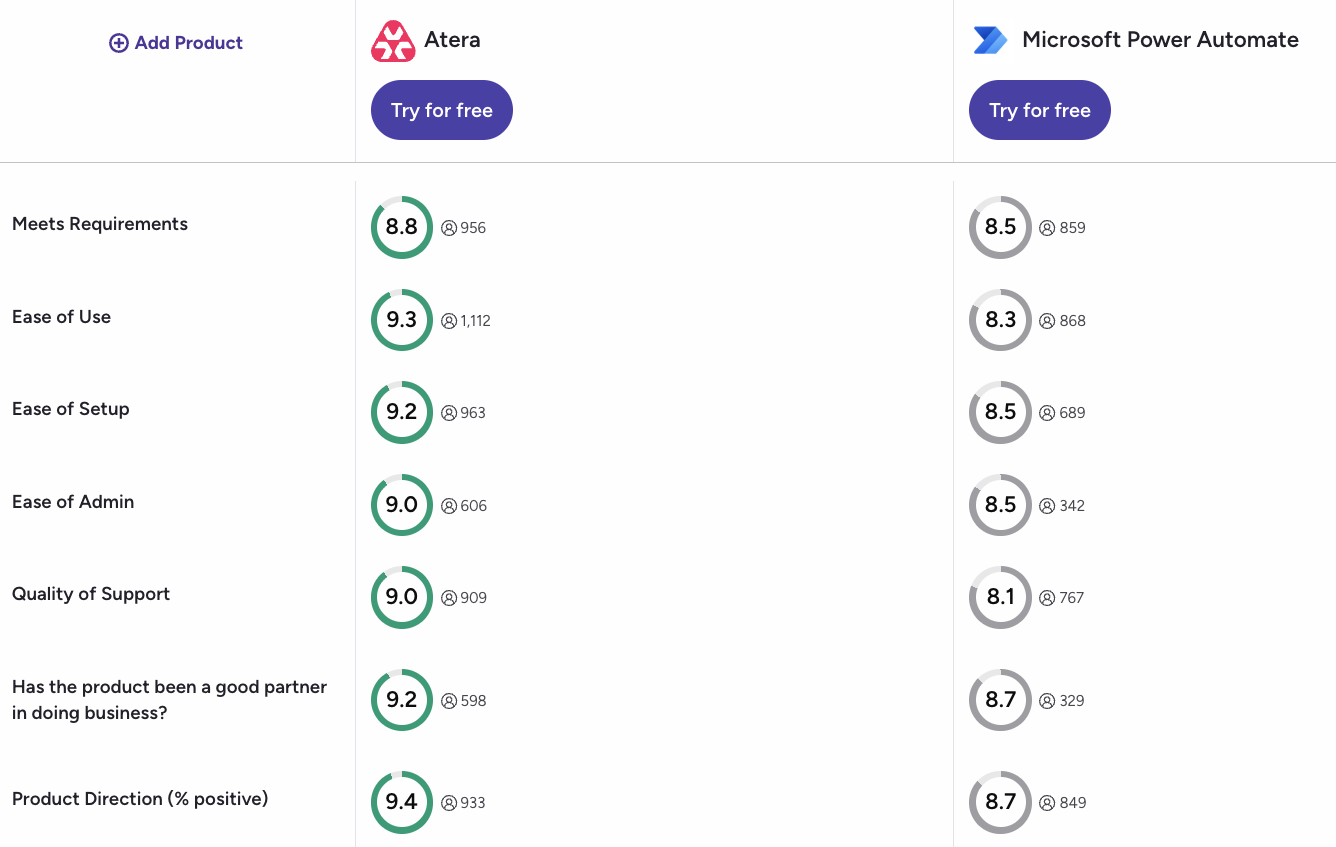
Atera has a noticeable edge on most key G2 categories. You can access the full comparison here.
#1: Features and capabilities
Let’s start with the features and use cases of the two platforms.
Atera is an IT management platform used by IT departments at companies of all sizes, from SMBs to enterprises, as well as MSPs.
While Power Automate sits on top of a Microsoft subscription, Atera is a standalone solution.
Atera’s core IT essentials product gets you access to:
- RMM: With Atera’s RMM, you get full visibility into your organization’s device health and performance, letting you catch issues before they escalate.
- AI Copilot: Atera’s AI Copilot assists technicians inside the platform, boosting speed and reducing manual work.
- Ticketing and helpdesk: Atera’s ticketing system helps to track, organize, and manage tickets from creation to resolution.
- Asset management: Get accurate inventory information on hardware and software assets and automatically discover new devices with Atera’s Network Discovery add-on.
- Remote access: Remotely access computers, desktops, servers, applications, and files through Atera’s remote access tool.
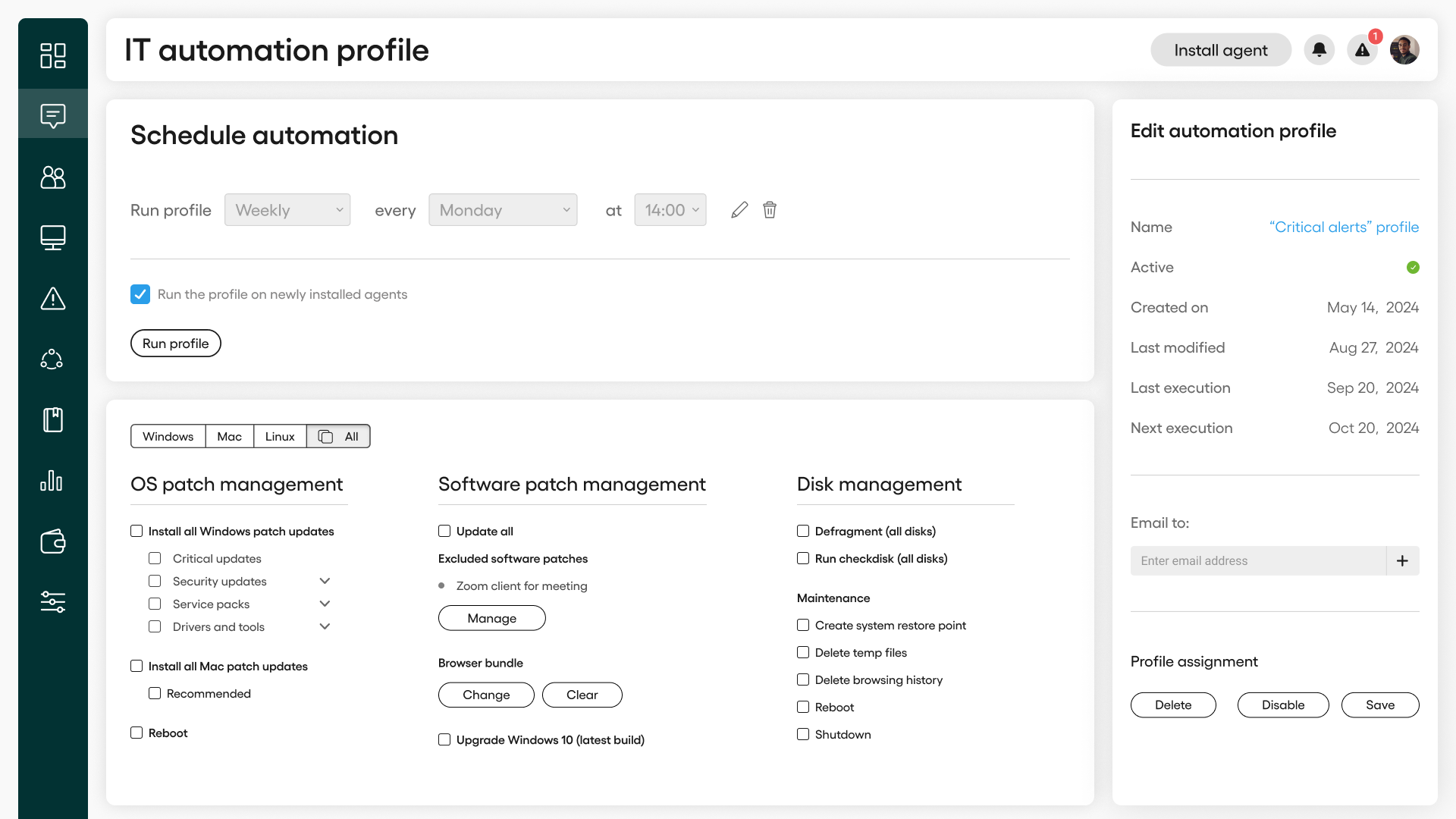
- Patch management: Automatically schedule, deploy, and manage software updates and security patches for Windows, macOS, and Linux devices.
- IT automation: Create powerful automation rules for company servers, devices, and workstations.
Robin by Atera sits on top of this as a separate product for enterprises, which we’ll discuss more in the next section.
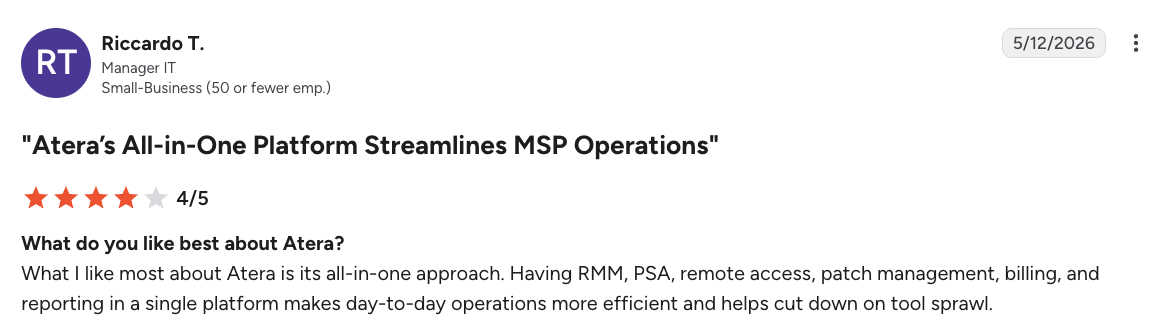
With Atera offering all key IT functions under one platform, users like Riccardo T. mention being able to cut down on tool sprawl.
In comparison, Power Automate’s goal is to be the platform for workflow automation within the Microsoft environment.
Think of tasks like sending email alerts for important messages, syncing files, or automating approvals in Dynamics 365: Power Automate helps to automate these.
Power Automate covers three types of automation:
- Cloud flows, triggered by an event, schedule, or manually. Most users stick here, connecting Microsoft apps to each other or to external tools via prebuilt connectors.
- Business process flows: a guided, step-by-step process for multi-stage work, like sales pipelines or onboarding.
- RPA (robotic process automation) for UI-based tasks on Windows, including legacy apps without modern APIs. If you’ve ever clicked through the same screens over and over, this is what automates that away.
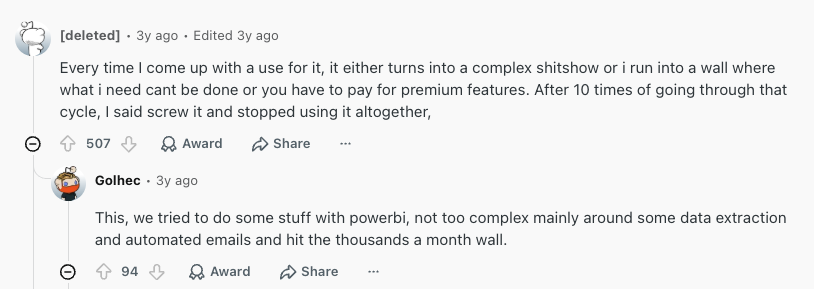
While Power Automate’s capabilities sound great on paper, many users say you’ll quickly hit a wall, or you have to pay extra for premium features.
For example, here’s what users discussed on one Reddit thread:
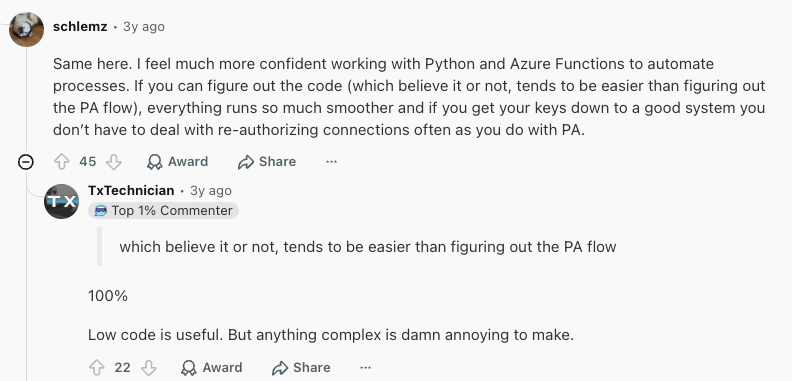
Many users on the thread say it’s often easier to figure out the Python or Azure Functions code than to set up a workflow with Power Automate:
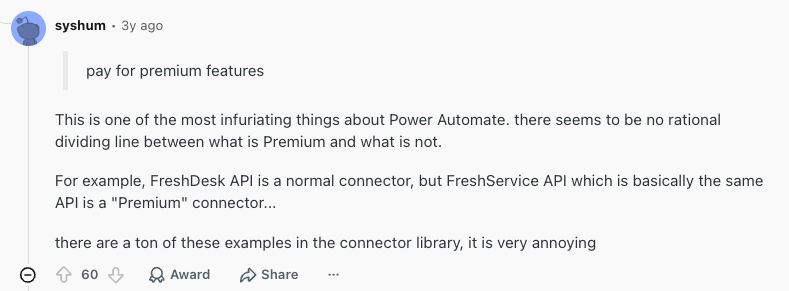
Plus, as mentioned in this comment, it can be hard to figure out which Power Automate integrations are premium and which are standard.
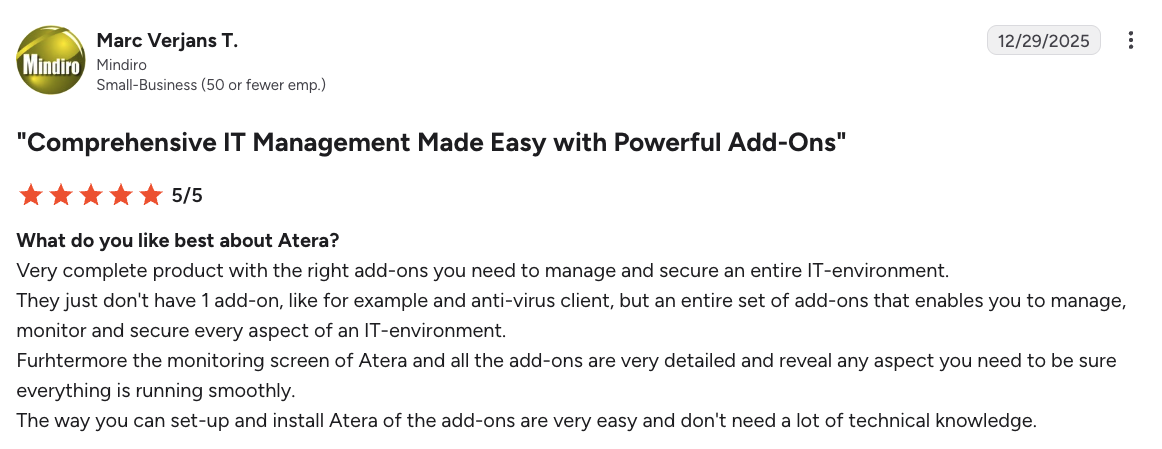
On Atera, all the integrations for the platform are clearly laid out and available on every plan.
Marc Verjans T. commented on Atera’s integrations and said,
“They just don’t have 1 add-on, like for example an anti-virus client, but an entire set of add-ons that enables you to manage, monitor and secure every aspect of an IT-environment.”
#2: Agentic AI development
Of Atera and Power Automate, only Atera offers Agentic AI natively.
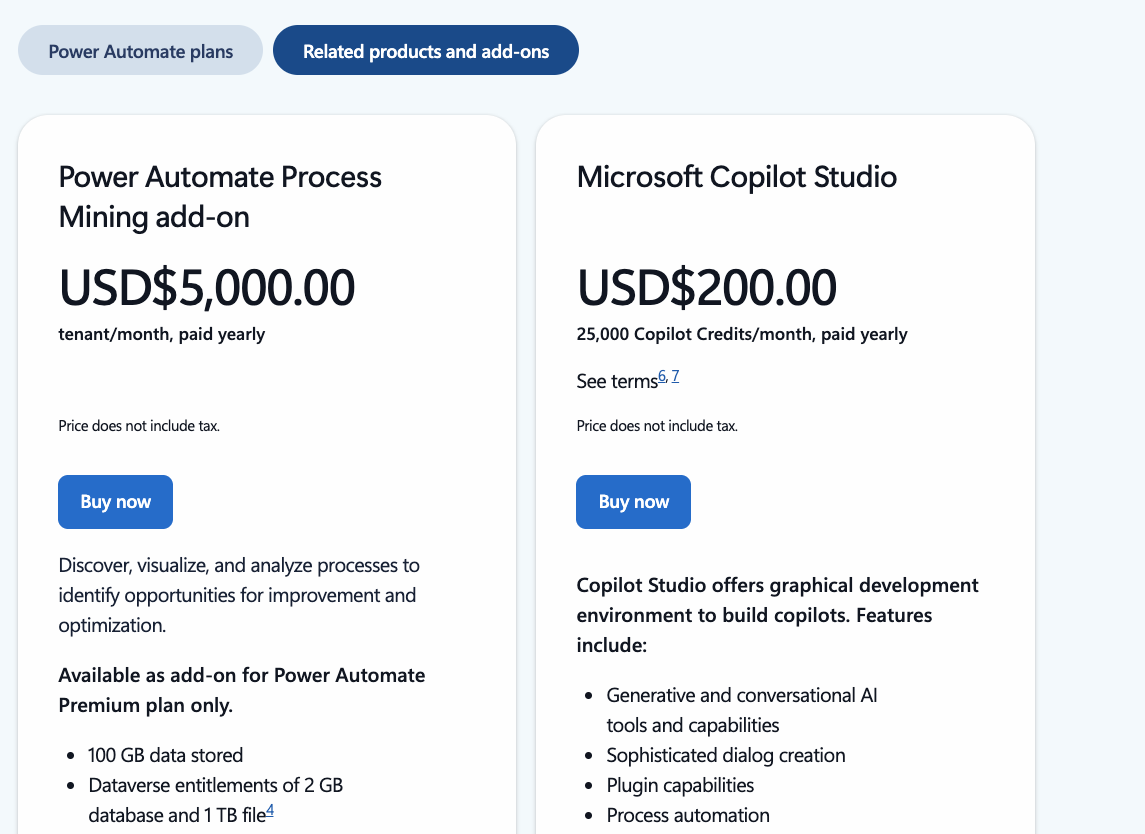
For Power Automate, AI is available through the Copilot add-on, which costs an additional $200/month for 25,000 Copilot credits.
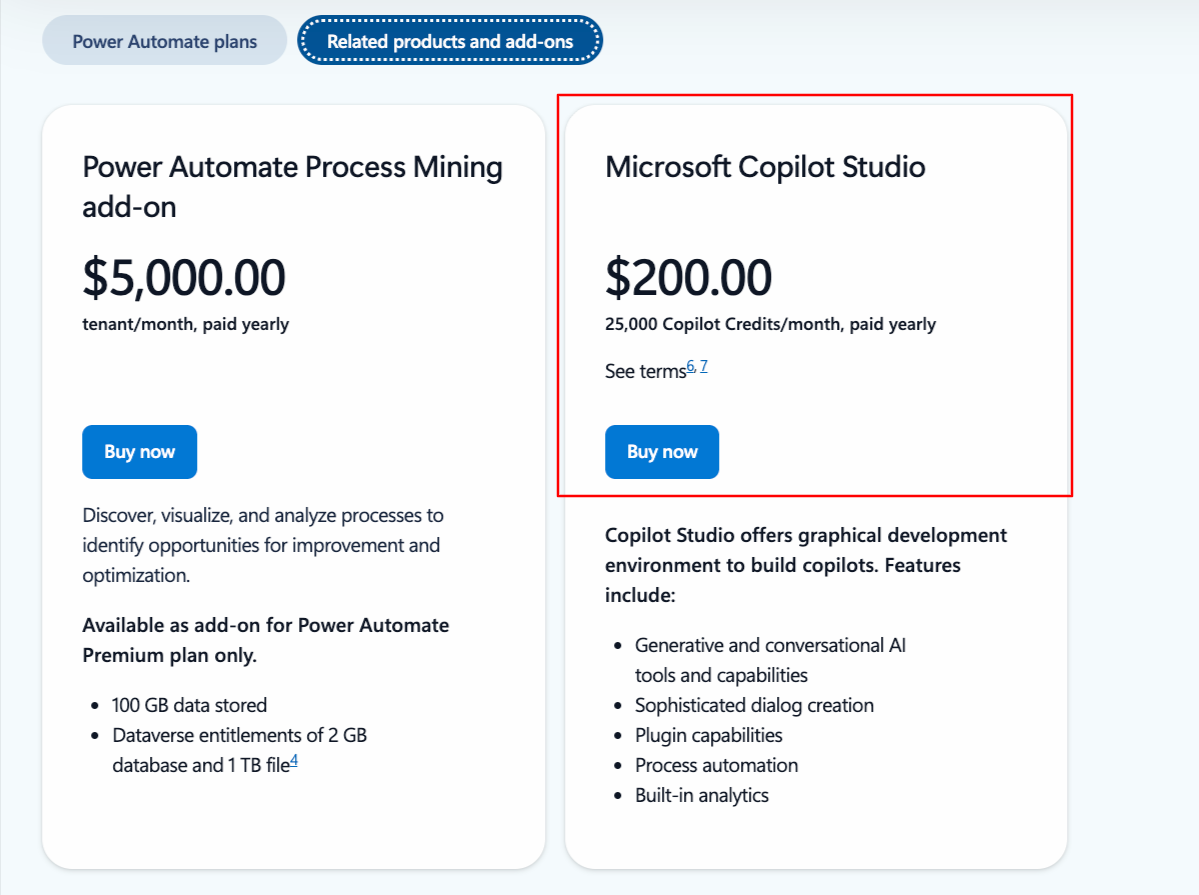
With the Microsoft Copilot add-on, you can build workflows from natural-language prompts instead of manual design.
In comparison, Atera powers its entire platform with AI, through the automated AI Copilot and Robin by Atera.
Unlike Power Automate’s Copilot, which assists with building workflows, Robin goes further by solving real-world IT issues fully autonomously. It does this in three steps.
- It takes in the support request: Robin interacts with end-users via Slack, email, Teams, or your Customer Portal and collects the full context needed for resolution, replying instantly so the user knows the request is in progress.
- It resolves the issue: Robin selects the right resolution approach based on the issue type and company policies, running actions on devices or in the cloud, including installing software, resetting devices, and fixing printer issues.
- It closes the loop: Once resolved, Robin updates the ticket with the outcome. It refines its troubleshooting capabilities over time, and automatically escalates more complex issues to a human technician.
The benefits of this are two-fold. As one Atera user, Emil C., says Robin helps to reduce technicians’ workload, while also improving end-user experience by handling issues faster.
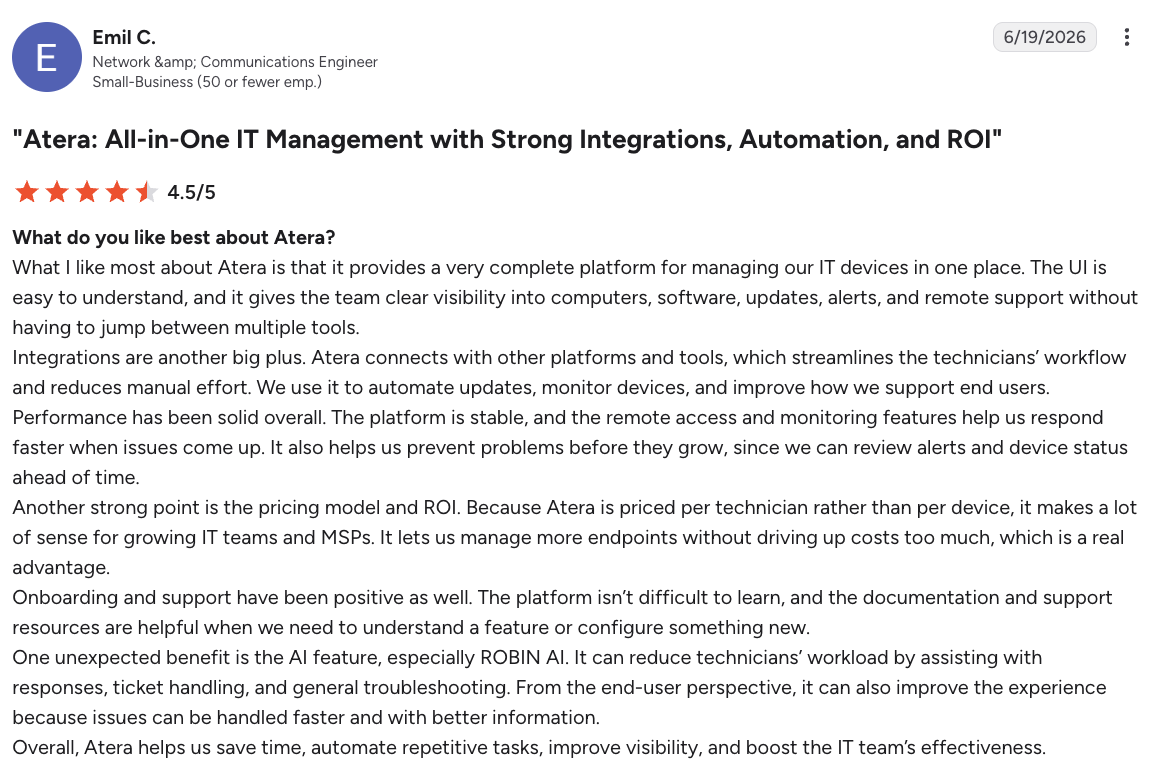
Power Automate doesn’t offer a comparable agentic resolution capability or performance guarantee.
Also, Atera was recently ranked the No. 1 Agentic AI software by G2 in its Summer 2026 report. With names such as Microsoft Copilot, ServiceNow, and Salesforce on the list, this was a huge recognition for Atera.

#3: Pricing and value for money
Atera and Power Automate offer completely different pricing structures.
Atera takes a simple approach: pay-per-technician pricing with unlimited endpoints.
This means that no matter how many endpoints you manage, you can be sure there are no sudden price hikes or skyrocketing costs.
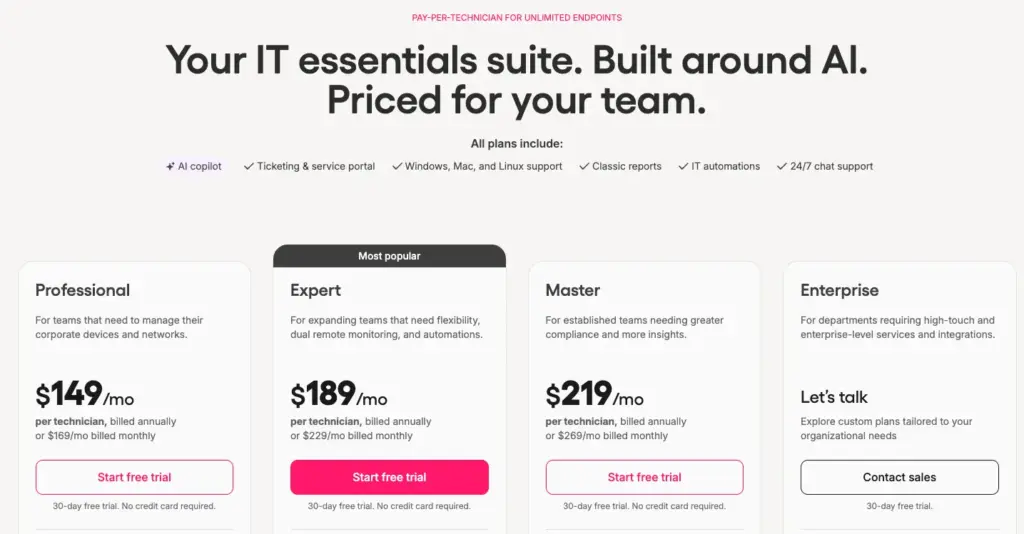
AI Copilot is available on Atera’s core plans at no extra cost, and Robin is available as a separate product add-on.
In comparison, Power Automate uses per-user pricing for the Premium plan, and per-bot pricing for the Process and Hosted Process plans.
This means you’re licensing a “digital worker” (the bot) to execute tasks.
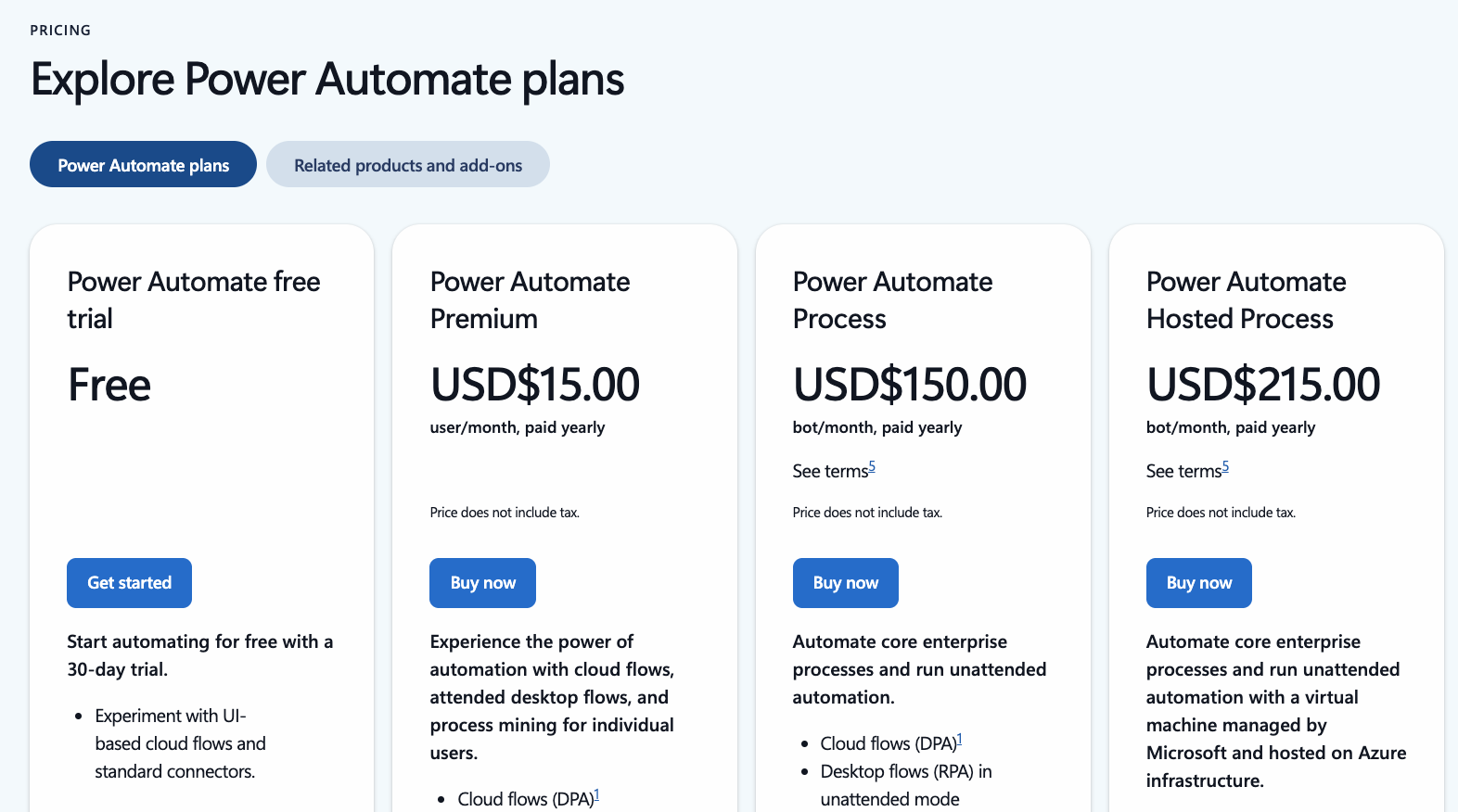
For each plan, the cost isn’t only the Power Automate subscription. It’s that plus what you’re already paying for Microsoft 365.
Power Automate also has two add-ons: Process Mining and Copilot Studio.
#4: User interface and usability
Here’s how actual users have rated the ease of use of Atera vs. Power Automate on G2:
G2’s Ease of Use Category | Atera | Microsoft Power Automate |
Ease of Use | 8.8 stars (1,100+ reviews) | 8.3 stars (850+ reviews) |
Ease of Setup | 9.2 stars (950+ reviews) | 8.5 stars (680+ reviews) |
Ease of Admin | 9.0 stars (600+ reviews) | 8.5 stars (300+ reviews) |
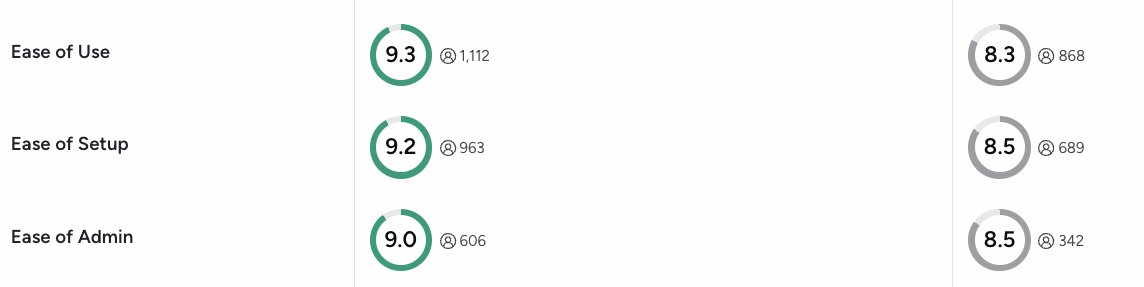
Both platforms have received strong ratings, but Atera has an edge in all of the ease of use categories.
Atera’s dashboards have a low barrier to entry and quick implementation. Yet, they’re fully customizable to your IT team’s needs.
On G2, the main pro of Atera is its ease of use, mentioned in nearly 400 reviews:

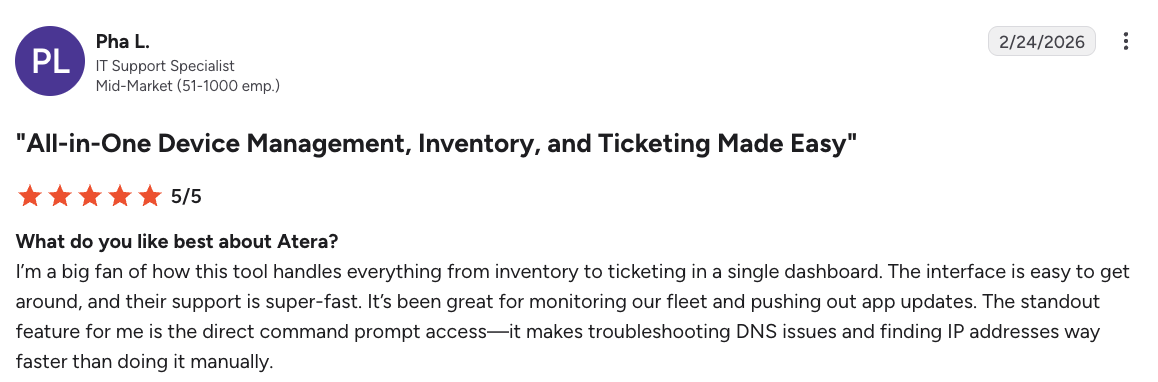
For example, one Atera user, Pha L., said, “The interface is easy to get around, and their support is super-fast. It’s been great for monitoring our fleet and pushing out app updates.”
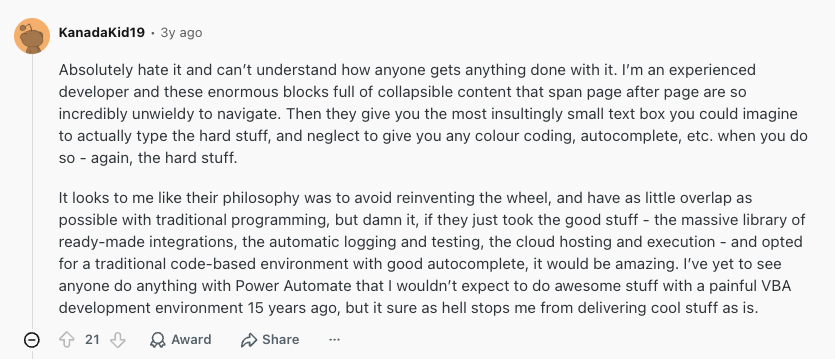
In contrast, the issue with Power Automate is that even though it’s designed to be “no-code,” even some developers mention having a hard time using it.
For example, one Reddit user said, “I’m an experienced developer, and these enormous blocks full of collapsible content that span page after page are so incredibly unwieldy to navigate.”
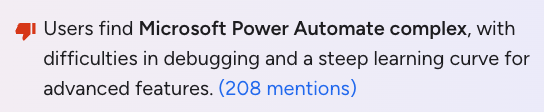
The same criticism is evident on G2 reviews. In fact, “Complexity” is the main con of Power Automate, with over 200 reviews mentioning it:
#5: Customer support and community
With Atera, no matter your plan, you have access to 24/7 live chat and email support. A comprehensive knowledge base is also available, which includes various resources.
For Power Automate, the support level depends. As their pricing page shows, there are three support levels: standard, professional direct, and unified support.
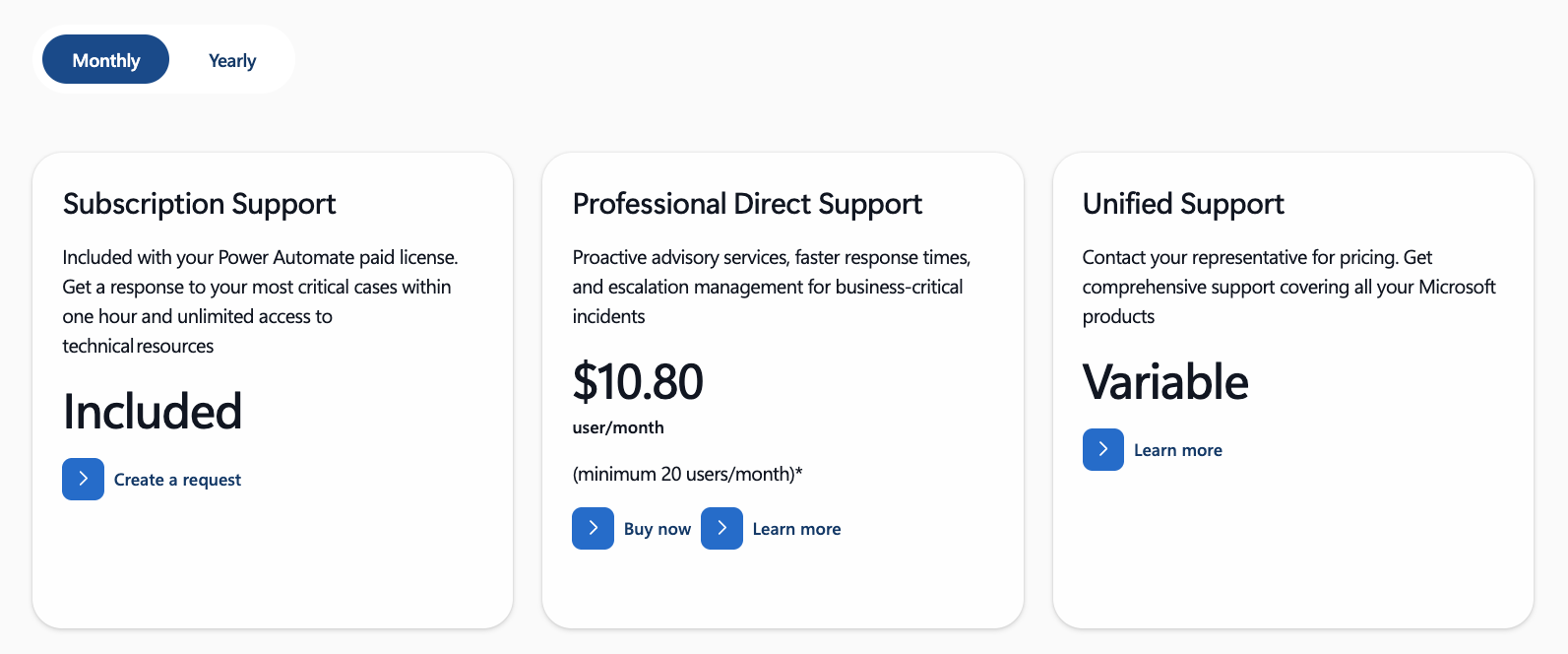
The free support includes the promise of “response within one hour” for the most critical cases.
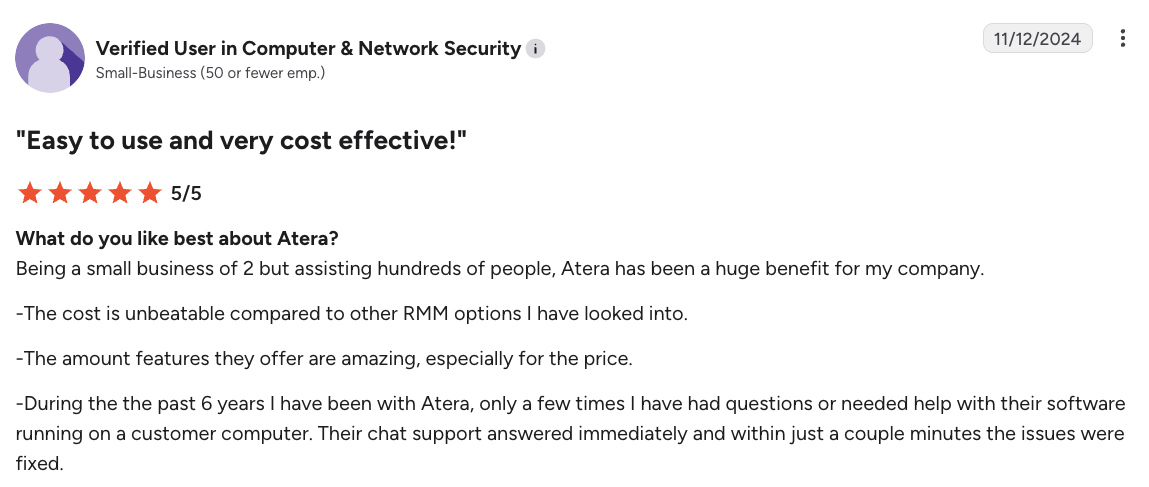
With Atera, users mention getting a response immediately and issues resolved within just a couple of minutes.
#6: User feedback and reviews
Across the leading review platforms, G2, Capterra, and Gartner, Atera has gathered 1,800+ reviews, with an average rating of 4.6 out of 5.0 stars.
For Power Automate, approximately the same number of reviews is available (around 2,000 in total), with an average rating of 4.3 stars.
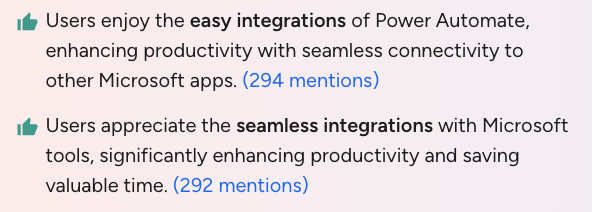
One thing Power Automate users like about the platform is the native integrations with Microsoft 365 products, mentioned in nearly 600 reviews.
For Atera, the top two things mentioned in reviews are the ease of use and the powerful automation features.
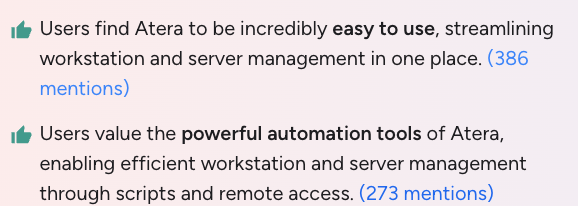
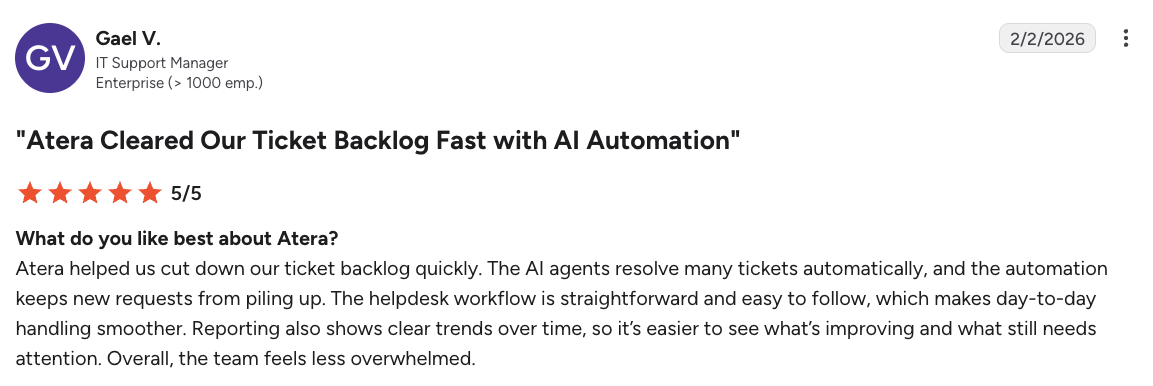
As part of the automation, Atera’s AI is often mentioned.
For example, Gael V. mentioned, “The AI agents resolve many tickets automatically, and the automation keeps new requests from piling up.”
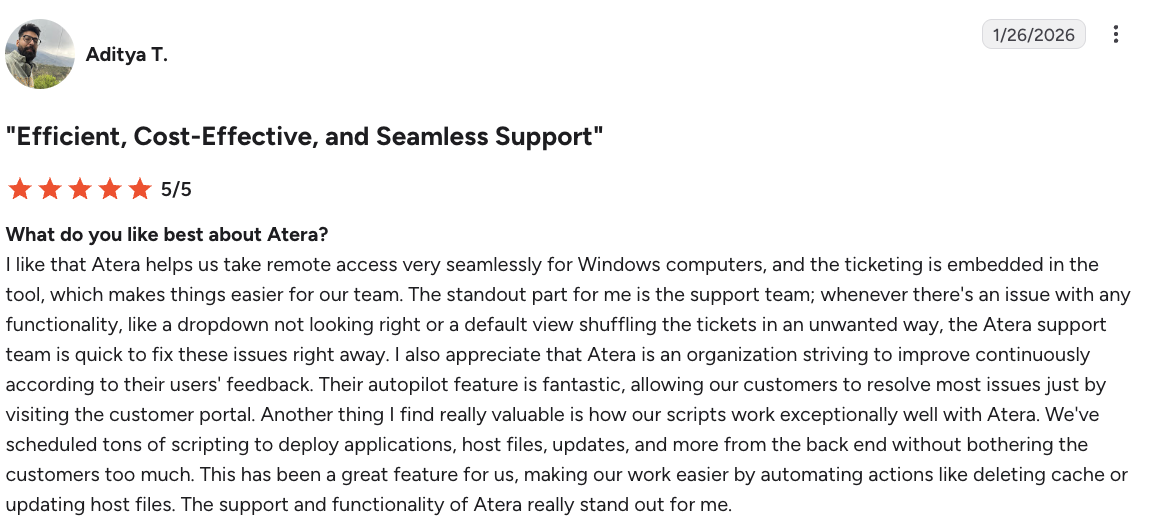
Another user, Aditya T., said, “Their autopilot (Robin) feature is fantastic, allowing our customers to resolve most issues just by visiting the customer portal.”
For Power Automate, its biggest strength is also its biggest weakness. If your team uses Microsoft products solely (e.g., Teams, Outlook, Intune, or SharePoint), Power Automate fits right in.
But if you have a more diverse tech stack (with third-party tools), the experience is less streamlined.
Atera vs. Power Automate: A final comparison checklist
Still unsure whether Atera or Power Automate is the right fit for your IT team? Use the checklist below to make a decision.
Power Automate can be suitable if:
- Your team operates entirely within the Microsoft 365 ecosystem
- Your primary need is workflow automation, like syncing files, sending alerts, or automating approvals
- You’re comfortable paying extra for premium connectors and AI features
- You don’t need a dedicated IT management platform
- You don’t need Agentic AI that autonomously resolves end-user IT issues
- You’re prepared to navigate a more complex setup, even for “no-code” workflows
In comparison, Atera is a better alternative if:
- You want an IT management platform that covers RMM, ticketing, patch management, and asset management
- Your IT team wants to eliminate manual work using Agentic AI, including Robin’s autonomous resolution of Tier-1 and Tier-2 issues
- You want AI Copilot for assisting technicians in reducing manual and repetitive tasks
- You need predictable, pay-per-technician pricing that doesn’t increase as you add unlimited endpoints
- You value 24/7 live chat and email customer support at no extra cost
To conclude, Power Automate can work well if you purely need workflow automation within Microsoft’s ecosystem.
However, Atera is a superior Power Automate alternative for teams needing a dedicated IT management platform with AI and automation.
To get started, simply sign up for Atera’s 30-day free trial here.
Frequently Asked Questions
Related Articles
Robin vs Request Resolver (Former Rovo)
Robin and Atlassian's Request Resolver (Former Rovo) both bring Autonomous IT into ITSM, but they operate at different levels. This full comparison breaks down where each one's autonomy actually reaches.
Read now
Robin vs Kaseya Intelligence
Robin by Atera and Kaseya Intelligence both talk about autonomous IT, but structure their AI technologies differently. See where each one's autonomy actually reaches and which works for your org.
Read now
Robin by Atera vs. Ivanti Neurons: comparing two very different approaches to autonomous IT
In this article, we'll compare Robin vs. Ivanti Neurons: one AI agent that resolves IT incidents end to end, and one platform that splits autonomy across two separate AI capabilities.
Read now
Robin vs Freddy AI Agent Studio
Not all agentic ITSM starts from the same place. See how Robin's deploy-ready model compares to Freddy AI Agent Studio's no-code, build-it-yourself approach.
Read nowEndless IT possibilities
Boost your productivity with Atera’s intuitive, centralized all-in-one platform









