
Generate summary with AI

When an employee runs into a technical issue, every minute spent waiting for IT is lost work time. And employees know it. In Standley Systems’ 2026 report, 69% of desk workers said they’d rather their workplace invest in preventing tech issues than leave employees to work around them.
Remote support software is how IT teams meet that expectation. Below, we’ve compared the top remote support software on features, AI, pricing, and user reviews.
Best remote support software for 2026
These are the top remote support software we’ll be reviewing:
- Atera
- AnyDesk
- Splashtop
- TeamViewer
- ConnectWise Screenconnect
1. Atera
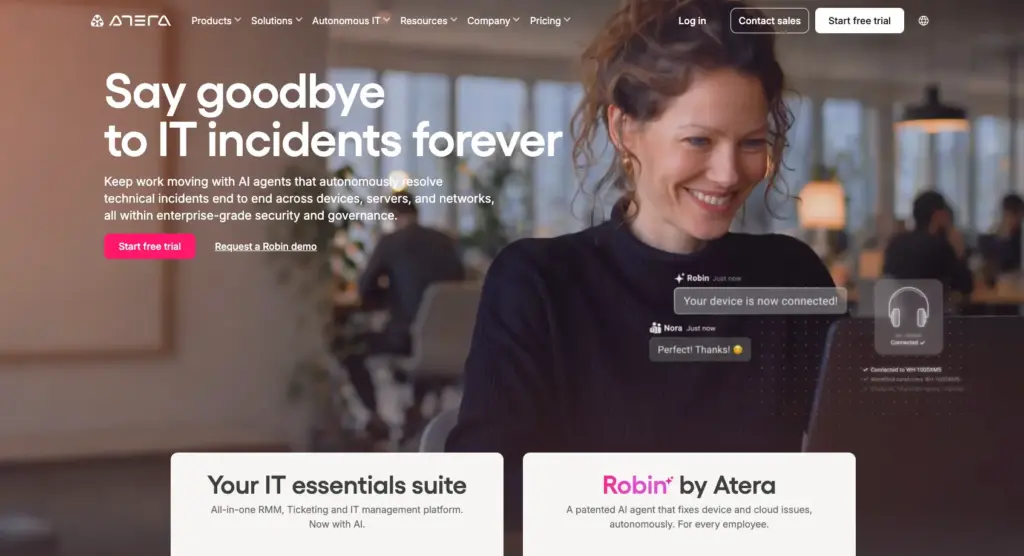
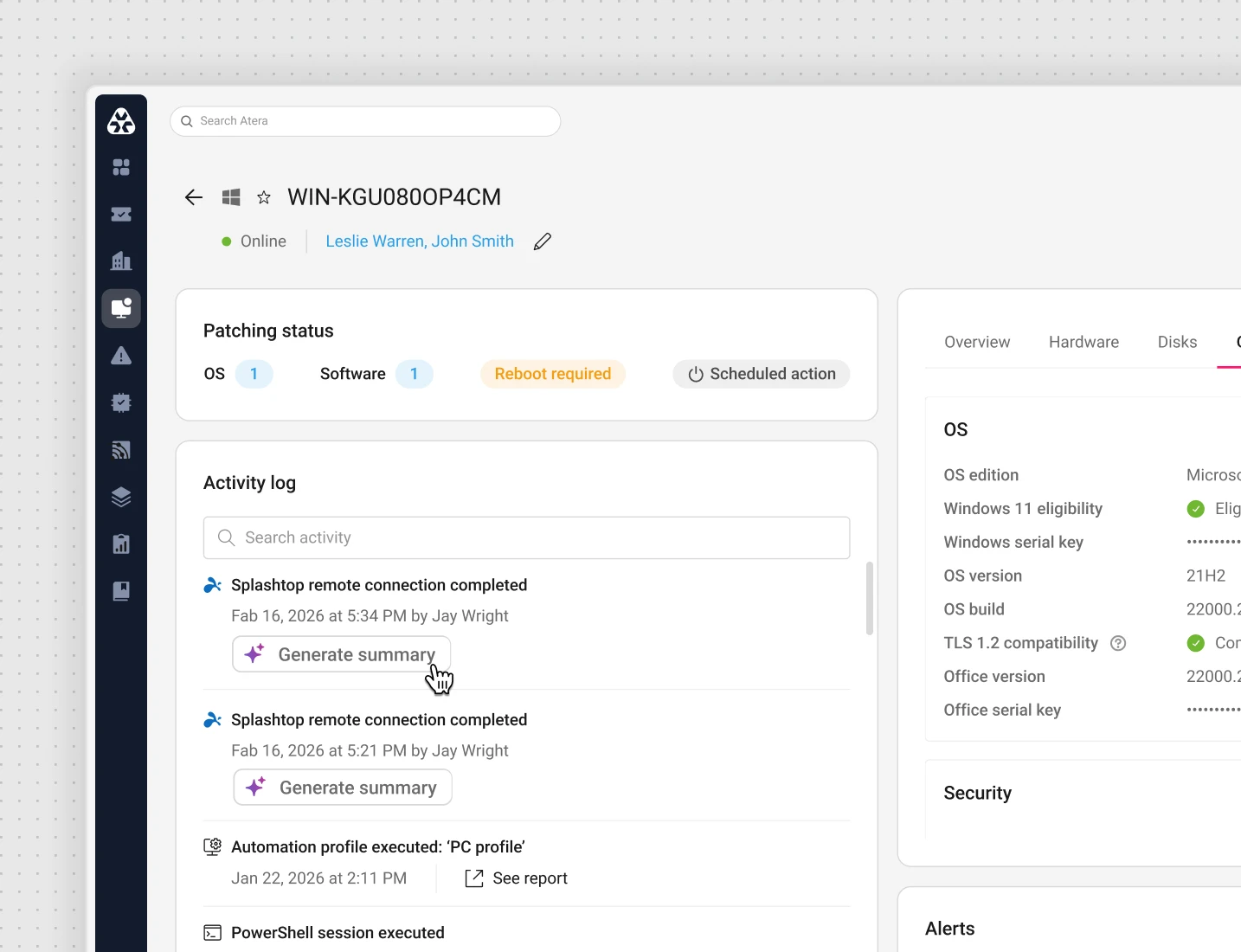
1. Remote support: Atera’s remote access software lets you access computers, desktops, servers, applications, and files easily. Once connected, you can take full control of the device and execute actions like resetting a network adapter, reconnecting a printer, or deploying a missing patch.
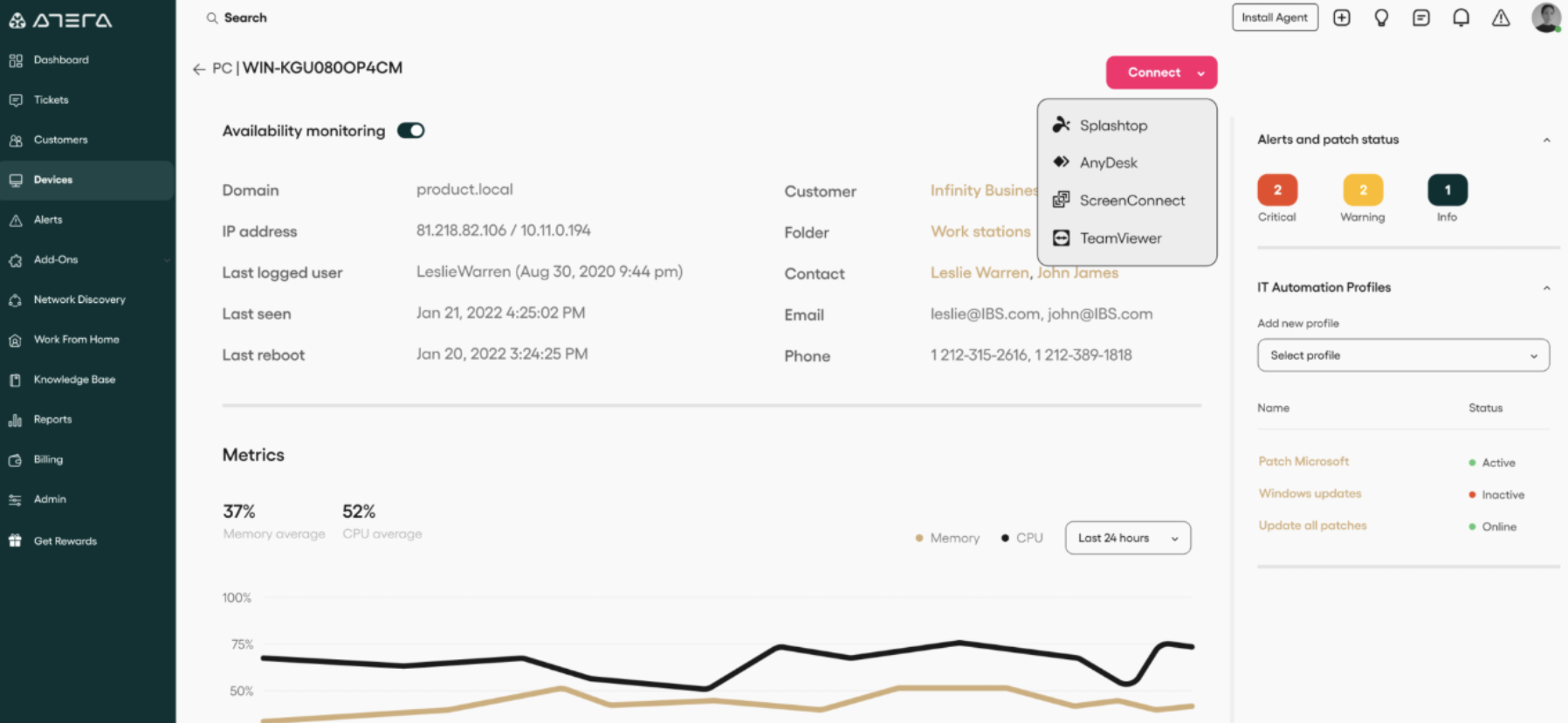
The remote support works through Splashtop and AnyDesk integrations, available on Atera plans at no extra cost.
2. Agentic AI: Atera’s unique advantage is that many issues don’t need a remote session in the first place.
Robin by Atera monitors your IT environment for potential issues, even before an end-user notices them. It resolves up to 92% of Tier-1 and complex Tier-2 technical incidents, all without a technician in the loop.
It does this by following a four-step resolution process:
- Diagnose: Robin receives the request through Teams, Slack, email, or your ITSM and asks follow-up questions to figure out the root cause.
- Remediate: Robin fixes issues like slow device performance, Wi-Fi drops, stuck print queues, and full disks directly on the device, network, or in the cloud.
- Verify: It confirms the issue is actually fixed. If it isn’t, Robin escalates to a technician with full context.
- Close: It updates the ticket with the outcome and logs every action for audit and compliance.
With Robin, technicians only need to connect remotely for more complex issues that require human attention.
Plus, after each remote session, Atera’s AI Copilot sends you a full remote session summary, with an overview of the actions taken.
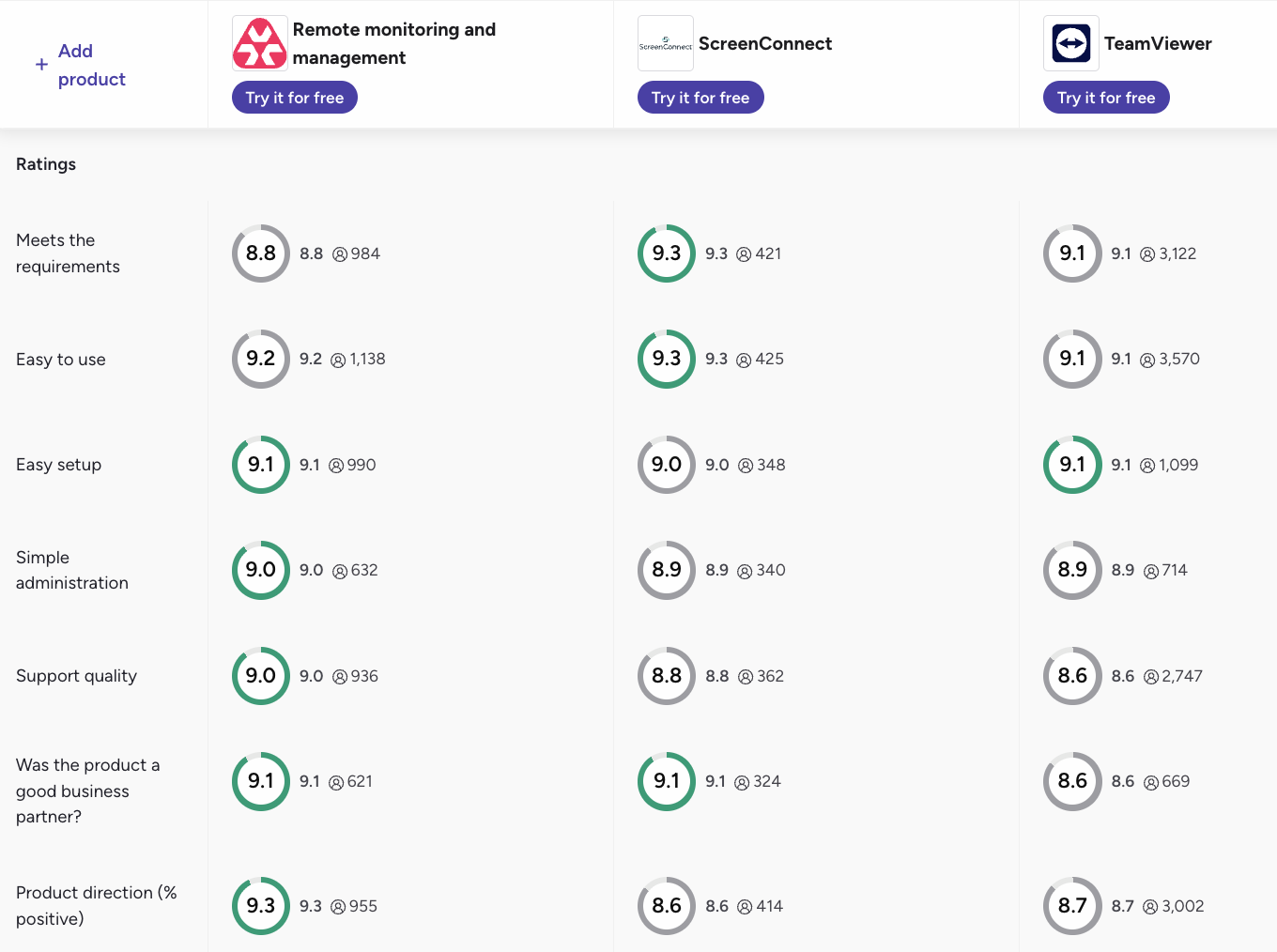
3. UI and ease of use: According to G2, Atera scores highest for most ease of use categories among the top remote IT support tools:
G2’s Category | 1. Atera | 2. ConnectWise ScreenConnect | 3. TeamViewer |
1. Ease of Use | 9.2 rating (1,100+ reviews) | 9.3 rating (400+ reviews) | 9.1 rating (3,500+ reviews) |
2. Ease of Setup | 9.1 rating (990+ reviews) | 9.0 rating (340+ reviews) | 9.1 rating (1,000+ reviews) |
3. Ease of Admin | 9.0 rating (600+ reviews) | 8.9 rating (300+ reviews) | 8.9 rating (700 reviews) |
Features and capabilities
Remote access works in the same platform as Atera’s RMM, patch management, ticketing and helpdesk, and Network Discovery.
From one platform, you can manage all of your organizations Windows, Mac, and Linux devices. Plus, with Robin available, your organization can move from reactive IT towards autonomous endpoint management.
At Connect Service Solutions, ticket volume doubled in 18 months without a single new technician hire. As their IT Technician, Reece Brown, explains:
“I believe last month we had over 600 tickets created and all of those tickets interfaced with Robin before they came to us. I honestly don’t see a world where we’d be able to keep up with our ticket load if it weren’t for Robin doing so much of that legwork upfront for us”
said Reece Brown.
User interface and usability
To remotely connect to devices in Atera, you simply need to go to the ‘Devices’ page, click ‘Connect ’, and select your preferred tool for remote connection.
If you face any issues with Atera, 24/7 support is always available. Plus, you can get help from Atera’s knowledge base, IT community, video tutorials, and blog articles.
Pricing and value for money
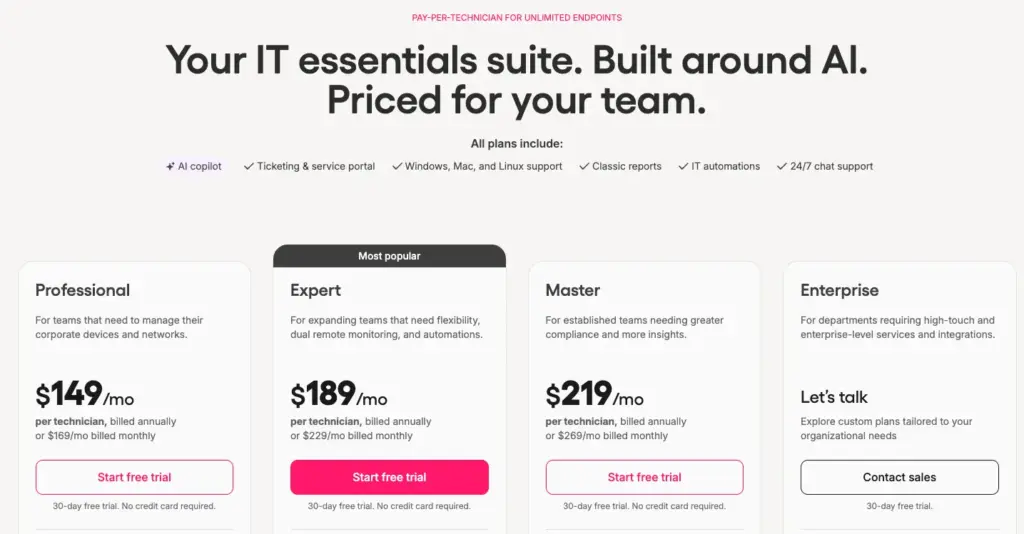
Here are Atera’s pricing plans laid out:
Atera pricing for IT departments:
- Professional: $149 per month, per technician
- Expert: $189 per month, per technician
- Master: $219 per month, per technician
- Enterprise: Custom quotation; contact sales to get pricing
- Pro: $129 per month, per technician
- Growth: $159 per month, per technician
- Power: $209 per month, per technician
- Superpower (Enterprise): Custom quotation; contact sales to get pricing
Customer reviews and ratings
Atera’s G2 Rating: 4.6 out of 5 stars (1,200+ reviews)
What Atera users are saying on G2:
- “Monitoring, remote access, patch management, automation, and asset information all on the same platform made day-to-day support much easier,” Kyle R. says.
- “Tickets, monitoring, remote access, and asset information are all connected in one place, instead of being scattered across separate systems,” Muhammad A. says.
Atera’s Capterra Rating: 4.6 out of 5 stars (430+ reviews)
What Atera users are saying on Capterra:
- “Atera is effective in covering all the aspects of monitoring, ticketing, remote access, and patch management in one solution,” Fabrizio S. says.
- “Built-in AI capabilities and script automation help automate routine maintenance, drastically cutting down resolution times,” Sushant T. says.
2. AnyDesk
AnyDesk is built for teams needing remote access across many device types. It works natively on a range of systems, including Windows, macOS, Linux, Android, iOS, and more.
Like with Splashtop, AnyDesk is available to Atera users on the Expert plan and above, at no extra cost. Since it focuses entirely on remote access, it’s often combined with one of the best RMM software for broader IT management.
G2 rating: 4.5 out of 5.0 stars (1,100+ reviews)
Capterra rating: 4.6 out of 5.0 stars (1,790+ reviews)
AnyDesk pricing:
- Solo: $28.90 per month for single-person companies
- Standard: $49.90 per month with a license for 20 users
- Advanced: $111.90 per month with a license for 100 users
3. Splashtop
Splashtop is known as remote access software, but also offers simple endpoint management software. With it, you can access endpoints instantly, troubleshoot without interrupting the end-user, and keep devices secure with automated patching.
For Atera users, Splashtop is available at no extra cost. Since Splashtop isn’t RMM software, IT teams often combine it with platforms like Atera.
G2 rating: 4.7 out of 5.0 stars (900+ reviews)
Capterra rating: 4.7 out of 5.0 stars (730+ reviews)
Splashtop pricing:
- Remote Access Solo: From $5 per month, for individual users
- Pro Plan: From $8.25 per month, per user, for multi-monitor support
- Performance Plan: $13 per month, per user, for advanced remote access
- Enterprise Plan: Custom pricing. To get the pricing, contact the Splashtop sales team on their website
- Endpoint Management: All endpoint management pricing plans are based on a custom quotation
4. TeamViewer
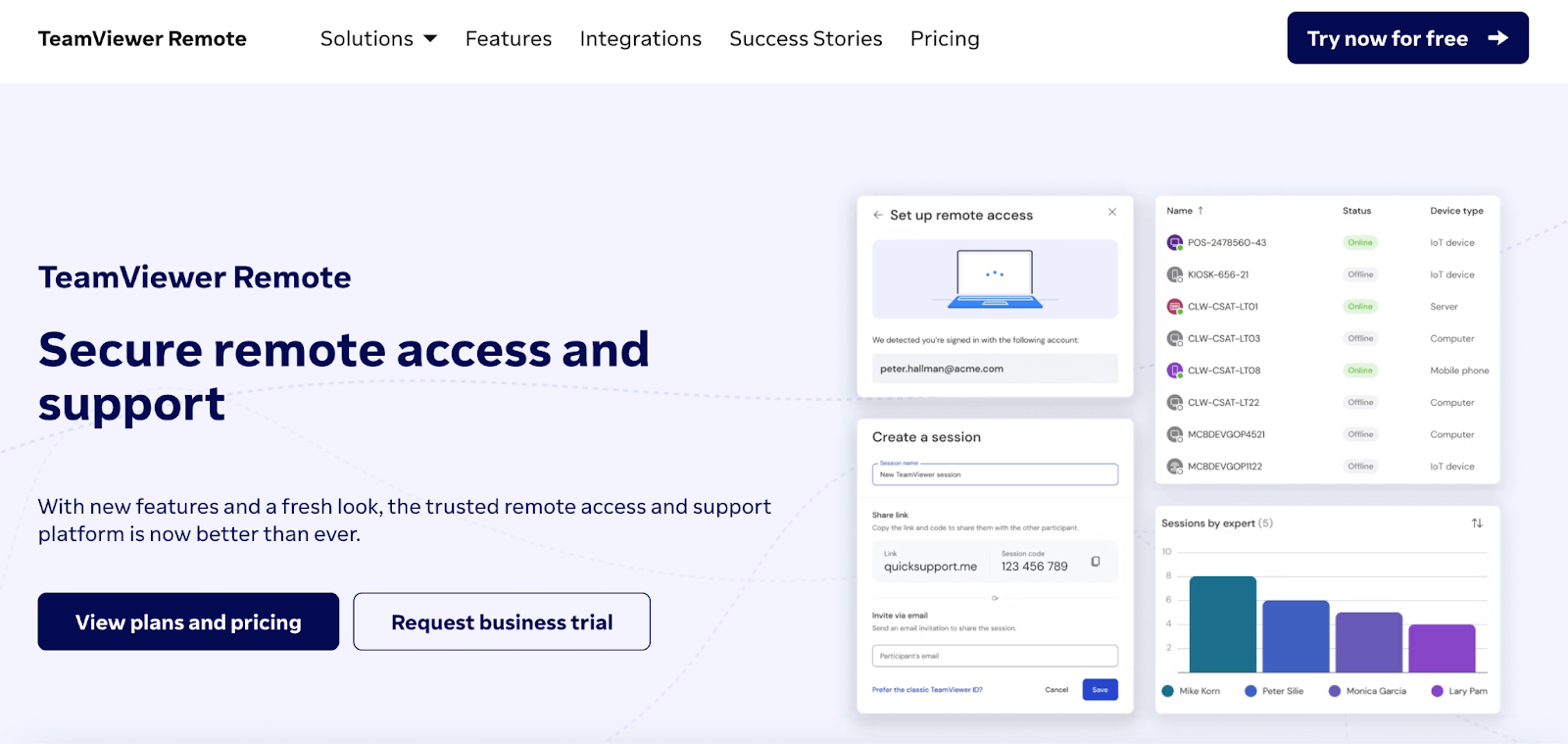
TeamViewer offers plans for both individual users and teams. With it, you can support devices running on Windows, macOS, Linux, Android, and iOS. You can transfer files, chat with end-users during a session, and print remote files locally. TeamViewer’s AI, “Tia,” helps to diagnose issues, generate scripts, and execute actions. However, it isn’t capable of autonomous actions, like Atera’s Robin.
The TeamViewer ONE platform also includes patch and asset management, but it isn’t a fully-fledged RMM software.
G2 Rating: 4.5 out of 5.0 stars (4,000+ reviews)
Capterra Rating: 4.6 out of 5.0 stars (11,000+ reviews)
TeamViewer Pricing:
- Team plans start at $120/month for 300 unattended devices
5. ConnectWise ScreenConnect
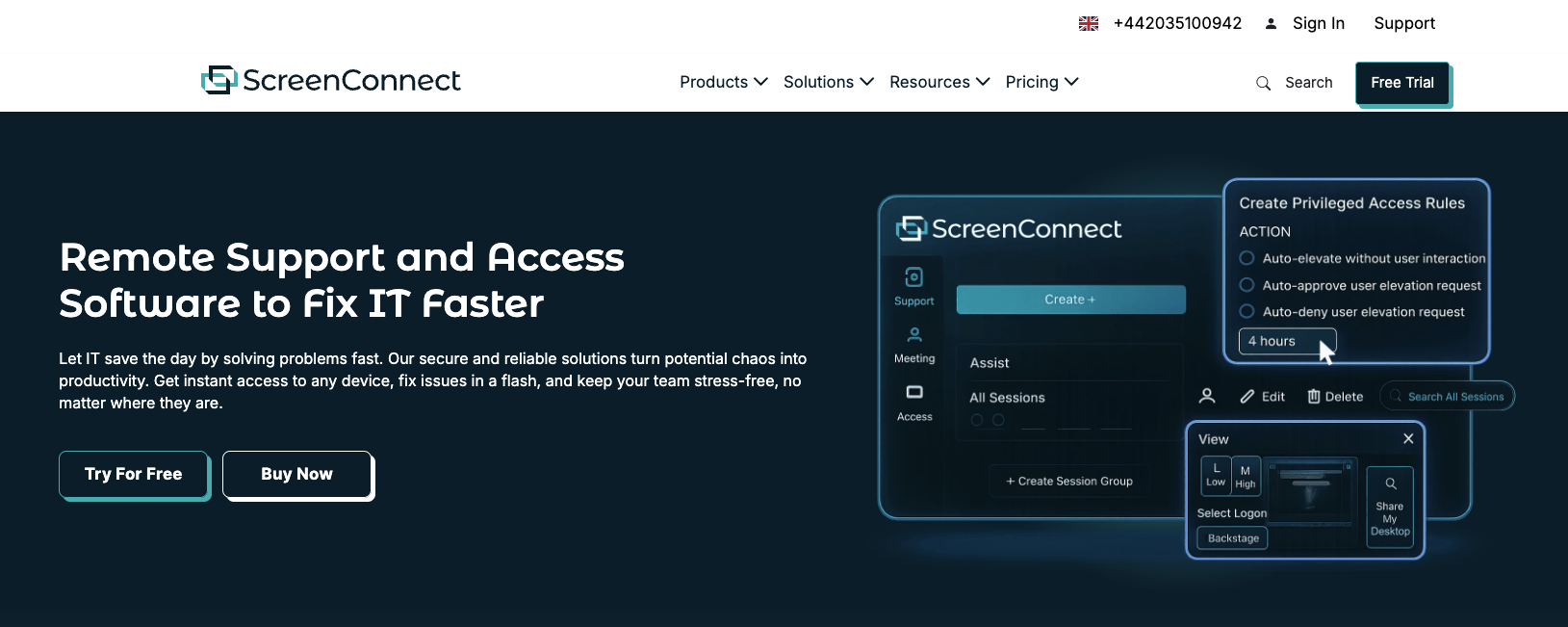
ScreenConnect is ConnectWise’s remote IT support software. With it, you can connect to workstations, servers, and mobile devices and run troubleshooting actions. The newest version, ScreenConnect 26.6.5, was recently released, which improved the security of file transfers and execution during remote sessions.
For more functionality, ScreenConnect integrates with other ConnectWise products, like Automate and PSA, although this comes at an extra cost. Like with Atera, AI remote session summaries are available.
G2 rating: 4.7 out of 5.0 stars (470+ reviews)
Capterra rating: 4.7 out of 5.0 stars (1,920+ reviews)
ConnectWise ScreenConnect Pricing:
- Report Support One: $36 per month per agent with 1 connection
- Remote Support Standard: $56 per month per agent with 3 connections
- Remote Support Premium: $66 per month per agent with 10 connections
- Remote Unattended Access: Based on a custom quotation
What is remote support software?
Remote support software is a type of tool that IT teams use to connect to an end-user’s computer to diagnose and perform troubleshooting actions. Instead of waiting for an on-site visit, a technician can fix issues directly, without disrupting the end user’s workflow.
Why you should invest in remote support software
Here are the benefits you can expect from remote support software:
1. Productivity gains
Without remote tech support software, issues add up fast. Standley System’s 2026 report found that 85% of desk workers say they run into tech-related issues at least once a day, and 29% face them three or more times a day.
The losses get even bigger across a full year. Managed247’s 2026 report found that the average UK employee loses 93 working hours (12 working days) a year to IT issues.
Remote support software significantly shortens the time it takes for employees to get their IT issues resolved.
2. Cost reductions
Every minute a technician spends on a ticket costs money. According to Fixify’s 2026 report, help desks with AI automation (75-100% of work automated) resolve tickets in a median of 4.4 hours, which is much faster than it would take manually.
Autonomous resolution increases the savings even more. In a Forrester Total Economic Impact study commissioned by Atera, a composite 2,500-employee organization using Robin by Atera saw a 321% ROI, with payback in under six months.
3. Allows for remote work
Remote (and hybrid) work is now the norm. Among US employees in remote-capable jobs, 52% work hybrid, 26% work fully remote, and 22% work on-site, according to Gallup’s 2026 findings.
Remote support software often comes with solutions for remote work. For example, Atera offers a ‘Work from Home’ add-on, which lets users connect to their office computers from any location.
Autonomous approach to IT management
Before technicians even need to remotely connect to a device, Robin by Atera has often already resolved the issue. It diagnoses issues directly on the device, network, or in the cloud, resolving up to 92% of Tier-1 and complex Tier-2 incidents without a technician in the loop.
And for more complex issues, Atera’s built-in remote access is still always available, with Copilot providing remote session summaries.
See Atera’s Agentic AI yourself: sign up for the 30-day free trial, or get in touch with our sales team to learn more about Robin.
Frequently Asked Questions
Related Articles

The 7 best autonomous IT support tools in 2026
A side-by-side look at the 7 best autonomous IT support tools for 2026. See the pros and cons, features, pricing, and what users really think.
Read now
Best cloud-based help desk for large-scale operations
Modern cloud-based help desk platforms can move fast, scale massively, and save IT teams hours of time with smart automation. But they aren’t all created equal. See which features to explore to make sure the cloud help desk tool you choose can truly automate IT support with AI, streamline both employees’ and IT teams’ work, and stay under budget even as operations scale.
Read now
6 Best Firewall Appliances in 2026
Discover the best firewall appliances, backed up by other IT managers. Find out the pros and cons, features, pricing, and performance of each firewall.
Read now
6 Best VoIP Hardware for IT Departments: 2026’s Comparison
Find out what Atera’s experts (and other IT managers) recommend for the best VoIP hardware. Learn about the different VoIP hardware you need for efficient operations.
Read nowEndless IT possibilities
Boost your productivity with Atera’s intuitive, centralized all-in-one platform







