Generate summary with AI

Hexnode is a capable unified endpoint management (UEM) platform, but it’s built mainly around mobile devices, and users say it falls short for Windows and Mac management.
Plus, the cost can quickly increase as you add more devices.
Whether you just need another MDM software or a full RMM platform, this guide compares the five best Hexnode alternatives for 2026.
5 best Hexnode alternatives for 2026
These are the best Hexnode alternatives in 2026:
Below is a more detailed review of each.
1. Atera

Atera vs. Hexnode: Key differences
1. Key features: While Hexnode is an MDM software, Atera is a full RMM software with real-time monitoring and alerting, scripting, patch management, remote access, and Network Discovery.
Atera’s two AI agents are at the core of the platform: AI Copilot assists technicians work faster, while Robin autonomously resolves up to 92% of technical incidents for employees.
2. Agentic AI: In August 2026, Hexnode launched its Hexnode Context Layer, which powers Hexnode Genie AI, the company’s conversational AI assistant. When an IT admin submits a natural-language request, Genie AI reads it, and the Context Layer sends it to the right specialized agent in Hexnode UEM. While useful, Genie AI isn’t capable of autonomous actions.
Robin by Atera works differently: instead of assisting IT admins, it captures requests directly from end-users and autonomously resolves them, without a technician in the loop.
Robin follows a four-step resolution loop:
- Diagnose: Robin captures the request, verifies the user, and gathers the context needed to find the root cause.
- Remediate: It takes the approved action directly on the device, server, or network.
- Verify: It confirms the issue is resolved and escalates to a technician with full context if not.
- Close: It updates the ticket with the outcome and logs every action for auditing.
Robin resolves up to 92% of your Tier-1 and complex Tier-2 technical incidents, freeing technicians for higher-value work.
3. User interface: Based on G2’s comparison of Atera vs. Hexnode, this is how real users have rated the ease of use of the two platforms:
G2’s Ease of Use Category | 1. Atera | 2. Hexnode |
1. Ease of Use | 9.2 stars (1,100+ reviews) | 9.0 stars (250+ reviews) |
2. Ease of Setup | 9.1 stars (980+ reviews) | 8.9 stars (230+ reviews) |
3. Ease of Admin | 9.0 stars (630+ reviews) | 9.0 stars (200+ reviews) |
As you can see, Atera has a slight edge on most G2 ease of use categories.
Tip: For a full comparison, read the Atera vs. Hexnode article.
Customer reviews and ratings
Atera’s G2 Rating: 4.6 out of 5 stars (1,200+ reviews)
What Atera users are saying on G2:
- “AI is built into the entire ecosystem and responds based on knowledge base articles that we created ourselves (either internal only or externally visible for the customer),” Dieter S. says.
- “The most helpful of using Atera is that you have both RMM and PSA in one platform and also the AI capabilities with Copilot and Robin,” Alan S. says.
Atera’s Capterra Rating: 4.6 out of 5 stars (430+ reviews)
What Atera users are saying on Capterra:
- “Atera makes monitoring, ticketing, remote access, and patch management easy to manage from one place,” Dymasius S. says.
- “The monitoring and alerts are useful for keeping track of issues, and the patch management saves quite a bit of manual effort,” Varshini B. says.
Pricing and value for money
Atera pricing for IT departments:
- Professional: $149 per month, per technician
- Expert: $189 per month, per technician
- Master: $219 per month, per technician
- Enterprise: Custom quotation; contact sales to get pricing
- Pro: $129 per month, per technician
- Growth: $159 per month, per technician
- Power: $209 per month, per technician
- Superpower (Enterprise): Custom quotation; contact sales to get pricing
2. Microsoft Intune
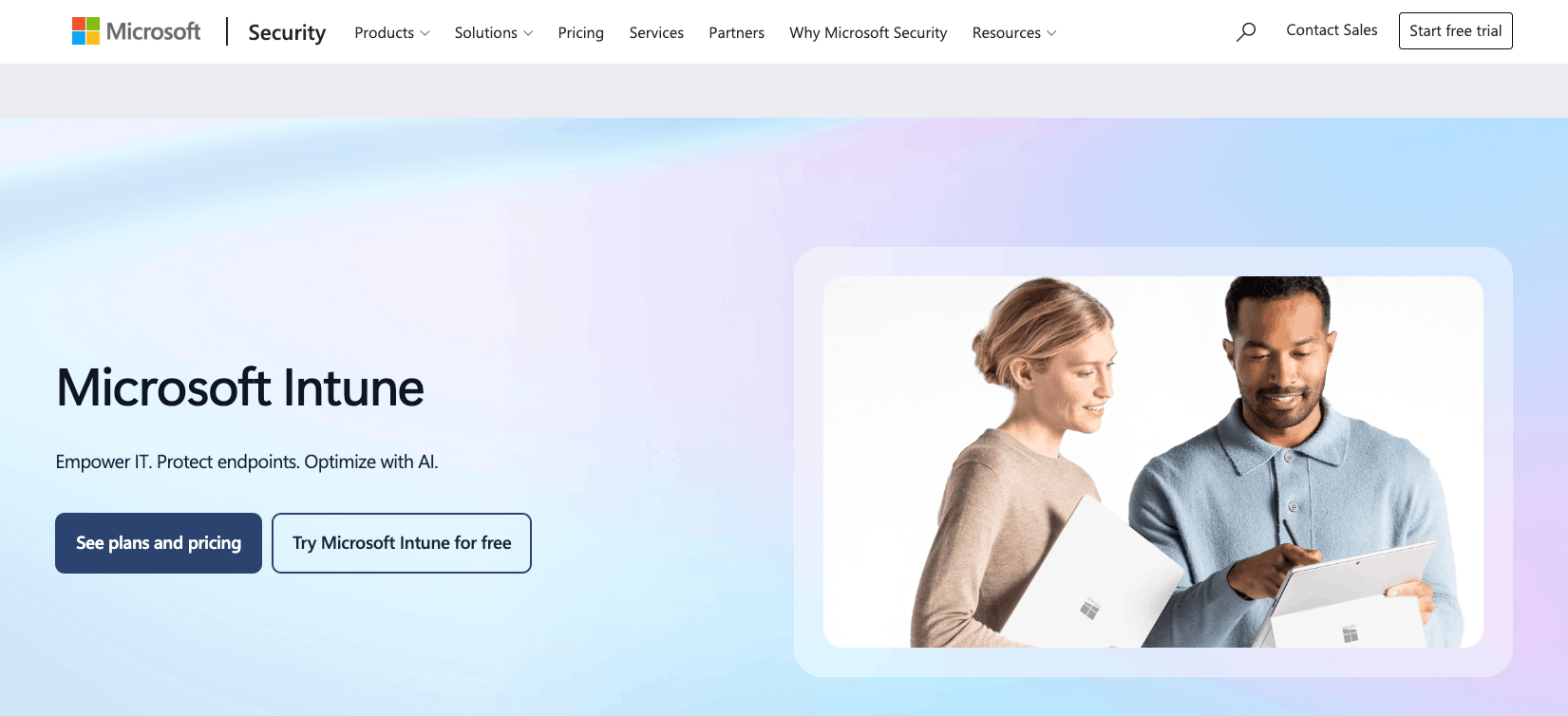
For organizations already in the Microsoft environment, Intune is one of the leading options. It’s an MDM software that covers the full device management lifecycle: enrolling devices, configuring settings, securing endpoints, deploying apps, and keeping them up to date. Intune has native patch management for Windows and Mac, with Linux support still limited.
As a drawback, Intune is an MDM, not a true RMM. If your needs go beyond device management (such as monitoring servers and network devices), you’ll likely need a more advanced RMM tool.
G2 Rating: 4.5 out of 5.0 stars (270+ reviews)
Capterra Rating: 4.5 out of 5.0 stars (40+ reviews)
Microsoft Intune Pricing:
- Microsoft 365 E3: $39/month per user (includes Intune)
- Microsoft 365 E5: $60/month per user (includes Intune)
- Microsoft 365 E7: $99/month per user (includes Intune)
3. ManageEngine Endpoint Central
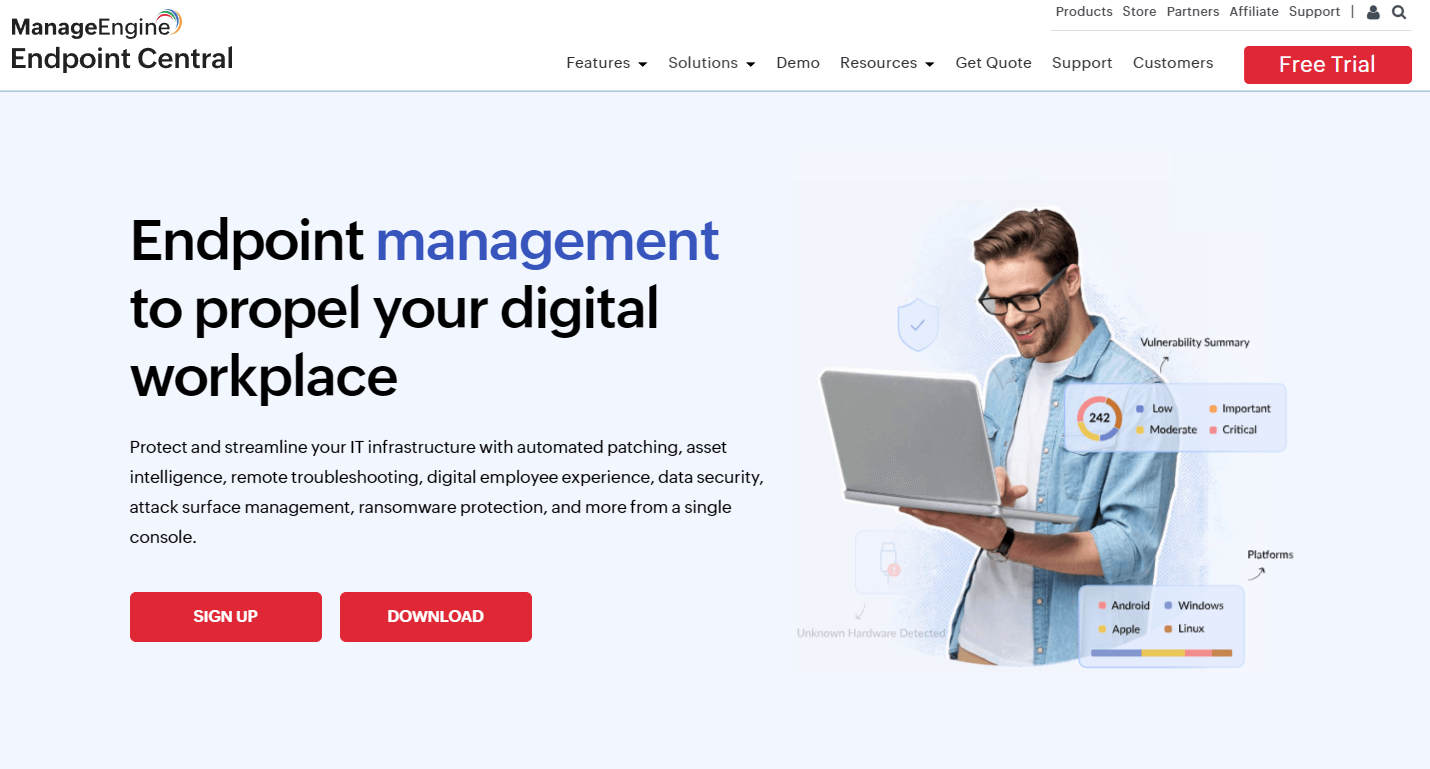
ManageEngine Endpoint Central is built for IT departments that need to manage, patch, and secure their endpoints. Like Hexnode, it works across Windows, Mac, and Linux devices. You can remotely connect to devices, deploy software, automate patch deployment, and detect potential vulnerabilities on devices.
Endpoint Central’s added benefit is its integrations with other ManageEngine products, such as Service Desk, although these integrations come at an extra cost. One ManageEngine alternative, Atera, integrates ticketing into its platform at no extra cost.
G2 Rating: 4.5 out of 5.0 (1,100+ reviews)
Capterra Rating: 4.6 out of 5.0 (1,800+ reviews)
ManageEngine Endpoint Central Pricing:
- Professional: Starts at $104 for 50 endpoints
- Enterprise: Starts at $124 for 50 endpoints
- UEM: Starts at $139 for 50 endpoints
- Security: Starts at $205 for 50 endpoints
All ManageEngine plans include one technician spot.
4. Jamf Pro
For organizations with solely Apple devices, Jamf Pro is one option. It’s specifically an Apple device management tool, and natively integrates with Apple Business Manager, allowing for automatic device enrollment.
Jamf’s laser focus on Apple environments can either be an advantage or a disadvantage. If you also have Windows and Linux devices (or will have in the future), Jamf isn’t suitable. Jamf alternatives, like Atera, offer multi-OS support.
G2 Rating: 4.7 out of 5.0 stars (2,300+ reviews)
Capterra Rating: 4.7 out of 5.0 stars (540+ reviews)
Jamf Pricing:
- Jamf Now: Starts at $4 per device, per month
- Jamf for Mobile: Starts at $5.75 per mobile device, per month (25-device minimum)
- Jamf for Mac: Starts at $12.50 per macOS device, per month (25-device minimum)
5. Scalefusion

Unlike Jamf, Scalefusion is another MDM solution with support for all OS: Windows, Linux, macOS, Android, iPadOS, and more. Scalefusion comes with all the MDM essentials: application management, remote troubleshooting, kiosk mode, patch management, and device security management.
Many users agree that Scalefusion offers better native support for Windows device management, which is a limitation of Hexnode. However, it isn’t a fully-fledged RMM software, like Atera.
G2 Rating: 4.7 out of 5.0 stars (400+ reviews)
Capterra Rating: 4.8 out of 5.0 stars (100+ reviews)
Scalefusion Pricing:
- Essential: $2 per device, per month
- Growth: $3.5 per device, per month
- Business: $5 per device, per month
- Enterprise: $6 per device, per month
What is Hexnode?
Hexnode is a unified endpoint management (UEM) tool for managing all of your organization’s devices. It’s not an RMM but an MDM solution with features such as:
- Automated device enrollment
- Security management
- App management
- Kiosk lockdown
- Remote control
- Web filtering
- Tracking & geofencing
- Expense management
- Patch management
Why look for a Hexnode alternative?
Missing and limited features, as well as expensive pricing, are some of the main cons of Hexnode on G2. This is what users wrote about these limitations:
1. Missing features
This was a common mention in reviews. According to users like Jeremy M., some features available on other MDM and RMM solutions are still missing from Hexnode.

Another G2 user was more specific, saying “reporting and dashboard customization could offer more filtering and export options.”
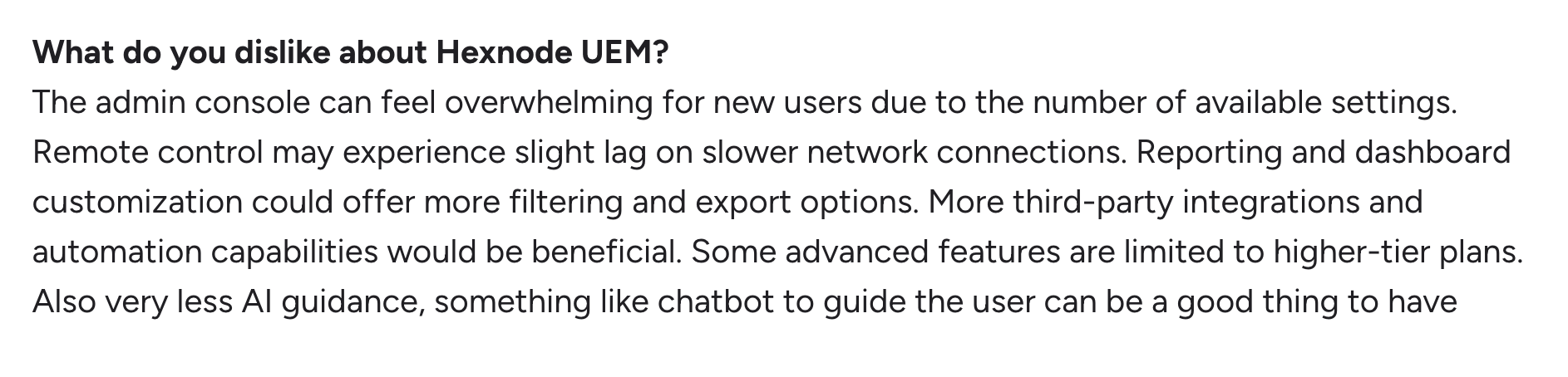
The same user also wished for more AI guidance, such as an AI chatbot to assist users.
On Hexnode alternatives, like Atera, this type of AI chatbot is available. Atera’s AI Copilot is there to assist technicians in real time.
2. Focus is on mobile devices
Hexnode mentions supporting all major OS. However, most of its features focus on mobile device management,with capabilities like kiosk mode and app management.
For example, this is what EFraim R. said on G2:
- “Management features for macOS and Windows are not as fully developed as those for mobile platforms, which seem to be the main focus.”
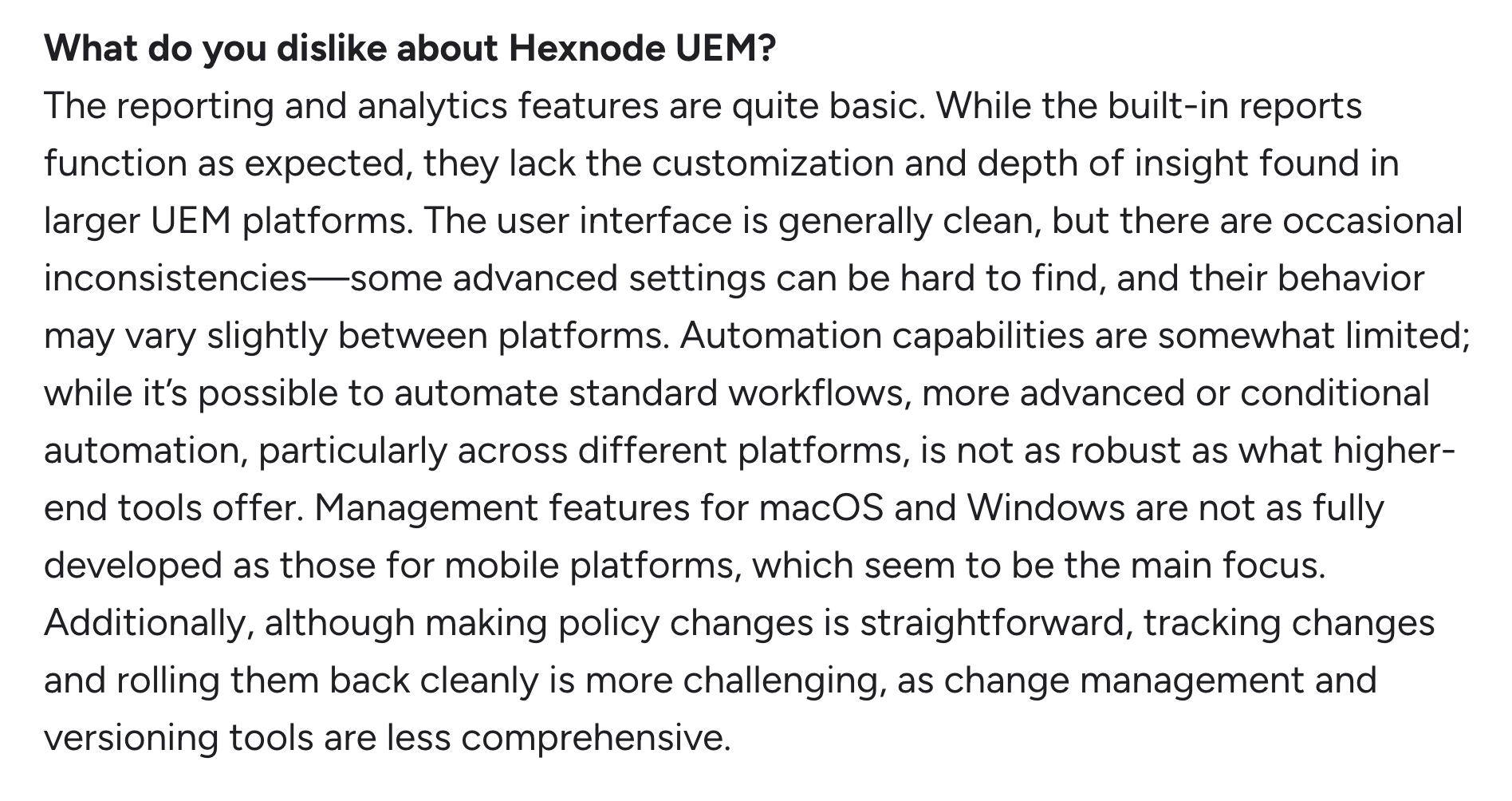
Another G2 user, Zitlalic G., commented specifically on the limitations for managing Mac devices:
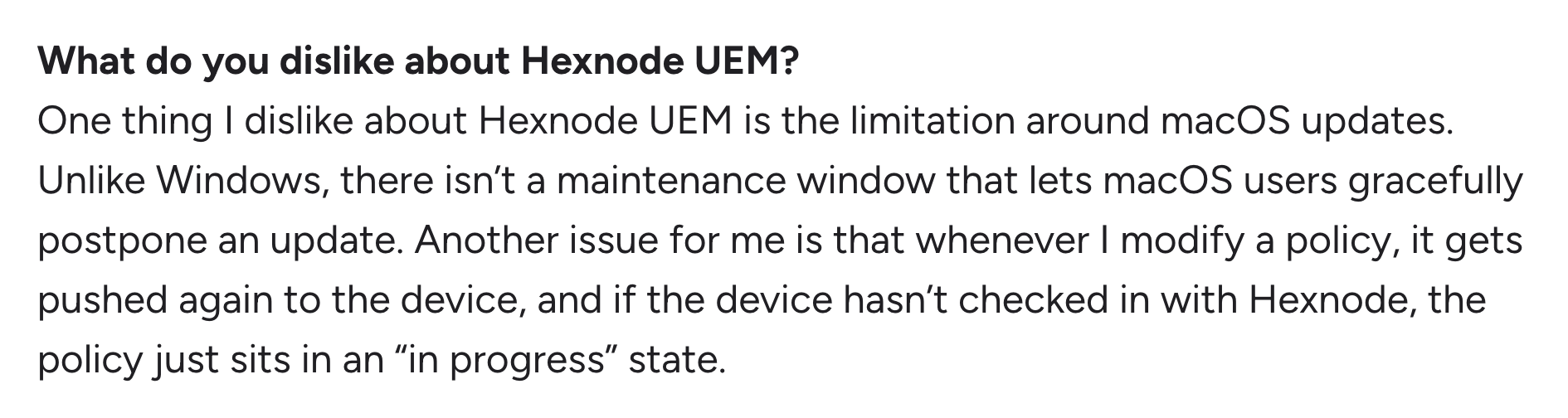
And based on this review from Almaz A., part of the problem is that some of the features for Mac and Linux aren’t as self-explanatory:

IT teams managing Windows and Mac devices may find the scripting, patching, AI, and remote troubleshooting capabilities lacking compared to the best RMM software.
3. Expensive/complicated pricing
Hexnode’s pricing is based on pay-per-device, meaning the cost increases for each new endpoint you add. This can arguably get expensive fast.
Oluwatobi J. commented on this and said, “The pricing can be quite expensive, especially for smaller teams like ours”

Another G2 user commented on the licensing structure, mentioning that it’s structured in a way that you’re quickly forced to upgrade to the highest tier.

Hexnode’s pricing is in line with how most MDM and RMM pricing plans are structured. However, a few alternatives with per-technician pricing are also available, one of which is Atera.
What are Hexnode’s strengths?
Here are a few strengths of Hexnode listed.
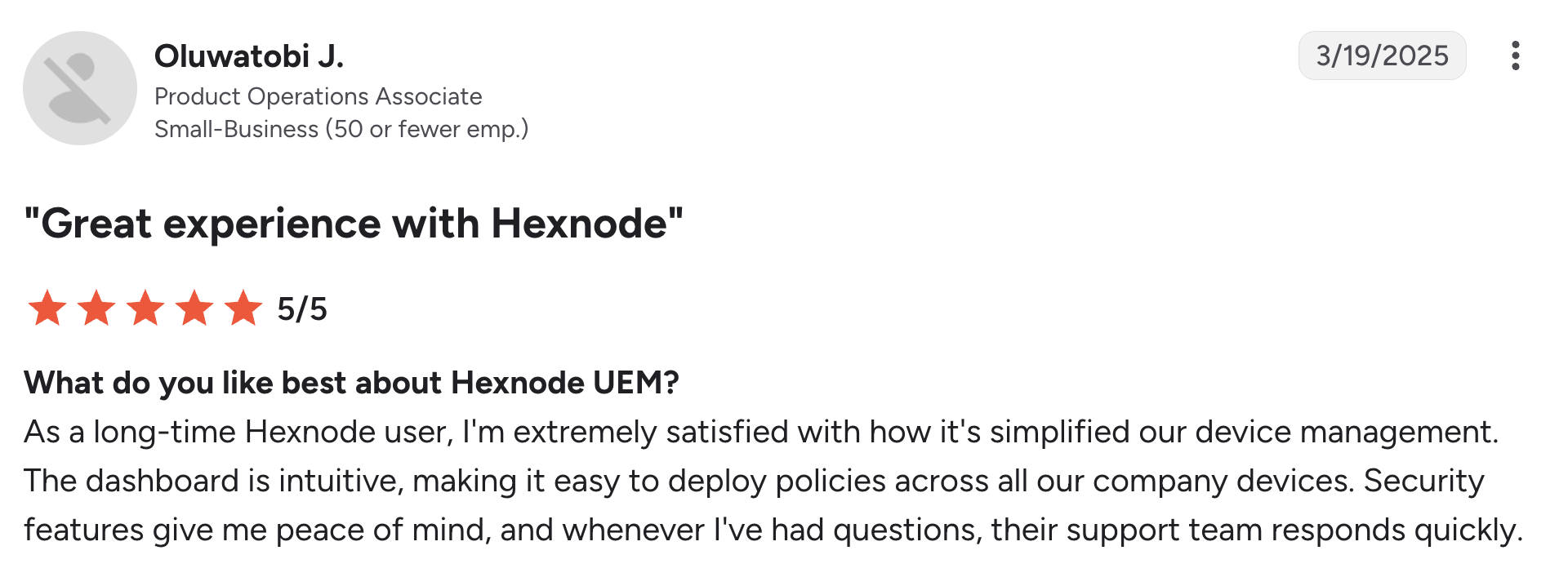
1. Ease of use
This was the main pro of Hexnode in G2, mentioned in 30+ user reviews. According to users like Oluwatobi J., Hexnode’s intuitive dashboard makes it easy to deploy policies:
2. Multi-OS support
If you don’t mind the limitations on desktop management, Hexnode lets you manage Android, iOS, iPadOS, macOS, Windows, Linux, ChromeOS, and tvOS devices from a single platform.
Users like EFraim R. appreciated this aspect of Hexnode:

Hexnode pros and cons: Takeaways
Here are the pros and cons of Hexnode listed.
The pros, according to user reviews:
- Once you get the hang of it, Hexnode is easy to use
- Multi-OS support (Windows, Mac, Linux, Android, iOS, and tvOS)
The cons, according to user reviews:
- Misses some key features, such as those available in RMM software
- Hexnode’s main focus is MDM, with Windows and Mac more neglected
- The pricing scales quickly, and the tiering system can be prohibitive
RMM vs. MDM: Which one to choose as a Hexnode alternative?
This is one of the main things to think about when selecting a Hexnode alternative. Does my organization need RMM or MDM?
If your focus is managing and securing mobile devices, MDM software can be enough. These tools cover the basic features for app management, device enrollment, security policies, and remote lock or wipe.
If your focus is deeper infrastructure monitoring, MDM quickly falls short, and you need true RMM software. RMM tools come with more in-depth real-time monitoring, scripting, AI and automation, and remote access capabilities. The good thing about RMM is that it can often replace MDM, but not the other way around.
Among the best RMM software, Atera is one of the leaders and has the added benefit of Agentic AI technology. To try it out, you can sign up for Atera’s 30-day free trial today.
Frequently Asked Questions
Related Articles

Top 5 Zoho Assist Alternatives for IT teams in 2026
Zoho Assist is a solid option for small-scale remote support, but often falls short for more demanding enterprise support. Find the five best Zoho Assist alternatives, with features, pricing, reviews, and AI compared.
Read now
Top 6 Automox alternatives IT pros are switching to in 2026
If you’re an IT manager selecting an Automox alternative, this article will come in handy. Below, we’ve compared the best six options and looked into each one’s top features, AI, and pricing plans.
Read now
Top 6 Motadata alternatives for organizations in 2026
Motadata splits its features into two products: ServiceOps and ObserveOps. See the best alternatives that fit your IT team’s needs. We’re listing each alternative’s pricing, reviews, and key features.
Read now
7 best LogicMonitor alternatives for IT teams in 2026
Comparing LogicMonitor against its alternatives? We break down 7 alternative options on features, pricing, and reviews.
Read nowEndless IT possibilities
Boost your productivity with Atera’s intuitive, centralized all-in-one platform