Generate summary with AI

ServiceNow is a powerhouse in IT Service Management (ITSM), but it’s not always the perfect fit for every organization. ServiceNow has expanded its offerings, but it’s still mainly used by IT teams for ITSM and comes with key features like a ticketing system, self-service portal, and workflow automation.
Users say ServiceNow’s pricing is expensive, there is a steep learning curve, and customer support has declined, which is why many are looking for alternatives.
The top ServiceNow alternatives are:
- Atera
- Freshservice
- ManageEngine ServiceDesk Plus
- Jira Service Management
- Zendesk
- Zoho Desk
Below is each top ServiceNow alternative reviewed.
1. Atera
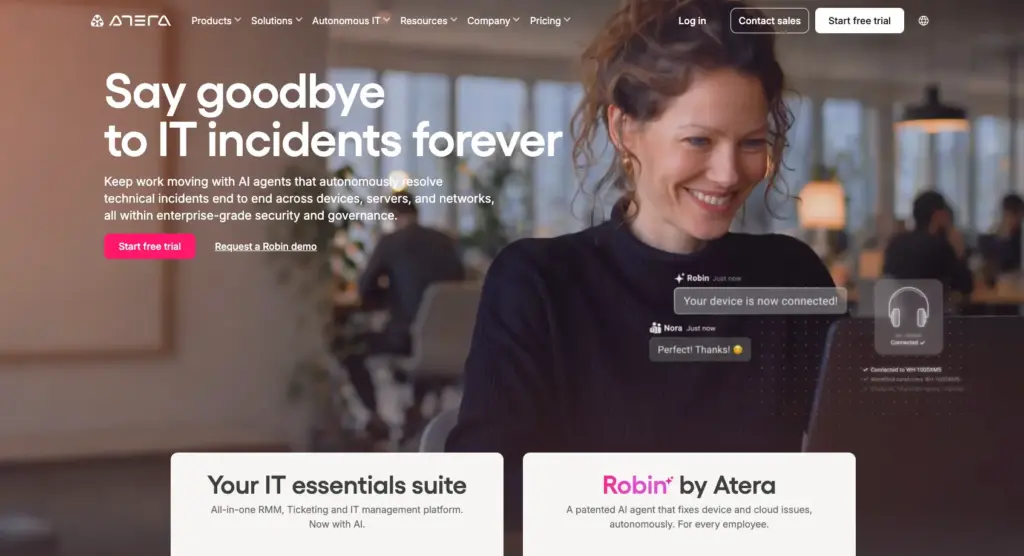
Atera vs. ServiceNow: Key differences
1. Key features: Atera and ServiceNow are both used by enterprises for IT management, but their key features differ.
Atera is an autonomous IT platform used to monitor and manage endpoints, automate tasks like patching and updates, handle tickets, generate customized reports, and remotely troubleshoot issues.
ServiceNow focuses on the ITSM aspect of IT management, with features like incident management, problem management, and change management.
2. Agentic AI: Atera and ServiceNow have both developed AI agents (see the Robin vs. Otto comparison). However, the way they approach autonomy is different.
Robin by Atera is an AI technician that resolves Tier-1 and complex Tier-2 technical incidents end to end. It takes real actions on devices, servers, mainframes, and networks, without needing a technician in the loop.
Robin follows a four-step resolution process:
- Diagnose: Robin verifies the user and finds the root cause.
- Remediate: Robin takes the approved action on the device, server, network, or in the cloud.
- Verify: Robin confirms the fix worked, or escalates with full context.
- Close: Robin updates the ticket and logs every action.
In comparison, ServiceNow Otto works as one conversational “front door” across IT, HR, CRM, and security. Otto understands the request, then routes it to the right specialized agent or workflow to resolve it.
In short, Robin executes the technical fix directly, while Otto orchestrates requests across the enterprise.
If an issue is too complex for Robin, it automatically escalates it to a human with full context. This is where Atera’s AI Copilot comes in handy to assist with troubleshooting.
3. Integrations: Atera offers key integrations for enterprises, which allow you to conveniently manage security, backups, network monitoring, and more. There are also 50+ integrations for Robin, meaning it works wherever your IT already lives.
4. User interface: From the ground up, Atera was built with ease of use in mind. Users can be up and running within a few minutes thanks to our easy onboarding and intuitive admin dashboard.
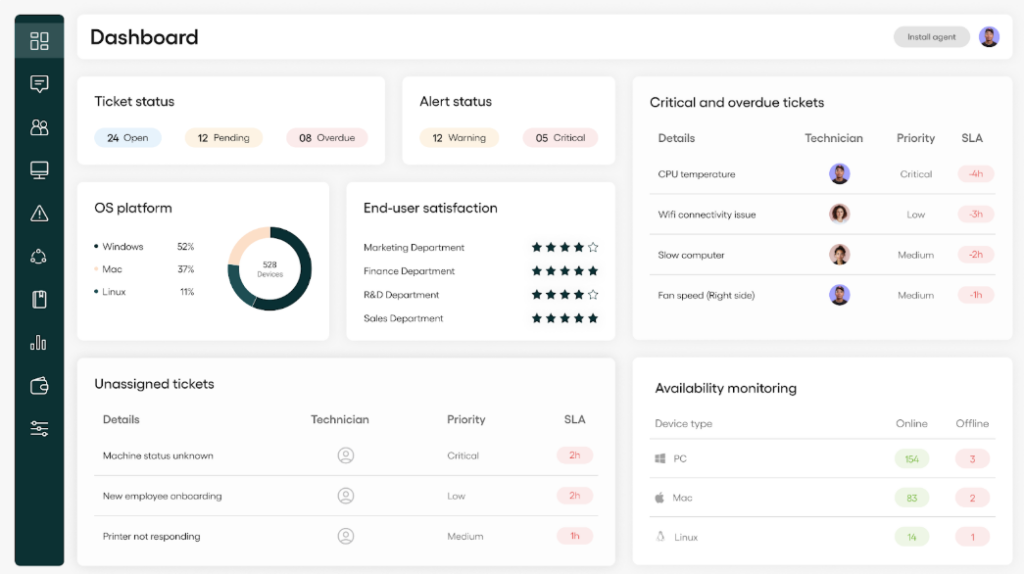
Atera’s admin dashboard
Based on G2’s comparison of Atera and ServiceNow, this is how real users have rated the ease of use of the two platforms:
| G2’s Ease of Use Category | 1. Atera | 2. ServiceNow ITSM |
| 1. Ease of Use | 9.2 score (1,100+ reviews) | 8.6 score (1,400+ reviews) |
| 2. Ease of Setup | 9.2 score (980+ reviews) | 8.2 score (780+ reviews) |
| 3. Ease of Admin | 9.0 score (620+ reviews) | 8.6 score (340+ reviews) |
5. Pricing structure: At Atera, we’re big advocates of transparent pricing. While enterprises can request a custom quotation, our IT department pricing plans range from $149 to $219 per month. Atera’s RMM pricing is pay-per-technician, meaning you can manage unlimited endpoints.
Atera customer reviews
Atera’s G2 Rating: 4.6 out of 5 stars (1,200+ reviews)
What Atera users are saying on G2:
- “One unexpected benefit is the AI feature, especially Robin. It can reduce technicians’ workload by assisting with responses, ticket handling, and general troubleshooting,” Emil C. says.
- “AI is built-in on the entire ecosystem and responds based on knowledge base articles that we created ourselves (either internal only or externally visible for the customer),” Dieter S. says.
Atera’s Capterra Rating: 4.6 out of 5 stars (440+ reviews)
What Atera users are saying on Capterra:
- “Atera has been a reliable tool for handling day-to-day IT operations. It reduces repetitive work and gives good visibility into system health,” Dymasius S. says.
- “Atera gives me the opportunity to maintain low overhead costs; I did find the automation function worked as expected and didn’t crash the entire dashboard,” Alison K. says.
Atera pricing plans
Atera pricing plans for IT departments:
- Professional: $149 per month, per technician
- Expert: $189 per month, per technician
- Master: $219 per month, per technician
- Enterprise: Custom quotation; contact sales to get pricing
- Pro: $129 per month, per technician
- Growth: $159 per month, per technician
- Power: $209 per month, per technician
- Superpower (Enterprise): Custom quotation; contact sales to get pricing
2. Freshservice
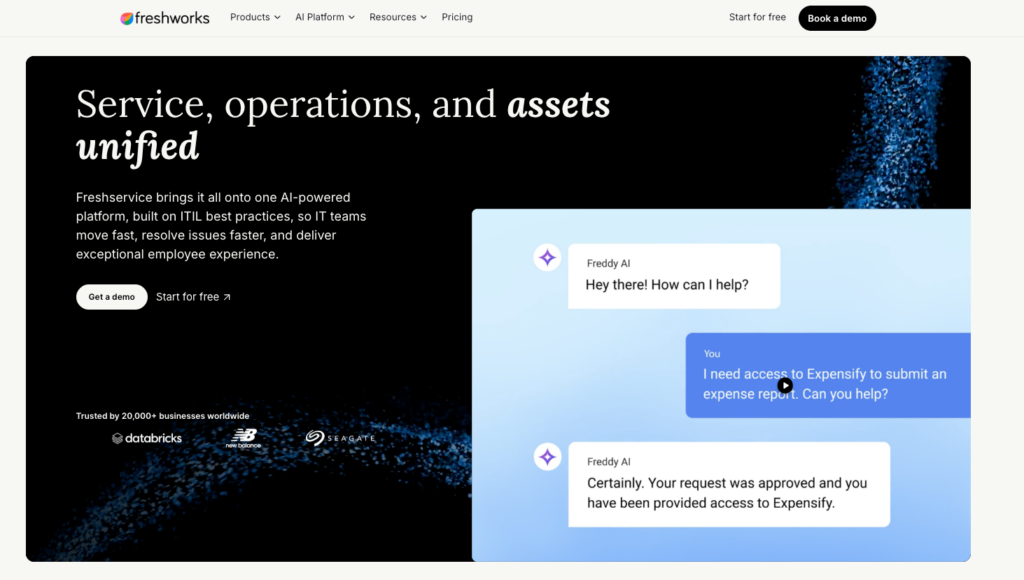
Freshservice is an ITSM solution mainly known as a ticketing system for IT departments. It helps with automatically routing and responding to incidents, setting SLA policies, and creating knowledge base articles for future reference. The available automation feature helps automate tasks like employee offboarding and multi-department approvals.
While ServiceNow is hard to learn, Freshservice has an intuitive interface with simpler ticket management features. Freshservice’s sheer focus on ITSM means that it needs to be integrated with third-party tools for capabilities like RMM software.
G2 Rating: 4.6 out of 5.0 stars (1,350+ reviews)
Capterra Rating: 4.5 out of 5.0 stars (790+ reviews)
Freshservice Pricing:
- Starter: $19/month/agent
- Growth: $49/month/agent
- Pro: $95/month/agent
- Enterprise: Based on a custom quotation
3. ManageEngine ServiceDesk Plus
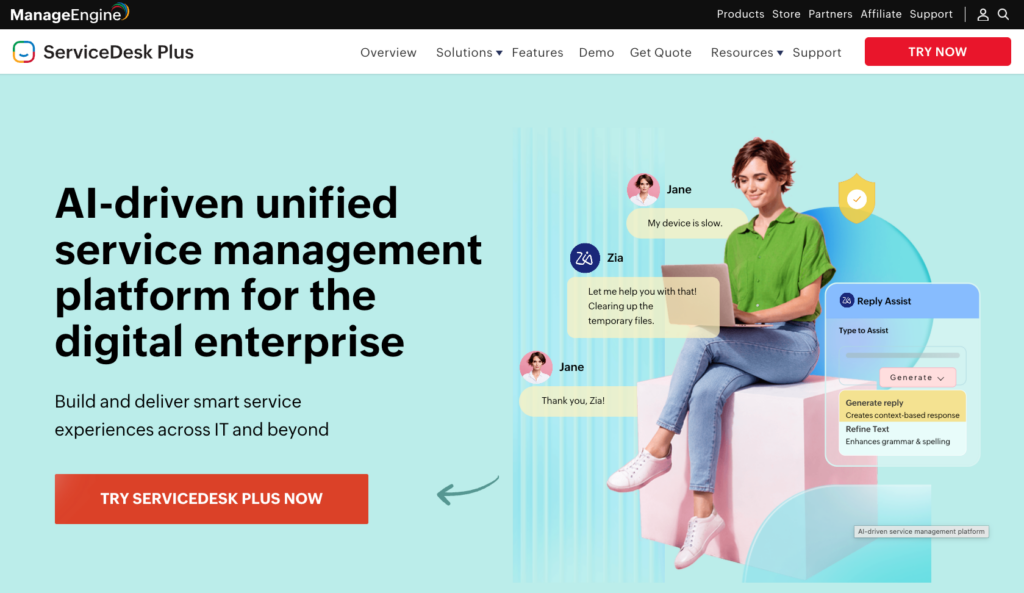
One of ManageEngine’s products, ServiceDesk Plus, offers key ITSM capabilities, like incident management, SLA management, self-service portals, and customizable reports. With the enterprise plan, you get access to more features, like project management, change management, and release workflow builders.
ServiceDesk Plus can be integrated with other ManageEngine products for more IT management functionality, although this comes at an extra cost. Its newest AI layer, Zia Agents, lets teams deploy AI agents for different ITSM needs. Its broader AI features also cover automated triage, routing, and assignment.
G2 rating: 4.2 out of 5.0 (250+ reviews)
Capterra rating: 4.4 out of 5.0 (230+ reviews)
ManageEngine ServiceDesk Plus Pricing:
- Standard: Starts from $13 per month, per technician
- Professional: Starts from $27 per month, per technician
- Enterprise: Starts from $67 per month, per technician
4. Jira Service Management

Jira Service Management lets you set up alerts, manage incidents, and resolve them by displaying knowledge-base articles for customers. You can set up basic automation workflows for investigating incidents, which reduces the need for repetitive tasks.
Jira Service Management can be a suitable ServiceNow competitor for basic end-user support, although it lacks more advanced features like RMM and patch management. In September 2026, Jira rebranded Rovo to Request Resolver, which generates and executes resolution plans for service requests using AI. (Read more: Robin vs. Request Resolver)
G2 rating: 4.3 out of 5.0 (980+ reviews)
Capterra rating: 4.5 out of 5.0 (770+ reviews)
Jira Service Management Pricing:
- Free: Free for up to 3 agents
- Standard: $23.80 per month, per agent
- Premium: $53.30 per month, per agent
- Enterprise: Pricing based on custom quotation. Visit their website to learn more.
5. Zendesk

Zendesk is mostly used by small businesses for simple customer support. The platform helps users manage high support demand through AI-powered agents who automatically reply to customer inquiries. Users can also create chatbots and help center articles for future reference.
While Zendesk can be useful for basic IT support, it’s not a suitable choice for IT teams that require an all-in-one solution for managing all aspects of IT. Zendesk also has AI agents, which autonomously resolve support inquiries on channels like email and messaging.
G2 Rating: 4.3 out of 5.0 stars (6,200+ reviews)
Capterra Rating: 4.4 out of 5.0 stars (4,060+ reviews)
Zendesk Pricing:
- Support Team: $19/month/agent (billed annually)
- Suite Team: $55/month/agent (billed annually).
- Suite Professional: $115/month/agent (billed annually).
- Suite Enterprise + Copilot: Talk to sales to find out pricing
6. Zoho Desk
Similar to Zendesk and Freshservice, Zoho Desk is mainly used for basic omnichannel support as a ServiceNow competitor. It helps with that through capabilities for email, ticketing, live chat, phone, and social media support. You can also generate knowledge base articles, so users can assist themselves.
Zoho Desk integrates with other Zoho products, like Zoho Assist and CRM. Since ManageEngine is a division of Zoho Corporation, Zia Agents are also available on Zoho Desk, helping with tasks like writing ticket replies and documenting resolutions for closed tickets.
G2 Rating: 4.4 out of 5.0 stars (6,600+ reviews)
Capterra Rating: 4.5 out of 5.0 stars (2,200+ reviews)
Zoho Desk Pricing:
- Express: $9/agent/month
- Standard: $20/agent/month
- Professional: $23/agent/month
- Enterprise: $40/agent/month
Choosing the best ServiceNow alternative
The best ServiceNow alternative ultimately depends on your IT team’s needs.
Looking to manage end-user support requests? A basic IT ticketing system might be enough. Need robust IT management software to oversee all aspects of your IT environment? An autonomous IT platform, such as Atera, is the right choice.
With Atera’s Robin, managing your IT environment is more efficient than ever. Atera promises up to 92% autonomous resolution of Tier-1 and complex Tier-2 technical incidents, with a 120-second average resolution time. That means fewer tickets in technicians’ backlogs and more time for them to focus on strategic work.
Ready to see how Robin can resolve your first IT incidents? If yes, get in touch with Atera’s sales team today. Or, try the platform with Atera’s 30-day free trial.
Why look for a ServiceNow alternative?
While many people love ServiceNow’s offerings and pricing, it’s not a great fit for everyone.
Users on G2, Reddit, and Gartner say the product has a steep learning curve, the pricing is expensive (and not transparent), and the customer support has declined. These are the
main reasons teams look for a ServiceNow alternative.
This is what users said:
1. ServiceNow has a steep learning curve
Every IT professional knows that ServiceNow is highly customizable, but in their case, it comes with a steep learning curve.
Related to the steep learning curve, this is what Tanmay C. said on G2:
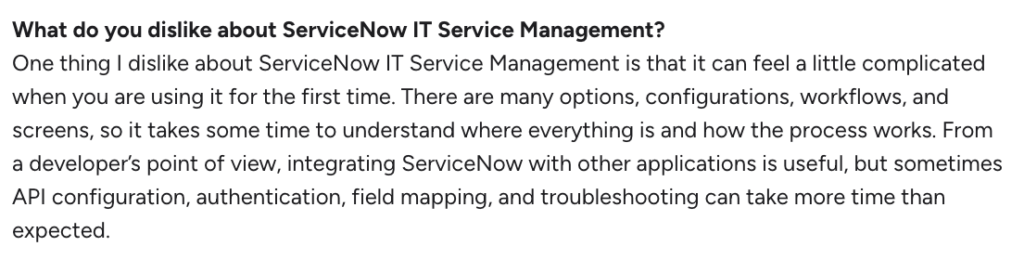
Another G2 user, Pankaj K., said: “The learning curve can be steep, and some workflows or navigation may require additional training.”

As you select a ServiceNow alternative, make sure it’s easy to use and that the page load speeds are quick, even if you’re dealing with a lot of data or have hundreds of end-users.
2. Pricing plans are steep and not transparent
ServiceNow’s pricing isn’t publicly listed, and you need to contact their sales team to get it.
In our opinion (and ServiceNow customers), the lack of transparency in ServiceNow’s pricing makes it difficult to compare it to competitors.
As the Reddit user said below, many factors affect ServiceNow’s pricing:

Not only is the pricing not publicly available, but it’s also very expensive. And according to users like Ankit S., it keeps increasing by the day:
- “I think the licensing cost of having ServiceNow is increasing by each passing day”

If you want the same customizability as with ServiceNow, it can be pretty hard to compete on pricing. So, the question is: how much do the features improve your effectiveness and cost savings?
For example, Agentic AI in IT management can be a real cost saver when looking for a ServiceNow alternative.
3. Customer support has declined
Many users agree that ServiceNow’s support has declined over the years.
In a Reddit thread, one user said ServiceNow took 10 days to provide a first response, and even after 20 days, there was no resolution.

Another user mentioned getting a response in about three business days, but even that, in our opinion, is too slow:

According to users, the reason for the slow support is that ServiceNow has grown too fast without expanding the support side, which is problematic.
A reliable customer support service should be a key feature of any ITSM software, and many customers say ServiceNow fails to deliver on this front specifically. Again, this is a notable drawback, since many ServiceNow competitors offer 24/7 customer support.
What are ServiceNow’s strengths?
We’ve shared ServiceNow’s limitations, but what are its strengths?
We again looked into review platforms, like G2 and Capterra, and this is what customers appreciated:
1. ITSM features
Although ServiceNow has expanded to other areas like HR and CRM over the years, ITSM is still at the core of its product. It includes key ITSM features, like incident and problem management, which users appreciate.
Kishor W. said on G2: “I like how ServiceNow ITSM brings incident, request, and change management together in one platform”
2. Good integrations with third-party tools
ServiceNow has extensive third-party integrations (e.g., with Microsoft SCCM and Jira), which users appreciate.
J Varun S. commented simply on this: “The integration with third-party applications makes it convenient to update, comment on, or resolve tickets directly.”
ServiceNow pros and cons: Takeaways
Below, we have summarized the two previous sections into the pros and cons of ServiceNow.
The pros, according to customer reviews:
- The ITSM features, such as incident and change management, are useful
- The available integrations with third-party tools are extensive
The cons, according to customer reviews:
- The product has a steep learning curve, and page loading times are long
- The pricing lacks transparency and is expensive, especially if you add add-ons
- The quality of customer support has declined
Frequently Asked Questions
Related Articles

7 best LogicMonitor alternatives for IT teams in 2026
Comparing LogicMonitor against its alternatives? We break down 7 alternative options on features, pricing, and reviews.
Read now
Atera alternatives in 2026
Compare Atera to NinjaOne, ConnectWise, SuperOps, Pulseway, and ServiceNow on pricing, features, and ratings.
Read now
7 best Gorelo alternatives for IT teams in 2026
Comparing Gorelo against its alternatives? We break down 7 alternative options on features, pricing, and reviews.
Read now
The 7 Best RemotePC Alternatives in 2026
The 7 best RemotePC alternatives in 2026, reviewed. Find tools with stronger remote access, Agentic AI, and broader IT management features.
Read nowEndless IT possibilities
Boost your productivity with Atera’s intuitive, centralized all-in-one platform









