Table of contents
Generate summary with AI

Quest KACE is a popular endpoint management tool, but users report patching issues and a lack of automated processes, forcing them to look for an alternative.
On G2, Quest KACE has gathered a rating of 4.1 out of 5.0 stars, which arguably is lower than most of its alternatives. Not only do Quest KACE alternatives have a higher rating, but few alternatives offer better pricing and Agentic AI technology.
The best Quest KACE alternatives on the market are:
- Atera
- Microsoft Intune
- ManageEngine Endpoint Central
- Jamf Pro
- N-able N-sight RMM
- NinjaOne
- Ivanti Endpoint Manager
The 7 Best Quest KACE Alternatives for 2026
Let’s begin the review of the best Quest KACE alternatives.
1. Atera
Atera vs. Quest KACE: Key differences
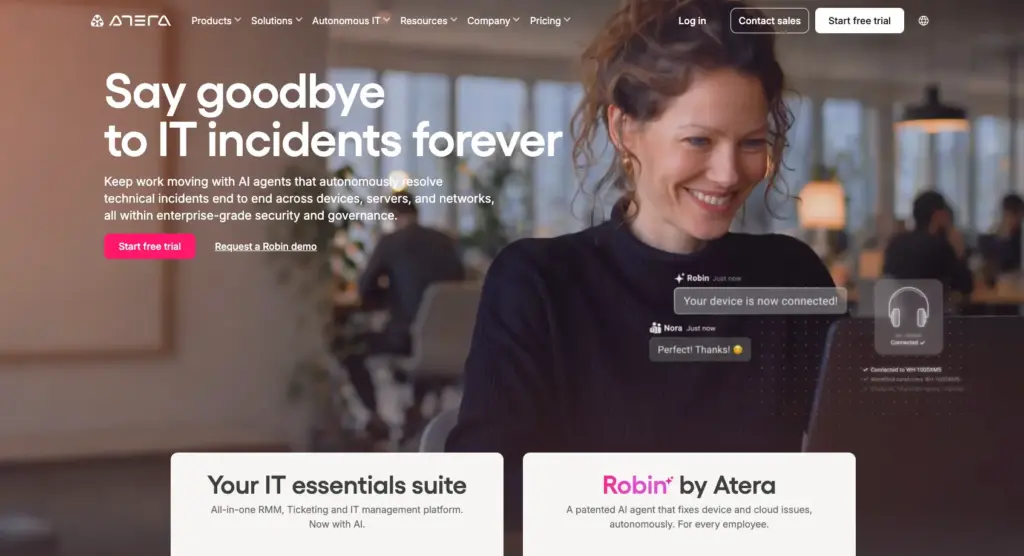
1. Key features: Atera and Quest KACE are both endpoint management solutions, but they differ in their approach. KACE is a traditional endpoint management tool (device discovery, patch deployment, asset tracking, and a service desk), while Atera is an all-in-one AI platform for IT management.
Atera combines RMM, helpdesk and ticketing, remote access, patch management, asset management, and Agentic AI technology into one platform.
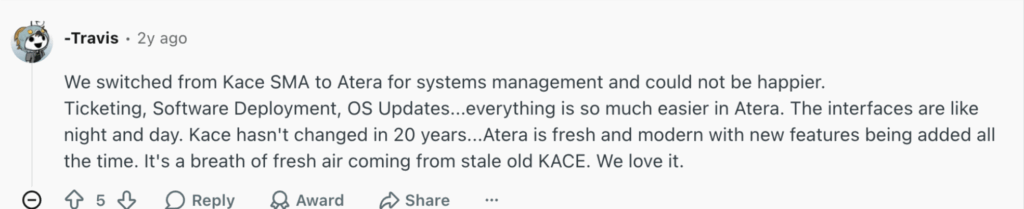
This Reddit user mentioned switching from Quest KACE to Atera and mentioned these immediate benefits:
- “The interface difference is like night and day.”
- “Atera is modern with new features being added all the time.”
- “Ticketing, software deployment, OS updates, everything is so much easier in Atera.”
2. Agentic AI: Quest KACE added AI scripting to its software, but other than that, no further AI features are available. In contrast, Atera expands Agentic AI technology into its entire platform, assisting with all parts of IT management.
Tasks that are partially (or fully) manual with Quest KACE, such as software management, can be handled fully autonomously with Robin by Atera.
Atera’s Robin takes approved actions on the device, network, or in the cloud, such as:
- Doing hardware and performance health checks
- Managing network connectivity and diagnostics
- Handling peripheral and print queue issues
- Keeping operating systems up to date
What’s unique, Robin automatically escalates complex issues to a human technician with a full context.
This is where Atera’s AI Copilot comes in handy for technicians. For issues Robin can’t solve, AI Copilot helps to generate scripts from plain text, summarize tickets, run health checks, and perform actions.
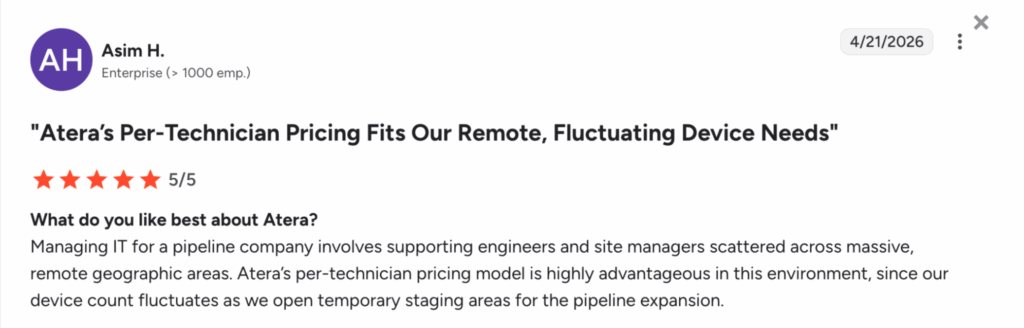
3. Pricing: Quest KACE doesn’t publicly disclose its pricing; it’s based on a custom quotation. At Atera, we’re big believers in transparent pricing. All our standard pricing plans are listed on our website and are based on pay-per-technician.
With each Atera plan, you can add and manage unlimited endpoints, making scaling possible without skyrocketing costs.
Asim H. shared his experience with Atera’s pricing and said, “Atera’s per-technician pricing model is highly advantageous in this environment, since our device count fluctuates as we open temporary staging areas for the pipeline expansion.”
Pricing and value for money
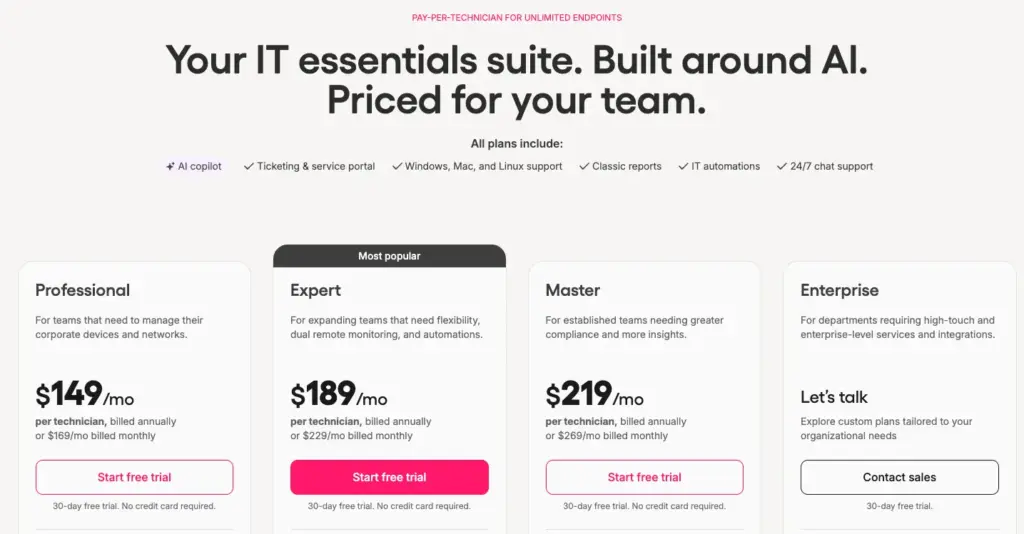
Atera pricing plans for IT departments:
- Professional: $149 per month, per technician
- Expert: $189 per month, per technician
- Master: $219 per month, per technician
- Enterprise: Custom quotation; contact sales to get pricing
- Pro: $129 per month, per technician
- Growth: $179 per month, per technician
- Power: $209 per month, per technician
- Superpower (Enterprise): Custom quotation; contact sales to get pricing
4. Customer reviews and ratings
Atera’s G2 Rating: 4.6 out of 5 stars (1,100+ reviews)
What Atera users are saying on G2:
- “Atera doesn’t just have 1 add-on, like for example an anti-virus client, but an entire set of add-ons that enables you to manage, monitor, and secure every aspect of an IT-environment,” a G2 user says.
- “Atera has helped us lower our operational IT costs. Its AI agents have replaced some manual work, and the automation has reduced our need for overtime,” a G2 user says.
Atera’s Capterra Rating: 4.5 out of 5 stars (440+ reviews)
What Atera users are saying on Capterra:
- “Patch management feature across OS platforms, Windows, Mac, Ubuntu, and third-party applications is very good,” a Capterra user says.
- “Easy to manage devices and organise by clients. Clean user interface and easy to deploy,” a Capterra user says.
2. Microsoft Intune

Microsoft Intune is mainly known as MDM software, and it’s commonly used by organizations operating in the Windows environment. It’s used for three main purposes: to manage applications, identities, and devices. Users can create app protection policies, automate deployment, and more.
While Mac support is available, users like Patil A. say it isn’t as robust as the features for Windows. Intune alternatives, like Atera, may be a better fit for organizations with multi-OS environments.
G2 Rating: 4.5 out of 5.0 stars (210+ reviews)
Capterra Rating: 4.6 out of 5.0 stars (35+ reviews)
Microsoft Intune pricing:
- Microsoft Intune Plan 1: Starting at $8 per month per user for unified endpoint management
3. ManageEngine Endpoint Central

ManageEngine Endpoint Central is an endpoint security platform that offers key IT management functions: patching, asset management, remote access, and ransomware protection.
Endpoint Central also offers an AI assistant, but according to users like Ashish K., “it’s not as advanced as more AI-first platforms.” Its AI assistant is useful for assisting, but it isn’t capable of taking actions on behalf of technicians, unlike Atera’s Robin.
G2 Rating: 4.4 out of 5.0 (880+ reviews)
Capterra Rating: 4.6 out of 5.0 (970+ reviews)
ManageEngine Endpoint Central Pricing:
- Professional: Starts at $104 for 50 endpoints
- Enterprise: Starts at $124 for 50 endpoints
- UEM: Starts at $139 for 50 endpoints
- Security: Starts at $205 for 50 endpoints
4. Jamf Pro

For organizations solely with Apple devices, Jamf Pro is one option. Like Intune, it’s an MDM software that your IT team can use to manage the entire lifecycle of your Apple devices. This includes automatically deploying devices, maintaining software, responding to threats, and more.
Jamf Pro does mention supporting Android, but users like Joe P. say it doesn’t work as well and requires a more expensive plan. At Atera, IT departments can manage Windows, Linux, and Mac devices with all of our plans, which is a notable advantage.
G2 Rating: 4.8 out of 5.0 stars (1,900+ reviews)
Capterra Rating: 4.7 out of 5.0 stars (530+ reviews)
Jamf Pricing:
- Jamf Now: Starts at $4 per device, per month
- Jamf Business: Starts at $15 per user, per month
- Jamf Enterprise: Custom quotation
5. N-able N-sight RMM
N-sight RMM is part of N-able’s suite of products, which helps IT teams manage workstations, servers, and other network devices. It also enables patch deployment, remote access to devices, and PSA access for MSPs.
N-able advertises as having 24/7 technical support; however, users like James D. say that in reality, the support responses are slow. Atera offers a true 24/7 live chat and email support, and users like Richard H. mention getting their issues resolved in under 10 minutes.
G2 Rating: 4.3 out of 5.0 (300+ reviews)
Capterra Rating: 4.3 out of 5.0 (150+ reviews)
N-sight Pricing:
- N-sight doesn’t make the pricing public, but it’s based on the number of endpoints you manage. You need to “Contact a specialist” from their website to receive the pricing.
6. NinjaOne
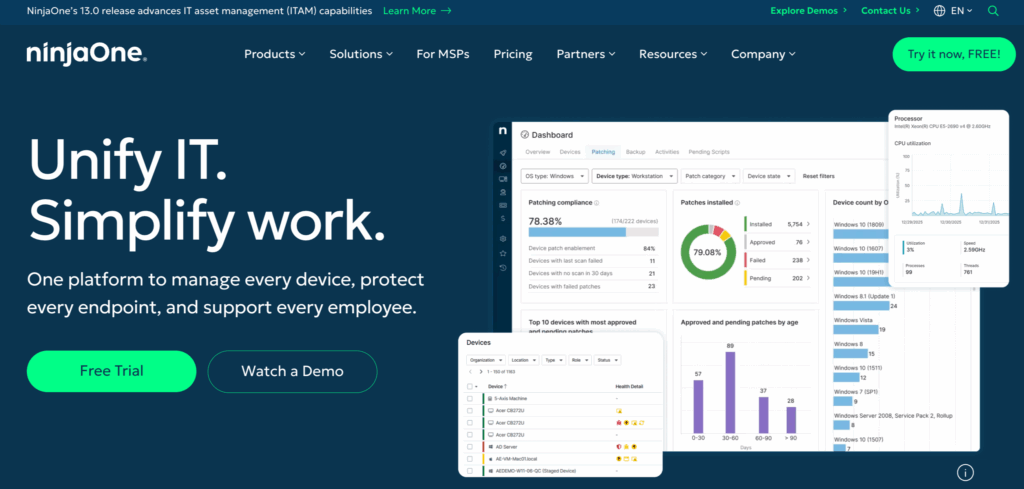
NinjaOne is a popular endpoint management software used by both IT teams and MSPs. The platform comes with patch management, remote access, automation and scripting, and a ticketing system.
Unlike a few other Quest KACE alternatives, NinjaOne hasn’t yet implemented any Agentic AI features on its platform. In contrast, NinjaOne alternatives, like Atera, have implemented a full Agentic AI technology, capable of eliminating 40% of your IT workload instantly.
G2 Rating: 4.7 out of 5.0 (2,000+ reviews)
Capterra Rating: 4.8 out of 5.0 (220+ reviews)
NinjaOne Pricing:
- NinjaOne requires you to contact their sales team to get the pricing. To do this, you can fill out a form on their website.
7. Ivanti Endpoint Manager
Ivanti Endpoint Manager helps your organization to manage all Windows, macOS, Linux, and Chrome OS devices. For each device, you can automate patch deployment, monitor hardware health, and remotely access it.
Ivanti Endpoint Manager’s pricing is based on per-endpoint, and according to users like Khushi K., it can get costly. For organizations looking to scale while keeping costs down, solutions like Atera with per-technician pricing are often a superior choice.
G2 Rating: 4.2 out of 5.0 stars (130+ reviews)
Capterra Rating: 3.0 out of 5.0 stars (1 review)
Ivanti Endpoint Manager Pricing:
- Custom pricing. To get the pricing, fill out your details on Ivanti’s website.
Why look for a Quest KACE alternative?
Users reported three main issues with Quest KACE, which we’ve explained below.
1. Lacks real standout features
Quest KACE is a standard endpoint management tool, and unfortunately, it lacks any true standout features, such as strong RMM software.
This is what one Gartner user commented on it:
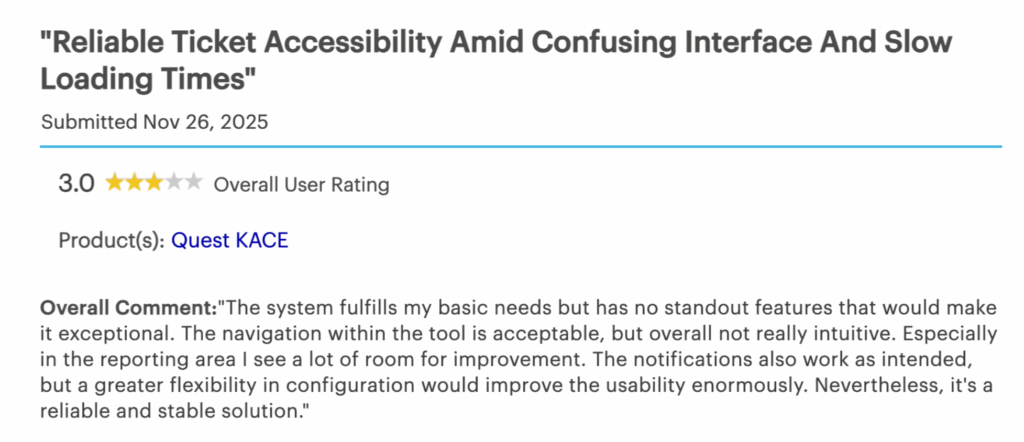
The same user also said, “The navigation within the tool is acceptable, but overall not really intuitive.”
2. Issues with the patch management
One Quest KACE user on G2 said, “It was somehow difficult to track the execution status of certain scheduled Windows updates. Sometimes we needed to push the updates several times.”

Especially for larger IT teams, this can seriously slow down patch deployment and make it difficult to maintain consistent update compliance.
3. Relies on manual processes
One Gartner user said, “KACE relies heavily on manual processes. Automation doesn’t seem to be part of KACE’s delivery, so we find ourselves using other means.”

In addition to minimal IT automation, there’s no Agentic AI technology that would further assist in removing manual tasks.
What are Quest KACE’s strengths?
In contrast, below are the strengths that Quest KACE users have mentioned.
1. Patch management
Despite some users facing issues with Quest KACE’s patching, some G2 users say it’s suitable for pushing OS deployments.
And like with most Quest KACE alternatives, you can set up patch schedules.
2. Broader endpoint management
Aside from patching, Quest KACE offers broader endpoint management capabilities, including inventory management, remote access, and a help desk, which Gartner users appreciated.
The pros and cons of Quest KACE
Below are the pros and cons of Quest KACE concluded.
The pros:
- Patch management for Windows, Mac, and Linux
- Aside from patching, Quest KACE offers a helpdesk system and inventory management
The cons:
- Lacks standout features, such as strong RMM or Agentic AI
- Users report issues with Quest KACE’s patch management tool
- There’s a lack of IT automation and AI for eliminating manual processes
Frequently Asked Questions
Related Articles
7 best LogicMonitor alternatives for IT teams in 2026
Comparing LogicMonitor against its alternatives? We break down 7 alternative options on features, pricing, and reviews.
Read now
Atera alternatives in 2026
Compare Atera to NinjaOne, ConnectWise, SuperOps, Pulseway, and ServiceNow on pricing, features, and ratings.
Read now
7 best Gorelo alternatives for IT teams in 2026
Comparing Gorelo against its alternatives? We break down 7 alternative options on features, pricing, and reviews.
Read now
The 7 Best RemotePC Alternatives in 2026
The 7 best RemotePC alternatives in 2026, reviewed. Find tools with stronger remote access, Agentic AI, and broader IT management features.
Read nowEndless IT possibilities
Boost your productivity with Atera’s intuitive, centralized all-in-one platform









