Atera has become one of the go-to names for IT departments and MSPs looking for a unified IT management solution. With its focus on AI through Robin and AI Copilot, the platform has grown well beyond legacy IT management tools.
Since we first wrote this article, Atera has rolled out major updates in 2025 and in 2026, so an update was needed. In this Atera review, you’ll learn all the current features of the platform, what’s new, how it compares to other IT management platforms, and more. Read on to learn more.
What is Atera?
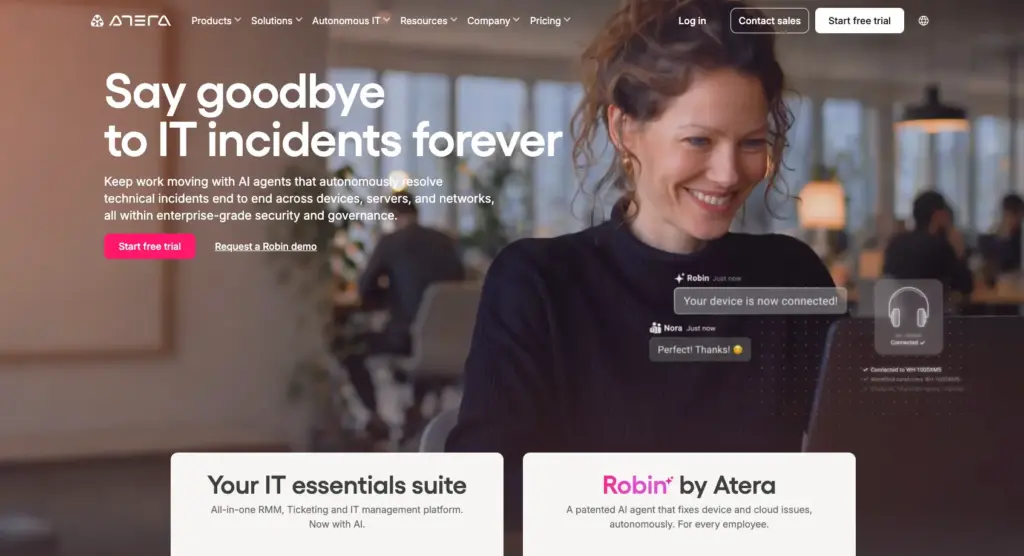
Atera is an IT management platform used by internal IT departments at companies of all sizes, from SMBs to enterprises, as well as MSPs. Its core feature set (RMM, ticketing and helpdesk, AI Copilot, patch management) gives IT teams what they need to manage their environment day to day.
Robin sits alongside this as a separate product. It’s Atera’s autonomous IT agent that resolves end-user issues on its own, rather than just assisting technicians.
Atera’s products
Let’s start with a breakdown of what features Atera’s platform includes.
Robin by Atera
Atera powers its platform with AI, one of which is the autonomous IT agent Robin by Atera and the automated AI Copilot.
Unlike most AI chatbots that just assist, Robin goes further by solving real-world IT issues fully autonomously. Robin does this in three steps:
1. It takes in the support request: Robin interacts with end-users via Slack, email, Teams, or your Customer Portal and collects the full context needed for resolution. It replies instantly so the user knows the request is in progress.
2. It resolves the issue: Robin selects the right resolution approach based on the issue type and company policies. It runs actions on devices or in the cloud, including installing software, resetting devices, fixing printer issues, and more.
3. It closes the loop: Once the issue is resolved, Robin closes the loop by updating the ticket with the resolution outcome. With each issue resolved, Robin refines its troubleshooting capabilities and gets better over time. For more complex issues, it automatically escalates those to a human technician.

Atera’s performance guarantee is that Robin will resolve 50% of both Tier-1 and Tier-2 tickets within 90 days, or it’ll waive your fees. And over time, Robin is capable of solving up to 92% of all technical issues, all without technician involvement.
And Atera isn’t the only one making this claim. Just recently, G2 named Atera the #1 Agentic AI software in its Summer 2026 report for both results and usability. With some of the most recognized names in AI like Microsoft Copilot and ServiceNow AI agents on the same list, this is a huge recognition for Atera.
IT core essentials
RMM
Atera’s RMM works through its RMM agent that gets installed on each Windows, Mac, or Linux device. Once installed, the agent continuously tracks key performance metrics, alongside hardware and OS information.
This data gives technicians full visibility into device health and performance, letting them catch issues before they escalate.
Atera’s RMM includes:
- Proactive monitoring and alerts: You can monitor network infrastructure, servers, workstations, and devices in real time. You can set alert thresholds to monitor system resources, logged-in users, IP monitoring, SQL server updates, and more.
- Remote maintenance: The remote maintenance functionality provides easy access to uninstalling applications, running scripts, installing patches, and running virtually any command.
- Asset management capabilities: Atera provides accurate inventory information on hardware and software assets, enabling IT professionals to track and manage resources effectively, allocate assets efficiently, and plan for future upgrades or replacements.
- Software repository: The software repository is used for centralized management and distribution of software applications.
- Reporting and analytics: You can create customized reports on system health, software inventory, and patch feedback. This will assist you in making more informed decisions and provide documentation for billing purposes.
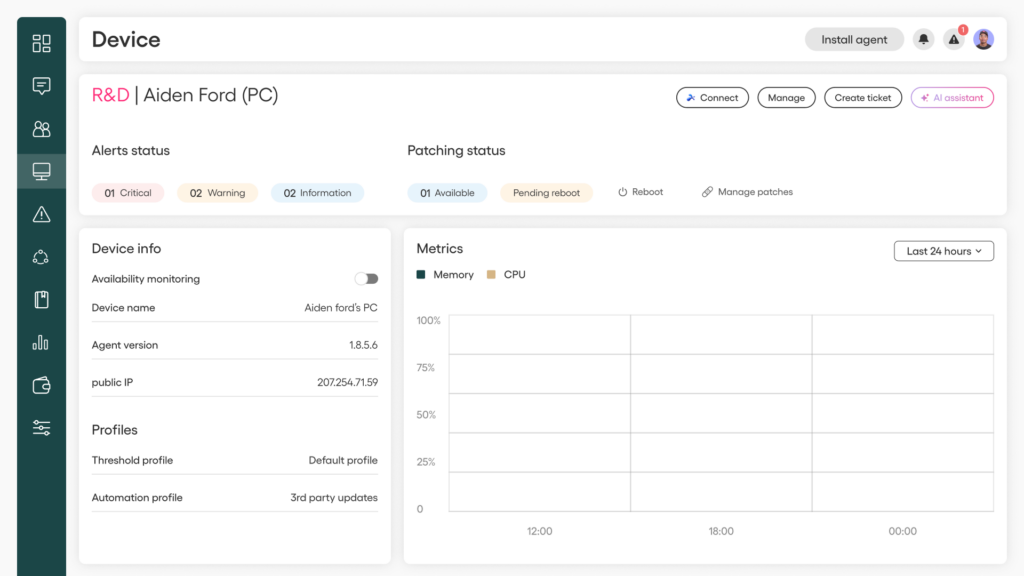
Other notable RMM features Atera provides include patch management, remote access and support, and IT automation, all of which are reviewed later in this article.
Whether you’re part of an IT department or MSP, Atera’s RMM capabilities make managing endpoints and devices easy and secure.
Ticketing & helpdesk
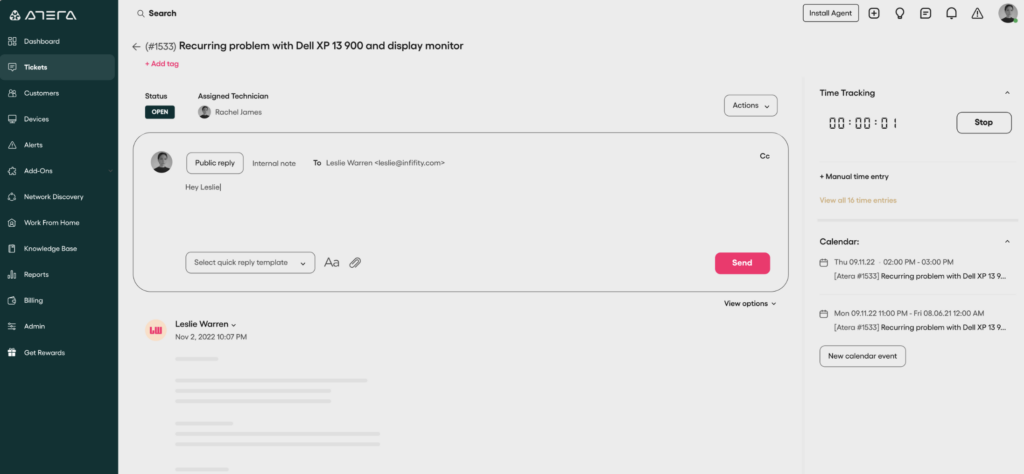
Atera’s ticketing and helpdesk system helps to track, organize, and manage tickets from creation to resolution. You can set up ticket automation rules for automated technician assignments and use AI Copilot to generate ticket summaries and replies.
With AI Copilot within Atera’s ticketing system, one Atera user, Leeds United, was able to reduce its tickets by 35%, which is a drastic drop for a large organization.
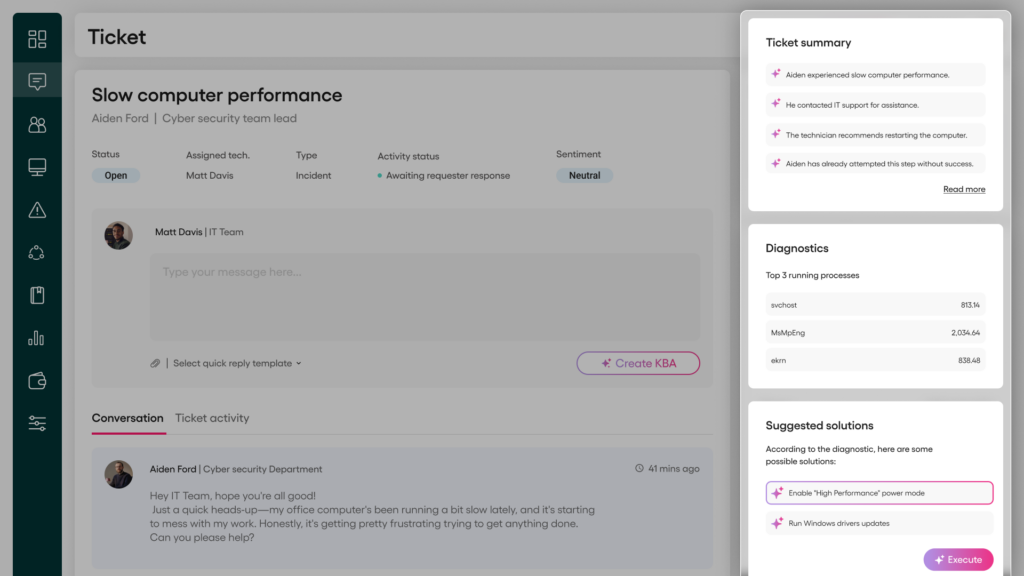
And for MSPs, Atera’s PSA is available. It gives you a single, intuitive dashboard for communicating with end-users, handling contracts and billing, crafting KB articles, and creating reports.
AI Copilot
While Robin resolves employee IT issues end-to-end, Atera’s AI Copilot assists technicians inside the platform, boosting speed and reducing manual work.
With AI Copilot, technicians get:
- Insights and key information across your entire account
- Remote session summaries with an itemized list of key points and actions performed
- Device troubleshooting help with Copilot running health checks, diagnosing issues, suggesting actions, and resolving them
- Script generation assistance by helping turn plain-text instructions into ready-to-use scripts
- Knowledge base connection to turn ticket resolutions into KB articles
- Instant ticket summaries with full context of the issue
- Command line generation
While Robin is an add-on, AI Copilot is available on each plan at no additional cost.
Patch management
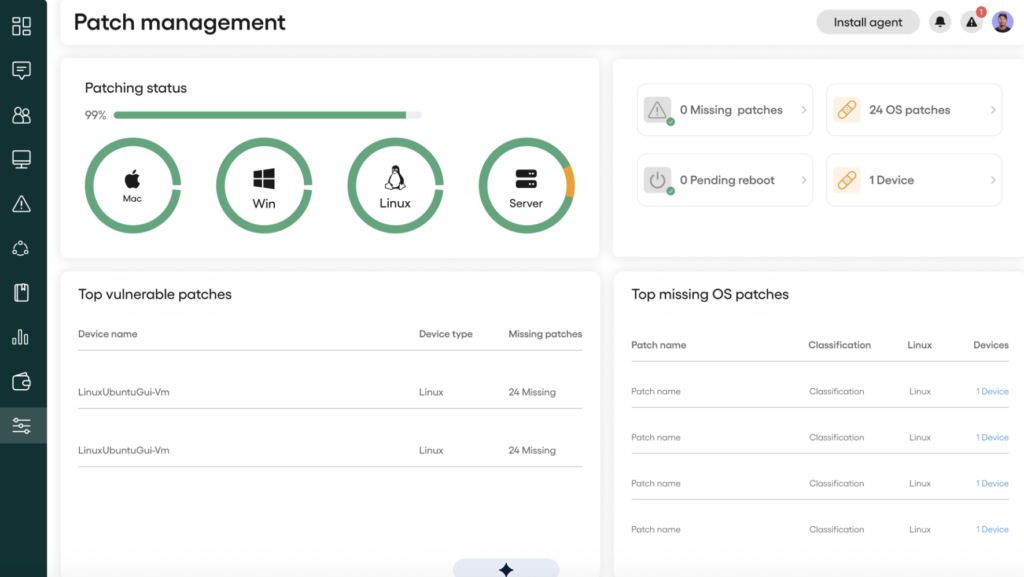
Atera’s platform includes an automated patch management tool for scheduling, deploying, and managing software updates and security patches for Windows, macOS, and Linux devices.
With Atera’s patch management, you can:
- Maintain up-to-date software, hardware, and operating systems
- Install Microsoft updates according to your preferences
- Ensure all available patches are applied
- Keep device drivers current
Unlike IT technicians (who do need to sleep), the patch management tool works around the clock to ensure your devices are secure and up-to-date.
If you want full control of how patches are installed, you can always configure the patch management settings to fit your needs. You can approve, postpone, or exclude patches across your devices.
Remote access
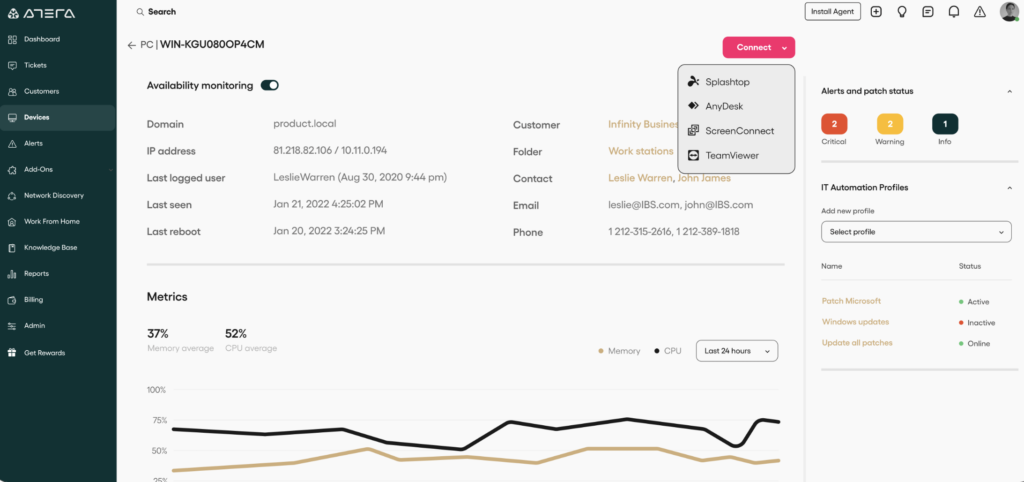
Atera’s remote access tool lets you access computers, desktops, servers, applications, and files remotely from anywhere.
You can start a session directly from an alert, ticket, or device via AnyDesk or Splashtop, available on Atera plans at no extra cost.
IT automation
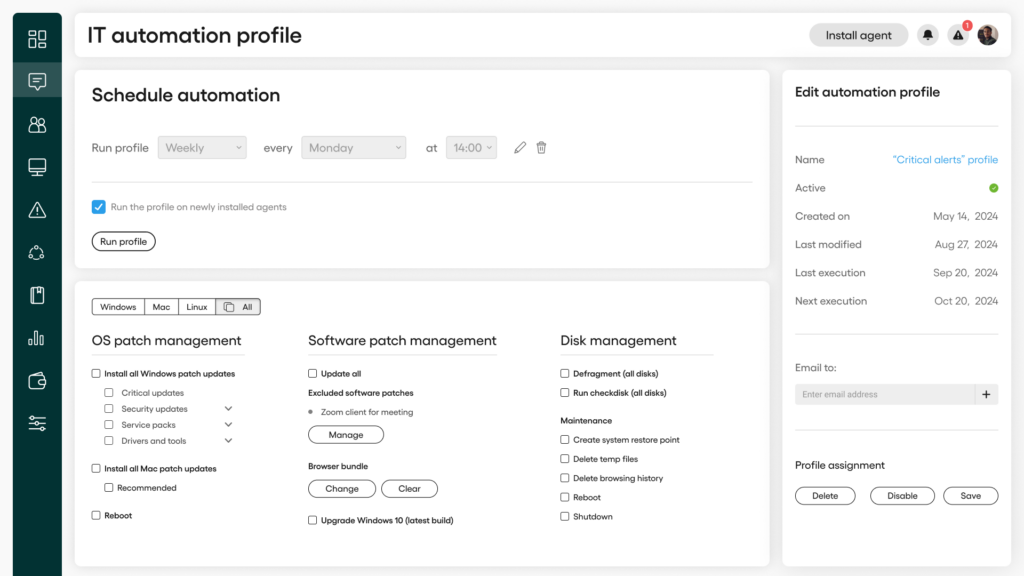
Use Atera’s IT automation to create powerful automation rules for company servers, devices, or workstations.
Automation profiles can be used to:
- Execute scripts, including straight from the mobile app
- Set up patch management schedules
- Clear out temporary files
- Wipe internet browsing history
- Reboot devices remotely
- Shut devices down remotely
- Defragment all disks
- Run a check disk across all disks
IT automation is available on Atera plans at no extra cost.
Add-ons
In addition to Atera’s core features, here’s all the additional functionality you can find within the platform.
Network Discovery add-on: Atera’s Network Discovery tool is its flagship add-on that integrates with Atera’s RMM and automatically detects and catalogs devices on your Workgroup network.
The Network Discovery tool detects and blocks unauthorized devices before they pose a real threat, keeping your IT environment secure. You can read more about the Network Discovery security scans here.
Network Discovery is available as an add-on, $29/month per technician.
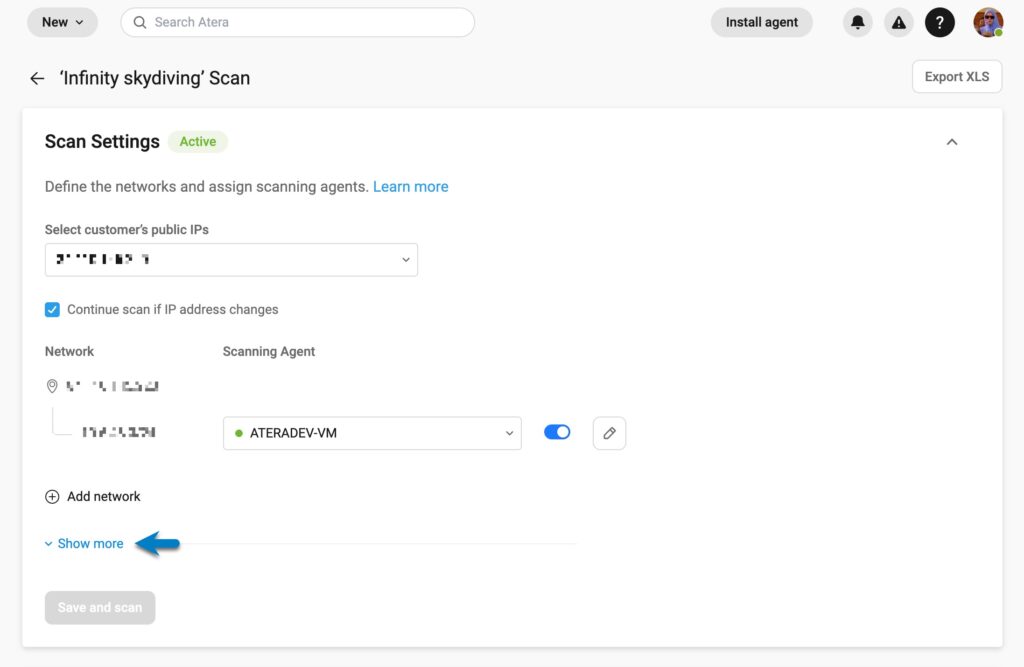
Work from Home add-on: Atera’s Work from Home provides a secure connection to office computers from any location, enabling your end-users to work remotely.
Work from Home is available as an add-on, $5/month per end-user.
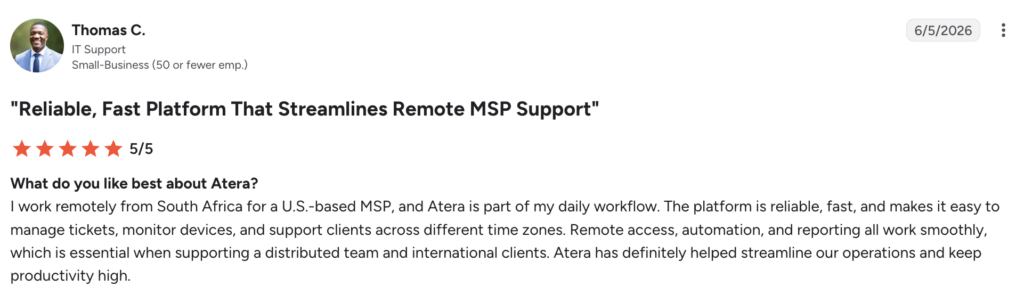
- “I work remotely from South Africa for a U.S.-based MSP, and Atera is part of my daily workflow. Remote access, automation, and reporting all work smoothly, which is essential when supporting a distributed team and international clients.” – Atera G2 review of Thomas C.
Mobile app: Atera’s mobile app lets you support customers on the go with access to contacts and devices, remote access via Splashtop, ticketing, and more.
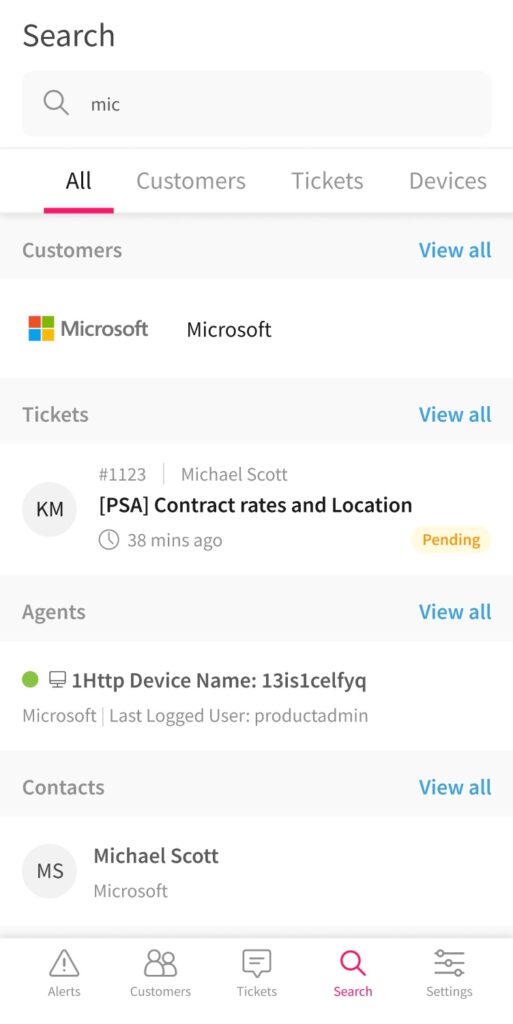
The mobile app is available on both the iOS App Store and Google Play.
Third-party integrations: With 25+ third-party integrations for Atera’s platform and 50+ for Robin, Atera works wherever your IT already lives.
In addition, Atera offers limitless connectivity through MCP for Robin, Zapier for 7,000+ extra apps, and Cloud Actions for automated cloud workflows.
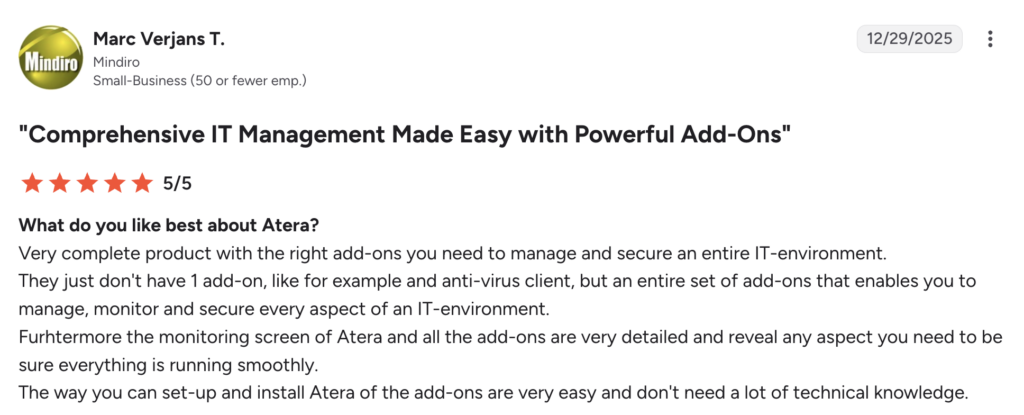
One of Atera’s users, Marc Verjans T., said, “Atera doesn’t just have 1 add-on, like for example an anti-virus client, but an entire set of add-ons that enables you to manage, monitor and secure every aspect of an IT environment.”
Atera for IT departments
The needs and goals of IT departments and MSPs vary, which is why Atera offers tailored plans for both.
Some key benefits Atera brings to IT departments include:
- Access to AI agents: Atera enables IT to run autonomously, completely transforming how organizations operate in the modern world. Robin is there to assist end users in solving IT problems, while Copilot works alongside techs, expanding their human expertise and capabilities.
- Improved security: Atera’s RMM and Robin continuously monitor your network activity and provide real-time alerts for any potential issues, giving you a secure and well-maintained IT infrastructure. Atera also takes AI security seriously and adheres to industry standards like ISO/IEC 27001, 27017, 27018, and 27032.
- Faster technician workflows: AI Copilot works alongside your technicians, generating scripts, summarizing tickets and remote sessions, and running device health checks, so the issues that do need a human get resolved faster.
- Better scalability: Atera’s per-technician pricing means you can manage unlimited endpoints at no extra cost. This differs from most RMM pricing plans and makes scaling simple as your organization grows.
- Centralized control: You can perform device troubleshooting, patch management, ticketing, and other system management tasks through one unified interface. No need to switch between multiple products; do all the important tasks within Atera.
Atera for MSPs
Atera’s benefits for IT departments are evident, but what about for MSPs?
Atera has a dedicated plan for MSPs, which includes multi-tenancy support, automation, flexible pricing, and the centralization of domain controllers.
The key Atera benefits for MSPs include:
- Scalability and flexible pricing: Atera’s per-technician pricing model allows MSPs to easily scale their operations without incurring additional costs. This makes scaling more predictable, as you always have a clear idea of how much you’re paying.
- Agentic AI: With Atera’s Copilot, your technicians can automatically troubleshoot device issues, generate scripts, handle tickets, and get instant remote session summaries.
- Multi-tenancy support: MSPs can manage multiple customer environments from a single dashboard. This eliminates the need to switch between multiple platforms or accounts, which would make scaling practically impossible.
- Automation: Atera helps automate routine tasks, like patch management, maintenance, and software updates. This helps MSPs optimize service delivery and focus on more strategic tasks.
- Enhanced security: Thanks to Atera’s RMM, you’ll get real-time notifications of any potential issues in your client’s IT environments.
Interface and usability
Atera’s dashboards have a low barrier to entry and quick implementation, yet they’re fully customizable to your IT team’s needs.
Atera was named a leader in G2’s Usability Index for Agentic AI 2026 report, with a score of 9.31, ahead of names like Microsoft Copilot, Zapier, HubSpot, and ServiceNow.
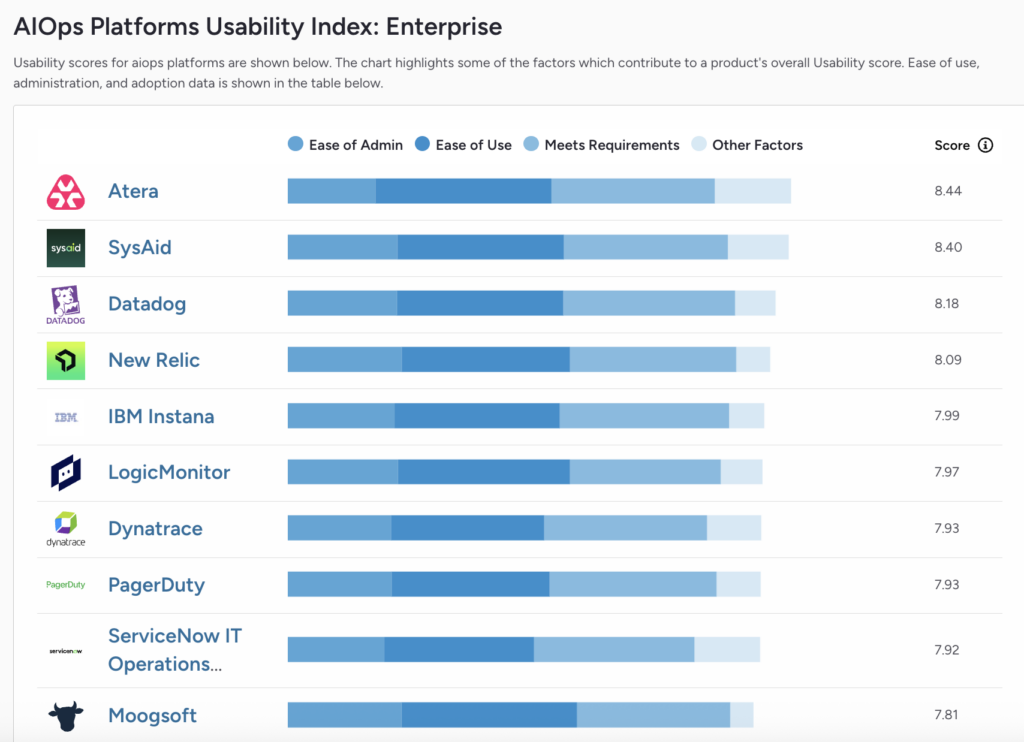
The score is built from real user reviews and is based on ease of use, ease of admin, how well the platform meets user requirements, and other factors.
Below is a sneak peek into Atera’s admin dashboard.

Performance and reliability
As any IT professional knows, reliability is a top priority when choosing an IT management tool. Splunk’s report shows that companies lose an average of $300 million a year to unplanned outages.
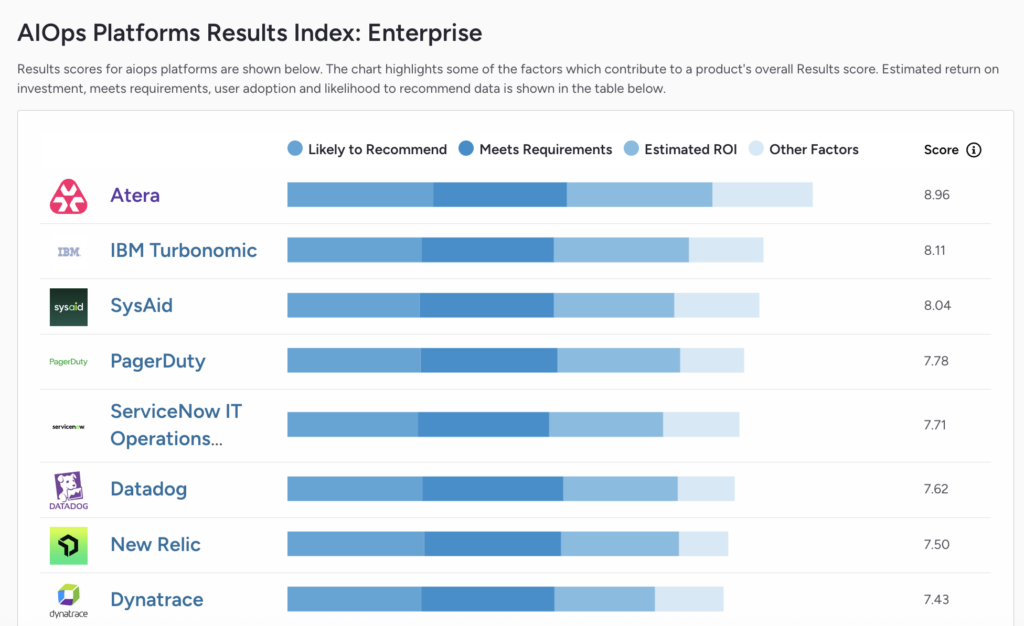
Atera’s performance backs this up. In G2’s Enterprise Results Index for AIOps platforms, Atera ranked #1 with a score of 8.96, ahead of companies like IBM, SysAid, Datadog, and ServiceNow IT Operations.
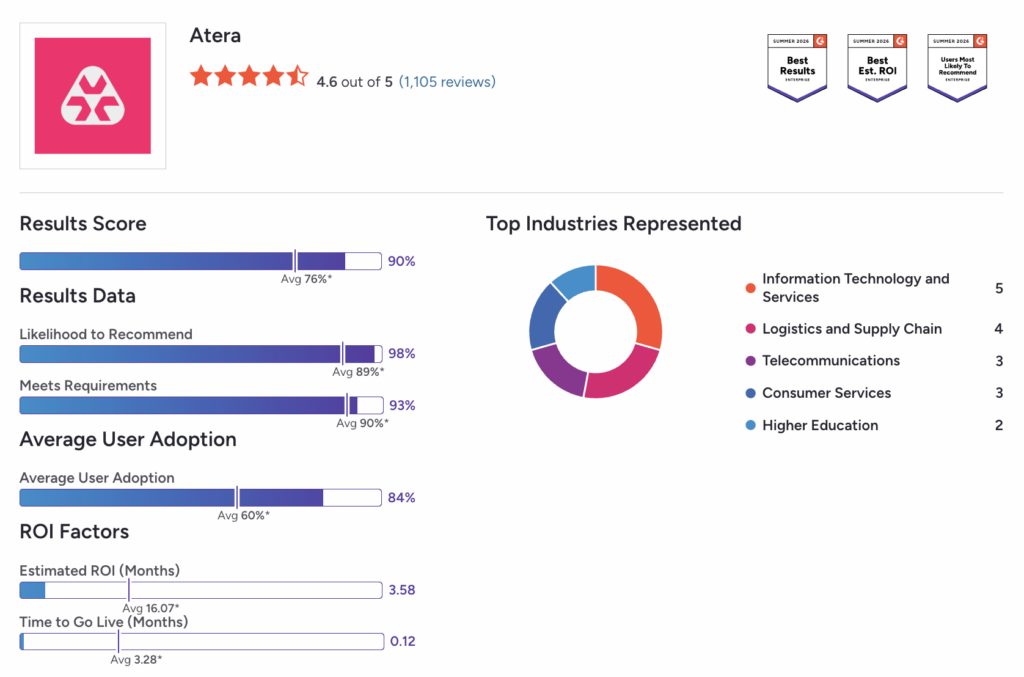
According to G2, Atera’s estimated time to ROI is just 3.58 months, compared to a category average of 16.07 months, and time to go live comes in at 0.12 months versus an average of 3.28 months.
Atera’s commitment to moving organizations from reactive to proactive IT support strengthens overall IT security. Atera’s Robin doesn’t just sit in the cloud looking smart; it constantly monitors your IT environment for potential threats. With Atera’s RMM, you also benefit from real-time monitoring and alerts.
Regarding customer support, the easiest way to get assistance from Atera is through its 24/7/365 live chat, available for all customers at no extra cost. A comprehensive knowledge base is also available, which includes various resources.
Security and compliance
Security is built into everything Atera does. With smart logging, reporting, and adherence to industry standards like MFA, customers can be sure that their organization is not at risk from unwanted threats. Atera has also achieved ISO/IEC 27001, 27017, 27018, and 27032 compliance.
Atera continually develops its cybersecurity offerings, including Atera’s AI security for AI agents. It’s committed to developing and using AI securely and ethically. Customer data is never used to train Atera, OpenAI, or Microsoft models, and all customer environments are isolated within Azure.
In addition, Atera’s security-focused integrations allow you to combine Atera with your favorite cybersecurity platforms. Atera’s security integrations include Bitdefender, Cynet, Keeper, ESET, Emsisoft, Webroot, ThreatDown, and Ironscales.
Read more about security and compliance from Atera’s Trust Center page.
Pricing
Unlike most IT management platforms, Atera is fully transparent on pricing.
Atera’s IT department pricing plans range from $149 to $219/month per technician, while the MSP pricing plans range from $129 to $209/month per technician.
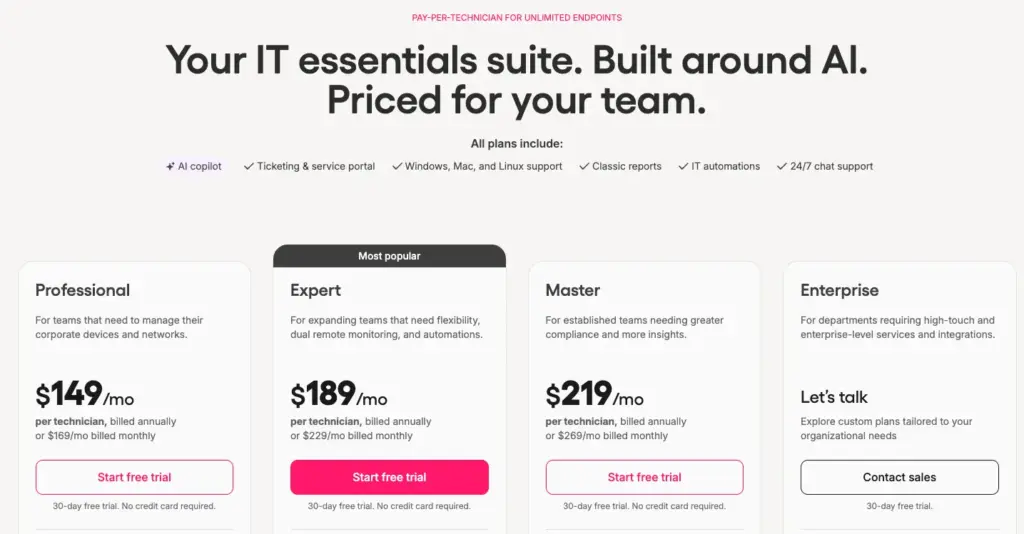
While most RMM pricing plans are pay-per-endpoint, Atera users pay-per-technician structure.
Pay-per-technician is often best for enterprises due to its predictability. You only pay for the number of technicians using the platform, meaning you can add unlimited devices without skyrocketing costs.
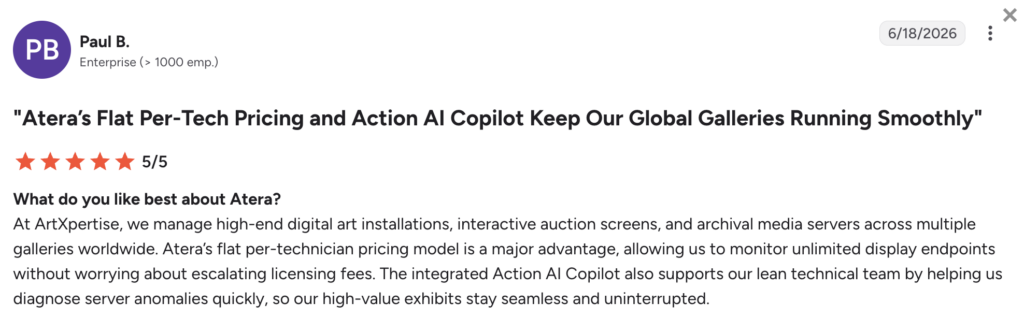
Paul B. from an enterprise team described the benefits of Atera’s pricing and said:
- “Atera’s flat per-technician pricing model is a major advantage, allowing us to monitor unlimited display endpoints without worrying about escalating licensing fees.”
Plus, with Robin assisting in autonomously managing tasks and AI Copilot helping technicians, you’ll see further cost savings from day one.
See how much your organization could save with Atera using the Robin savings calculator.
Atera vs. Legacy IT Management Platforms
Enterprise IT is moving away from “manual maintenance” toward autonomous IT.
While traditional platforms offer basic automation, Atera is the only solution built around an Agentic AI framework that acts as a true digital workforce.
Atera vs. ConnectWise
- The AI Difference: ConnectWise relies on a legacy, modular architecture where AI is often an “add-on” or limited to specific functions. Atera’s Robin resolves end-user issues autonomously, end-to-end, while AI Copilot works alongside technicians with real-time script generation, automated ticket summaries, and proactive troubleshooting suggestions.
- Enterprise Efficiency: ConnectWise often requires dedicated “system admins” just to manage the tool itself. Atera’s Robin (Agentic AI) handles the “first-tier” heavy lifting by interacting with end-users autonomously, allowing your elite IT team to focus on high-level enterprise architecture instead of password resets.
- Best Fit: ConnectWise is typically chosen by organizations tethered to legacy MSP modules. Atera is the premier choice for agile enterprises that need to deploy instantly and scale without the “complexity tax” of traditional RMMs.
Atera vs. Datto RMM
- The AI Difference: While Datto has introduced AI-assisted features, they lack the end-to-end autonomy of Atera. Robin doesn’t just assist; it resolves. It can diagnose issues, execute approved scripts, and fix problems on the endpoint without a human ever touching the ticket.
- Scalability: Datto’s pricing often scales with device count, which can penalize growing enterprises. Atera’s per-technician pricing allows you to manage an unlimited number of endpoints. When combined with AI-driven resolution, this means your “cost-per-endpoint” actually decreases as you grow.
- Best Fit: Datto is common in hardware-centric environments. Atera is the strategic alternative for cloud-first enterprises that want to leverage AI to achieve a 10x increase in technician productivity.
Atera vs. Kaseya VSA
- The AI Difference: Kaseya is a powerful but complex tool that prioritizes manual granular control. Atera prioritizes autonomous outcomes. Robin resolves up to 92% of technical issues on its own, while AI Copilot speeds up the tasks that still need a technician: writing complex PowerShell scripts or identifying root causes in seconds.
- Operational Agility: Kaseya’s ecosystem is a collection of acquired tools that don’t always “speak” the same language. Atera is a unified platform where the AI has full context of both the RMM and the Help Desk, leading to smarter, context-aware automations that legacy systems simply can’t match.
- Best Fit: Kaseya serves organizations with highly specific, on-premise legacy needs. Atera stands out as the modern, AI-powered choice for enterprises that value security, simplicity, and a “Human-AI Teammate” approach.
Case studies
Here are a few Atera customers that already implemented Robin to achieve time and cost savings for their organizations.
CCI: Scaling IT support without increasing workload
With over $1 billion in assets under management and a team of 400 employees, CCI was looking for a solution to support its lean 7-person IT team that faced rising ticket volumes.
- Challenge: Increased number of incoming tickets, time lost on manual diagnostics and missing context, and slow resolution times that impacted end-user productivity. This resulted in rising stress and workload for the IT team.
- Atera Solution: After moving their IT in-house, CCI looked for a solution with at least AI on its roadmap. Atera met all of CCI’s requirements and stood out with Robin, which promised a clear path for growth.
- Outcome: CCI’s IT team is now saving up to 200 hours per month, as Robin is solving 67% of technical issues. The time saved per ticket is an average of 30 minutes, thanks to Robin handling context gathering, issue resolution, and escalation.
“At around 500 tickets a month, Atera’s Robin is saving our IT team ~200 hours a month. It touches almost every support interaction we have. It’s not just resolving issues, it’s reshaping how employees perceive IT support at CCI.“ – America Lucid, Vice President of Technology at CCI
Read the entire CCI case study here
Repacorp: Deliver secure IT environments for clients profitably
Repacorp is a US-based manufacturer specializing in custom labeling and packaging. Behind the scenes, IT plays a key role in keeping their production systems and business workflows running smoothly.
- Challenge: As Repacorp expanded, so did the volume (and complexity) of their IT requests. They needed an IT management platform that enabled them to be more efficient without burning out the team or adding more people.
- Atera Solution: Repacorp’s team was looking for a platform that could simplify IT management and introduce automation in a meaningful way. Atera ticked all the boxes, and their team implemented Atera’s Robin as the first line of support.
- Outcome: After implementing Atera and Robin, their IT team now spends significantly less time on low-value work, and there’s less pressure on the lean team. From an end-user perspective, the response and resolution times have gotten faster, and the whole support experience has become more consistent.
“Atera gives us the ability to stay efficient, stay responsive, and keep moving forward as the business grows. Robin takes care of the small stuff that used to slow us down.” – Hunter Patterson, CIO at Repacorp
Read the entire Repacorp case study here
Customer reviews and user feedback
Across all major review platforms, including G2, Capterra, Gartner, and TrustRadius, Atera has over 2,000+ reviews, with an average rating of 4.6 out of 5.0 stars.
Users consistently point out a few things: Atera’s AI capabilities, unified functionality, ease of use, and per-technician pricing.
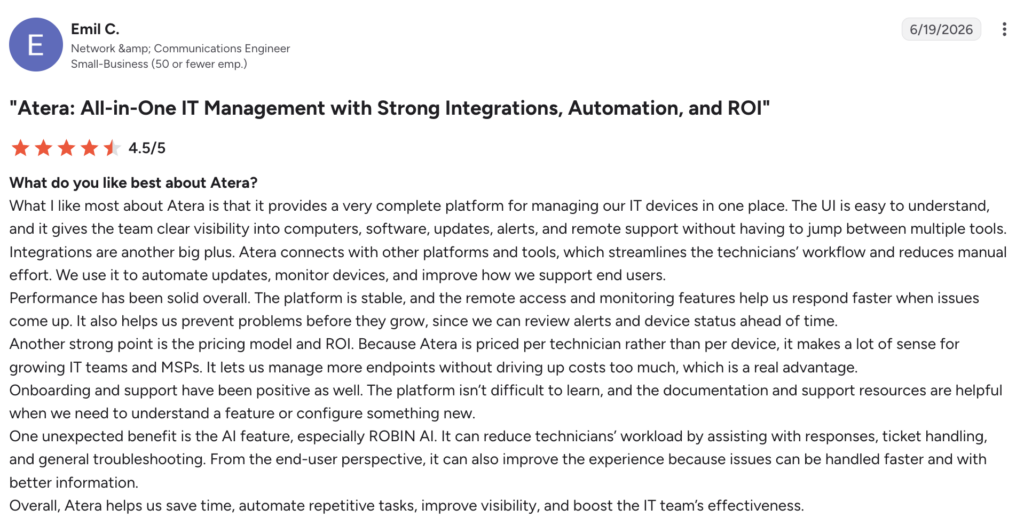
For example, Emil C. pointed out how Robin helps to reduce technicians’ workload by assisting with responses. And from an end-user perspective, it’s helpful as issues can be handled faster.
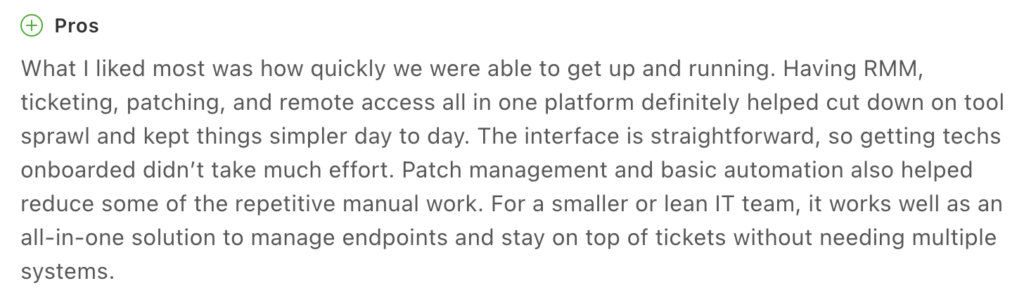
Bradley R. on Capterra appreciated the ease of use and how quickly their team was able to get up and running. He said, “The interface is straightforward, so getting techs onboarded didn’t take much effort.”
Another G2 user pointed out that “Atera makes complete sense for growing IT teams and MSPs since it’s priced per technician rather than per device.”
Hopefully this Atera review has given you a clearer idea of what Atera can offer. Even though there are many IT management solutions on the market, Atera is the only one powering its platform through two AI agents. Robin, resolving incidents end-to-end with no technician in the loop, and AI Copilot, assisting technicians in real time.
Atera backs up its AI with a performance guarantee: Robin resolves 50% of your Tier-1 and Tier-2 tickets within 90 days, or it will waive your fees. Of course, before deciding, compare different Atera alternatives to see which platform best fits your organizational goals.
Of its alternatives, Atera is the only platform offering true AI alongside the disruptive pay-per-technician model. If you want to evaluate how Atera fits within your organization, you can sign up for a free 30-day trial. You can also get in touch with Atera’s sales team today.
Frequently Asked Questions
Related Articles
Rev.io Review: A review of its PSA, billing, and CRM tools
Find out Rev.io’s key features, AI, and pricing in this Rev.io review. See what its pros and cons are, what actual users think of it, and what the best alternatives are.
Read now
Microsoft Intune Review: What IT teams really think of it
In this article, we’ll provide an in-depth review of Microsoft Intune, its key features, pricing, pros and cons, and more. Read on to learn more.
Read now
Datto Review: A full look at its RMM, PSA, & backup tools
Explore the pros, cons, pricing, and real user feedback in our detailed Datto review. See when one of Datto’s alternatives is a better fit.
Read now
Pulseway Review: A full look at its IT management features
Discover user feedback, pros and cons, features, and pricing of Pulseway with our detailed review. Find out if it’s the right fit for your team or if another Pulseway alternative suits you better.
Read nowEndless IT possibilities
Boost your productivity with Atera’s intuitive, centralized all-in-one platform









